
1. Úvod
This manual provides detailed instructions for the installation, operation, and maintenance of your Thomson 512331 720p WiFi IP Camera. This wireless security camera features 720p HD resolution, advanced night vision, motion detection, and remote viewing capabilities via a smartphone or tablet application. Designed for outdoor use, it boasts an IP66 weather-resistant rating and a durable metal construction.
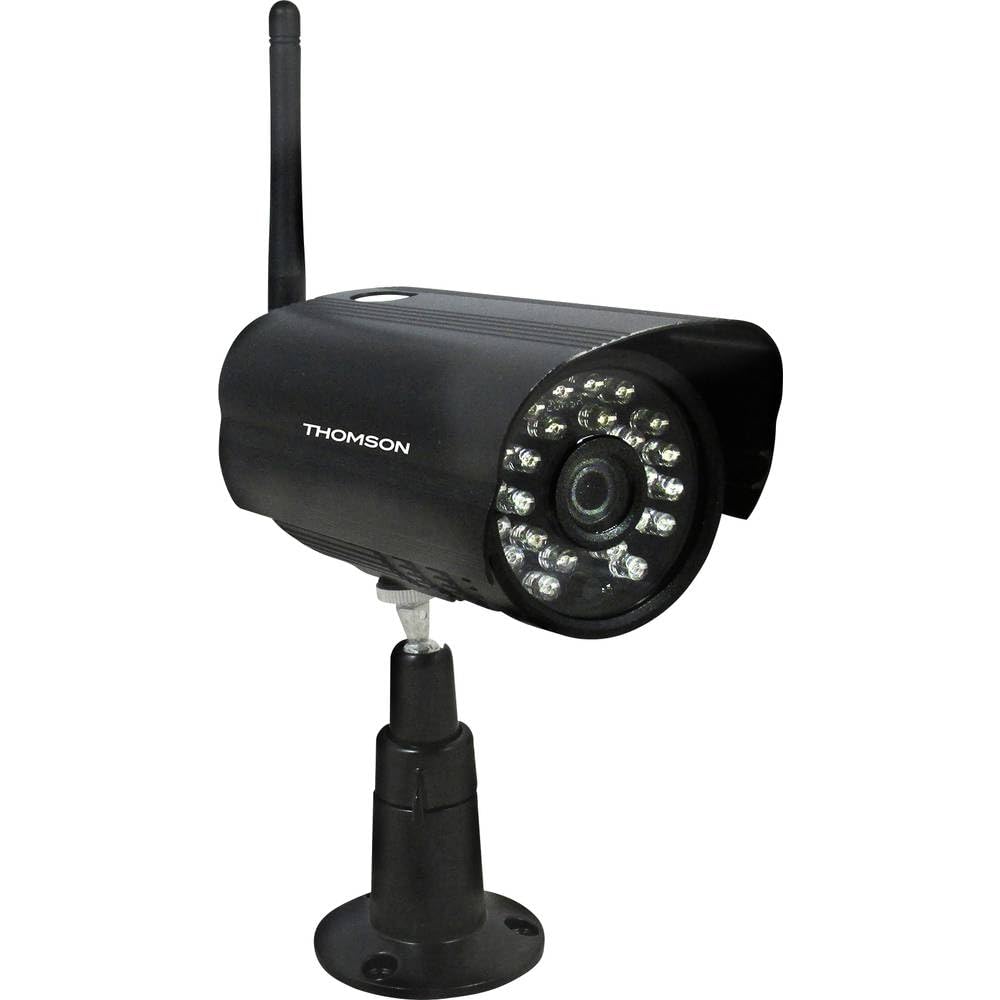
Obrázek 1: Přední view of the Thomson 512331 720p WiFi IP Camera. This image shows the camera's main body, lens, and antenna connection point, highlighting its compact and robust design suitable for outdoor surveillance.
2. Obsah balení
Please verify that all items listed below are included in your package. If any items are missing or damaged, contact customer support.
- Thomson 512331 IP Camera
- Power Adapter (230VAC/12VDC 500mA)
- WiFi anténa
- Montážní sada (šrouby a hmoždinky)
- Uživatelská příručka (tento dokument)
3. Konec produktuview
The Thomson 512331 camera is designed for reliable surveillance with the following key features:
- Čočka: 3.6mm fixed lens for a wide field of view.
- Rezoluce: 1280x720 (720p) HD video capture.
- Noční vidění: Infrared night vision with 24 LEDs, providing a range of up to 20 meters. Features color night vision capability.
- Zvuk: Integrated microphone for audio acquisition.
- Konektivita: Wireless Wi-Fi connectivity for flexible placement.
- Odolnost vůči počasí: IP66 rated for outdoor use, protecting against dust and powerful water jets.
- Materiál: Durable metal housing.
- Moc: 12VDC 500mA power input, maximum consumption 5W.
- Komprese videa: H.264 pro efektivní ukládání a streamování.
- Skladování: Supports SD card for local storage (SD card not included).
4. Nastavení
4.1 Fyzická instalace
- Vyberte umístění: Select a suitable outdoor location for the camera, ensuring it has a clear view oblasti, kterou chcete monitorovat, a která je v dosahu vaší sítě Wi-Fi.
- Montáž kamery: Use the provided mounting kit to securely attach the camera to a wall or other stable surface. Drill pilot holes if necessary, insert wall plugs, and fasten the camera bracket with screws.
- Připojení WiFi antény: Screw the WiFi antenna firmly onto the designated port on the camera.
- Připojte napájení: Connect the power adapter to the camera's 12VDC input port and plug the adapter into a suitable power outlet. Ensure the power outlet is protected from weather if installed outdoors.
4.2 Network Configuration and App Setup
- Stáhněte si aplikaci: Hledat the official Thomson IP Camera application on your smartphone's or tablet's app store (iOS or Android). Download and install the application.
- Vytvořit účet: Otevřete aplikaci a postupujte podle pokynů na obrazovce k vytvoření nového uživatelského účtu nebo se přihlaste, pokud již nějaký máte.
- Přidat fotoaparát: In the app, select the option to "Add Device" or "Add Camera." Follow the in-app wizard to connect your camera to your Wi-Fi network. This typically involves scanning a QR code on the camera or entering your Wi-Fi credentials.
- Konfigurace nastavení: Once connected, you can configure various settings such as motion detection sensitivity, recording schedules, and alert notifications within the app.
5. Návod k obsluze
5.1 Živě View
Open the Thomson IP Camera app on your smartphone or tablet. Select your camera from the device list to view the live video feed. You can typically switch between standard and HD resolution, and access controls for audio and recording.
5.2 Detekce pohybu a upozornění
The camera is equipped with motion detection. When motion is detected, the camera can trigger recordings and send push notifications to your connected device. Adjust motion detection sensitivity and alert preferences in the app's settings.
5.3 Noční vidění
The camera automatically switches to infrared night vision in low-light conditions, providing clear black and white video. It also supports color night vision in certain conditions. The 24 built-in IR LEDs illuminate up to 20 meters.
5.4 Nahrávání a přehrávání
If an SD card is installed (not included), the camera can record video locally. Recordings can be triggered by motion or set on a schedule. Access recorded footage prostřednictvím funkce přehrávání v aplikaci.
6. Údržba
- Čištění: Pravidelně čistěte objektiv a kryt fotoaparátu měkkým hadříkemamp hadříkem odstraňte prach a nečistoty. Nepoužívejte agresivní chemikálie ani abrazivní čisticí prostředky.
- Aktualizace firmwaru: Check the app regularly for firmware updates. Keeping your camera's firmware up-to-date ensures optimal performance and security.
- Napájení: Ensure the power adapter and cable are in good condition and free from damage.
- Wi-Fi připojení: Verify your Wi-Fi signal strength periodically to ensure a stable connection for continuous surveillance.
7. Řešení problémů
- Kamera se nepřipojuje k Wi-Fi:
- Ujistěte se, že je kamera v dosahu vašeho Wi-Fi routeru.
- Ověřte, zda je v aplikaci zadáno správně heslo k Wi-Fi.
- Restartujte router a kameru.
- Ujistěte se, že vaše Wi-Fi síť pracuje na frekvenci 2.4 GHz, protože sítě na frekvenci 5 GHz nemusí být podporovány.
- Žádný video kanál:
- Zkontrolujte, zda je fotoaparát zapnutý.
- Confirm a stable internet connection on both the camera and your viewing zařízení.
- Restartujte fotoaparát a aplikaci.
- Detekce pohybu nefunguje:
- Check motion detection settings in the app; ensure it is enabled and sensitivity is adjusted correctly.
- Ujistěte se, že v záběru kamery nejsou žádné překážky. view.
- Špatná kvalita nočního vidění:
- Očistěte objektiv fotoaparátu, abyste odstranili veškeré nečistoty nebo šmouhy.
- Ensure there are no reflective surfaces close to the camera that might interfere with IR illumination.
8. Specifikace
| Název modelu | 512331 |
| Značka | Thomson |
| Rozměry (D x Š x V) | 50 x 50 x 28 cm |
| Hmotnost | 500 gramů |
| Technologie připojení | Bezdrátové, Wi-Fi |
| Speciální funkce | Noční vidění |
| Kompatibilní zařízení | Tablet, Smartphone |
| Zdroj napájení | AC Power (12VDC 500mA adapter) |
| Typ ovladače | iOS (via application) |
| Typ montáže | Držák na zeď |
| Vlastnosti produktu | Night Vision, Motion Detection |
| Materiál | Kov |
| Úroveň odolnosti proti vodě | IP66 (vodotěsný) |
| Typ upozornění | Pouze pohyb |
| Typ světelného zdroje | LED |
| Kontrolní metoda | Aplikace |
| Spotřeba energie | 5 wattů |
| Jsou vyžadovány baterie | Žádný |
| Počet kanálů | 1 |
| Typ zaměření | Automatické ostření |
| Technologie optických senzorů | BSI CMOS |
| Rozlišení videa | 720p (1280x720 pixelů) |
| Rozsah nočního vidění | 20 metrů |
| Typ nočního vidění | Infrared with Color Night Vision capability |
| Typ paměti Flash | SD (for local storage) |
9. Záruka a podpora
For warranty information and technical support, please refer to the documentation provided with your purchase or visit the official Thomson webUschovejte si doklad o koupi pro případ reklamace.
Online zdroje: www.thomson.eu