
MICTUNING MIC-CDL-002-82
MICTUNING 2nd-Gen RGB LED Rock Lights User Manual
Model: MIC-CDL-002-82
1. Úvod
Thank you for choosing MICTUNING 2nd-Gen RGB LED Rock Lights. This kit provides vibrant, customizable lighting for your vehicle's exterior, enhancing visibility and aesthetics. Designed with high-brightness RGB 3-in-1 LEDs, a stable Bluetooth controller, and an IP68 waterproof rating, these lights are built for durability and performance in various conditions. This manual provides essential information for installation, operation, maintenance, and troubleshooting to ensure optimal use of your product.

Obrázek 1.1: Konecview of the MICTUNING 2nd-Gen RGB LED Rock Lights kit, including the 8 LED pods, control box, and wiring.
2. Bezpečnostní informace
Please read and understand all safety instructions before installation and operation. Failure to follow these instructions may result in electrical shock, fire, or serious injury.
- Před zahájením jakékoli elektrické instalace vždy odpojte baterii vozidla.
- Ujistěte se, že všechna kabelová spojení jsou bezpečná a řádně izolovaná, aby se zabránilo zkratu.
- Produkt žádným způsobem neupravujte. Neoprávněné úpravy mohou vést ke ztrátě záruky a představovat bezpečnostní riziko.
- Keep the control box and wiring away from extreme heat, moving parts, and sharp edges.
- Pokud si nejste jisti některou částí instalačního procesu, poraďte se s odborníkem.
3. Obsah balení
Před zahájením instalace ověřte, zda jsou v balení přítomny všechny komponenty:
- 8 x RGB LED Rock Light Pods
- 1 x Bluetooth Control Box
- Kabelové svazky
- Mounting Hardware (screws, nuts, rubber pads)
- Uživatelská příručka

Obrázek 3.1: Detailní view of all items included in the package, such as the LED pods, control box, wiring, and various mounting accessories.
4. Nastavení a instalace
Follow these steps for proper installation of your MICTUNING RGB LED Rock Lights:
- Planning the Layout: Determine the optimal placement for each of the 8 LED pods on your vehicle's undercarriage. Consider areas that will provide even illumination and are protected from direct impact.
- Mounting the Pods: Securely mount each LED pod using the provided screws and rubber pads. Ensure the mounting surface is clean and flat. The sturdy aluminum housing provides durability.
- Mounting the Control Box: Choose a dry, secure location for the Bluetooth control box, such as under the hood or inside the cabin. Ensure it is easily accessible for wiring and protected from water and excessive heat. The control box features a built-in automotive-grade chip for stable Bluetooth connection.
- Připojení kabeláže:
- Connect the wiring harnesses from each LED pod to the control box.
- Connect the main power and ground wires from the control box to your vehicle's 12V power source (e.g., battery). It is recommended to use an inline fuse (a safety protection fuse is included) for circuit protection.
- Ujistěte se, že všechna spojení jsou těsná a izolovaná, aby se zabránilo korozi a zkratům.
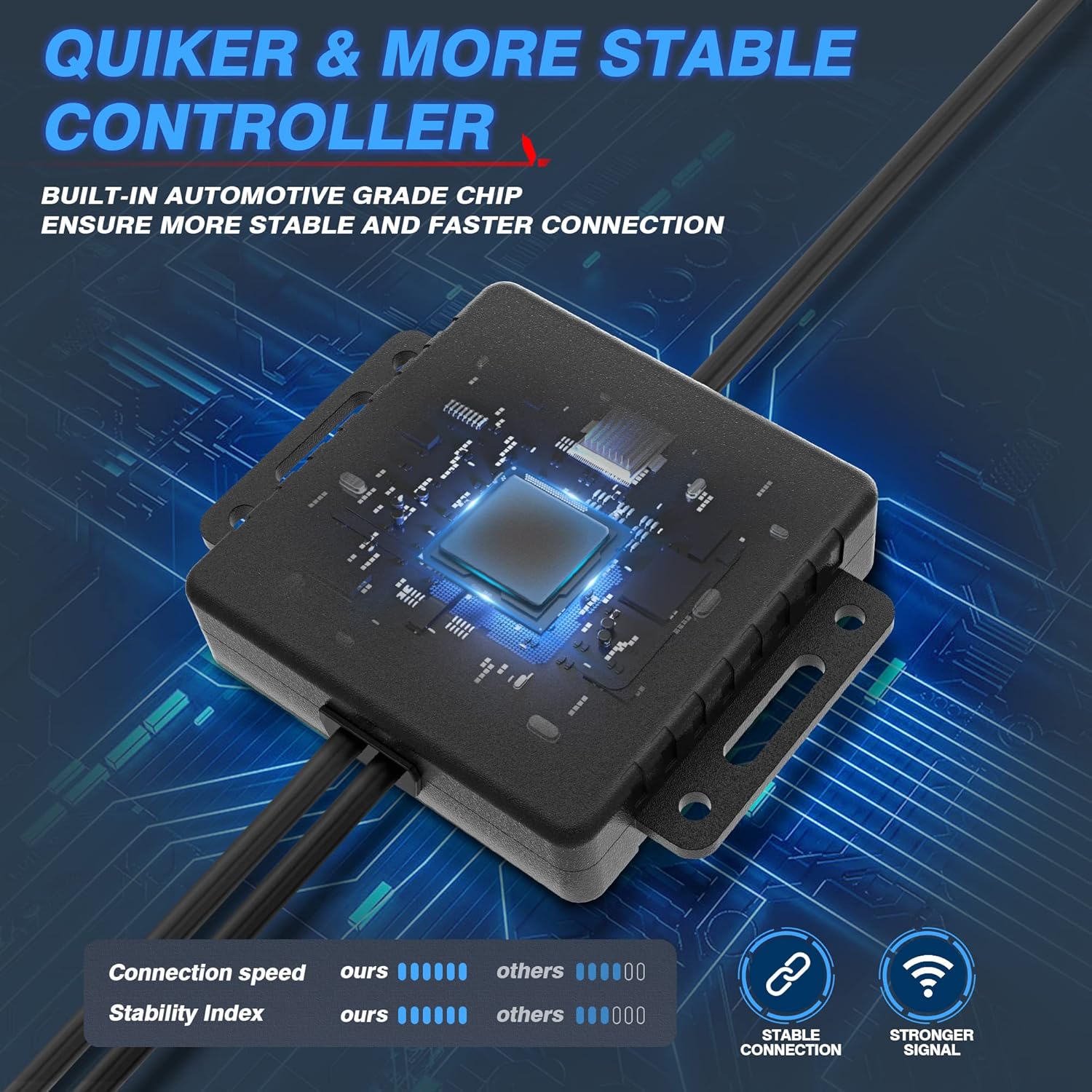
Image 4.1: The Bluetooth control box, highlighting its internal automotive-grade chip for stable and fast connection.

Image 4.2: A MICTUNING LED rock light submerged in water, demonstrating its IP68 waterproof rating and durable aluminum housing with an integrated safety fuse.
- Zapnutí a testování: Reconnect the vehicle's battery. The lights should briefly illuminate.
- Stažení aplikace: Scan the QR code on the control box or in the user manual to download the "Mictuning" app from your smartphone's app store.
5. Návod k obsluze
Your MICTUNING RGB LED Rock Lights are controlled via the exclusive MagicLink App. This app allows for comprehensive customization of your lighting experience.
- Připojení přes Bluetooth: Open the MagicLink App on your smartphone. Ensure Bluetooth is enabled. The app will automatically search for and connect to your MICTUNING control box.
- Vyberte režimy osvětlení: The app offers various lighting modes, including:
- Statické barvy: Choose from a wide spectrum of colors using the color wheel.
- Dynamické režimy: Select from pre-programmed flashing, strobing, fading, and chasing-účinky.
- Hudební režim: Synchronize the lights with music playing on your phone or through the app's microphone.
- Funkce časování: Nastavte si časové plány pro automatické zapínání/vypínání světel.
- Nastavení jasu: Adjust the brightness level to your preference within the app.
- Ovládání více zařízení: The MagicLink App allows you to control multiple sets of MICTUNING lights of the same type (e.g., up to 6 sets of X2 CM Q1 RGB rock lights) from a single phone.
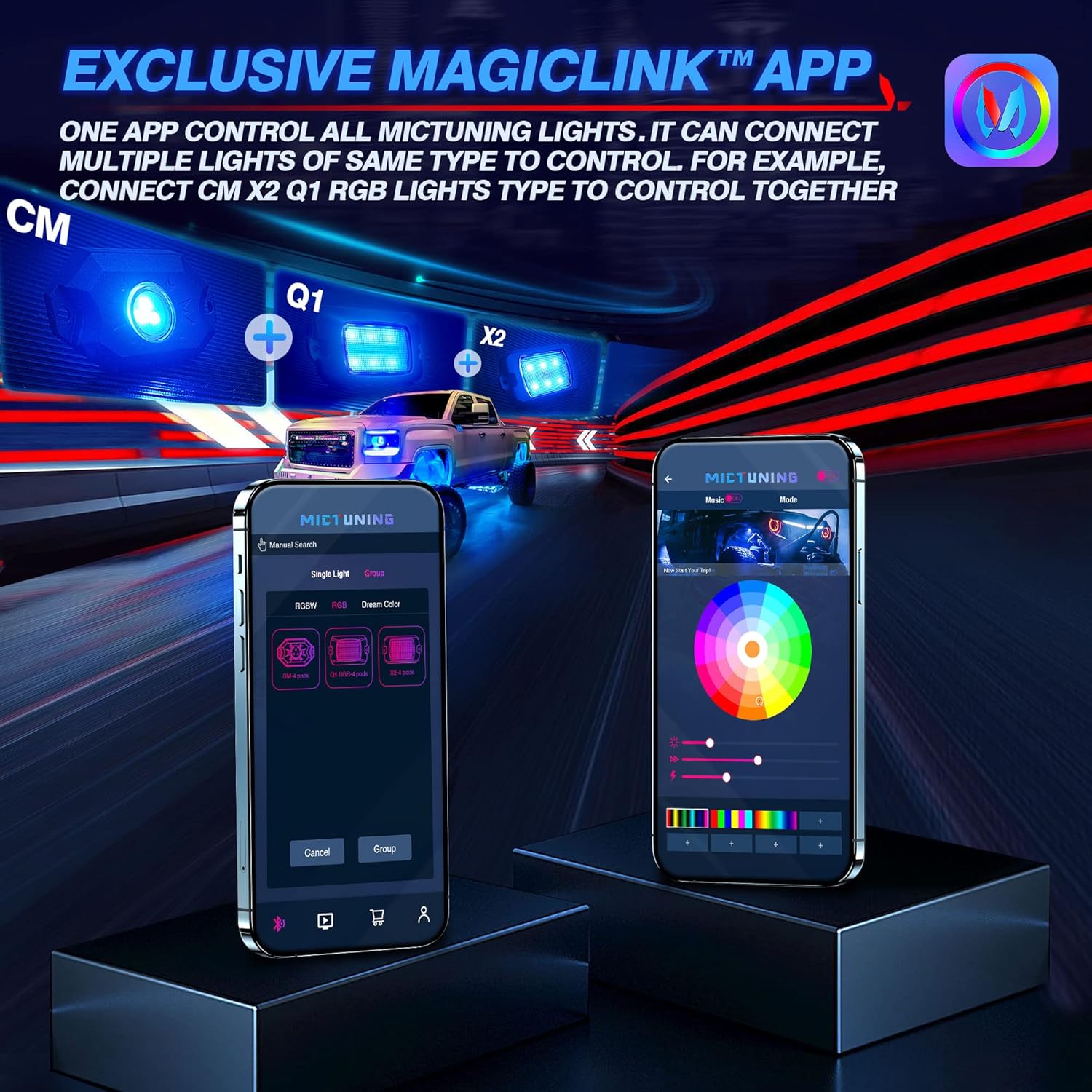
Image 5.1: The MagicLink App interface, showing options for single light or group control, and a color wheel for custom light selection.
6. Údržba
Regular maintenance will help prolong the lifespan and performance of your rock lights:
- Čištění: Periodically clean the LED pods with a soft cloth and mild soap and water. Avoid abrasive cleaners or high-pressure washers directly on the lights.
- Inspekce: Regularly inspect the wiring for any signs of wear, fraying, or damage. Check all connections to ensure they remain secure.
- Vodotěsná integrita: While the lights are IP68 waterproof, ensure that the connections to the control box remain dry and free from moisture buildup.
7. Řešení problémů
If you encounter issues with your MICTUNING RGB LED Rock Lights, refer to the following common problems and solutions:
| Problém | Možná příčina | Řešení |
|---|---|---|
| Světla se nerozsvítí. | Žádné napájení, uvolněné spojení, spálená pojistka. | Check power connections to the battery. Ensure all wiring is secure. Inspect the inline fuse and replace if blown. |
| Bluetooth connection is unstable or slow. | Interference, app issues, distance from control box. | Ensure your phone's Bluetooth is on. Restart the app and your phone. Move closer to the control box. Ensure the app has necessary permissions (e.g., location access). |
| Colors are inconsistent or mottled. | Individual LED pod issue, wiring problem. | Check the connections to the affected pod. Ensure the app is updated to the latest version. |
| Lights do not respond to app commands. | App not connected, control box issue. | Verify Bluetooth connection in the app. Restart the control box by disconnecting and reconnecting power. |
8. Specifikace
| Funkce | Detail |
|---|---|
| Číslo modelu | MIC-CDL-002-82 |
| Barva | RGB |
| Materiál | Hliník |
| Hmotnost položky | 4.4 libry |
| Rozměry produktu | 7.87 x 5.12 x 5.71 palce |
| Úroveň odolnosti proti vodě | IP68 Vodotěsný |
| Technologie připojení | Bluetooth |
| Počet kusů | 8 lusky |
| Životnost | Až 50,000 XNUMX+ hodin |
9. Záruka a podpora
MICTUNING stands behind the quality of its products. Your MICTUNING 2nd-Gen RGB LED Rock Lights come with a dvouletá záruka od data nákupu.
If you encounter any issues or have questions regarding your product, please do not hesitate to contact MICTUNING customer support. Our responsive team is committed to assisting you within 24 hours to resolve any problems.
Kontaktní údaje:
- Visit the official MICTUNING website for support resources and contact details: MICTUNING Store
- Refer to the user manual for additional contact methods.
Ask a question about this manual
Ask about setup, troubleshooting, compatibility, parts, safety, or missing instructions. Manuals+ will review the question and use this page’s manual context to help answer it.