
Zavedení
The HyperGear Rave Wireless Stereo Speaker delivers high-fidelity sound with an interactive multi-colored LED light show. It features Bluetooth connectivity, a built-in speakerphone, and an FM radio, making it suitable for various audio needs.
Obsah balení
- Rave Wireless Speaker
- 3.5mm Stereo Auxiliary Cable
- Micro USB nabíjecí kabel
- Uživatelská příručka (tento dokument)

Konec produktuview
Seznamte se s ovládacími prvky a porty reproduktoru.

Ovládací tlačítka
- Vypínač: Stisknutím a podržením zapnete nebo vypnete reproduktor.
- Tlačítko režimu (M): Press to switch between Bluetooth, FM Radio, and AUX modes.
- Play/Pause Button (►/∕): Stisknutím přehrajete nebo pozastavíte zvuk. V režimu hovoru stisknutím přijmete/ukončíte hovory.
- Volume Down / Previous Track (-/◀◀): Stisknutím snížíte hlasitost. Stisknutím a podržením přejdete na předchozí skladbu.
- Volume Up / Next Track (+/►►): Stisknutím zvýšíte hlasitost. Stisknutím a podržením přejdete na další skladbu.
- Light Mode Button (*): Press to cycle through different LED light patterns or turn off the light show.
Porty
- Nabíjecí port micro USB: Pro nabíjení interní baterie reproduktoru.
- 3.5mm AUX vstup: For connecting external audio devices via the auxiliary cable.
Nastavení
Nabíjení reproduktoru
Before first use, fully charge the speaker. Connect the Micro USB charging cable to the speaker's charging port and the other end to a USB power adapter (not included) or a computer's USB port. The charging indicator light will illuminate during charging and turn off when fully charged. A full charge takes approximately 3-4 hours and provides up to 8 hours of playback.
Zapnutí/vypnutí
Stiskněte a podržte Tlačítko napájení for approximately 3 seconds to turn the speaker on or off. A voice prompt will indicate the power status.
Návod k obsluze
Párování pomocí Bluetooth
- Ujistěte se, že je reproduktor zapnutý a v režimu Bluetooth. Pokud ne, stiskněte tlačítko Tlačítko režimu (M) until you hear the Bluetooth pairing prompt. The LED indicator will flash, indicating it is ready to pair.
- Na svém mobilním zařízení povolte Bluetooth a vyhledejte dostupná zařízení.
- Select "HyperGear Rave" from the list of devices.
- Po spárování reproduktor vydá potvrzovací tón a LED indikátor přestane blikat.

Přehrávání hudby
Režim Bluetooth
After successful pairing, you can play music from your connected device. Use the speaker's Přehrát/Pozastavit, Zvýšení hlasitosti/další skladbaa Snížit hlasitost/předchozí stopa tlačítka pro ovládání přehrávání nebo ovládání přímo z vašeho zařízení.
Režim AUX
Connect one end of the 3.5mm auxiliary cable to the speaker's AUX input and the other end to the audio output of your external device. Press the Tlačítko režimu (M) to switch to AUX mode. Audio will play directly from your connected device.
Hands-free volání
When connected via Bluetooth, the speaker can be used as a speakerphone. When a call comes in, the music will pause. Press the Tlačítko Přehrát/Pozastavit to answer an incoming call. Press it again to end the call. Press and hold the Tlačítko Přehrát/Pozastavit odmítnout příchozí hovor.
Provoz FM rádia
Stiskněte tlačítko Tlačítko režimu (M) to switch to FM Radio mode. The speaker will automatically scan and save available stations. Use the Zvýšení hlasitosti/další skladba a Snížit hlasitost/předchozí stopa buttons to navigate between saved stations. Press and hold these buttons to fine-tune the frequency.
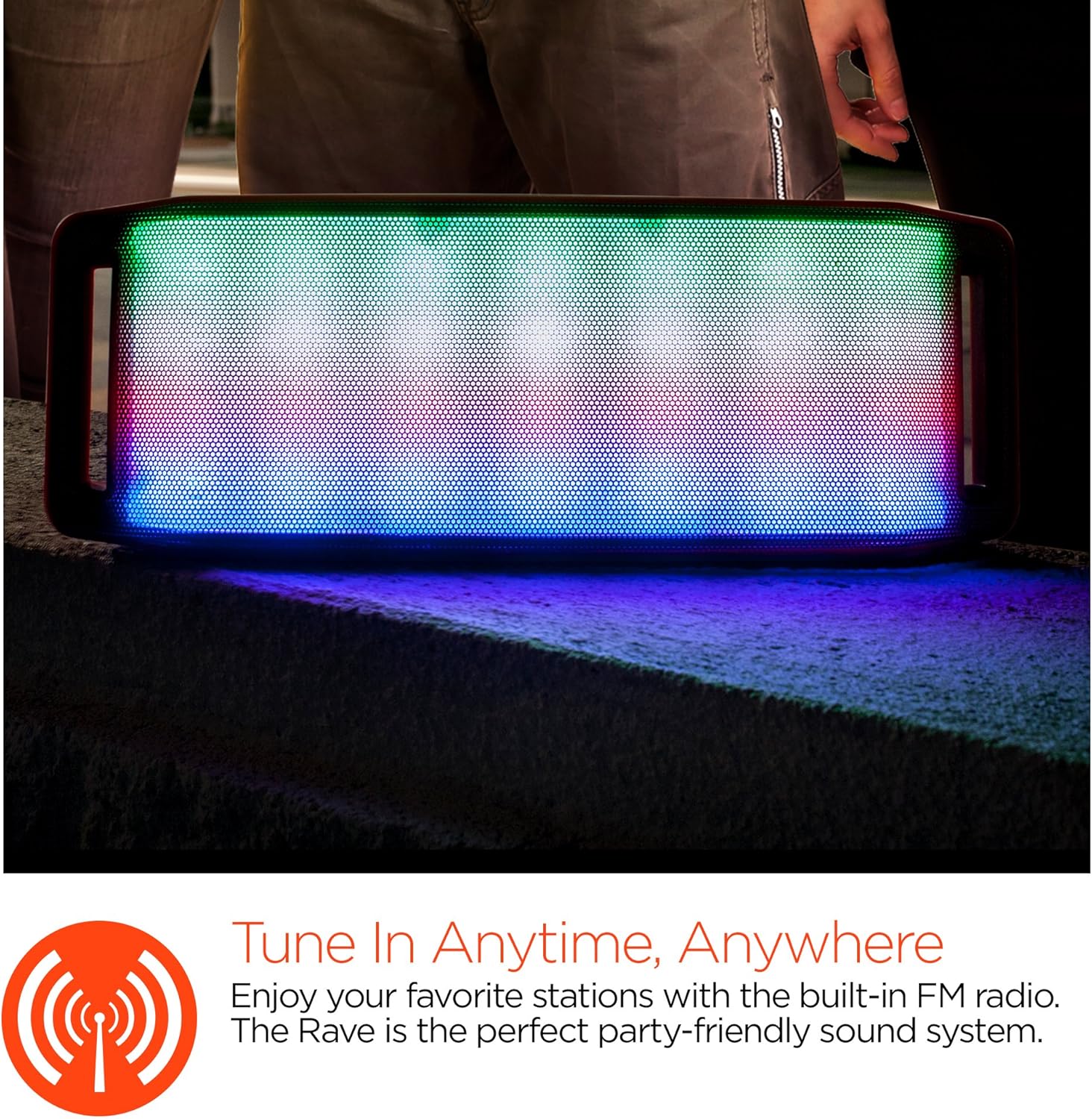
LED světelná show
The speaker features an interactive multi-colored LED light show. Press the Light Mode Button (*) to cycle through different light patterns or to turn the light show off.

Údržba
Čištění
Wipe the speaker with a soft, dry cloth. Do not use abrasive cleaners or solvents. Avoid exposing the speaker to excessive moisture.
Skladování
Reproduktor skladujte na chladném a suchém místě mimo dosah přímého slunečního záření a extrémních teplot. Pokud jej skladujete delší dobu, pravidelně nabíjejte baterii, aby se prodloužila její životnost.
Péče o baterie
To prolong battery life, avoid fully discharging the speaker frequently. Charge the speaker regularly, even if not in use, to prevent deep discharge.
Odstraňování problémů
| Problém | Možná příčina | Řešení |
|---|---|---|
| Reproduktor se nezapne. | Baterie je vybitá. | Nabijte reproduktor pomocí kabelu Micro USB. |
| Nelze spárovat přes Bluetooth. | Reproduktor není v režimu párování; Bluetooth je na zařízení vypnutý; zařízení je příliš daleko. | Ensure speaker is in Bluetooth pairing mode (flashing LED). Turn on Bluetooth on your device. Move device closer to speaker (within 10 meters). |
| Žádný zvuk. | Volume is too low; incorrect mode selected; device not playing. | Increase volume on both speaker and connected device. Ensure correct mode (Bluetooth/AUX/FM) is selected. Verify audio is playing on the source device. |
| Zkreslení zvuku. | Příliš vysoká hlasitost; slabá baterie; rušení. | Snižte hlasitost. Nabijte reproduktor. Přemístěte reproduktor dále od ostatních elektronických zařízení. |
| Příjem FM rádia je špatný. | Slabý signál; rušení z prostředí. | Relocate the speaker to an area with better reception. Extend the charging cable (if connected) as it can act as an antenna. |
Specifikace
| Funkce | Detail |
|---|---|
| Číslo modelu | 13604 |
| Verze Bluetooth | 3.0 ± EDR |
| Výstupní výkon reproduktoru | 2 x 5 W (celkem 10 W) |
| Poměr signálu k šumu (S/N) | 80 dB |
| Kapacita baterie | 1500 XNUMX mAh |
| Čas přehrávání | Až 8 hodin |
| Dosah Bluetooth | Až 33 stop / 10 m |
| Technologie připojení | Bluetooth, bezdrátové připojení |
| Režim zvukového výstupu | Stereo |
| Kontrolní metoda | Dotek |
| Hmotnost | 2.25 libry |
| Speciální funkce | Bass Boost, Display, Multi-colored LED Light Show, Built-in Speakerphone, FM Radio |
Záruka a podpora
For warranty information or technical support, please refer to the contact details provided on the product packaging or visit the official HYPERGEAR webwebu. Uschovejte si účtenku jako doklad o koupi.