
Zavedení
Thank you for choosing the LogiLink PA0132 Universal Solar Power Bank. This device is designed to provide portable power for your electronic devices, featuring a built-in 5000 mAh battery and solar charging capabilities. Please read this manual carefully before using the product to ensure proper operation and longevity.
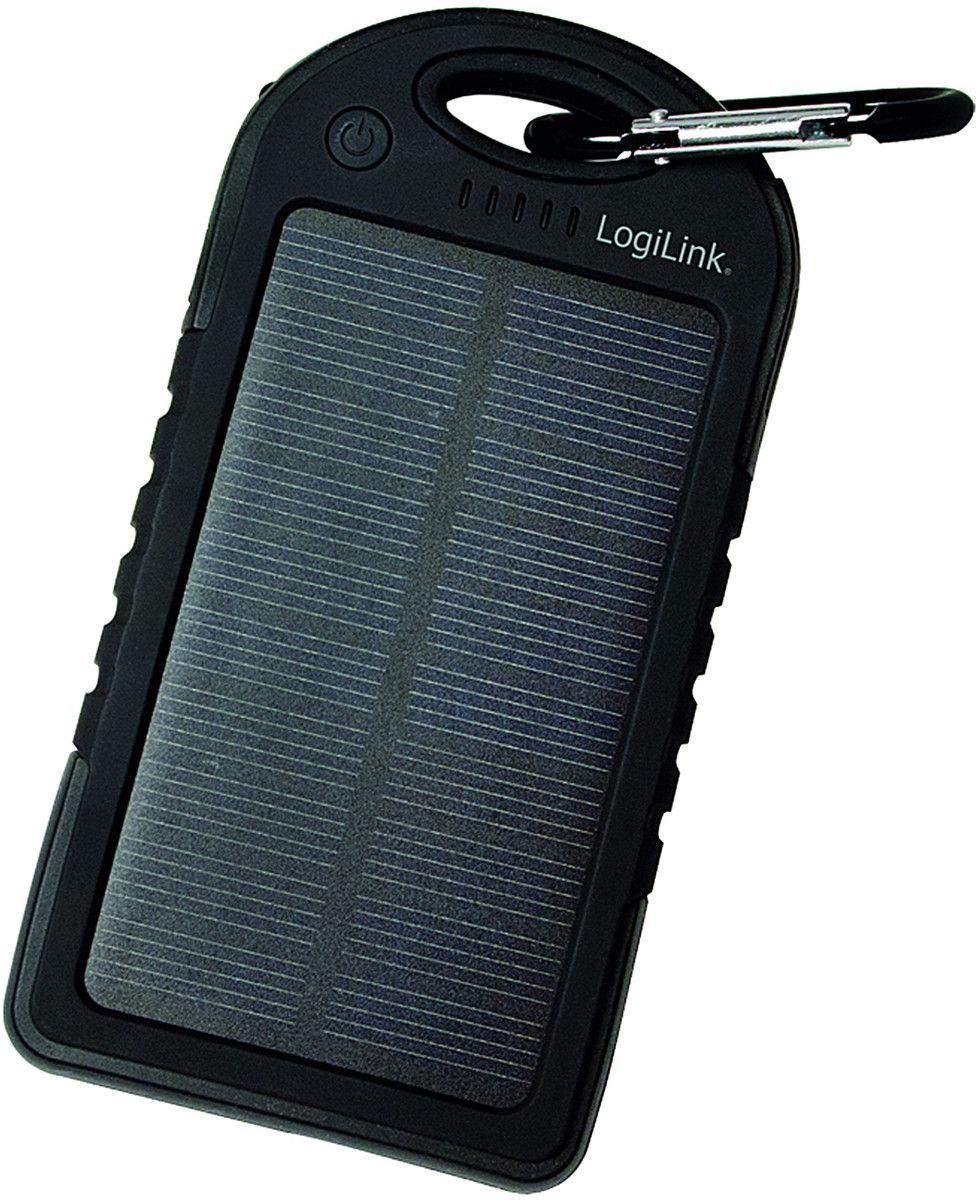
Image: LogiLink PA0132 Universal Solar Power Bank, black, showing its front with solar panel and ports.
Bezpečnostní pokyny
- Do not expose the power bank to extreme temperatures (above 45°C or below -10°C).
- Zabraňte pádu zařízení nebo jeho vystavení silným nárazům.
- Do not disassemble, repair, or modify the power bank yourself. Contact qualified service personnel.
- Keep away from water and high humidity. Although splash-resistant, it is not waterproof.
- Do not use the power bank if it is damaged or swollen.
- Uchovávejte mimo dosah dětí.
Obsah balení
- 1 x LogiLink PA0132 Solar Power Bank
- 1 x USB Charging Cable (for charging the power bank)
- 1 x Uživatelská příručka
Konec produktuview
The LogiLink PA0132 features a robust design suitable for outdoor use. It includes a solar panel for emergency charging and multiple ports for connecting devices.
- Solární panel: For supplementary charging under direct sunlight.
- Výstupní porty USB (x2): To charge your electronic devices.
- Vstupní port micro USB: To charge the power bank via a wall adapter or computer.
- LED indikátory (5x): To display battery charge status and charging activity.
- Vypínač: To check battery status or initiate charging.
Nastavení
Počáteční nabití powerbanky
Before first use, fully charge the power bank using the included USB cable and a wall adapter (not included) or a computer USB port. Solar charging is primarily for emergency use and is significantly slower than wall charging.
- Connect the micro USB end of the charging cable to the power bank's input port.
- Connect the standard USB end to a USB wall charger or a computer's USB port.
- The LED indicators will light up, showing the charging progress. When all 5 LEDs are solid, the power bank is fully charged.
Solární nabíjení
Place the power bank with the solar panel facing direct sunlight. The LED indicators will show charging activity. Note that solar charging is slow and intended for emergency power replenishment, not as a primary charging method.
Provozní
Nabíjení externích zařízení
The LogiLink PA0132 can charge two devices simultaneously.
- Připojte nabíjecí kabel zařízení k jednomu z USB výstupních portů na powerbankě.
- Připojte druhý konec kabelu k zařízení.
- Powerbanka by měla automaticky začít nabíjet vaše zařízení. Pokud ne, stiskněte jednou tlačítko napájení pro zahájení nabíjení.
- The LED indicators will show the remaining battery level of the power bank.
- Jakmile bude zařízení plně nabité, odpojte jej.
Kontrola stavu baterie
Press the power button once to check the remaining battery capacity. The 5 LED indicators will light up to show the charge level:
- 1 LED diod: 0-20% nabití
- 2 LED diody: 20-40% nabití
- 3 LED diody: 40-60% nabití
- 4 LED diody: 60-80% nabití
- 5 LED diody: 80-100% nabití
Údržba
- Powerbanku čistěte měkkým, suchým hadříkem. Nepoužívejte agresivní chemikálie ani abrazivní čisticí prostředky.
- Store the power bank in a cool, dry place away from direct sunlight when not in use.
- Pro optimální výdrž baterie plně nabijte powerbanku alespoň jednou za tři měsíce, pokud ji nepoužíváte pravidelně.
Odstraňování problémů
- Problem: Power bank is not charging.
-
- Ujistěte se, že je nabíjecí kabel bezpečně připojen k powerbankě i ke zdroji napájení.
- Try a different USB cable or wall adapter.
- If using solar charging, ensure the solar panel is exposed to direct, strong sunlight. Note that solar charging is very slow.
- Problem: Device is not charging from the power bank.
-
- Ujistěte se, že je powerbanka dostatečně nabitá (zkontrolujte LED indikátory).
- Stiskněte tlačítko napájení na powerbance pro aktivaci nabíjení.
- Zkuste jiný USB výstupní port na powerbankě.
- Vyzkoušejte pro své zařízení jiný nabíjecí kabel.
- Ensure your device is compatible with 5V USB charging.
- Problem: Solar charging seems ineffective.
-
- Solar charging is a supplementary feature and is significantly slower than wall charging. It is designed for emergency use.
- Ensure the solar panel is clean and directly exposed to strong sunlight without obstructions.
Specifikace
| Funkce | Specifikace |
|---|---|
| Model | PA0132 |
| Značka | LogiLink |
| Typ baterie | Lithium Polymer (LiPo) |
| Kapacita baterie | 5000 mAh (3.7 V, 18.5 Wh) |
| Zdroj napájení | Solar powered, USB input |
| Vstupní objemtage | 5 V |
| Výstupní porty | 2 x USB |
| Kompatibilní zařízení | Universal (smartphones, tablets, GPS, cameras, etc.) |
| Rozměry (D x Š x V) | 14.5 x 7.5 x 1.5 cm |
| Hmotnost | 190 g |
| Vlastnosti | Splash-proof, shock-resistant, 5 LED status indicators |
Záruka a podpora
For warranty information and technical support, please refer to the documentation provided with your purchase or contact your retailer. LogiLink products typically come with a manufacturer's warranty against defects in materials and workmanship.
You may also visit the official LogiLink website for further assistance or to find contact information for customer support.