
1. Úvod
The Lenco BT-210 Light is a versatile Bluetooth stereo speaker designed for portable audio playback. It features integrated LED lighting, which can be controlled via a dedicated application, and offers multiple connectivity options including Bluetooth, AUX-in, and USB. This manual provides essential information for the safe and efficient use of your speaker.
2. Bezpečnostní informace
- Před použitím zařízení si pečlivě přečtěte všechny pokyny.
- Uschovejte tento návod pro budoucí použití.
- Nevystavujte zařízení dešti, vlhkosti ani extrémním teplotám.
- Neumísťujte zařízení do blízkosti zdrojů tepla, jako jsou radiátory, topná tělesa, kamna nebo jiná zařízení (včetně amplifikátory), které produkují teplo.
- Používejte pouze nástavce/příslušenství specifikované výrobcem.
- Odpojte zařízení během bouřky nebo když se delší dobu nepoužívá.
- Nezakrývejte žádné větrací otvory. Nainstalujte v souladu s pokyny výrobce.
- Chraňte napájecí kabel před šlapáním nebo přiskřípnutím, zejména u zástrček, zásuvek a v místě, kde vychází z přístroje.
3. Obsah balení
Zkontrolujte prosím, zda jsou všechny položky přítomny a v dobrém stavu:
- Lenco BT-210 Light Bluetooth Stereo Speaker
- USB nabíjecí kabel
- AUX-in Cable (3.5mm)
- Uživatelská příručka
4. Konec produktuview
Familiarize yourself with the various parts of your Lenco BT-210 Light speaker.
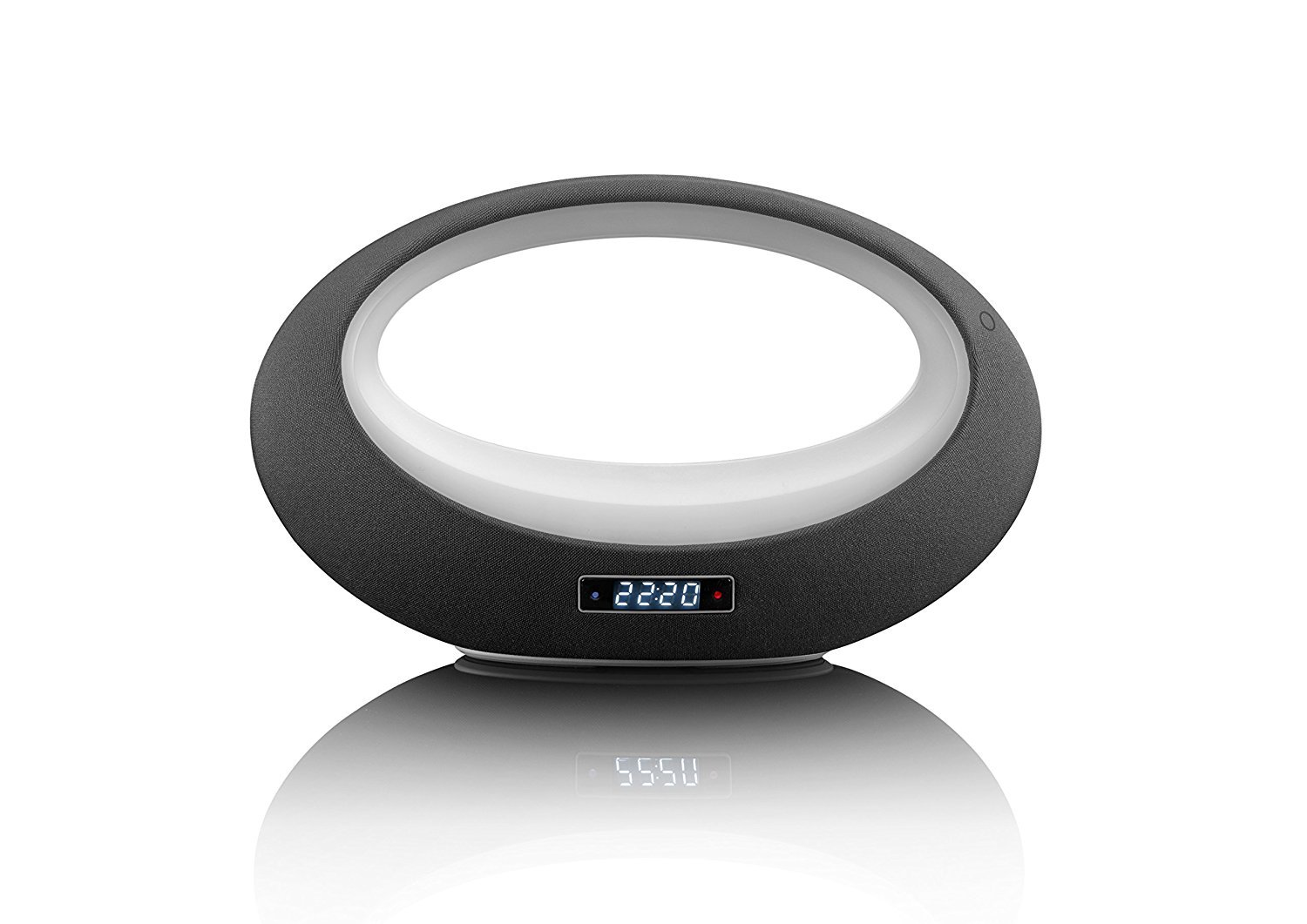
Obrázek 1: Přední view of the Lenco BT-210 Light speaker, showing the central LED light ring and the digital display.

Obrázek 2: Zadní view of the Lenco BT-210 Light speaker, illustrating the various input ports and control buttons.
Ovládací prvky a porty:
- Vypínač: Zapíná nebo vypíná reproduktor.
- Zvýšení/Snížení hlasitosti: Nastavuje výstupní úroveň zvuku.
- Tlačítko Přehrát/Pozastavit: Ovládá přehrávání médií.
- Tlačítko režimu: Switches between Bluetooth, AUX, and USB input modes.
- Tlačítko ovládání LED světla: Cycles through LED light modes or turns them off.
- Vstup DC 5V: Pro nabíjení interní baterie.
- Vstup AUX (3.5 mm): Pro připojení externích audio zařízení pomocí kabelu.
- USB port: Pro přehrávání zvuku z paměťových zařízení USB.
5. Nastavení
5.1 Nabíjení reproduktoru
- Connect the supplied USB charging cable to the DC 5V input port on the speaker.
- Druhý konec kabelu USB připojte ke kompatibilnímu napájecímu adaptéru USB (není součástí balení) nebo k portu USB počítače.
- Rozsvítí se kontrolka nabíjení. Plné nabití trvá přibližně 3–4 hodiny.
- Po úplném nabití se může kontrolka změnit nebo zhasnout. Odpojte nabíjecí kabel.
5.2 Zapnutí/vypnutí
- Zapnutí: Press and hold the Power button for a few seconds until the display lights up and you hear an audible prompt.
- Vypnutí: Znovu stiskněte a podržte tlačítko napájení, dokud se displej nevypne.
6. Návod k obsluze
6.1 Párování Bluetooth
- Ensure the speaker is powered on and in Bluetooth mode. If not, press the Mode button until 'Bluetooth' or a similar indicator appears on the display. The LED light will flash, indicating it's in pairing mode.
- Na smartphonu, tabletu nebo jiném zařízení s podporou Bluetooth povolte Bluetooth a vyhledejte dostupná zařízení.
- Select "Lenco BT-210 Light" from the list of devices.
- Once paired, the speaker will emit a confirmation sound, and the LED light will stop flashing. You can now play audio from your device through the speaker.
6.2 Režim AUX-in
- Connect one end of the 3.5mm AUX-in cable to the AUX-in port on the speaker.
- Druhý konec kabelu připojte ke konektoru pro sluchátka nebo audio výstupu externího audio zařízení.
- Press the Mode button on the speaker until 'AUX' or a similar indicator appears on the display.
- Play audio from your external device. Adjust volume on both the speaker and your device.
6.3 Přehrávání z USB
- Vložte USB flash disk s audio soubory ve formátu MP3 filedo USB portu na reproduktoru.
- Press the Mode button on the speaker until 'USB' or a similar indicator appears on the display.
- Reproduktor automaticky začne přehrávat zvuk files from the USB drive. Use the Play/Pause and Volume buttons to control playback.
6.4 Ovládání LED světel
The integrated LED lighting can be controlled directly from the speaker or via a dedicated application (if available). Press the LED Light Control button to cycle through different light modes or to turn the lights off. Refer to the product's official website or app store for information on the companion application for advanced control.
6.5 Ovládání hlasitosti
Use the Volume Up (+) and Volume Down (-) buttons on the speaker to adjust the playback volume. For Bluetooth and AUX modes, you may also need to adjust the volume on your connected device.
7. Údržba
- Čištění: K čištění vnější strany reproduktoru používejte měkký, suchý hadřík. Nepoužívejte tekuté čisticí prostředky ani abrazivní materiály.
- Skladování: Pokud reproduktor delší dobu nepoužíváte, skladujte jej na chladném a suchém místě mimo dosah přímého slunečního záření a extrémních teplot.
- Péče o baterie: Chcete-li prodloužit životnost baterie, vyvarujte se častého úplného vybíjení. Reproduktor pravidelně nabíjejte, i když jej nepoužíváte.
8. Řešení problémů
| Problém | Možná příčina | Řešení |
|---|---|---|
| Reproduktor se nezapne. | Baterie je vybitá. | Nabijte reproduktor pomocí dodaného USB kabelu. |
| Žádný zvuk. | Hlasitost je příliš nízká nebo ztlumená. Nesprávný režim zadávání. | Increase volume on speaker and connected device. Press the Mode button to select the correct input. |
| Párování Bluetooth selhalo. | Reproduktor není v režimu párování. Zařízení je příliš daleko. Rušení. | Ensure speaker is in Bluetooth pairing mode. Move devices closer. Turn off other Bluetooth devices. |
| AUX-in not working. | Cable not connected properly. Incorrect mode. | Check cable connections. Ensure speaker is in AUX mode. |
| Přehrávání z USB nefunguje. | USB disk není správně naformátován nebo není podporován file typy. | Ensure USB drive is formatted to FAT32 and contains MP3 files. |
9. Specifikace
| Funkce | Specifikace |
|---|---|
| Značka | Lenco |
| Model | BT-210 Light |
| Barva | Antracitová/bílá |
| Rozměry produktu (D x Š x V) | 18.3 H x 29.4 Š x 11.5 V cm |
| Speaker Output Power (Max) | 6 Wattů |
| Výstupní Wattage | 3 Wattů |
| svtage | 3.7 voltů |
| Vstupní objemtage | 5 V stejnosměrného proudu (VDC) |
| Zdroj napájení | Baterie |
| Typ baterie | Lithium-polymer |
| Průměrná životnost baterie | 10 hodiny |
| Technologie připojení | Bluetooth, AUX, USB |
| Technologie bezdrátové komunikace | Bluetooth |
| Režim zvukového výstupu | Stereo |
| Kompatibilní zařízení | MP3 přehrávač |
| Speciální funkce | Bluetooth, Portable, LED Light |
| Kontrolní metoda | Remote Control (implied by app control) |
| Typ montáže | Stolní držák |
10. Informace o záruce
Lenco products are designed and manufactured to the highest quality standards. This product is covered by a limited warranty against defects in materials and workmanship. The warranty period and terms may vary by region. Please refer to the official Lenco website or your local retailer for specific warranty details and registration information.
11. Podpora
For technical support, troubleshooting assistance, or further information about your Lenco BT-210 Light speaker, please visit the official Lenco website or contact their customer service department. Contact details can typically be found on the Lenco webmístě nebo na obalu produktu.
Webmísto: www.lenco.com