
1. Konec produktuview
The HAMLITE LED TV Backlight Bias Lighting system is designed to enhance your TV viewing experience by providing ambient light behind your 60-65 inch HDTV. This USB-powered LED strip features 18 colors, multiple modes, and can sync with your TV's power, turning on and off automatically. Designed for indoor use, it helps reduce eye strain and adds aesthetic appeal to your entertainment area.
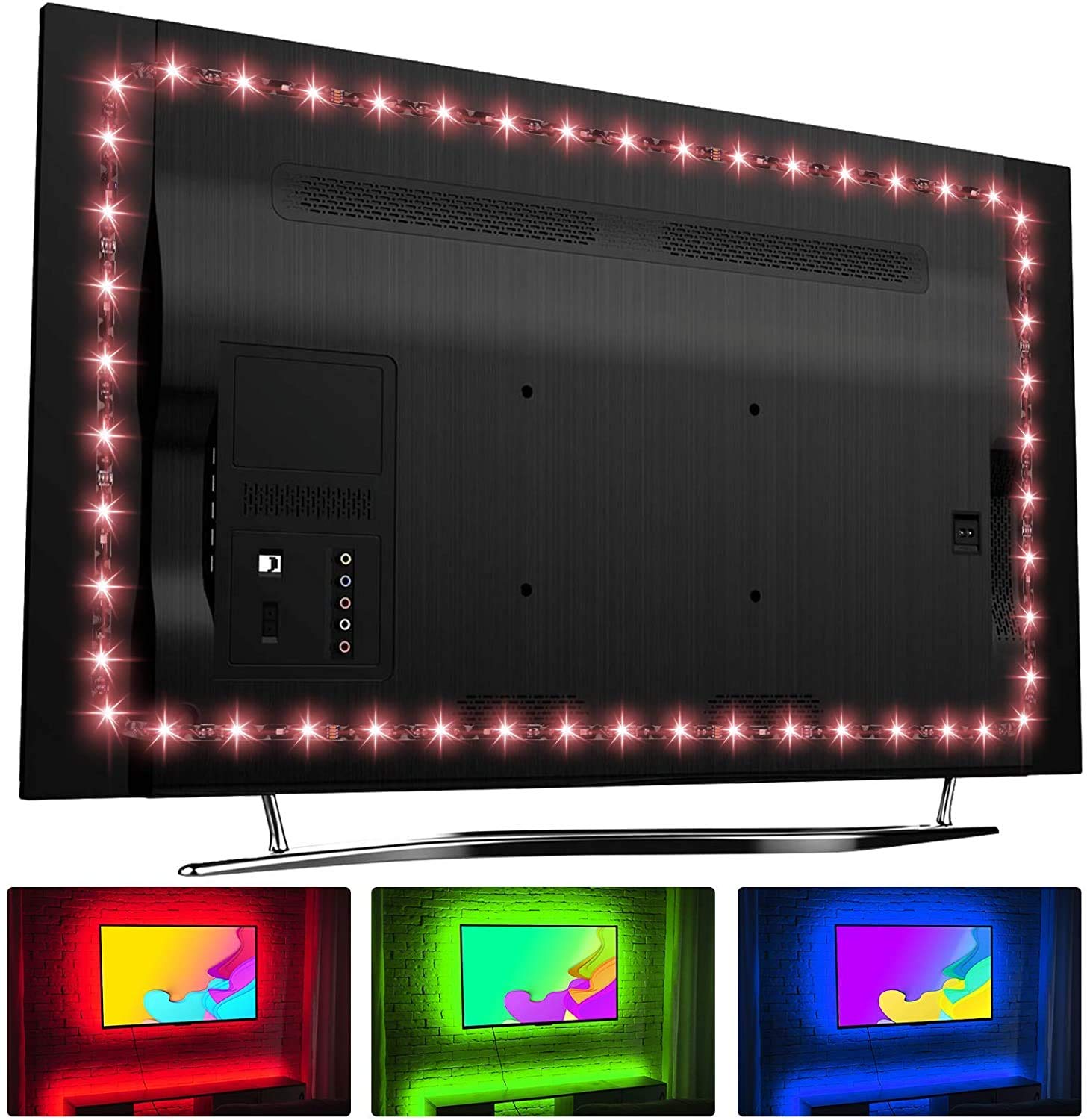
Image: The HAMLITE LED TV Backlight in use, demonstrating reduced eye strain and enhanced contrast around a television screen.
2. Klíčové vlastnosti
- Customized Length: The 14.5ft LED strip is specifically sized for 60-65 inch TVs, ensuring full coverage on all four sides.
- Ochrana očí: Increases ambient lighting, which can help reduce eye strain, headaches, and dry eyes during prolonged viewIng.
- Všestranné osvětlení: Offers 18 distinct colors, 10 dynamic modes, and 10 adjustable speed and brightness levels for personalized ambiance.
- Napájení přes USB: Conveniently powered by a standard USB port (5V 1A) and designed to synchronize with most TVs, turning on and off with the television.
- W-Type LED Strip: Specially designed W-type LED strip allows for seamless corner installation without dark areas.

Image: A diagram illustrating the W-type LED strip design, which ensures continuous lighting around TV corners without gaps, compared to standard strips.
3. Co je v krabici
Před zahájením instalace ověřte, zda jsou všechny komponenty přítomny:
- 1 x HAMLITE LED Light Strip (14.5 ft)
- 1 x RF dálkové ovládání
- 1 x USB Power Cable with Controller

Image: The RF remote control for the HAMLITE LED TV Backlight, featuring various color and mode buttons.
4. Nastavení a instalace
Follow these steps for proper installation of your HAMLITE LED TV Backlight:
- Vyzkoušejte LED světla: Before adhering the strip, plug the USB connector into a 5V 1A USB port and use the remote to ensure all lights function correctly.
- Připravte povrch: Clean the back of your TV thoroughly with a damp cloth, then follow with an alcohol wipe to remove any dust or grease. Allow the surface to dry completely.
- Umístění plánu: Carefully lay out the LED strip on the back of your TV to determine the optimal positioning. For best effect, place the strips within 4 inches of the TV's edge. Ensure the connectors' arrows are aligned and facing the same direction.
- Aplikace LED pásku: Peel off the adhesive backing gradually, pressing the strip firmly onto the cleaned surface. The W-type design allows for easy bending around corners.
- Připojte napájení: Plug the USB power cable into a 5V 1A USB port on your TV or a separate USB power adapter.
- Position RF Receiver: Ensure the RF receiver (small box on the USB cable) is not completely obstructed, allowing the remote control to send signals effectively.

Image: A visual guide demonstrating the five key steps for installing the HAMLITE LED TV Backlight, from testing to enjoying the lights.
Tip: For larger TVs, consider having two people assist with installation to prevent bending or twisting the delicate strips.
5. Návod k obsluze
Your HAMLITE LED TV Backlight is controlled using the included RF remote control.
5.1. Funkce dálkového ovládání
- Zapnutí/vypnutí: Use the power button to turn the lights on or off.
- Výběr barvy: Press the color buttons (e.g., R, G, B, W, and other color presets) to select your desired static light color.
- Dynamické režimy: Cycle through 10 different dynamic lighting modes (e.g., flash, fade, strobe) using the mode buttons.
- Nastavení jasu: Increase or decrease the brightness of the lights using the dedicated brightness buttons. There are 10 levels available.
- Nastavení rychlosti: For dynamic modes, adjust the speed of the effects using the speed control buttons. There are 10 levels available.
The RF remote operates without requiring direct line of sight to the receiver, offering flexible control.
5.2. TV Sync Feature
When connected to a compatible TV USB port, the LED backlight is designed to turn on automatically when your TV powers on and turn off when your TV powers off. Note that some TVs may keep their USB ports powered for a short period after being turned off, causing a slight delay in the lights fading out.
Video: An official HAMLITE video demonstrating the features and operation of the USB TV Backlight Kit with RF Remote.
6. Údržba
To ensure the longevity and optimal performance of your HAMLITE LED TV Backlight:
- Čištění: Gently wipe the LED strips with a dry, soft cloth if dust accumulates. Avoid using liquid cleaners directly on the strip.
- Prostředí: This product is designed for indoor use only and is not water-resistant. Avoid exposure to moisture or extreme temperatures.
- Přilnavost: If the adhesive begins to weaken over time, you may reinforce it with additional double-sided tape suitable for electronics.
7. Řešení problémů
If you encounter issues with your HAMLITE LED TV Backlight, refer to the following common problems and solutions:
- Světla se nerozsvítí:
- Ensure the USB cable is securely plugged into a functional 5V 1A USB port.
- Verify that the remote control has working batteries and the RF receiver is not completely blocked.
- Test the LED strip by plugging it into a different USB power source (e.g., a phone charger) to rule out a TV port issue.
- Lights Flash or TV Displays "USB Overload":
- Some TV USB ports may not provide sufficient power for dynamic modes or rapid color changes.
- Try using a dedicated 5V 1A USB wall adapter instead of the TV's USB port.
- If the TV displays an error, unplug the LED strip, turn the TV off and then back on, then reconnect the strip. Avoid rapid changes in color or mode if this issue persists with the TV's USB port.
- Lights Do Not Turn Off with TV:
- Some TV models provide continuous power to their USB ports even when the TV is off. In this case, you will need to manually turn off the lights using the remote control.
- Alternatively, you can unplug the USB cable when the TV is not in use.
- Dálkové ovládání nereaguje:
- Zkontrolujte a v případě potřeby vyměňte baterii v dálkovém ovladači.
- Ensure the RF receiver is not completely covered or obstructed.
- Lights Malfunction or Fail Prematurely:
- If the product fails within the warranty period, contact HAMLITE customer support for assistance or a replacement.
8. Specifikace produktu
| Číslo modelu | USBTV40M-60 |
| Značka | HAMLITE |
| Délka | 14.5 stop (4.4 metrů) |
| Doporučená velikost TV | 60-65 palců |
| Zdroj napájení | USB (5V 1A) |
| Počet barev | 18 |
| Dynamické režimy | 10 |
| Speed/Brightness Levels | 10 |
| Kontrolní metoda | RF dálkové ovládání |
| Vnitřní/venkovní použití | Pouze pro vnitřní použití |
| Voděodolnost | Není odolný vůči vodě |
9. Záruka a podpora
The HAMLITE LED TV Backlight comes with a 1-letá záruka. This warranty covers replacement parts for manufacturing defects.
Lifetime support is available within 30 days of purchase. For any issues, questions, or to claim warranty service, please contact HAMLITE customer support through the retailer's platform or the official HAMLITE webmísto.
Uschovejte si prosím doklad o koupi pro uplatnění záruky.