
1. Úvod
This manual provides essential instructions for the safe and efficient use of your PCD E501 Smartphone. Please read this manual thoroughly before operating your device and retain it for future reference. The PCD E501 is a 5-inch Android smartphone featuring an 8 MP camera and running Android Kit Kat 4.4.2.
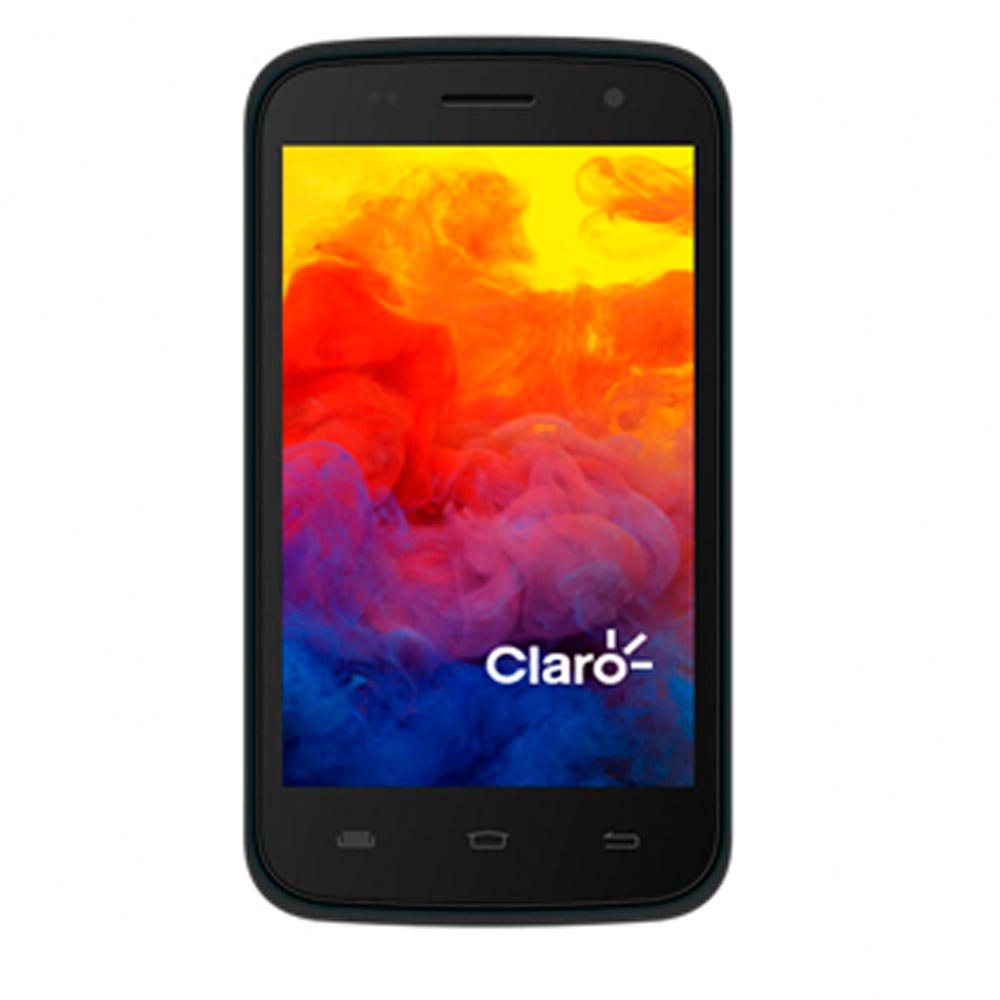
Obrázek 1: Přední strana view of the PCD E501 Smartphone, showcasinjeho 5palcový displej.
2. Nastavení
2.1 Vybalení a úvodní kontrola
Opatrně vyjměte všechny součásti z obalu. Zkontrolujte, zda jsou přítomny následující položky:
- PCD E501 Smartphone
- Nabíjecí lithium-iontová baterie
- Nástěnná nabíječka
- USB kabel
- Uživatelská příručka (tento dokument)
- Záruční list
Inspect the device for any signs of damage. If any components are missing or damaged, contact customer support immediately.
2.2 Vložení SIM karty a baterie
- Locate the back cover notch on the side or bottom of the phone. Gently pry open the back cover.
- If a battery is already installed, remove it by lifting it from the designated slot.
- Insert your SIM card(s) into the appropriate slot(s) with the gold contacts facing down. Ensure it clicks into place.
- Insert the rechargeable Lithium-Ion battery, aligning the gold contacts on the battery with the contacts in the phone. Press down gently until it is securely seated.
- Replace the back cover, pressing firmly around the edges until it snaps into place.
2.3 Nabíjení baterie
Before first use, fully charge the battery. Connect the USB cable to the phone's charging port and the other end to the wall charger. Plug the wall charger into a power outlet. The charging indicator will appear on the screen. A full charge typically takes approximately 2-3 hours.
2.4 Zapnutí/vypnutí
- To power on: Press and hold the Power button (usually on the side) until the screen lights up.
- To power off: Press and hold the Power button until the power options menu appears. Select "Power off" and confirm.
3. Návod k obsluze
3.1 Základní navigace
The PCD E501 features a 5-inch touchscreen for navigation. Use the following gestures:
- Klepněte na: Výběr položky nebo otevření aplikace.
- Výpad: Procházení obrazovek nebo seznamů.
- Štípání: Pro přiblížení nebo oddálení obrázků a web stránky.
- Dlouhé stisknutí: Pro přístup k kontextovým nabídkám nebo přesun ikon.
3.2 Volání
- Klepněte na Telefon na domovské obrazovce.
- Zadejte telefonní číslo pomocí číselníku.
- Klepněte na Volání tlačítko pro zahájení hovoru.
- Chcete-li hovor ukončit, klepněte na Ukončit hovor tlačítko.
3.3 Odesílání zpráv
- Klepněte na Zprávy ikona.
- Klepněte na Nová zpráva ikona (obvykle znaménko plus nebo řečová bublina).
- Zadejte číslo příjemce nebo jej vyberte z kontaktů.
- Napište zprávu do textového pole.
- Klepněte na Poslat tlačítko.
3.4 Používání fotoaparátu
The PCD E501 features an 8 MP rear camera and a 2 MP front camera.
- Klepněte na Fotoaparát na domovské obrazovce.
- Komponujte snímek pomocí obrazovky jako viewnálezce.
- Klepněte na Závěrka tlačítko pro pořízení fotografie.
- To switch between front and rear cameras, tap the Přepnout fotoaparát ikona.
3.5 Připojení k Wi-Fi
- Přejít na Nastavení > Wi-Fi.
- Přepněte přepínač Wi-Fi do polohy On.
- Vyberte ze seznamu požadovanou síť Wi-Fi.
- Zadejte heslo, pokud se zobrazí výzva, a klepněte na Připojit.
4. Údržba
4.1 Čištění zařízení
Use a soft, lint-free cloth to clean the screen and body of the phone. Avoid using harsh chemicals, abrasive cleaners, or aerosol sprays. Do not expose the device to excessive moisture.
4.2 Péče o baterii
- Nevystavujte baterii extrémním teplotám.
- Baterii nepropichujte ani nepoškozujte.
- If the battery appears swollen or damaged, discontinue use and replace it with an authorized PCD battery.
- For optimal battery life, avoid frequently draining the battery completely or keeping it at 100% charge for extended periods.
4.3 Aktualizace softwaru
Pravidelně kontrolujte aktualizace softwaru, abyste zajistili optimální výkon a zabezpečení. Přejděte na Nastavení > O telefonu > Aktualizace systému.
5. Řešení problémů
| Problém | Možné řešení |
|---|---|
| Telefon se nezapne. | Ensure the battery is charged. Connect the charger and wait a few minutes before attempting to power on again. Verify the battery is correctly inserted. |
| Nelze uskutečňovat ani přijímat hovory. | Check if the SIM card is properly inserted. Ensure you have network signal. Restart the phone. Contact your service provider if the issue persists. |
| Problémy s připojením k Wi-Fi. | Ujistěte se, že máte v telefonu povolenou Wi-Fi. Restartujte Wi-Fi router. Zapomeňte na síť a znovu se připojte. |
| Aplikace padají nebo zamrzají. | Close and reopen the app. Clear the app's cache (Settings > Apps > [App Name] > Storage > Clear cache). Restart the phone. |
| Baterie se rychle vybíjí. | Reduce screen brightness. Close unused apps running in the background. Disable Wi-Fi, Bluetooth, and GPS when not in use. Check battery usage in Settings to identify power-hungry apps. |
6. Specifikace
| Funkce | Detail |
|---|---|
| Číslo modelu | E501 |
| Operační systém | Android Kit Kat 4.4.2 |
| Procesor | AMR Cortex-A7 1.3 GHz |
| BERAN | 1 GB |
| Interní úložiště | 8 GB ROM (approx. 6.09 GB usable) |
| Rozšiřitelné úložiště | Up to 32 GB via microSD (card not included) |
| Zobrazit | 5-inch LCD, 960 x 540 pixels, Touchscreen |
| Zadní kamera | 8 megapixelů |
| Přední kamera | 2 megapixelů |
| Bezdrátové připojení | Mobilní připojení, Wi-Fi |
| Baterie | 1 Lithium Ion (součástí balení) |
| Rozměry (D x Š x V) | 14.74 x 7.4 x 1 cm (5.8 x 2.9 x 0.4 palce) |
| Hmotnost | 350 g (12.3 oz) |
| Barva | Černý |
7. Záruka a podpora
7.1 Informace o záruce
Your PCD E501 Smartphone comes with a limited manufacturer's warranty. Please refer to the included Warranty Card for specific terms, conditions, and duration of coverage. This warranty typically covers defects in materials and workmanship under normal use. It does not cover damage caused by misuse, accidents, unauthorized modifications, or normal wear and tear.
7.2 Zákaznická podpora
For technical assistance, troubleshooting, or warranty claims, please contact PCD customer support. Refer to the contact information provided on your Warranty Card or visit the official PCD webweb s nejaktuálnějšími informacemi o podpoře.
When contacting support, please have your product model (E501) and proof of purchase readily available.