
Zavedení
Děkuji za nákupasing the HORI Nintendo Switch Wireless HORIPAD (Zelda). This controller is officially licensed by Nintendo and designed to enhance your gaming experience on the Nintendo Switch. This manual provides essential information for setting up, operating, and maintaining your new controller. Please read it thoroughly before use and keep it for future reference.
Vlastnosti produktu
- Bluetooth wireless connectivity with a 32-foot range.
- Built-in rechargeable lithium-ion battery offering up to 15 hours of playtime per charge.
- Lightweight and ergonomic design for comfortable extended play sessions.
- Equipped with accelerometer and gyroscope for full-motion control.
- Officially Licensed by Nintendo, ensuring compatibility and quality.
Obsah balení
- HORI Nintendo Switch Wireless HORIPAD (Zelda) Controller
- Nabíjecí kabel USB-C
- Návod k použití
Rozložení ovladače
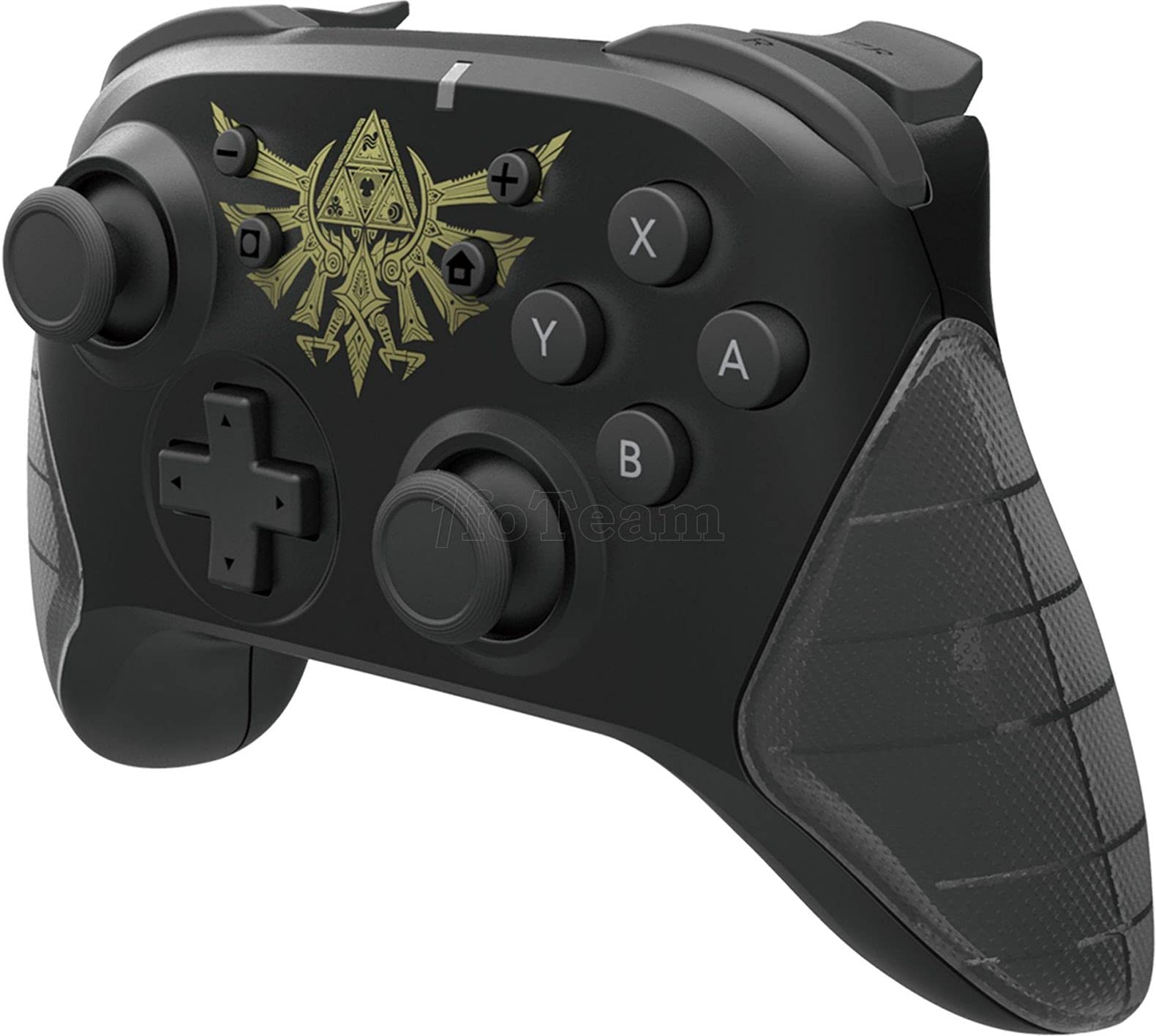
Obrázek 1: Přední strana view of the HORI Nintendo Switch Wireless HORIPAD (Zelda) controller, featuring the Triforce emblem.

Obrázek 2: Strana view of the HORI Nintendo Switch Wireless HORIPAD (Zelda) controller, showing shoulder buttons and ergonomic grip.
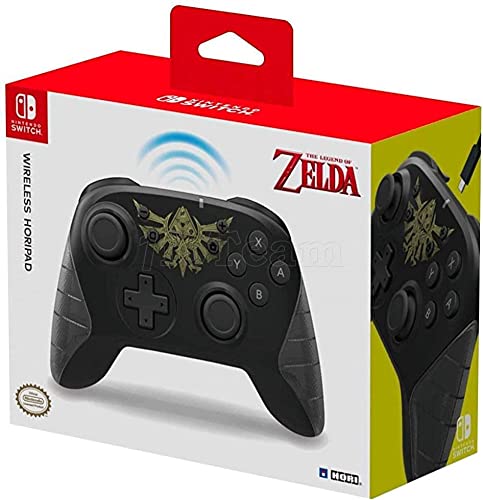
Obrázek 3: Zpět view of the HORI Nintendo Switch Wireless HORIPAD (Zelda) controller, showing the USB-C charging port.
The controller features standard Nintendo Switch button layouts, including two analog sticks, a D-pad, A/B/X/Y buttons, L/R/ZL/ZR shoulder buttons, and Home/Capture/Plus/Minus buttons. The USB-C charging port is located on the top edge of the controller.
Nastavení
Párování s Nintendo Switch
- Ujistěte se, že je vaše konzole Nintendo Switch zapnutá a aktualizovaná na nejnovější systémový software.
- V nabídce HOME vyberte 'Controllers', pak 'Change Grip/Order'.
- On the HORI Wireless HORIPAD, press and hold the Tlačítko SYNC (located on the top edge, next to the USB-C port) for a few seconds until the Player LED lights begin to flash.
- Once the controller is successfully paired, the Player LED corresponding to its player number will remain lit.
- Stiskněte tlačítko Tlačítko na ovladači pro potvrzení a ukončení obrazovky párování.
Nabíjení ovladače
The HORI Wireless HORIPAD features a built-in rechargeable battery. To charge:
- Connect the included USB-C charging cable to the USB-C port on the top of the controller.
- Connect the other end of the USB-C cable to a USB power source (e.g., Nintendo Switch Dock, USB wall adapter, computer USB port).
- The charging indicator LED on the controller will illuminate during charging and turn off when fully charged. A full charge typically takes approximately 2-3 hours and provides up to 15 hours of playtime.
Návod k obsluze
Základní ovládací prvky
- Zapnutí: Stiskněte tlačítko Domů.
- Vypnout: Hold the Home button for several seconds until the controller powers down, or disconnect it from the Switch.
- Hnutí: Use the Left Analog Stick or D-pad.
- Camera/Aiming: Use the Right Analog Stick.
- Akční tlačítka: A, B, X, Y buttons for in-game actions.
- Ramenní knoflíky: L, R, ZL, ZR for various in-game functions.
- System Buttons: Plus (+) for options, Minus (-) for menu, Home for HOME Menu, Capture for screenshots/video clips.
Ovládání pohybu
The controller supports motion controls via its built-in accelerometer and gyroscope. These functions are automatically enabled for compatible games. Ensure the controller is held steadily for accurate motion input.
Údržba
- Čištění: K čištění ovladače používejte měkký, suchý hadřík. Nepoužívejte tekuté čisticí prostředky ani rozpouštědla.
- Skladování: Regulátor skladujte na chladném a suchém místě mimo dosah přímého slunečního záření a extrémních teplot.
- Péče o baterie: Pro prodloužení životnosti baterie se vyvarujte častého úplného vybíjení. Ovladač pravidelně nabíjejte, i když jej nepoužíváte neustále.
- Vyhněte se dopadu: Do not drop or subject the controller to strong impacts, as this may damage internal components.
Odstraňování problémů
- Ovladač se nepřipojuje:
- Ujistěte se, že je ovladač nabitý.
- Verify the Nintendo Switch is updated to the latest system software.
- Attempt to re-pair the controller following the 'Pairing with Nintendo Switch' steps.
- Move closer to the Nintendo Switch console to ensure you are within the 32-foot Bluetooth range.
- Zkontrolujte, zda nedochází k bezdrátovému rušení jinými zařízeními.
- Buttons or sticks not responding:
- Ujistěte se, že je ovladač správně připojen a nabitý.
- Restart the Nintendo Switch console.
- Test the controller in a different game or application to determine if the issue is game-specific.
- Krátká výdrž baterie:
- Před použitím se ujistěte, že je ovladač plně nabitý.
- Výkon baterie se může při intenzivním používání časem snížit.
Specifikace
| Značka | HORI |
| Název modelu | Bezdrátový HORIPAD |
| Kompatibilní zařízení | Nintendo Switch |
| Typ ovladače | Gamepad |
| Technologie připojení | USB, bezdrátové (Bluetooth) |
| Další funkce | Ergonomic, Wireless, Accelerometer, Gyroscope |
| Množství tlačítek | 15 |
| Zdroj napájení | Napájení baterií (dobíjecí lithium-iontová) |
| Hmotnost položky | 305 gramů |
| Rozměry položky | 3.15 x 7.01 x 5.71 palce |
| Barva | Black (Zelda design) |
Záruka a podpora
For warranty information and customer support, please refer to the official HORI webnebo se obraťte na prodejce. Uschovejte si doklad o koupi pro případné reklamace.