
1. Úvod
Thank you for choosing the MARVO M319 Gaming Mouse. This manual provides essential information for setting up, operating, and maintaining your new gaming mouse. The M319 is designed for right-handed users, offering an ergonomic shape with textured rubber sides for enhanced grip and comfort during extended gaming sessions. Its durable construction includes contacts rated for 3 million presses and a fabric-protected USB cable for long-lasting reliability.
The M319 is equipped with a competitive optical sensor, providing up to 2400 DPI resolution, ensuring speed and precision for exploring virtual worlds.
2. Obsah balení
Zkontrolujte prosím balení, zda neobsahuje následující položky:
- 1 x MARVO M319 Gaming Mouse
3. Nastavení
- Připojte myš: Plug the USB cable of the MARVO M319 Gaming Mouse into an available USB port on your computer.
- Instalace ovladače: The mouse is plug-and-play. Your operating system (Windows 7, Windows XP, Linux, or newer versions) will automatically detect and install the necessary drivers. No additional software installation is typically required.
- Ověřte funkčnost: Once connected, move the mouse and click the buttons to ensure it is functioning correctly.
4. Návod k obsluze
Úprava DPI
The MARVO M319 Gaming Mouse features adjustable sensitivity (DPI) to suit various gaming scenarios and personal preferences. You can adjust the DPI in 4 steps:
- Locate the dedicated DPI button positioned just next to the scroll wheel.
- Press this button to cycle through the available DPI settings. Each press will switch to the next sensitivity level.
- Adjust your precision dynamically and quickly based on the in-game situation.
Základní funkce myši
- Levé kliknutí: Primární akce, výběr.
- Klikněte pravým tlačítkem myši: Kontextová nabídka, sekundární akce.
- Rolovací kolečko: Scroll up/down, middle click (programmable in some applications).
5. Vlastnosti
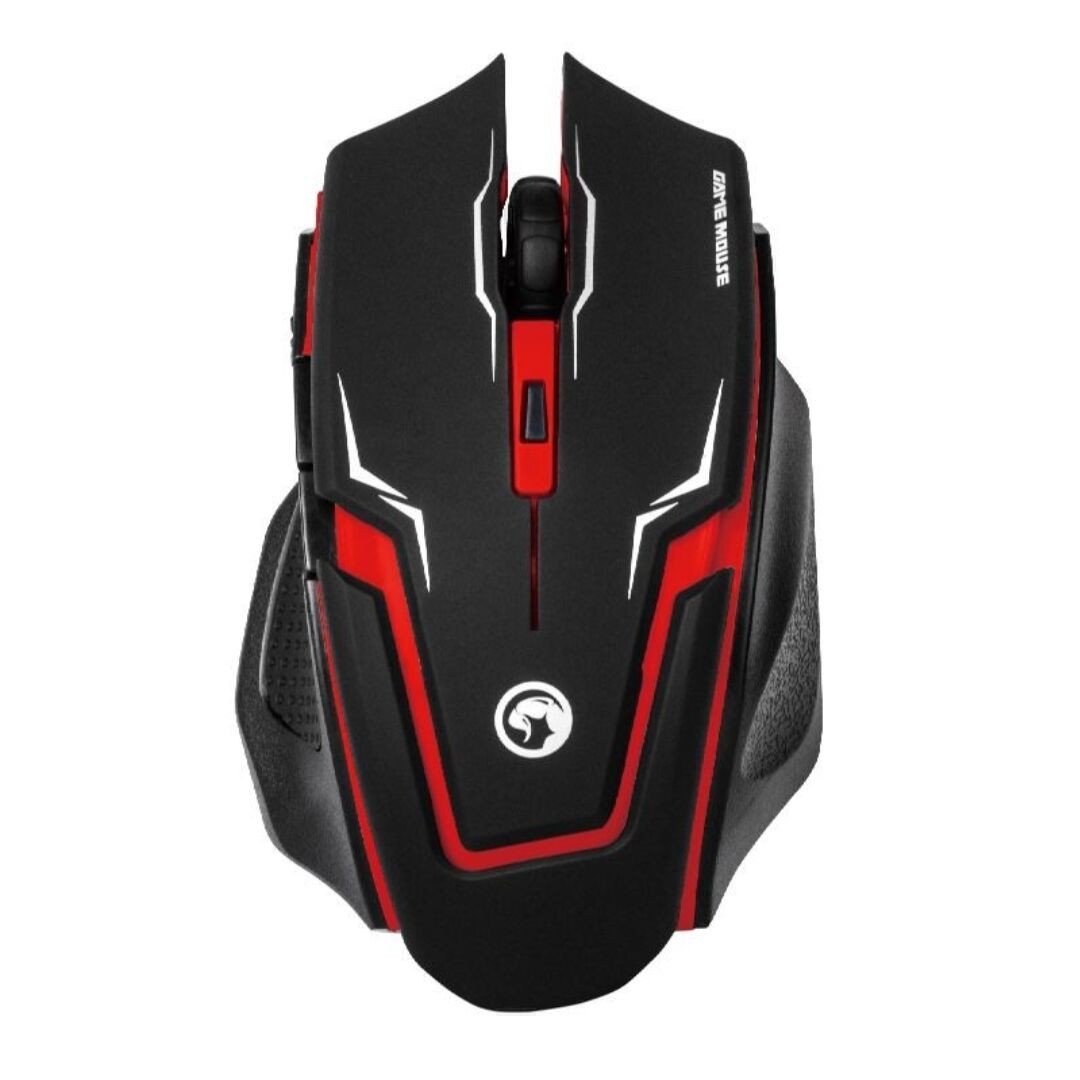
Image 1: The MARVO M319 Gaming Mouse, showcasing its ergonomic shape and red accents.
- Ergonomický design: Perfectly fits the hand of right-handed users for maximum comfort and stability.
- Textured Rubber Sides: Provides superior grip and adhesion.
- Optický senzor: Competitive optical sensor for precise tracking.
- Nastavitelné DPI: 4-step sensitivity adjustment up to 2400 DPI for dynamic precision.
- Odolné spínače: Contacts with an estimated 3 million press times for long-term reliability.
- Kabelové připojení: Stable and responsive connection via a fabric-protected USB cable.
- Plug & Play: Easy setup with automatic driver installation.
Konec produktuview Video
Video 1: Overview of the MARVO M319 Gaming Mouse, highlighting its design and key functionalities. This video is provided by the seller.
6. Údržba
- Čištění: K čištění povrchu myši použijte měkký, suchý hadřík. V případě odolných nečistot lehceamphadřík vodou. Nepoužívejte agresivní chemikálie ani abrazivní materiály.
- Čištění senzoru: Occasionally, use a cotton swab to gently clean the optical sensor located on the underside of the mouse to ensure optimal tracking performance.
- Péče o kabely: Abyste předešli poškození, vyhněte se ostrým ohybům nebo nadměrnému tahání za kabel USB.
- Skladování: Pokud myš nepoužíváte, skladujte ji v čistém a suchém prostředí.
7. Řešení problémů
| Problém | Možná příčina | Řešení |
|---|---|---|
| Myš neodpovídá | Kabel USB není správně připojen. Vadný USB port. | Ujistěte se, že je kabel USB bezpečně zapojen do počítače. Vyzkoušejte jiný port USB. Restartujte počítač. |
| Nesprávný pohyb kurzoru | Znečištěný optický senzor. Unsuitable mouse pad/surface. | Clean the optical sensor with a cotton swab. Use a clean, uniform-colored mouse pad or surface. |
| Tlačítko DPI nemění citlivost | Software conflict or temporary glitch. | Ujistěte se, že žádný jiný software pro myš neruší. Odpojte a znovu zapojte myš. Restartujte počítač. |
8. Specifikace
- Značka: MARVO
- Model: M319
- Barva: Červený
- Konektivita: Kabelové (USB)
- Typ senzoru: Optický
- DPI: Up to 2400 DPI (4-step adjustable)
- tlačítka: 4 (Left, Right, Middle/Scroll Click, DPI)
- Orientace rukou: Pravoruký
- Kompatibilní OS: Linux, Windows 7, Windows XP (a novější verze)
- Kabel: Fabric-protected USB cable
- Materiál: Rubber (textured sides)
- Hmotnost: 0.15 kg
- Výrobce: Shenzhen Mark Technology Co.Ltd
9. Záruka a podpora
Informace o záruce a technickou podporu naleznete v dokumentaci dodané s vaším nákupem nebo se obraťte na svého prodejce. Uschovejte si doklad o koupi pro případné reklamace.