
BoomToneDJ XTREM LED
BoomToneDJ Xtrem LED Effect Light Instruction Manual
Model: XTREM LED
1. Úvod
This manual provides essential information for the safe and effective operation of your BoomToneDJ Xtrem LED Effect Light. Please read these instructions thoroughly before installation, operation, or maintenance. Retain this manual for future reference.

Image 1.1: The BoomToneDJ Xtrem LED Effect Light showcasing its dynamic light output, including strobe, derby, and moonflower effects.
2. Vlastnosti produktu
- Integrated multi-effect lighting: Combines Strobe, Derby, and Moonflower effects.
- LED light source for energy efficiency and long lifespan.
- Multiple control modes: DMX512, Automatic, and Sound-Activated.
- User-friendly control panel with digital display for mode selection and settings.
- Robust construction suitable for various event environments.
3. Obsah balení
Při vybalení ověřte, zda jsou všechny níže uvedené položky přítomny a v dobrém stavu:
- 1 x BoomToneDJ Xtrem LED Effect Light
- 1 x napájecí kabel
- 1 x Mounting Bracket with fixing knobs
- 1 x Uživatelská příručka (tento dokument)
4. Nastavení
4.1 Vybalení a kontrola
Carefully remove the unit from its packaging. Inspect for any damage that may have occurred during transit. If damage is found, do not operate the unit and contact your dealer immediately.
4.2 Montáž
The Xtrem LED Effect Light can be floor-mounted or suspended from a truss using the included mounting bracket. Ensure the mounting surface or truss is capable of supporting the unit's weight (approximately 6.73 lbs / 3.06 kg). Always use a safety cable when suspending the unit.

Obrázek 4.1: Boční strana view of the unit, illustrating the adjustable mounting bracket for secure positioning.
4.3 Připojení napájení
Connect the supplied power cable to the AC IN socket on the rear of the unit and then to a compatible power outlet (AC 100-240V, 50/60Hz). Ensure the power source matches the unit's requirements.
4.4 DMX připojení (volitelné)
For DMX control, connect a DMX cable from your DMX controller's output to the DMX IN socket on the Xtrem LED Effect Light. If linking multiple units, connect from the DMX OUT of the first unit to the DMX IN of the next, and so on.
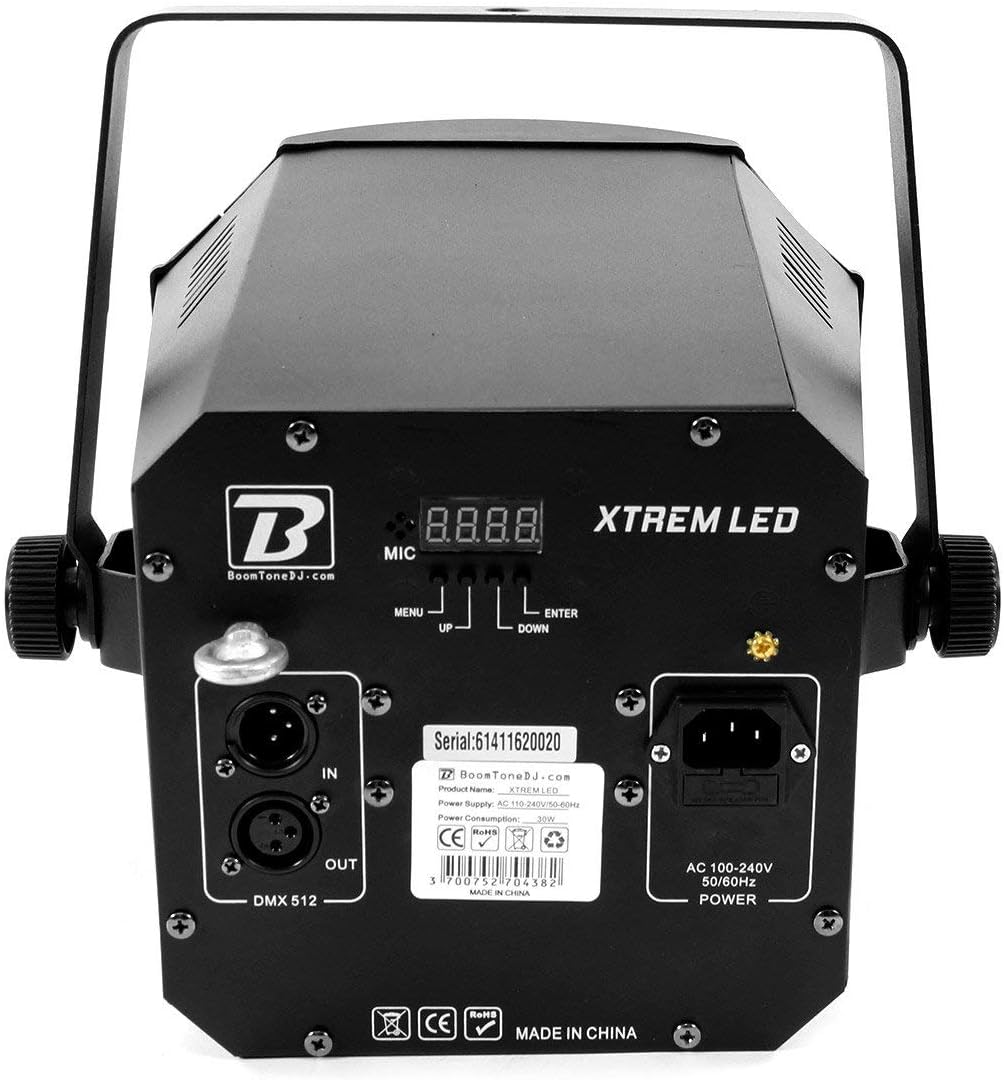
Image 4.2: Rear panel detailing the DMX IN/OUT ports, AC power input, microphone, and control buttons (MENU, UP, DOWN, ENTER) with the digital display.
5. Návod k obsluze
5.1 Ovládací panel Overview
The rear panel features a digital display and four control buttons: MENU, UP, DOWN, and ENTER. These buttons are used to navigate through the unit's settings and select operating modes.
- JÍDELNÍ LÍSTEK: Cykluje mezi možnostmi hlavní nabídky.
- NAHORU / DOLŮ: Prochází podnabídkami nebo upravuje hodnoty parametrů.
- ZADEJTE: Potvrzuje výběr nebo ukládá nastavení.
5.2 Provozní režimy
The Xtrem LED Effect Light offers several operating modes:
- Automatický režim: The unit cycles through pre-programmed light shows automatically. Use the MENU button to select an auto program, then ENTER to confirm.
- Zvukově aktivní režim: The unit reacts to sound picked up by its built-in microphone. The light effects will synchronize with the beat of the music. Note that microphone sensitivity is fixed and cannot be adjusted.
- DMX režim: Allows external control of the unit's functions via a DMX512 controller. Set the DMX address using the control panel. Refer to the DMX Channel Chart (not provided in this manual, consult product documentation or manufacturer website for specific DMX values) for detailed control parameters.
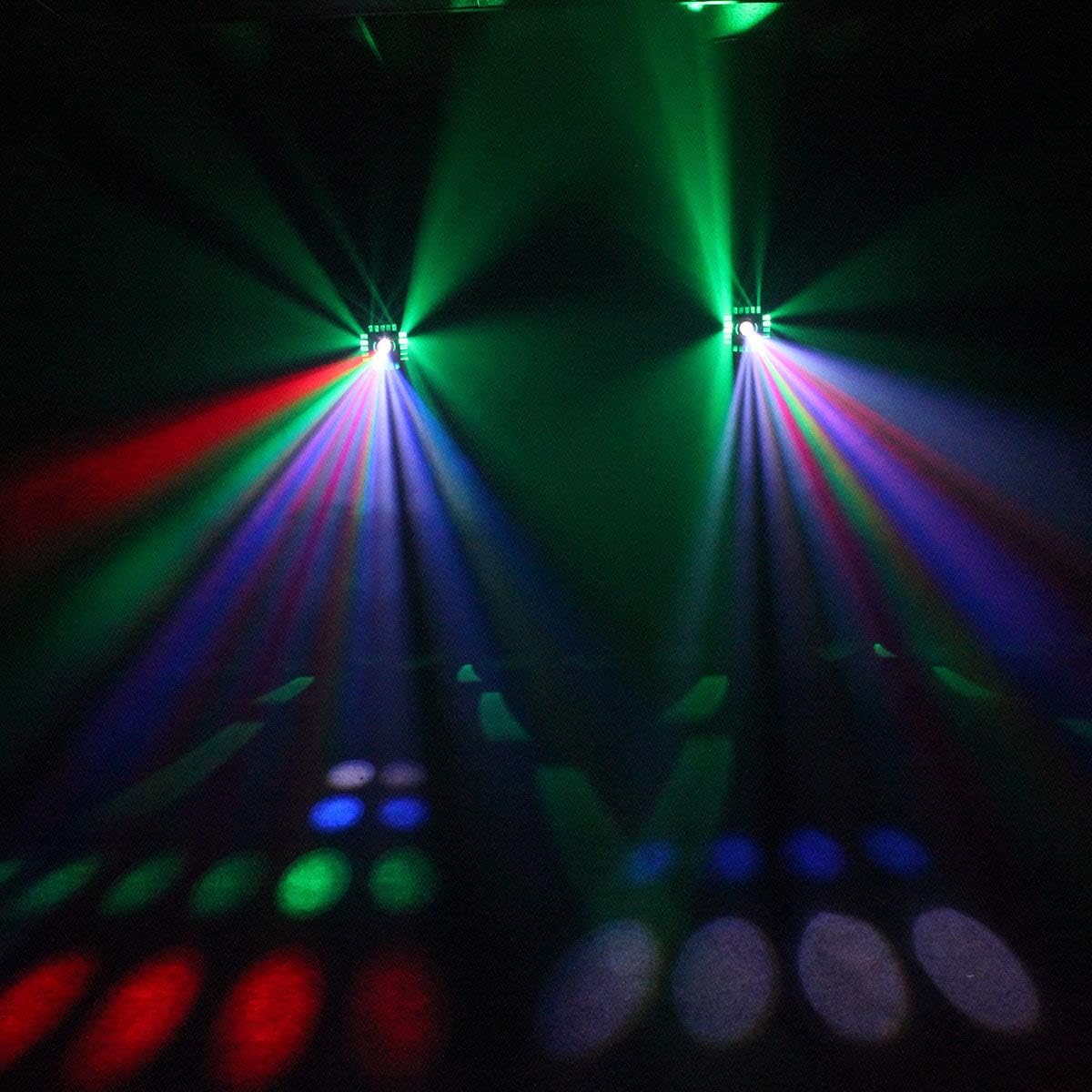
Obrázek 5.1: Příkladample of the multi-color beam effects produced by the unit.

Obrázek 5.2: Příkladample of the blue beam effects produced by the unit.
6. Údržba
6.1 Čištění
To maintain optimal light output and extend the unit's lifespan, regularly clean the lenses and housing. Use a soft, lint-free cloth. For stubborn dirt, a mild glass cleaner can be applied to the cloth (not directly to the unit). Ensure the unit is powered off and disconnected before cleaning.
6.2 Skladování
When not in use, store the unit in a dry, dust-free environment, preferably in its original packaging or a protective case.
7. Řešení problémů
| Problém | Možná příčina | Řešení |
|---|---|---|
| Jednotka se nezapne | No power supply; Faulty cable; Blown fuse | Check power connection; Test power cable; Replace fuse (if accessible and safe to do so) |
| Žádný světelný výstup | Unit in standby; Incorrect mode selected; Internal fault | Check display for standby indicator; Select an active mode; Contact support if problem persists |
| DMX ovládání nefunguje | Incorrect DMX address; Faulty DMX cable; DMX controller issue; Incorrect DMX mode selected | Verify DMX address setting; Check DMX cable connections; Test with another DMX controller; Ensure unit is in DMX mode |
| Sound Active mode not responding | Insufficient sound level; Microphone obstructed; Incorrect mode selected | Increase music volume; Ensure microphone is clear; Select Sound Active mode |
8. Specifikace
- Model: XTREM LED
- Značka: BoomToneDJ
- Světelný zdroj: LED
- Efekty: Strobe, Derby, Moonflower
- Spotřeba energie: 9 wattů
- Vstupní objemtage: AC 100-240V, 50/60Hz
- Režimy ovládání: DMX512, Automatic, Sound Active
- Kanály DMX: (Refer to specific DMX channel chart for detailed information)
- Rozměry (přibližně): 14.17 x 13.46 x 13.46 palce (36 x 34.2 x 34.2 cm)
- Hmotnost (přibližně): 6.73 lb (3.06 kg)
9. Záruka a podpora
For warranty information or technical support, please refer to the warranty card included with your product or visit the official BoomToneDJ webUschovejte si doklad o koupi pro případné reklamace.
Ask a question about this manual
Ask about setup, troubleshooting, compatibility, parts, safety, or missing instructions. Manuals+ will review the question and use this page’s manual context to help answer it.