
1. Úvod
This manual provides comprehensive instructions for the installation, operation, and maintenance of your Speco Technologies HT5941T Intense IR HD TVI Dome Camera. This camera is designed to deliver high-definition surveillance with advanced features such as True WDR, Intense IR, and day/night operation. Please read this manual thoroughly before installation and use to ensure proper functionality and safety.
2. Bezpečnostní informace
- Napájení: Use only the specified 12VDC or 24VAC power supply. Incorrect voltagmůže poškodit fotoaparát.
- Instalace: Ensure the camera is securely mounted to prevent accidental falls. Professional installation is recommended.
- Prostředí: Do not expose the camera to extreme temperatures, humidity, or corrosive environments beyond its specified operating conditions.
- Čištění: Disconnect power before cleaning. Use a soft, dry cloth. Avoid harsh chemicals.
- Servis: Do not attempt to disassemble or service the camera yourself. Refer all servicing to qualified personnel.
3. Obsah balení
Ověřte, zda jsou v balení přítomny všechny položky:
- HT5941T Dome Camera
- Chameleon Cover
- Montážní materiál (šrouby, hmoždinky)
- Stručný průvodce (pokud je k dispozici)
4. Nastavení a instalace
4.1 Montáž fotoaparátu
The HT5941T camera supports 3-axis adjustment for both wall and ceiling mounting. Ensure the mounting surface is strong enough to support the camera's weight.
- Vyberte vhodné místo pro montáž.
- Use the provided mounting template (if included) or the camera base to mark drilling points.
- Vyvrtejte pilotní otvory a v případě potřeby vložte do nich nástěnné hmoždinky.
- Připevněte základnu kamery k montážnímu povrchu pomocí dodaných šroubů.
- Adjust the camera's angle for optimal viewIng.
4.2 Zapojení a připojení napájení
The HT5941T is an HD-TVI output only camera, providing full HD resolution over coaxial cable.
- Connect a coaxial cable (RG59 or similar) from the camera's BNC output to your HD-TVI DVR or monitor.
- Connect the power cable to the camera's power input. The camera supports dual voltage operation (12VDC or 24VAC). Ensure the power supply matches the camera's requirements.
- Před připojením napájení zkontrolujte, zda jsou všechna připojení zajištěna.
4.3 Chameleon Cover Installation
The included Chameleon Cover can be painted to match your décor.
- If desired, paint the Chameleon Cover before installation. Allow it to dry completely.
- Align the cover with the camera body and snap it into place.
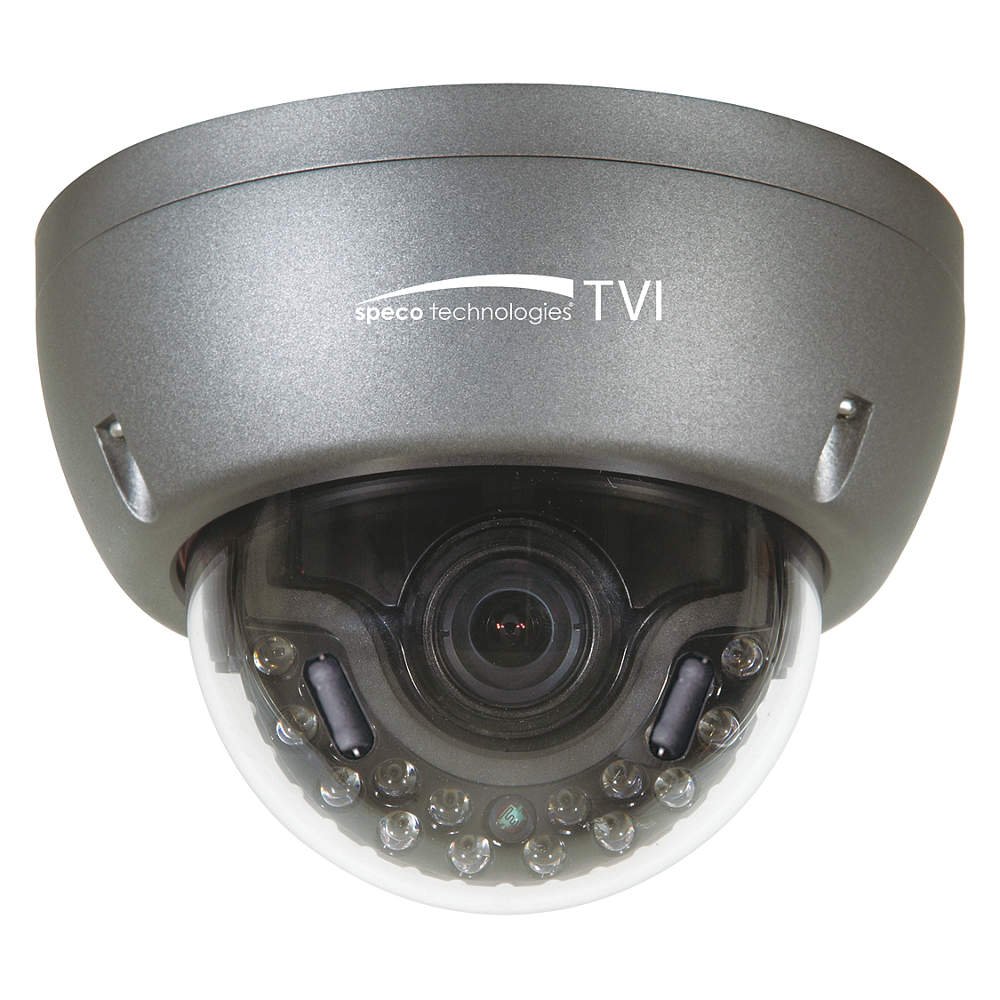
Figure 1: Speco Technologies HT5941T Dome Camera with its dark gray housing and dome design.
5. Návod k obsluze
5.1 Powering On and Initial View
Once the camera is properly wired and powered, it will automatically begin transmitting video. Connect your HD-TVI DVR or monitor to view živé vysílání.
5.2 Nabídka na obrazovce (OSD)
The camera features a full OSD menu for configuration, accessible via on-board controls or UTC (Up The Coax) control from a compatible DVR.
- Přístup k nabídce na obrazovce (OSD): Use the joystick or buttons on the camera (if present) or the UTC control function on your DVR to bring up the OSD menu.
- Navigace: Use the directional controls to navigate through menu options. Select options to adjust settings such as exposure, white balance, and image enhancements.
- Klíčové vlastnosti:
- Skutečné WDR: Wide Dynamic Range for clear images in high-contrast lighting.
- Intense IR: Adapts IR intensity to the subject, preventing saturation and providing vivid night vision.
- Day/Night Operation: Mechanical IR cut filter automatically switches between color (day) and monochrome (night) modes for optimal image quality.
6. Údržba
6.1 Čištění
Pravidelné čištění pomáhá udržovat optimální kvalitu obrazu.
- Gently wipe the camera lens and housing with a soft, lint-free cloth.
- Pro odolnou špínu lehceampen the cloth with water or a mild lens cleaning solution. Avoid abrasive cleaners.
- Před čištěním se ujistěte, že je fotoaparát vypnutý.
6.2 Environmentální hlediska
The HT5941T features heater circuitry and anti-moisture glass to reduce fog or condensation in various weather conditions. No specific user maintenance is required for these features, but ensure the camera's power supply is stable to allow these functions to operate effectively.
7. Řešení problémů
| Problém | Možná příčina | Řešení |
|---|---|---|
| Žádný video výstup | No power; Loose cable connection; Incorrect video format (not HD-TVI compatible DVR) | Check power supply and connections; Ensure DVR supports HD-TVI input. |
| Špatná kvalita obrazu (rozmazaný, zkreslený) | Dirty lens; Improper focus; Cable interference; Insufficient lighting | Clean the lens; Adjust focus via OSD; Use shielded coaxial cable; Verify adequate lighting or IR function. |
| IR not working at night | Insufficient power; Day/Night setting incorrect; IR sensor blocked | Check power supply; Verify Day/Night mode in OSD; Ensure nothing obstructs the IR LEDs or sensor. |
| Nezobrazuje se nabídka OSD | Incorrect control method; DVR not compatible with UTC | Try on-board controls if available; Consult DVR manual for UTC compatibility and operation. |
8. Specifikace
| Funkce | Specifikace |
|---|---|
| Číslo modelu | HT5941T |
| Značka | Speco Technologies |
| Rozlišení záznamu videa | 1080p (Full HD) |
| Snímková frekvence | 30 snímků za sekundu |
| Technologie připojení | HD-TVI (Coaxial) |
| Zdroj napájení | 12VDC & 24VAC Dual Voltage |
| Typ montáže | Wall Mount (3-axis adjustment) |
| Form Factor | Kupole |
| Technologie nízkého osvětlení | Day/Night, Intense IR |
| Speciální funkce | True WDR, Heater circuitry, Anti-moisture glass, Chameleon Cover |
| Hodnocení mezinárodní ochrany | IP67 |
| Rozměry (D x Š x V) | 5.12 x 4.84 x 3.66 palce |
| Hmotnost položky | 1.5 libry |
| Materiál | Glass (lens) |
9. Záruka a podpora
Informace o záruce a technickou podporu získáte od oficiálních poskytovatelů služeb Speco Technologies. webnebo se obraťte na jejich zákaznický servis. Uschovejte si účtenku jako doklad o koupi pro případ reklamace.
Speco Technologies Official Webmísto: www.specotech.com