
1. Konec produktuview
The UDIRC U818A-HD is a 2.4GHz 4-channel, 6-axis headless RC quadcopter equipped with an HD camera. It is designed for both beginners and experienced pilots, offering stable flight and easy control. Key features include headless mode for simplified orientation, 6-axis gyro for stability, and 360-degree eversion capabilities.

Image: The UDIRC U818A-HD quadcopter and its remote control unit.
2. Obsah balení
Ověřte, zda jsou v balení přítomny všechny položky:
- UDI U818A-HD RC Quadcopter
- Dálkové ovládání
- LiPO Battery (2 included)
- 4GB Micro SD Memory Card
- USB nabíječka
- Náhradní vrtule
- Šroubovák
- Návod k použití
3. Nastavení
3.1 Instalace baterie
- Open the battery compartment on the quadcopter's underside.
- Connect the LiPO battery to the quadcopter's power connector.
- Opatrně vložte baterii do přihrádky a zavřete kryt.
3.2 Instalace vrtule
Ensure propellers are correctly oriented. Propellers marked 'A' should be installed on motor shafts 'A', and 'B' on 'B'. Secure them with the provided screws.
3.3 Instalace kamery
Attach the HD camera to the designated slot on the quadcopter's underside. Connect the camera cable to the port. Insert the 4GB Micro SD card into the camera's slot.

Obrázek: Spodní strana view of the quadcopter, highlighting the camera and LED lights.
3.4 Nastavení dálkového ovládání
Insert 4 AA batteries (not included) into the remote control. Power on the remote control.
3.5 Binding and Calibration
- Umístěte kvadrokoptéru na rovný a vodorovný povrch.
- Turn on the quadcopter, then turn on the remote control.
- Move the left joystick (throttle) all the way up, then all the way down. The quadcopter's lights will stop flashing, indicating successful binding.
- To calibrate the gyroscope, move both joysticks to the bottom-right corner simultaneously until the lights flash and then become solid.

Image: The UDIRC U818A-HD quadcopter and its remote control, ready for operation.
4. Návod k obsluze
4.1 Základní ovládací prvky letu
- Plyn (levý joystick nahoru/dolů): Řídí nadmořskou výšku.
- Stáčení (levý joystick vlevo/vpravo): Rotates the quadcopter horizontally.
- Vpřed/Vzad (pravý joystick nahoru/dolů): Ovládá pohyb vpřed a vzad.
- Boční let vlevo/vpravo (pravý joystick vlevo/vpravo): Řídí pohyb do stran.
4.2 Headless Mode (IOC)
The Headless/IOC function allows the quadcopter to fly based on the pilot's orientation, regardless of the drone's actual front direction. This simplifies control for beginners. Activate and deactivate using the dedicated button on the remote control.
4.3 360° Eversion
Press the 360° Eversion button on the remote control, then move the right joystick in any direction to perform a continuous roll. Ensure sufficient altitude before attempting this maneuver.
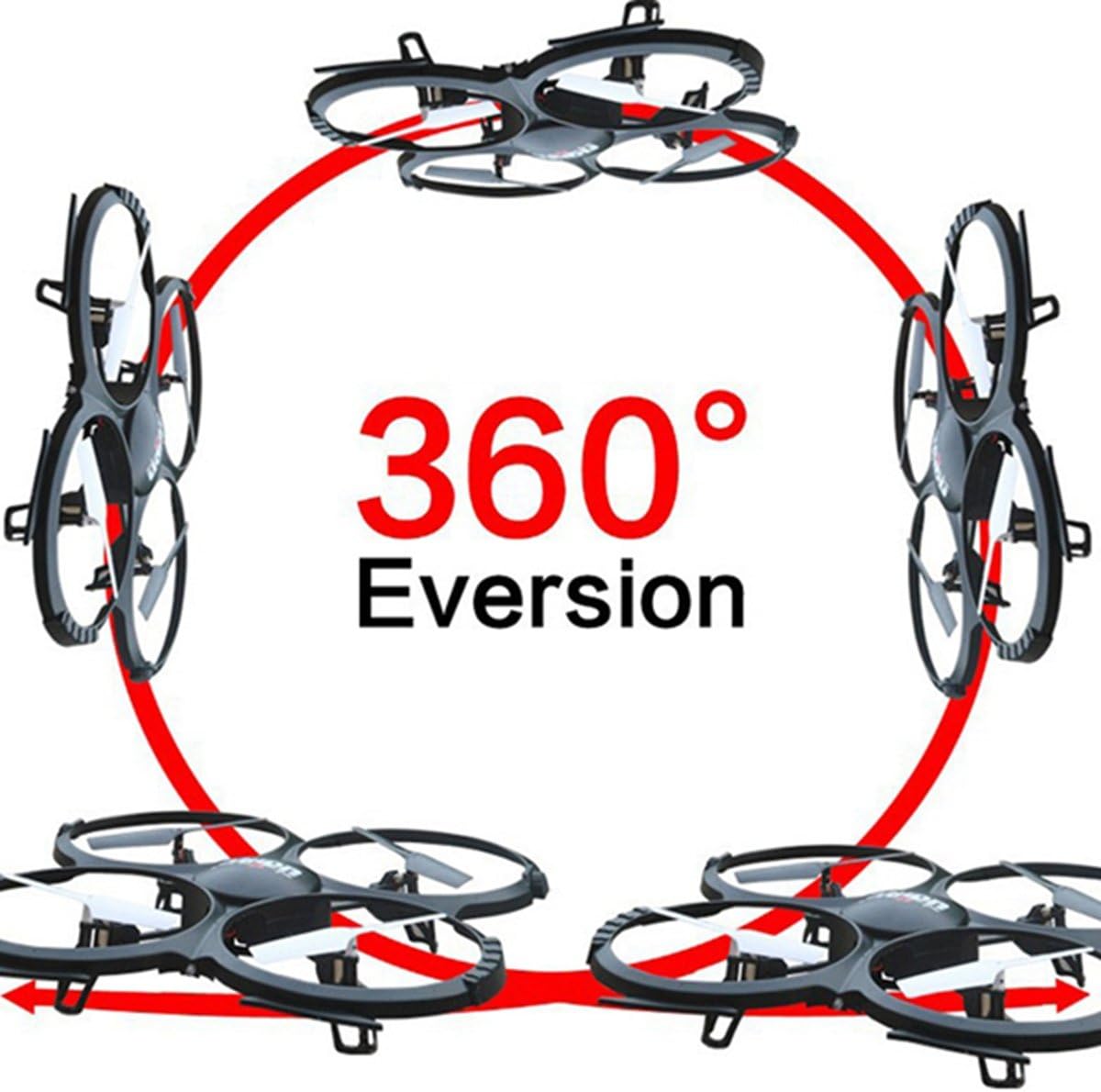
Image: Diagram showing the quadcopter performing a 360-degree eversion.
4.4 Pořizování fotografií a videí
Use the dedicated buttons on the remote control to capture photos or start/stop video recording. Ensure the Micro SD card is inserted correctly in the camera. Recorded media can be accessed by removing the SD card and inserting it into a computer.
5. Údržba
- Péče o baterie: Charge batteries using the provided USB charger. Do not overcharge. Store batteries in a cool, dry place.
- Čištění: Use a soft, dry cloth to clean the quadcopter. Avoid water or harsh chemicals.
- Výměna vrtule: If propellers are damaged, replace them with spare parts. Ensure correct 'A' and 'B' propeller placement.
6. Řešení problémů
- Quadcopter not responding: Ensure the battery is charged, the remote control has fresh batteries, and the quadcopter is properly bound and calibrated.
- Nestabilní let: Recalibrate the gyroscope on a flat surface. Check for damaged propellers and replace if necessary.
- Kamera nenahrává: Verify the Micro SD card is inserted correctly and has sufficient free space. Ensure the camera cable is securely connected.
7. Specifikace
| Funkce | Specifikace |
|---|---|
| Značka | UDIRC |
| Název modelu | U818A |
| Typ ovládání | RC |
| Technologie připojení | USB, rádiová frekvence |
| Rozlišení záznamu videa | 720p (1280 x 720 pixelů) |
| Efektivní rozlišení | 1 MP |
| Kapacita baterie | 500 miliamp hodiny |
| Hmotnost položky | 0.41 kg |
| Maximální dosah | 100 metrů |
| Materiál | Plast |
| Rozměry položky D x Š x V | 13.4 cm D x 13 cm Š x 2.2 cm V |
8. Záruka a podpora
Informace o záruce a technickou podporu získáte od oficiálního prodejce výrobce. webnebo kontaktujte jejich zákaznický servis. Uschovejte si účtenku jako doklad o koupi.