
1. Úvod
The Pronomic PH15AW is a versatile, battery-powered active speaker system designed for portable sound reinforcement. It features a 15-inch speaker, integrated MP3/SD/USB player, Bluetooth connectivity, and includes wireless microphones for various applications. Its trolley design with an extendable handle and wheels ensures easy transport.
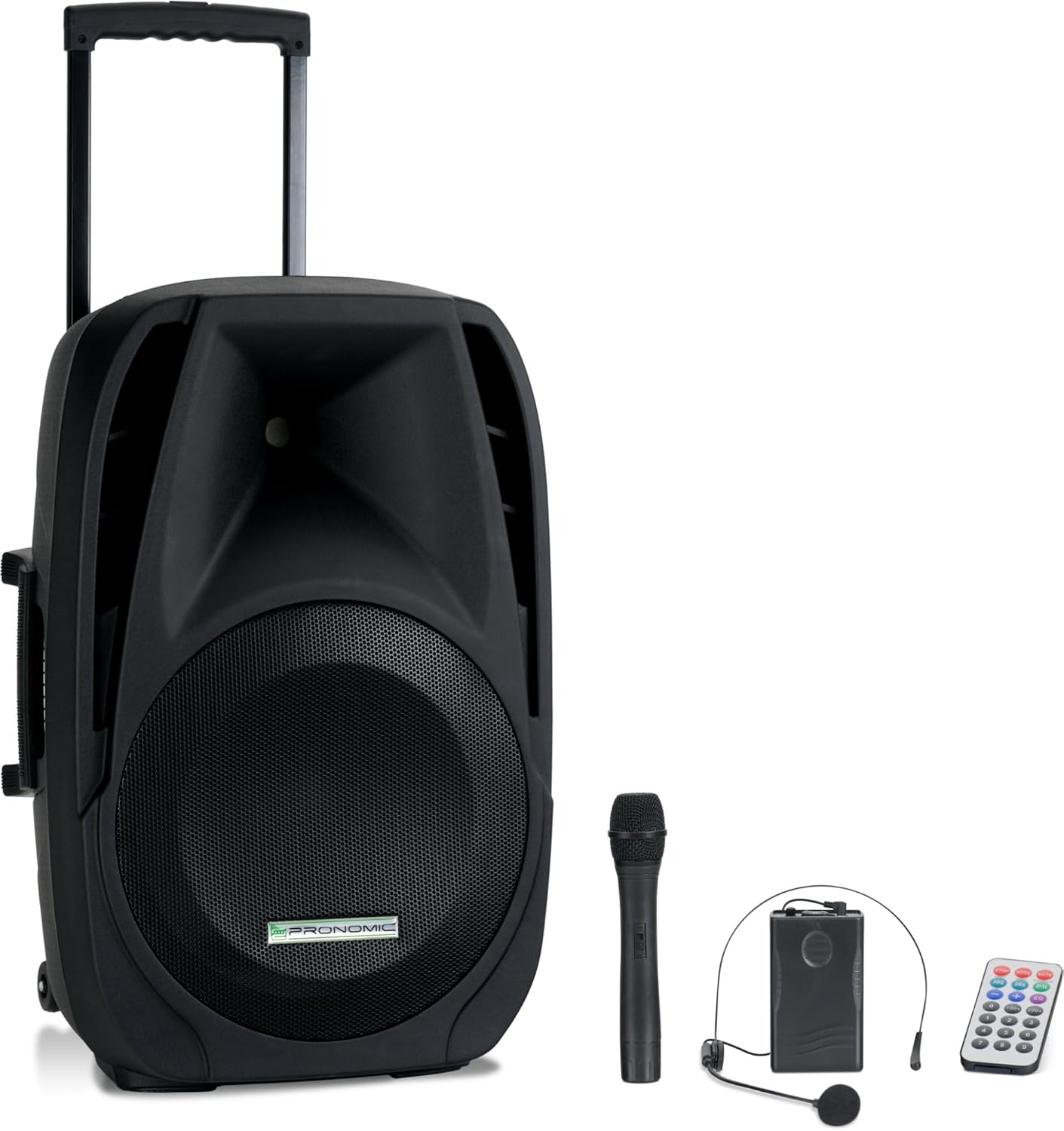
Image 1.1: The Pronomic PH15AW Battery Active Box shown with its included wireless microphone, headset microphone, and remote control.
2. Bezpečnostní pokyny
- Zdroj napájení: Only use the specified power adapter and voltage (AC 220-230V 50/60Hz or DC 12V).
- Voda a vlhkost: Do not expose the unit to rain, moisture, or any liquids. Avoid placing liquid-filled objects on the speaker.
- Větrání: Zajistěte dostatečné větrání. Neblokujte větrací otvory.
- Teplo: Udržujte jednotku mimo dosah zdrojů tepla, jako jsou radiátory, topná tělesa, kamna nebo jiná zařízení produkující teplo.
- Čištění: Disconnect from power before cleaning. Use a dry, soft cloth.
- Servis: Nepokoušejte se tento výrobek opravit sami. Veškerý servis svěřte kvalifikovanému servisnímu personálu.
- Bezpečnost baterie: Do not disassemble, crush, or expose the battery to high temperatures. Dispose of batteries properly.
3. Obsah balení
Zkontrolujte prosím, zda jsou v balení přítomny všechny položky:
- Pronomic PH15AW Battery Active Box
- Napájecí kabel
- Bezdrátový ruční mikrofon
- Wireless Headset Microphone with Bodypack Transmitter
- Dálkové ovládání

Image 3.1: The included wireless handheld microphone and headset microphone with bodypack transmitter.
4. Konec produktuview
4.1 Přední View

Image 4.1: The front view of the PH15AW speaker, highlighting the 15-inch woofer and horn tweeter.
4.2 Ovládací prvky a připojení na zadním panelu

Obrázek 4.2: Detailní view of the rear control panel, including inputs, outputs, and various adjustments.

Image 4.3: A closer look at the MP3 player section, EQ controls, and microphone inputs.
- MP3/WMA Player: SD card slot, USB port, Mode button, Play/Pause, Skip buttons, TWS (True Wireless Stereo) function.
- Ovládání hlasitosti: Master Volume, Bass, Treble, Echo, Mic Volume.
- Vstupy:
- MIC/Guitar Input (6.35mm jack)
- MIC Input (6.35mm jack)
- MP3/Smartphone AUX Input (3.5mm jack)
- LINE IN (RCA L/R)
- výstupy: MIX OUT (RCA L/R).
- VHF Wireless Microphones: Volume controls (VOL A, VOL B), RF indicators (RFA, RFB), ON/OFF switch.
- Výkonová sekce: DC 12V input, CHARGE indicator, POWER indicator, POWER SWITCH (ON/OFF).
4.3 Fyzické vlastnosti
- Výsuvná rukojeť: For easy pulling.
- Transport Rollers: Two stable wheels for mobility.
- Rukojeti: Three handles (two side, one top) for lifting.
- 35mm Stand Mount: For mounting on a standard speaker stand.

Obrázek 4.4: Boční strana view illustrating the extendable trolley handle and integrated side handles for carrying.

Image 4.5: Detail of the robust transport rollers for easy movement.
5. Nastavení
5.1 Vybalení a umístění
- Opatrně vyjměte reproduktor a veškeré příslušenství z obalu.
- Place the speaker on a stable, flat surface or mount it on a compatible 35mm speaker stand.
5.2 Nabíjení interní baterie
- Ensure the speaker's POWER SWITCH is in the OFF position.
- Connect the provided power cable to the AC input on the rear panel and then to a suitable power outlet.
- The CHARGE indicator LED will illuminate, indicating that the battery is charging.
- Allow sufficient time for a full charge before first use (typically several hours). The CHARGE LED will change color or turn off when fully charged.
5.3 Nastavení bezdrátového mikrofonu
- Ruční mikrofon: Open the battery compartment and insert the required batteries (e.g., 9V block battery, not always included). Ensure correct polarity.
- Mikrofon na sluchátka: Connect the headset microphone to the bodypack transmitter. Open the bodypack transmitter's battery compartment and insert the required batteries (e.g., 9V block battery). Ensure correct polarity.
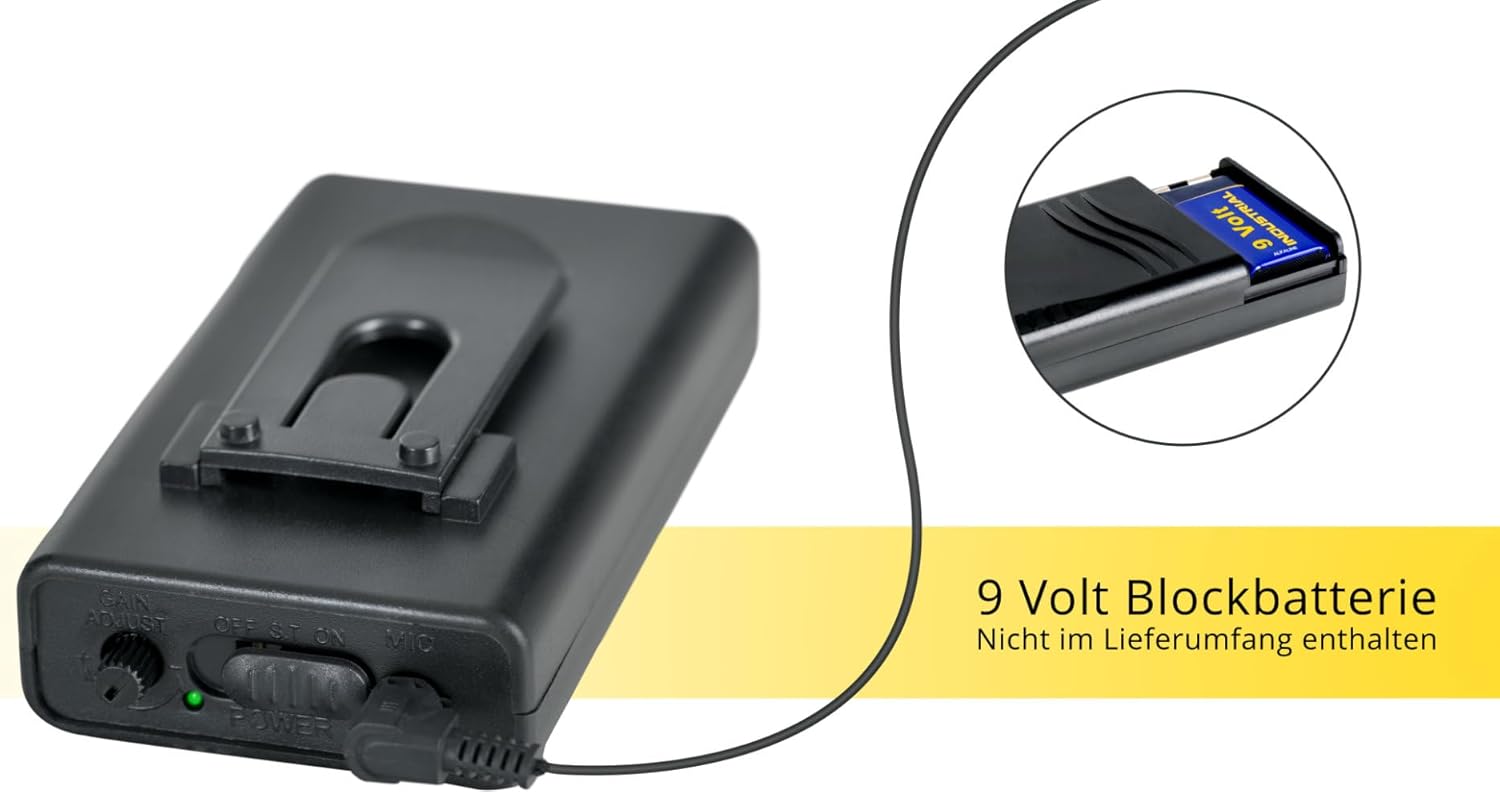
Obrázek 5.1: Příkladample of a 9-volt block battery, typically used for the wireless microphones (batteries may not be included).
5.4 Počáteční zapnutí
- After charging, disconnect the power cable if operating on battery.
- Flip the POWER SWITCH on the rear panel to the ON position. The POWER indicator LED will light up.

Image 5.2: The PH15AW's trolley function allows for easy transport, demonstrating its portability.
6. Návod k obsluze
6.1 MP3 Player (USB/SD)
- Vložte USB flash disk do USB portu nebo SD kartu do slotu SD/MMC.
- Stiskněte tlačítko MODE button on the MP3 player section until 'USB' or 'SD' is displayed.
- Use the Play/Pause and Skip buttons to control playback.
6.2 Připojení Bluetooth
- Stiskněte tlačítko MODE button on the MP3 player section until 'Bluetooth' is displayed. The display will show 'BT' and flash, indicating it is ready for pairing.
- Na zařízení s podporou Bluetooth (např. chytrý telefon, tablet) vyhledejte dostupná zařízení Bluetooth.
- Select 'PH15AW' (or similar name) from the list to pair. Once connected, the 'BT' indicator will stop flashing.
- Nyní můžete přehrávat zvuk ze zařízení přes reproduktor.
6.3 Použití mikrofonu
- Drátové mikrofony: Connect wired microphones to the 6.35mm MIC/Guitar or MIC inputs.
- Bezdrátové mikrofony: Turn on the wireless handheld microphone or the bodypack transmitter for the headset microphone. The corresponding RF indicator (RFA or RFB) on the speaker's rear panel should light up.
- Upravte OBJEM MIC knob to control the overall microphone level.
- Použijte ECHO knob to add an echo effect to the microphone sound.
- Upravit SVAZEK A a VOL B for individual wireless microphone levels.
6.4 Line In/Out Connections
- ŘADA V: Connect external audio sources (e.g., CD player, mixer) using RCA cables to the LINE IN (L/R) jacks.
- MIXUJTE: Use the MIX OUT (L/R) jacks to send the mixed audio signal to another active speaker or recording device.
6.5 Tone Control (EQ)
- Použijte BASS knob to adjust the low frequencies of the sound.
- Použijte ZTROJNÁSOBIT knob to adjust the high frequencies of the sound.
7. Údržba
7.1 Čištění
Wipe the exterior of the speaker with a soft, dry cloth. Do not use abrasive cleaners, waxes, or solvents.
7.2 Péče o baterii
- Pro prodloužení životnosti baterie ji před prvním použitím plně nabijte.
- Recharge the battery regularly, even if the unit is not used frequently.
- Vyhněte se úplnému vybití baterie, mohlo by to zkrátit její životnost.
- If storing the unit for an extended period, charge the battery to approximately 50% and recharge every few months.
7.3 Skladování
Přístroj skladujte na chladném a suchém místě, mimo dosah přímého slunečního záření a extrémních teplot.
8. Řešení problémů
- Bez napájení:
- Ensure the power cable is securely connected and the POWER SWITCH is ON.
- Check if the internal battery is charged. Connect to AC power to charge.
- Žádný zvuk:
- Verify that the Master Volume is turned up.
- Check input source selection (MODE button for MP3/Bluetooth).
- Ujistěte se, že všechny audio kabely jsou správně připojeny a nejsou poškozené.
- If using microphones, check their power and volume levels.
- Mikrofon nefunguje:
- For wireless mics, ensure batteries are inserted correctly and charged, and the microphone is switched ON. Check if the RF indicator on the speaker is lit.
- Adjust the MIC VOLUME and individual wireless mic volume knobs (VOL A/B).
- For wired mics, ensure they are securely plugged into the correct input.
- Bluetooth se nepřipojuje:
- Ensure the speaker is in Bluetooth mode ('BT' flashing).
- Make sure Bluetooth is enabled on your device and it is within range.
- Zkuste zařízení zrušit a znovu spárovat.
- Zkreslený zvuk:
- Reduce the Master Volume or the volume of the input source.
- Check if any input signals are too strong (clipping).
9. Specifikace
| Funkce | Specifikace |
|---|---|
| Model | PH15AW |
| Typ reproduktoru | Battery Active Trolley Box, 2-way system |
| Velikost reproduktoru | 15 palců |
| Power Output (RMS/Peak) | 100 Watts (RMS) / 200 Watts (Peak) |
| Frekvenční rozsah | 40 Hz - 20 kHz |
| Citlivost | 97 dB +/-2 dB |
| Max SPL | 110 dB |
| Životnost baterie | Až 5 hodin |
| Konektivita | Bluetooth, USB, SD |
| Vstupy | 2 x 6.35mm (Mic/Guitar), 1 x 3.5mm AUX, RCA L/R |
| Výstupy | RCA L/R (Mix Out) |
| Napájení | AC 220-230V 50/60Hz, 12V/7A Battery |
| Materiál | Plast |
| Rozměry (V x Š x H) | 74 cm x 48.5 cm x 40 cm |
| Hmotnost | 19.6 kg |
10. Záruka a podpora
For warranty information and technical support, please refer to the documentation provided at the time of purchase or contact your retailer or the manufacturer directly. Keep your proof of purchase for any warranty claims.