
1. Úvod
This manual provides instructions for the proper use and care of your DeltaTrak 11047 Digital Lollipop Min/Max Probe Thermometer. This device is designed for accurate temperature measurement in various applications, featuring a digital display and Min/Max temperature recording capabilities.
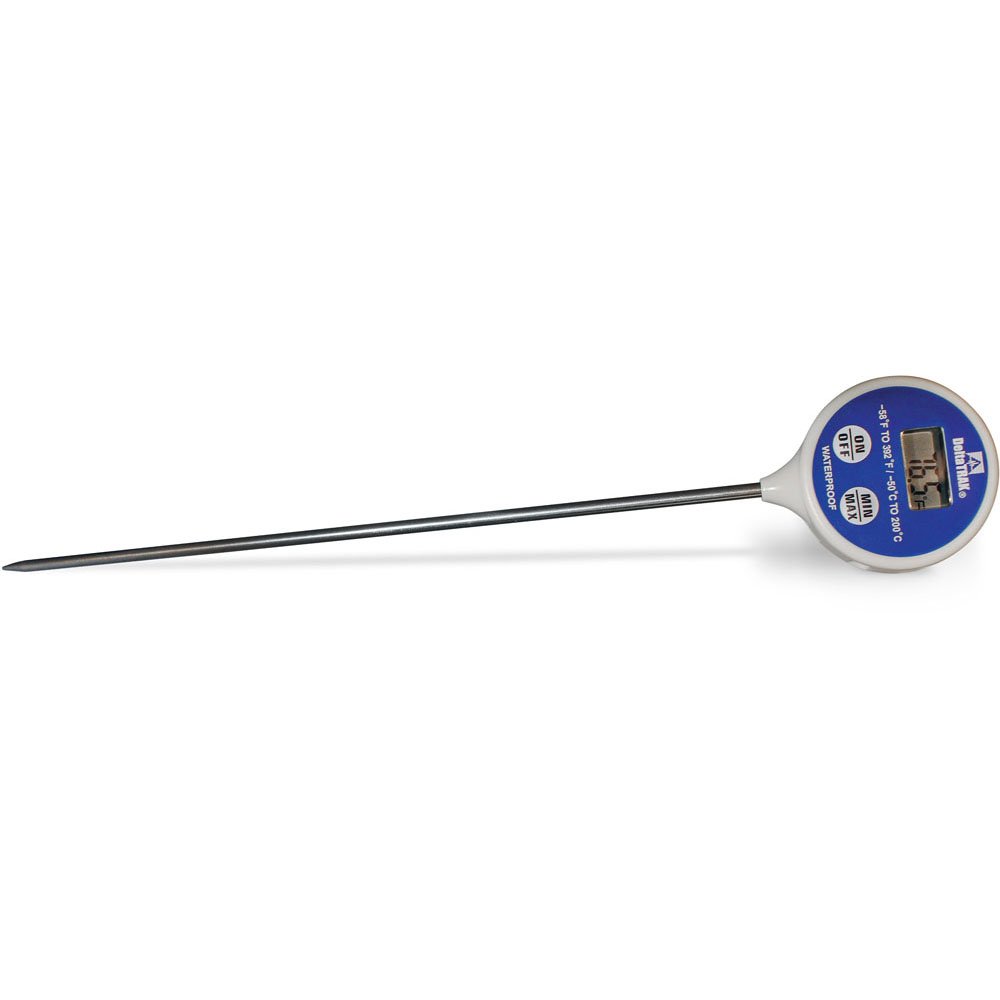
Obrázek 1: DeltaTrak 11047 Digital Lollipop Min/Max Probe Thermometer. This image shows the thermometer with its digital display and probe.
2. Bezpečnostní informace
Please read all safety instructions before using the thermometer to ensure safe operation and prevent damage to the device or injury to yourself.
- Do not expose the thermometer to extreme temperatures outside its specified operating range.
- Do not immerse the main body of the thermometer in water or other liquids. The probe is designed for immersion, but the display unit is not waterproof.
- Uchovávejte mimo dosah dětí.
- Do not attempt to disassemble or modify the thermometer. This will void the warranty and may cause damage.
- Zlikvidujte baterie v souladu s místními předpisy.
3. Nastavení
3.1. Instalace baterie
The DeltaTrak 11047 thermometer requires batteries for operation (not included). Follow these steps to install them:
- Najděte kryt přihrádky na baterie na zadní straně teploměru.
- Use a small screwdriver or coin to open the battery compartment.
- Insert the required batteries, ensuring correct polarity (+ and -). Refer to the markings inside the compartment.
- Nasaďte kryt přihrádky na baterie a pevně jej upevněte.
3.2. Počáteční zapnutí
Po vložení baterie stiskněte tlačítko ON/OFF button to power on the device. The display will show the current temperature.
4. Návod k obsluze
4.1. Měření teploty
- Ujistěte se, že je teploměr zapnutý.
- Insert the stainless steel probe into the substance or environment you wish to measure. Ensure the probe tip is fully immersed or positioned correctly for accurate readings.
- Wait for the temperature reading on the digital display to stabilize. This usually takes a few seconds.
4.2. Min/Max Temperature Function
The thermometer can record the minimum and maximum temperatures measured during a session.
- Stiskněte tlačítko MIN / MAX button once to display the maximum temperature recorded since the last reset.
- Stiskněte tlačítko MIN / MAX button a second time to display the minimum temperature recorded.
- Stiskněte tlačítko MIN / MAX button a third time to return to the current temperature display.
- To reset the Min/Max values, press and hold the MIN / MAX button for approximately 3 seconds while in Min or Max display mode.
4.3. Výběr jednotky (°C/°F)
Přepínání mezi stupni Celsia (°C) a stupni Fahrenheita (°F):
- Vyhledejte ° C / ° F button, usually found near the display or battery compartment.
- Press this button to toggle between the two temperature units.
5. Údržba
5.1. Čištění
As per product care instructions, the thermometer should be cleaned by wiping it. Use a damp cloth with mild soap or a sanitizing wipe to clean the probe and the body of the thermometer. Do not use abrasive cleaners or immerse the main unit in water.
5.2. Skladování
When not in use, store the thermometer in a clean, dry place at room temperature. Ensure the probe is clean and dry before storage. The thermometer often comes with a protective sheath for the probe; use this to prevent damage.
5.3. Výměna baterie
If the display becomes dim or the thermometer stops functioning, it may be time to replace the batteries. Follow the battery installation steps in Section 3.1.
6. Řešení problémů
| Problém | Možná příčina | Řešení |
|---|---|---|
| Žádný displej nebo tlumený displej | Vybité nebo slabé baterie; nesprávná instalace baterií. | Vyměňte baterie a dbejte na správnou polaritu. |
| Nepřesné údaje | Probe not fully immersed; probe damaged; thermometer outside operating range. | Ensure probe is correctly positioned; check for visible damage; use within specified temperature range. |
| Teploměr se nezapne | Batteries not installed; power button malfunction. | Install or replace batteries; if problem persists, contact support. |
7. Specifikace
- Značka: DeltaTrak
- Číslo modelu: 11047
- UPC: 700779110473
- Vnější materiál: Glass (Note: This likely refers to the display or a component, the probe is typically stainless steel)
- Specifikace splněna: NIST
- Hmotnost položky: 36.3 g
- Rozměry balení: 26.8 x 5.41 x 2.79 cm
- Zahrnuté komponenty: Teploměr
- Pokyny pro péči o produkt: Dočista vyčistit
- Baterie: Není součástí dodávky
8. Záruka a podpora
8.1. Informace o záruce
DeltaTrak products are manufactured to high-quality standards. For specific warranty details regarding your DeltaTrak 11047 thermometer, please refer to the warranty card included with your purchase or visit the official DeltaTrak webUschovejte si účtenku jako doklad o koupi pro případ reklamace.
8.2. Zákaznická podpora
If you encounter any issues not covered in this manual or require further assistance, please contact DeltaTrak customer support. Contact information can typically be found on the product packaging or the official DeltaTrak webmísto.
Pro více informací navštivte: www.deltatrak.com