
1. Úvod
The Netatmo Smart Indoor Camera (model NSC01-EU) is designed to enhance your home security by providing intelligent surveillance. It features motion detection, facial recognition, night vision, and two-way audio, allowing you to monitor your home and communicate with occupants from anywhere. This manual provides essential information for installation, operation, and troubleshooting.
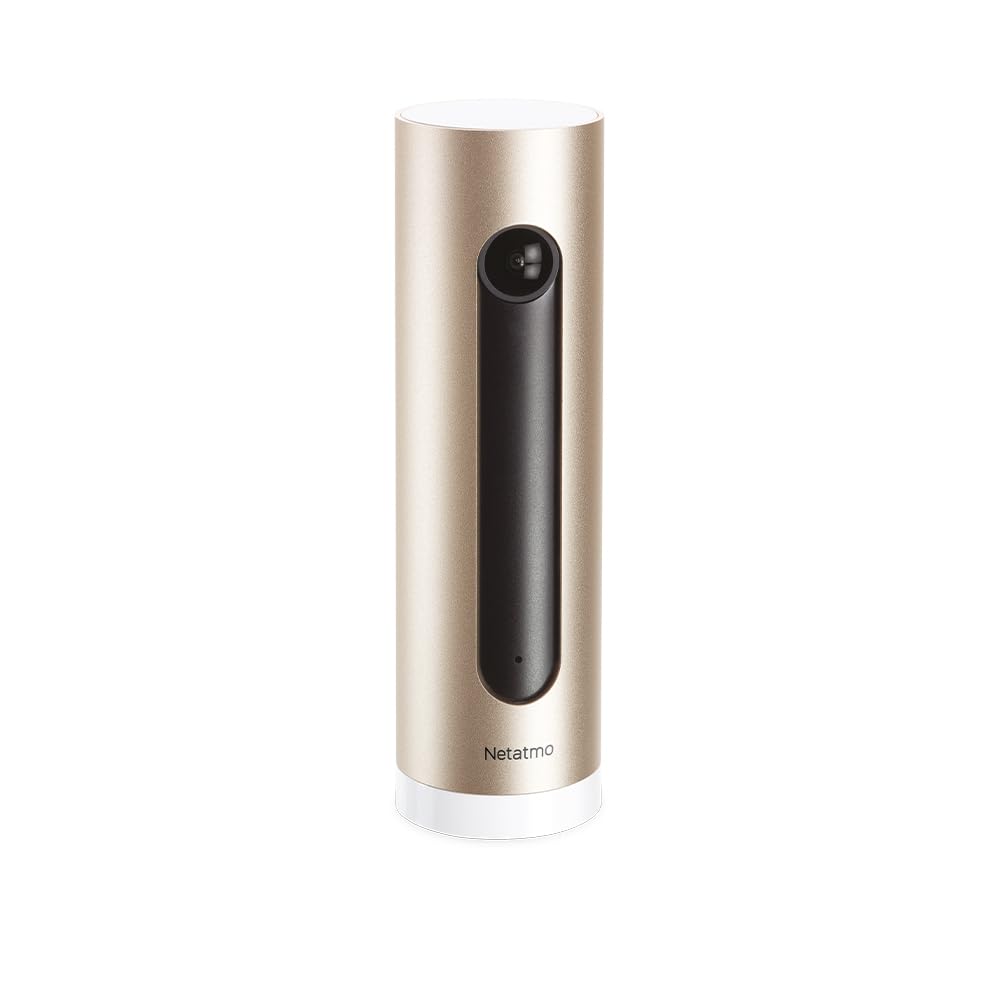
Image: The Netatmo Smart Indoor Camera, showcasing its compatibility with Apple HomeKit, Amazon Alexa, and Google Assistant.
2. Nastavení
2.1 Vybalení a obsah
Carefully unpack the camera and verify all components are present:
- Netatmo Smart Indoor Camera (NSC01-EU)
- Napájecí adaptér
- USB kabel
- Uživatelská příručka (tento dokument)

Image: The Netatmo Smart Indoor Camera along with its included power adapter, USB cable, and printed user guide.
2.2 Umístění kamery
Place the camera indoors on a stable, flat surface with a clear view of the area you wish to monitor. Ensure it is within range of your Wi-Fi network. Avoid placing it in direct sunlight or near heat sources.

Image: The Netatmo Smart Indoor Camera positioned discreetly on a wooden desk, demonstrating typical indoor placement.

Image: The Netatmo Smart Indoor Camera placed on a windowsill, offering a view of an indoor plant and the outdoor environment.
2.3 Připojení napájení
- Připojte kabel USB k napájecímu portu fotoaparátu.
- Zapojte druhý konec USB kabelu do napájecího adaptéru.
- Insert the power adapter into a wall outlet. The camera will power on automatically.
2.4 Instalace a párování aplikace
- Download the Netatmo Security app from the Apple App Store or Google Play Store.
- Otevřete aplikaci a vytvořte si nový účet nebo se přihlaste pomocí stávajícího.
- Follow the on-screen instructions within the app to add your new camera. This typically involves scanning a QR code on the camera or packaging and connecting it to your home Wi-Fi network.
3. Ovládání fotoaparátu
3.1 Živě View and Event Timeline
Once connected, open the Netatmo Security app to access the live video feed from your camera. The app also displays a timeline of recorded events, such as motion detections or recognized faces.

Image: The Netatmo Smart Indoor Camera positioned beside a smartphone, illustrating the camera's live feed and event timeline within the Netatmo Security application.
3.2 Detekce pohybu a upozornění
The camera is equipped with advanced motion detection. When motion is detected, the camera records the event and sends a notification to your smartphone. You can customize alert settings within the app.
3.3 Rozpoznávání obličeje
The Netatmo Smart Indoor Camera can learn to recognize familiar faces. Once a face is identified, you can assign a name to it in the app. This allows the camera to differentiate between known individuals and strangers, providing more relevant alerts.
3.4 Obousměrný zvuk
Pro obousměrnou komunikaci použijte vestavěný mikrofon a reproduktor. V živém přenosu klepněte na ikonu mikrofonu. view to speak through the camera, and hear responses through your phone's speaker.
3.5 Noční vidění
The camera automatically switches to infrared night vision in low-light conditions, ensuring continuous surveillance even in complete darkness.
3.6 Ovládání soukromí
Manage your privacy settings through the Netatmo Security app. You can define specific zones within the camera's view to ignore for motion detection or disable recording when certain individuals are detected.
3.7 Video úložiště
The Netatmo Smart Indoor Camera offers free local storage of video recordings on a microSD card (included or purchased separately). You can also opt for cloud storage solutions if desired, though no subscription is required for basic functionality.
4. Údržba
4.1 Čištění
To maintain optimal performance, periodically clean the camera lens and body with a soft, dry, lint-free cloth. Do not use harsh chemicals or abrasive materials.
4.2 Aktualizace softwaru
Ensure your camera's firmware is up to date. The Netatmo Security app will typically notify you of available updates and guide you through the installation process. Regular updates provide new features and security enhancements.
5. Řešení problémů
5.1 Kamera se nezapíná
- Verify the power adapter is securely plugged into both the camera and a working wall outlet.
- Zkuste jinou zásuvku.
- Ujistěte se, že kabel USB není poškozen.
5.2 Žádné připojení k Wi-Fi
- Check if your home Wi-Fi network is active and functioning correctly.
- Ujistěte se, že je kamera v dosahu vašeho Wi-Fi routeru.
- Restartujte Wi-Fi router.
- Attempt to re-pair the camera with the Netatmo Security app.
5.3 Špatná kvalita videa
- Vyčistěte čočku fotoaparátu.
- Ensure adequate lighting in the monitored area (outside of night vision mode).
- Zkontrolujte rychlost připojení k internetu; pomalé připojení může ovlivnit kvalitu streamování.
5.4 Problémy s detekcí pohybu
- Review motion detection settings in the Netatmo Security app.
- Adjust the camera's placement to optimize its field of view.
- Ensure no objects are obstructing the camera's view.
6. Specifikace
| Funkce | Popis |
|---|---|
| Značka | Netatmo |
| Název modelu | NSC01-EU |
| Technologie připojení | Kabelové, bezdrátové (Wi-Fi) |
| Speciální funkce | Two-Way Audio, Night Vision, Motion Detection, Facial Recognition |
| Prostředí použití | Krytý |
| Zdroj napájení | AC/DC |
| Kompatibilní zařízení | Smartphones (iOS, Android), Apple HomeKit, Amazon Alexa, Google Assistant |
7. Záruka a podpora
7.1 Informace o záruce
For detailed warranty information, please refer to the warranty card included in your product packaging or visit the official Netatmo webUschovejte si doklad o koupi pro případ reklamace.
7.2 Zákaznická podpora
If you encounter any issues not covered in this manual or require further assistance, please visit the official Netatmo support webmísto na www.netatmo.com/support. You can find FAQs, troubleshooting guides, and contact information for technical support.