
Zavedení
This manual provides essential information for the safe and efficient use of your Sharp LC-48LE653U 48-Inch 1080p 60Hz Smart LED TV. Please read these instructions thoroughly before operating the television and retain them for future reference. This television offers reliable performance with AquoMotion 120 technology for smooth motion, reduced blur, and access to SmartCentral Apps for various streaming services. It features an ultra-narrow bezel, a sleek modern design, Wallpaper Mode, three HDMI inputs (including MHL support), and built-in 20W audio.
Co je v krabici
Před zahájením instalace ověřte, zda jsou přítomny všechny komponenty.
- Sharp LC-48LE653U 48-Inch Smart LED TV
- Dálkové ovládání
- TV stojan
- AA baterie (2)
- Napájecí kabel
- Dokumentace (Stručná úvodní příručka, Záruční list)
Nastavení
1. Vybalení a umístění
Carefully remove the television from its packaging. Place the TV on a stable, level surface or mount it on a wall using a compatible VESA mount (sold separately). Ensure adequate ventilation around the television.
2. Připevnění stojanu
If using the included stand, align the stand with the mounting holes on the bottom of the TV. Secure it with the provided screws. Refer to the diagram below for proper orientation.

Figure 1: Television with stand and dimensions (10.55"D x 42.56"W x 26.28"H).
3. Připojení zařízení
Connect your external devices (e.g., cable box, Blu-ray player, gaming console) to the appropriate ports on the back or side of the TV. The TV features 3 HDMI inputs (one with MHL support), 1 USB port, and component/composite video inputs.

Figure 2: Detail of TV input ports.
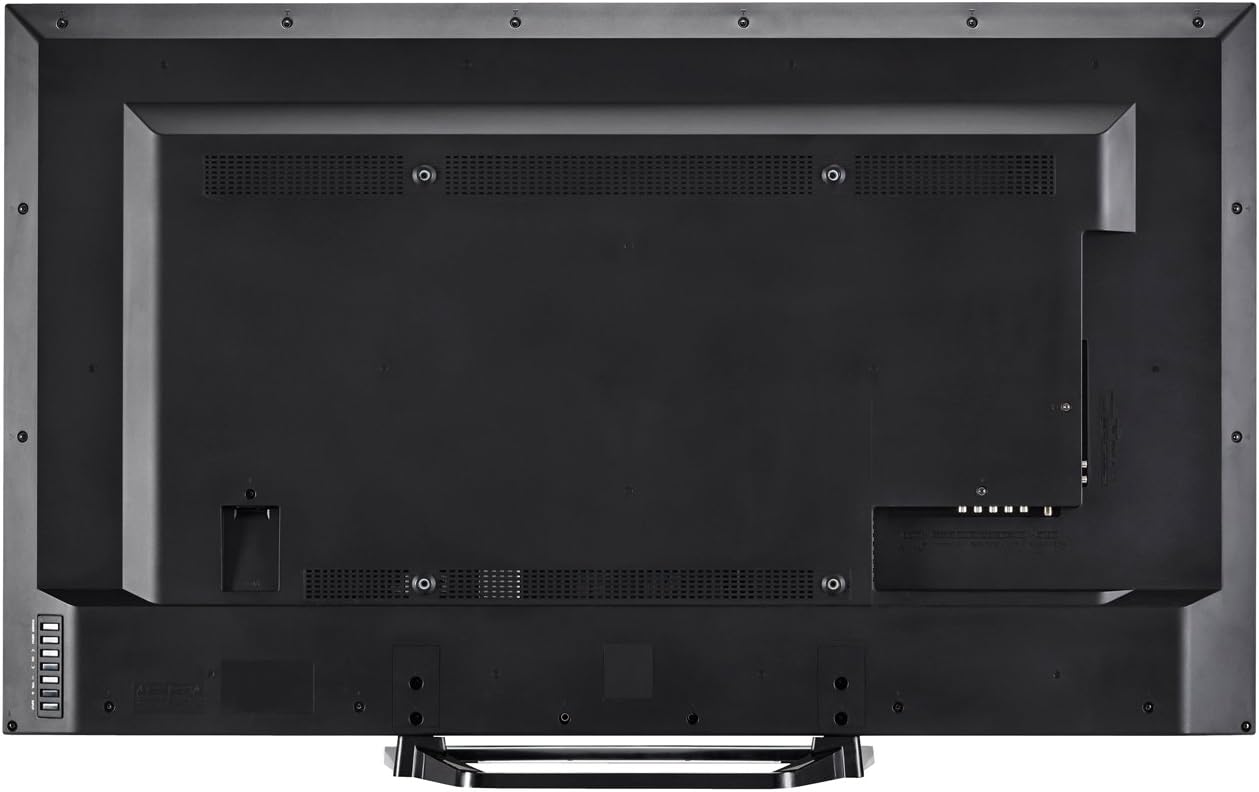
Obrázek 3: Zadní view of the television with all connections.
4. Připojení napájení
Plug the power cord into the TV's power input, then into a standard electrical outlet (110 VAC, 60 Hz).
5. Průvodce počátečním zapnutím a nastavením
Press the Power button on the TV or remote control. Follow the on-screen instructions to complete the initial setup, including language selection, network connection (Wi-Fi or Ethernet), and channel scanning.
Návod k obsluze
1. Funkce dálkového ovládání
The included remote control allows you to navigate menus, change channels, adjust volume, and access smart features. Insert the two AA batteries into the remote control, observing polarity.

Obrázek 4: Rozložení dálkového ovládání.
- Moc: Zapíná nebo vypíná televizor.
- Vstup: Vybere vstupní zdroj (HDMI, komponentní atd.).
- Hlasitost (+/-): Upravuje úroveň zvuku.
- Kanál (CH +/-): Mění kanály.
- Chytrý: Accesses SmartCentral Apps.
- Menu: Otevře hlavní nabídku nastavení.
- Navigační tlačítka (nahoru/dolů/vlevo/vpravo/Enter): Prochází menu a potvrzuje výběr.
- Netflix, YouTube, Pandora, Vudu: Vyhrazená tlačítka pro rychlý přístup k těmto streamovacím službám.
2. SmartCentral Apps
Your Sharp Smart LED TV comes with built-in Wi-Fi and SmartCentral Apps, providing access to popular streaming services and a web browser. Press the 'Smart' button on your remote or select the SmartCentral Apps icon from the home screen.

Figure 5: SmartCentral Apps Interface.
- Přístup k aplikacím: Use the navigation buttons on the remote to select and launch applications like Netflix, Hulu Plus, Pandora, Vudu, and YouTube.
- Web prohlížeč: Využijte vestavěné web prohlížeč pro běžné prohlížení internetu.
- Internetové připojení: Ensure your TV is connected to a stable internet connection via Wi-Fi or Ethernet for optimal Smart TV functionality.
3. Nastavení obrazu a zvuku
Access the TV's menu to customize picture and sound settings. Adjust brightness, contrast, color, and sharpness for picture quality. For audio, select sound modes or adjust bass/treble settings.
4. Wallpaper Mode
When the TV is turned off, Wallpaper Mode allows it to display virtually any image, transforming your TV into a large-format display for photos or artwork. Configure this feature through the TV's settings menu.
Údržba
1. Čištění obrazovky
Jemně otřete obrazovku měkkým, suchým hadříkem, který nepouští vlákna. V případě odolných skvrn lehceampOtřete hadřík vodou nebo specializovaným čističem obrazovek. Vyhněte se agresivním chemikáliím nebo abrazivním materiálům.
2. Čištění skříně
Otřete skříň televizoru měkkým, suchým hadříkem. Nepoužívejte tekuté čisticí prostředky přímo na skříň.
3. Aktualizace softwaru
Periodically check for software updates through the TV's settings menu to ensure optimal performance and access to the latest features. A stable internet connection is required for updates.
Odstraňování problémů
Pokud narazíte na problémy s televizorem, podívejte se na následující běžná řešení:
- Bez napájení: Ensure the power cord is securely plugged into both the TV and the electrical outlet. Test the outlet with another device.
- Žádný obraz/zvuk: Verify the correct input source is selected. Check all cable connections to external devices. If using an antenna, ensure it is properly connected and channels are scanned.
- No Sound (intermittent): If sound occasionally cuts out, try unplugging the TV from the power outlet for a few minutes, then plugging it back in. This can reset internal components.
- Špatná kvalita obrazu: Upravte nastavení obrazu (jas, kontrast, ostrost). Ujistěte se, že vstupní zdroj poskytuje vysoce kvalitní signál.
- Problémy s připojením k síti: Check your Wi-Fi router or Ethernet cable connection. Restart your router and the TV. Ensure Wi-Fi settings on the TV are correctly configured.
- Dálkové ovládání nefunguje: Vyměňte baterie. Ujistěte se, že mezi dálkovým ovladačem a infračerveným senzorem televizoru nejsou žádné překážky.
For persistent issues, contact Sharp customer support.
Specifikace
| Funkce | Specifikace |
|---|---|
| Číslo modelu | LC-48LE653U |
| Velikost obrazovky | 48 palce |
| Technologie displeje | LCD s LED podsvícením |
| Rezoluce | 1080p (1920x1080) |
| Obnovovací frekvence | 60 Hz (AquoMotion 120) |
| Konektivita | Built-in Wi-Fi, Ethernet |
| HDMI porty | 3 (one with MHL) |
| USB porty | 1 |
| Podporované internetové služby | Hulu Plus, Netflix, Pandora, Vudu, YouTube |
| Zvukový výstupní výkon | 20 wattů |
| Rozměry produktu (D x Š x V) | 10.55 cm x 42.56 cm x 26.28 cm |
| Hmotnost položky | 21 libry |
| svtage | 110 VAC 60 Hz |
Informace o záruce
This Sharp LC-48LE653U television is covered by a 1letá omezená záruka from the date of purchase. This warranty covers manufacturing defects in materials and workmanship under normal use. It does not cover damage caused by misuse, accidents, unauthorized modifications, or external causes. Please retain your proof of purchase for warranty claims.
Podpora
For technical assistance, troubleshooting beyond this manual, or warranty service, please contact Sharp customer support. Refer to the contact information provided in your product documentation or visit the official Sharp webmísto.
Online podpora: www.sharpusa.com/support
Telefonická podpora: Refer to your warranty card or Sharp's official webweb s nejaktuálnějšími kontaktními čísly.