
Zavedení
This manual provides detailed instructions for the setup, operation, maintenance, and troubleshooting of your GPX TCR340 Intelli-Set Clock with Digital Tune AM-FM Radio. Please read this manual thoroughly before using the device to ensure proper function and to maximize your user experience. Keep this manual for future reference.
Nastavení
1. Připojení napájení
Connect the provided AC power adapter to the DC input jack on the back of the unit and then plug the adapter into a standard wall outlet. The unit is designed for corded electric operation.
2. Instalace záložní baterie
For battery backup, install the required batteries (not included) into the battery compartment located on the bottom of the unit. This will preserve time and alarm settings during a power outage. Refer to the battery compartment for correct polarity.
3. Automatic Time Setting (Intelli-Set)
The GPX TCR340 features Intelli-Set technology, which automatically sets the time upon initial power connection. Ensure the unit is connected to power, and the time should set itself. You may need to adjust the time zone manually if it does not match your location.
4. Nastavení antény
- Anténa FM: Extend the built-in FM wire antenna fully for optimal FM reception. Adjust its position for best signal.
- AM anténa: The unit has a built-in AM antenna. Rotate the unit for best AM reception.
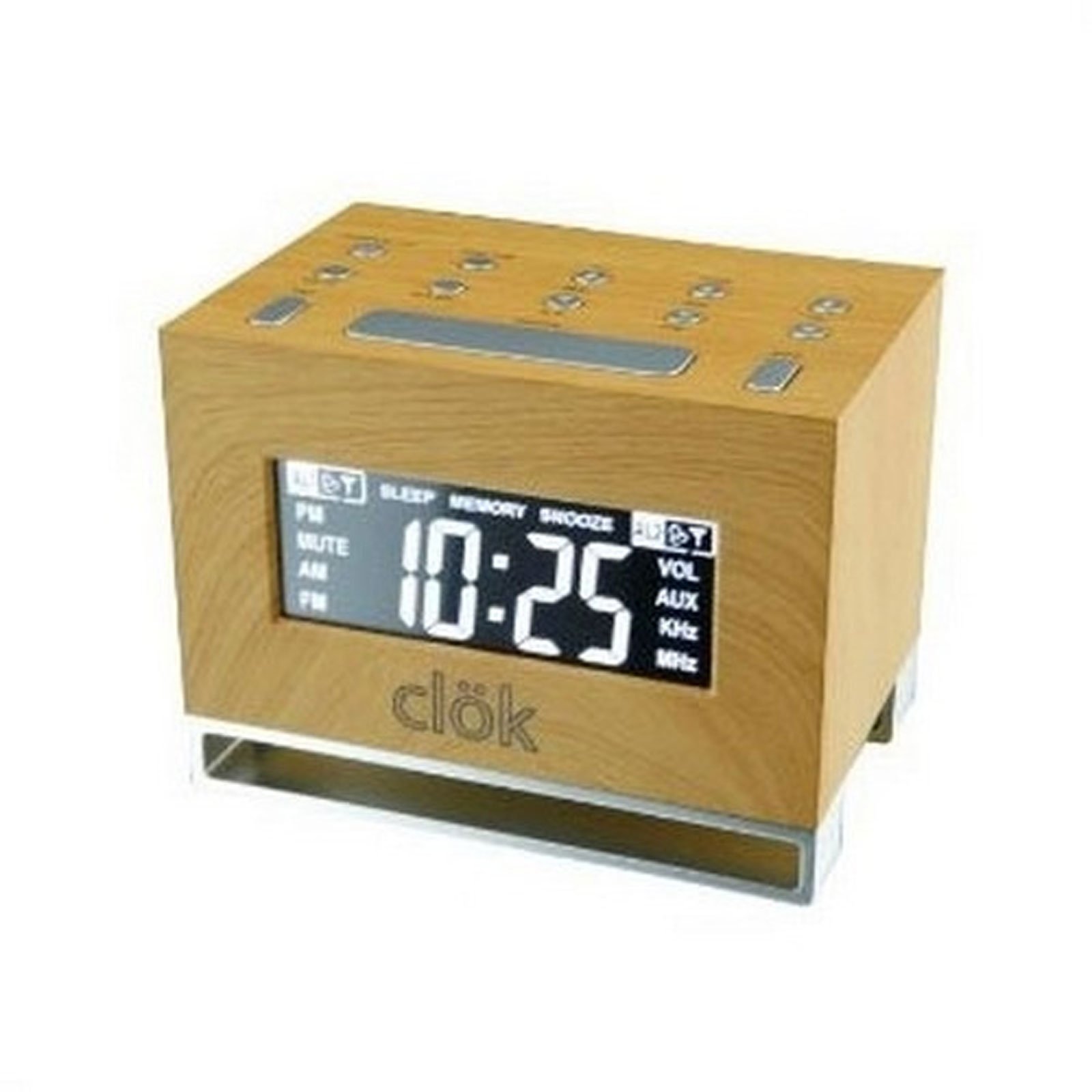
Obrázek 1: Přední strana view of the GPX TCR340 Intelli-Set Clock Radio, showing the digital display and control buttons.
Návod k obsluze
1. Základní ovládací prvky
Familiarize yourself with the buttons on the top and front of the unit. Common controls include Power, Volume Up/Down, Tune Up/Down, Alarm Set, Snooze, and Display Brightness.
2. Nastavení času
- Stiskněte a podržte NASTAVENÍ ČASU button (location may vary, typically on the back or top).
- Při držení NASTAVENÍ ČASU, použijte HODINA a MINUTA tlačítka (nebo TUNE +/-) to adjust the time.
- Uvolnění NASTAVENÍ ČASU potvrdit.
- To adjust the time zone, press and hold the MOC button while simultaneously pressing a dedicated ČASOVÉ PÁSMO button (if available) or a button on the back of the unit to cycle through zones.
3. Provoz rádia (AM/FM)
- Stiskněte tlačítko MOC tlačítko pro zapnutí rádia.
- Stiskněte tlačítko KAPELA button to switch between AM and FM.
- Použijte TUNE +/- buttons to manually tune to a desired station. Press and hold for automatic scanning.
- Upravte hlasitost pomocí OBJEM +/- tlačítka.
4. Nastavení alarmů
The unit supports dual alarms.
- Stiskněte a podržte NASTAVENÍ ALARMU 1 or NASTAVENÍ ALARMU 2 tlačítko.
- Při držení použijte HODINA a MINUTA tlačítka (nebo TUNE +/-) to set the desired alarm time.
- Uvolněte NASTAVENÍ ALARMU tlačítko.
- Stiskněte tlačítko ALARM 1 ZAP/VYP or ALARM 2 ZAP/VYP button repeatedly to select the alarm source (Radio, Nature Sound, or Buzzer) and activate the alarm. An alarm icon will appear on the display.
- The alarm features a gradual wake function, increasing in volume over time.
5. Funkce odložení buzení
Když zazní alarm, stiskněte tlačítko PODŘIMOVAT button to temporarily silence it for a few minutes. The alarm will sound again after the snooze period.
6. Zobrazte jas
Stiskněte tlačítko JAS button (or a similar labeled button) to cycle through different display brightness levels. This allows adjustment for various lighting conditions.
7. Nature Sounds
The unit includes pre-programmed nature sounds. To listen, press the PŘÍRODNÍ ZVUKY button (if available) or select it as an alarm source. Use volume controls to adjust playback level.
Údržba
1. Čištění
Otřete jednotku měkkým, suchým hadříkem. Nepoužívejte abrazivní čisticí prostředky, vosky ani rozpouštědla, protože by mohly poškodit povrchovou úpravu. Nestříkejte tekutiny přímo na jednotku.
2. Výměna baterie
If the battery backup fails to maintain time during a power outage, replace the batteries in the compartment on the bottom of the unit. Ensure correct polarity when inserting new batteries.
3. Obecná péče
- Chraňte jednotku před přímým slunečním zářením, zdroji tepla a nadměrným prachem nebo vlhkostí.
- Nepokládejte těžké předměty na horní část jednotky.
- Zabraňte pádu jednotky nebo jejímu vystavení silným nárazům.
Odstraňování problémů
| Problém | Možná příčina | Řešení |
|---|---|---|
| Jednotka se nezapne. | Napájecí adaptér není připojen nebo je vadný. | Ensure AC adapter is securely plugged into the unit and a working wall outlet. Test the outlet with another device. |
| Špatný příjem rádia. | Antenna not properly positioned; interference. | Extend and reposition the FM wire antenna. Rotate the unit for better AM reception. Move away from other electronic devices that may cause interference. |
| Alarm se nespustí. | Budík není nastavený nebo aktivovaný; hlasitost je příliš nízká. | Verify alarm time is set correctly and the alarm is activated (alarm icon visible). Increase alarm volume. Ensure alarm source is selected. |
| Display is too bright or completely dark. | Brightness setting; internal issue. | Stiskněte tlačítko JAS button to cycle through display levels. If the display remains dark or unresponsive, try unplugging the unit for a few minutes and then reconnecting power. |
| Čas je po výpadku proudu nesprávnýtage. | Záložní baterie jsou vybité nebo nejsou nainstalovány. | Install fresh batteries in the battery backup compartment. Ensure correct polarity. |
| One or more digits on the display are not lit. | Internal display component failure. | This indicates a potential hardware issue. If under warranty, contact customer support. Otherwise, repair may be required. |
Specifikace
- Značka: GPX
- Model: TCR340
- Typ displeje: Digitální LCD
- Rádiový tuner: Digitální AM/FM
- Zdroj napájení: AC Power Adapter (Corded Electric), Battery Backup (Batteries not included)
- Speciální vlastnosti: Intelli-Set Automatic Time Setting, Dual Alarm, Snooze Function, Gradual Wake, Nature Sounds, Adjustable Display Brightness
- Rozměry produktu: 3.27 cm Š x 4.84 cm V
- Vnitřní/venkovní použití: Krytý
Záruka a podpora
For warranty information, please refer to the documentation included with your product packaging or visit the official GPX website. For technical support or service inquiries, please contact GPX customer service directly. Contact details are typically available on the manufacturer's webmístě nebo v originálním obalu produktu.