
1. Úvod
The D-Link DCS-6100LHV2 Full HD Wi-Fi Compact Camera is designed for indoor home monitoring, offering 1080p resolution, night vision, and two-way audio. This manual provides essential information for setting up, operating, and maintaining your camera, ensuring optimal performance and security.
2. Obsah balení
Ověřte, zda jsou v balení přítomny všechny položky:
- DCS-6100LHV2 Full HD Compact Wi-Fi Camera
- Napájecí adaptér micro USB
- Průvodce rychlou instalací
- Sada pro montáž na zeď
3. Konec produktuview
Seznamte se s komponenty fotoaparátu.
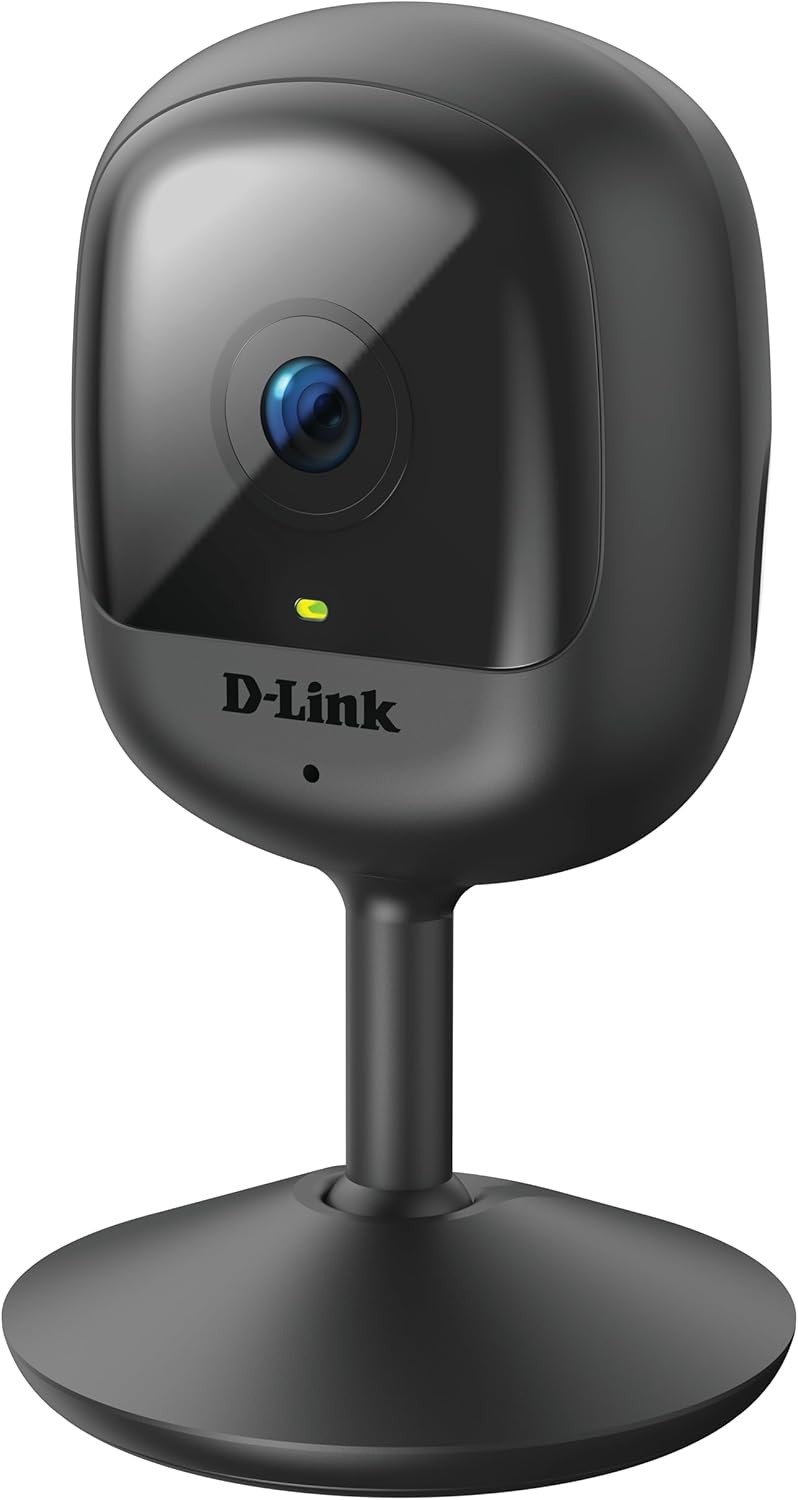
Obrázek 3.1: Přední view of the D-Link DCS-6100LHV2 camera, showing the lens and status LED.

Obrázek 3.2: Zadní view of the D-Link DCS-6100LHV2 camera, highlighting the speaker, reset button, and power port.
Klíčové komponenty:
- Objektiv fotoaparátu: Captures Full HD 1080p video.
- Stavová LED: Indicates camera status (e.g., power, connection).
- Mikrofon: Pro audio vstup a obousměrnou komunikaci.
- Reproduktor: Pro audio výstup a obousměrnou komunikaci.
- Resetovací tlačítko: Používá se k obnovení továrního nastavení.
- Napájecí port micro USB: Připojuje se k napájecímu adaptéru.
- Slot pro microSD kartu: For local video storage (supports up to 128 GB).
4. Nastavení
4.1. Instalace aplikace
- Stáhněte si mydlink aplikaci z App Storu (iOS) nebo Obchodu Google Play (Android).
- Nainstalujte si aplikaci na svůj smartphone nebo tablet.
- Spusťte aplikaci mydlink a vytvořte si nový účet nebo se přihlaste pomocí stávajícího účtu.
4.2. Powering On and Wi-Fi Connection
- Connect the micro USB power adapter to the camera's power port and plug it into a power outlet.
- Wait for the camera's status LED to blink orange, indicating it is ready for setup.
- In the mydlink app, tap the "Add a Device" icon and follow the on-screen instructions to connect your camera to your Wi-Fi network. Ensure your Wi-Fi network is 2.4 GHz.
- Po připojení se stavová LED rozsvítí trvale zeleně.
4.3. Montáž kamery
The camera can be placed on a flat surface or mounted to a wall.
- Umístění na stůl: Jednoduše umístěte kameru na stabilní, rovný povrch v dosahu signálu Wi-Fi a elektrické zásuvky.
- Montáž na stěnu: Use the provided wall mount kit. Secure the mount to the desired location on the wall using screws, then attach the camera to the mount. Adjust the camera angle as needed.

Obrázek 4.1: The D-Link DCS-6100LHV2 camera discreetly placed in a home environment.
5. Návod k obsluze
5.1. Živě View
Open the mydlink app and select your camera from the device list to view the live video feed. You can pinch to zoom and pan across the image.
5.2. Recording Options (MicroSD & Cloud)
- Nahrávání na kartu MicroSD: Insert a microSD card (up to 128 GB, not included) into the camera's slot for local storage of recorded events. Configure recording settings (e.g., continuous, event-based) via the mydlink app.
- mydlink Cloud Recording: The camera supports cloud recording. A 1-year free mydlink cloud subscription is included, allowing remote storage and access to video clips. Manage cloud recording settings and view stored videos through the mydlink app.
5.3. Detekce pohybu a zvuku
The camera features integrated motion and sound detection. When motion or sound is detected, the camera can automatically start recording and send push notifications to your mobile device. Sensitivity levels and detection zones can be customized in the mydlink app settings.
5.4. Obousměrný zvuk
Utilize the camera's built-in microphone and speaker for two-way audio communication. From the live view in the mydlink app, tap the microphone icon to speak through the camera, and listen to audio from the camera's location.
5.5. Noční vidění
The camera automatically switches to night vision mode in low-light conditions, providing clear black-and-white video up to 5 meters (16 feet) in complete darkness.
5.6. Integrace chytré domácnosti
The D-Link DCS-6100LHV2 is compatible with Amazon Alexa and Google Assistant. Follow the instructions in the mydlink app or your smart home assistant's app to link your camera and enable voice control for features like viewing the live feed on compatible smart displays.
6. Údržba
6.1. Čištění
To clean the camera, gently wipe the exterior with a soft, dry cloth. Do not use liquid cleaners or aerosols, as they may damage the device. Ensure the lens is free of dust and smudges for optimal image clarity.
6.2. Aktualizace firmwaru
Regularly check for and install firmware updates via the mydlink app. Firmware updates often include performance improvements, new features, and security enhancements.
7. Řešení problémů
7.1. Kamera se nepřipojuje k Wi-Fi
- Ujistěte se, že vaše Wi-Fi síť pracuje na frekvenci 2.4 GHz. Kamera nepodporuje sítě 5 GHz.
- Verify that the camera is within range of your Wi-Fi router.
- Zkontrolujte správnost hesla k Wi-Fi.
- Try restarting your Wi-Fi router and the camera.
- If issues persist, perform a factory reset on the camera by pressing and holding the reset button for 10 seconds, then attempt setup again.
7.2. No Video Recording
- For microSD recording, ensure a compatible microSD card is inserted and properly formatted via the mydlink app.
- Check recording schedules and event detection settings in the mydlink app.
- For cloud recording, verify your mydlink cloud subscription status.
7.3. Špatná kvalita obrazu
- Ensure the camera lens is clean and free of obstructions.
- Zkontrolujte rychlost svého internetového připojení. Pro optimální streamování je nutné stabilní a rychlé připojení.
- Upravte polohu kamery tak, abyste se vyhnuli oslnění nebo silnému protisvětlu.
7.4. Problémy s obousměrným zvukem
- Ujistěte se, že mikrofon a reproduktor na kameře nejsou zakryty.
- Check the volume settings on your mobile device and within the mydlink app.
- Verify that your internet connection is stable, as audio streaming requires consistent bandwidth.
8. Specifikace
| Funkce | Detail |
|---|---|
| Název modelu | DCS-6100LHV2 |
| Rozlišení videa | Full HD 1080p |
| Viewúhel | 120 stupňů |
| Rozsah nočního vidění | Až 5 metrů (16 stop) |
| Konektivita | Wi-Fi (2.4 GHz) |
| Možnosti úložiště | MicroSD card (up to 128 GB), mydlink Cloud Recording |
| Zvuk | Obousměrný zvuk (vestavěný mikrofon a reproduktor) |
| Detekce | Motion Detection, Sound Detection |
| Kompatibilita Smart Home | Amazon Alexa, Google Assistant |
| Vstup napájení | Micro USB, 220V, 4W |
| Rozměry (D x Š x V) | 6 x 6 x 10.4 cm |
| Hmotnost | 65 gramů |
| Materiál | Plast |
| Provozní prostředí | Vnitřní použití |
9. Informace o záruce
The D-Link DCS-6100LHV2 camera comes with a 2-letá záruka from the date of purchase. This warranty covers defects in materials and workmanship under normal use. Please retain your proof of purchase for warranty claims. The warranty does not cover damage caused by misuse, accidents, unauthorized modifications, or external factors.
10. Podpora
For further assistance, technical support, or to access additional resources, please visit the official D-Link support website or contact their customer service. Refer to the Quick Installation Guide included in your package for specific contact details for your region.