
1. Úvod a konecview
The Logilink PA0078 is a compact plug-in adapter designed to provide surge protection for your electronic devices. It safeguards equipment such as televisions, computers, PCs, and DVD players from voltage spikes and electrical surges that can occur due to lightning or power grid fluctuations. This adapter is intended for use with standard 230V electrical systems.
The unit features a single grounded (2P+E) socket for connecting your device and a corresponding grounded plug for insertion into a wall outlet. An indicator light is present to provide status information.
2. Bezpečnostní informace
- Pouze pro vnitřní použití: This device is designed for indoor use in dry locations. Do not expose it to moisture, rain, or extreme temperatures.
- Správné uzemnění: Always plug the surge protector into a properly grounded wall outlet. The adapter itself is designed with 2P+E (Schuko type) grounding.
- Vyhněte se přetížení: Do not exceed the maximum electrical ratings of the adapter (16 Ampere / 3500 Watt). Overloading can cause overheating and fire hazards.
- Kontrola poškození: Regularly inspect the adapter for any signs of damage, such as cracks, frayed wires, or loose connections. If damaged, discontinue use immediately and replace the unit.
- Kontrolka: The adapter includes an indicator light. While its specific function (e.g., active protection, fault) is not detailed in the provided product information, a non-illuminated light typically suggests that the surge protection is no longer active or the unit is not receiving power. In such cases, the unit should be replaced to ensure continued protection.
- Děti a domácí mazlíčci: Udržujte zařízení mimo dosah dětí a domácích zvířat.
3. Obsah balení
- 1 x Logilink PA0078 Surge Protector Adapter
4. Pokyny k nastavení
- Rozbalte adaptér: Carefully remove the Logilink PA0078 surge protector adapter from its packaging.
- Zapojte do zásuvky ve zdi: Insert the adapter's plug firmly into a standard, properly grounded 230V (50/60 Hz) wall outlet. Ensure it is fully seated.
- Observe Indicator Light: After plugging in, check if the adapter's indicator light illuminates. This typically signifies that the unit is powered and the surge protection is active.
- Připojte své zařízení: Plug the power cord of the electronic device you wish to protect (e.g., TV, computer) into the socket on the Logilink PA0078 adapter.
Your device is now connected and protected against power surges.
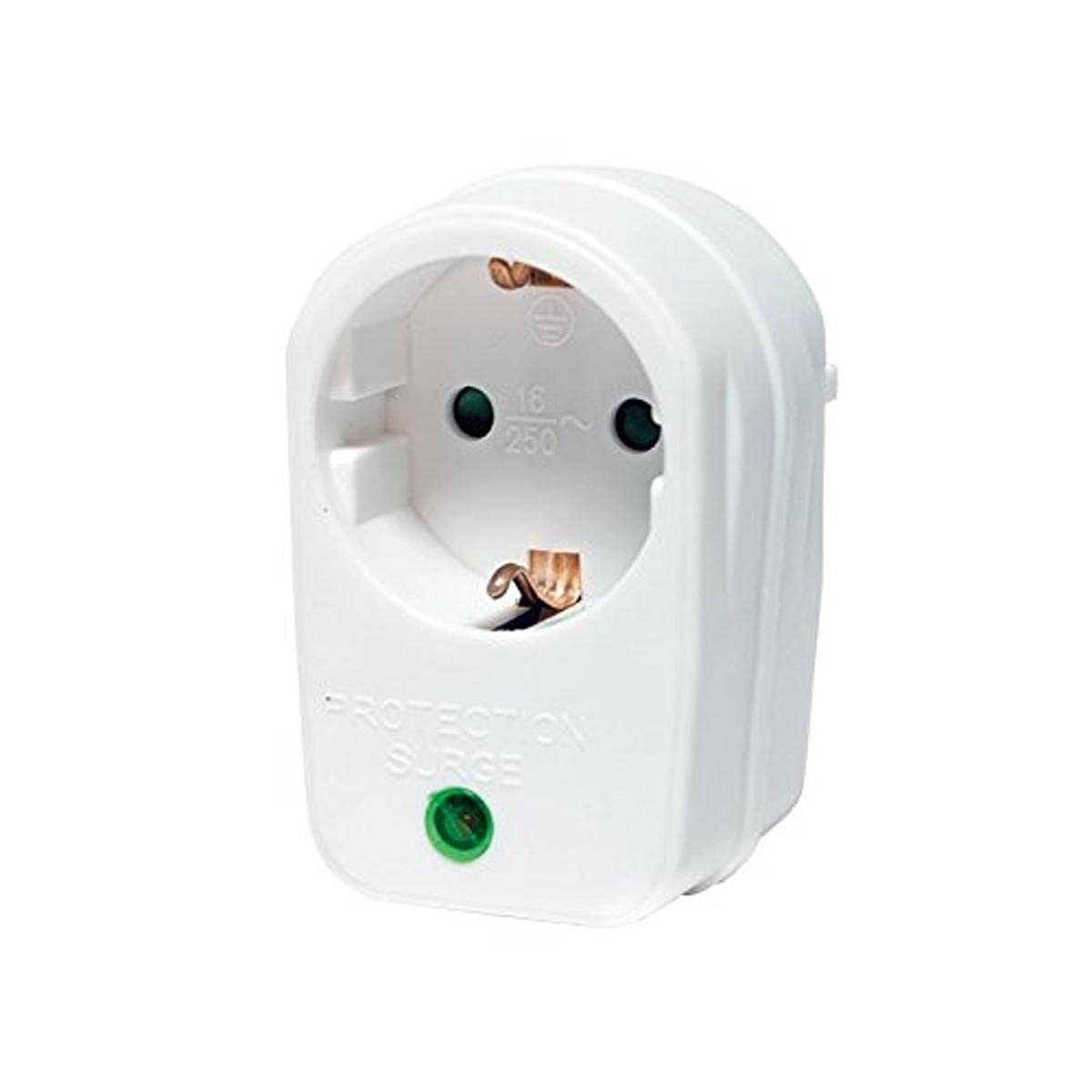
Obrázek 1: Přední strana view of the Logilink PA0078 surge protector adapter, showing the single grounded socket and indicator light.
5. Návod k obsluze
The Logilink PA0078 surge protector adapter operates automatically once properly installed. It continuously monitors the incoming power line for voltage spikes and diverts excess voltage away from your connected devices.
- Nepřetržitá ochrana: The adapter provides constant surge protection for the connected device as long as it is plugged into a live, grounded outlet and the protection circuitry is functional.
- Kontrolka: The indicator light on the adapter typically signifies the status of the surge protection. If this light is off, it may indicate that the surge protection components have been compromised or the unit is not receiving power.
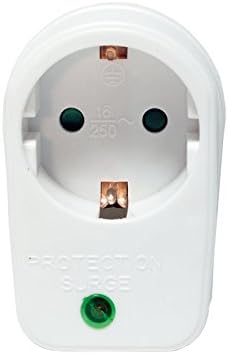
Obrázek 2: Úhlové view of the Logilink PA0078 surge protector adapter, showing the front socket and side profile.
6. Údržba
- Čištění: Disconnect the adapter from the wall outlet before cleaning. Use a soft, dry cloth to wipe the exterior. Do not use liquid cleaners or solvents.
- Podmínky prostředí: Ensure the adapter is used in a clean, dry environment, away from direct sunlight, heat sources, and excessive dust.
- Inspekce: Periodically check the adapter for any physical damage, such as cracks in the casing or bent pins. If any damage is observed, replace the unit.
- Stav ochrany: If the indicator light on the adapter goes out, it signifies that the surge protection components may have been consumed by a significant surge. The adapter will no longer provide surge protection and should be replaced.
7. Řešení problémů
- Zařízení není napájeno:
- Ensure the Logilink PA0078 adapter is firmly plugged into the wall outlet.
- Verify that your electronic device is properly plugged into the adapter's socket.
- Otestujte zásuvku ve zdi pomocí jiného zařízení, abyste se ujistili, že je funkční.
- Indicator Light is Off:
- If the indicator light is not illuminated when the adapter is plugged into a live outlet, it typically means the surge protection is no longer active. The adapter should be replaced to ensure continued protection for your devices.
- Adapter Does Not Fit Outlet/Plug:
- The Logilink PA0078 is designed for 2P+E (Schuko type) outlets. Ensure your wall outlet and the plug of your device are compatible with this standard.

Obrázek 3: Boční strana view of the Logilink PA0078 surge protector adapter, showing the plug pins and side profile.
8. Specifikace
| Číslo modelu: | PA0078 |
| Značka: | Logilink |
| Vstupní objemtage: | 230 voltů |
| Max. Proud: | 16 Ampere |
| Max. Wattage: | 3500 Wattů |
| Typ konektoru: | 2-pole (2P+E, grounded) |
| Rozměry (D x Š x V): | 11 x 7 x 6 cm |
| Hmotnost: | 100 g |
| Materiál: | Plast |
| Barva: | Bílý |
| certifikace: | RoHS |

Obrázek 4: Zadní strana view of the Logilink PA0078 surge protector adapter, showing the plug pins.
9. Záruka a podpora
For specific warranty terms and conditions, please refer to the documentation provided with your purchase or contact the retailer where the product was acquired. Logilink also provides customer support for their products.
For technical assistance or further inquiries, please visit the official Logilink webwebu nebo se přímo obraťte na jejich oddělení zákaznických služeb.