
Konec produktuview
The Dracast Pro Series LED500 Bi-Color Video Light is a professional-grade lighting solution designed for various photographic and videographic applications. It features adjustable color temperature and dimming capabilities, housed in a durable aluminum frame.
Klíčové vlastnosti
- Bi-Color Adjustable Color Temperature: Easily match ambient lighting with a CCT range of 3200K to 5600K.
- Vysoké podání barev: Achieves 96+ CRI and TLCI for excellent color accuracy across the entire color temperature range.
- Odolná konstrukce: Built with an anodized aluminum metal housing and frame for robust durability.
- Intuitivní ovládání: Features large adjustment knobs for precise 0%-100% dimming and color temperature adjustments.
- Všestranné možnosti napájení: Supports both AC power via the included adapter and battery power using the pre-installed Gold Mount battery plate (batteries sold separately).
- Flexibilní montáž: Includes a mounting yoke with a 5/8" baby pin adapter for easy attachment to light stands.
- Silent Cooling System: Utilizes a passive cooling system for quiet operation, ideal for video production.

Konec produktuview Video
Toto video poskytuje komplexní přehledview of the Dracast Pro Series Video Panel Light, highlighting its features and applications in a studio setting.
Co je v krabici
Upon unboxing your Dracast Pro Series LED500 Bi-Color Video Light, please ensure all the following components are present:
- 1 x Dracast Pro Series LED500 Bi-Color 3200K – 5600K LED Video Light Fixture
- 1 x Mounting Yoke with 5/8" Baby Pin Adapter
- 1 x AC napájecí adaptér
- 1 x Pre-installed Gold Mount Battery Plate
- 1 x Nylon Padded Soft Carry Case

Nastavení
Montáž Světla
- Attach the included mounting yoke to the light fixture using the provided screws.
- Secure the 5/8" baby pin adapter of the yoke onto a compatible light stand. Tighten the locking knob on the light stand to ensure stability.
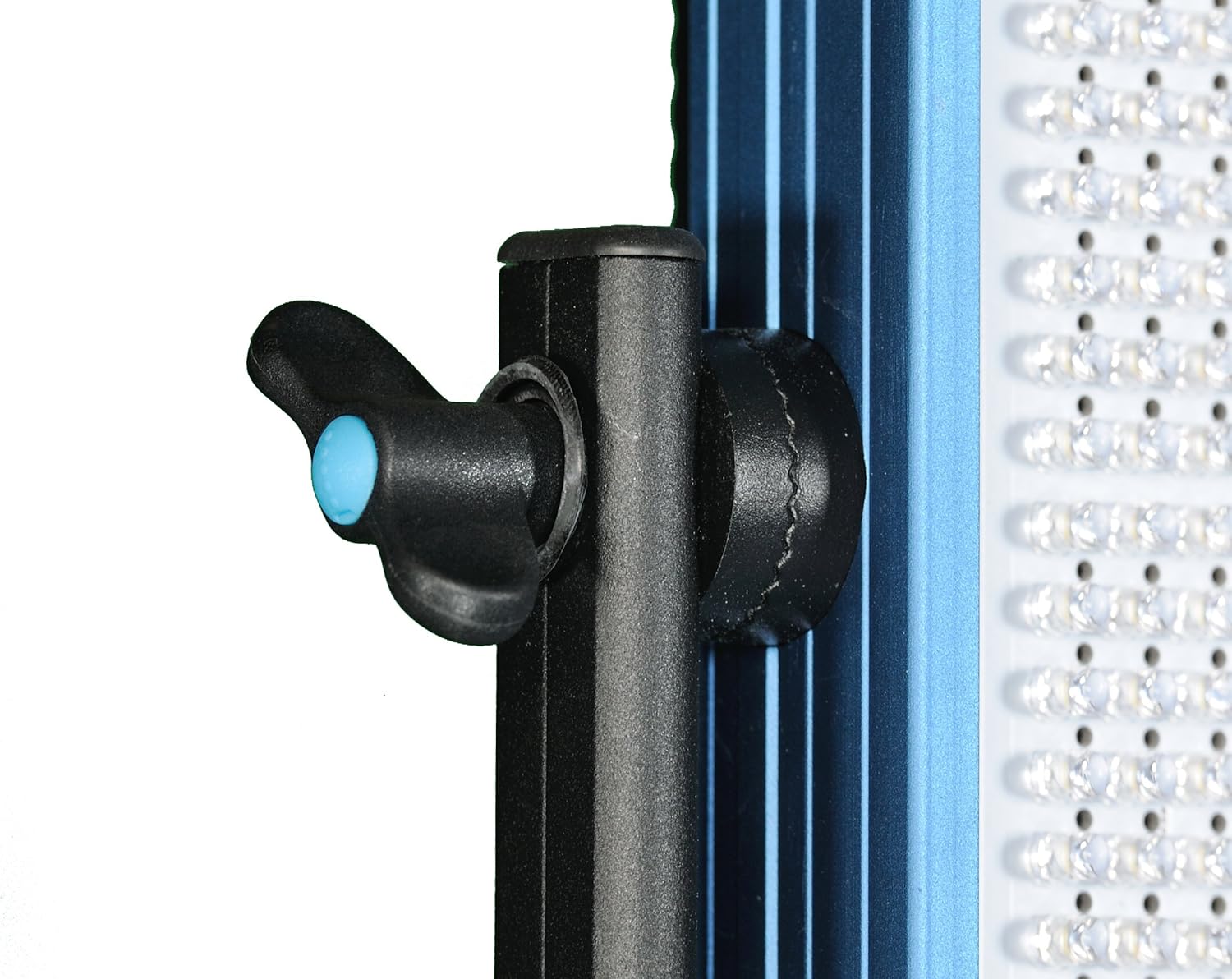
- Adjust the angle of the light fixture by loosening the knobs on the sides of the yoke, positioning the light as desired, and then tightening the knobs firmly.

Napájení světla
The Dracast Pro Series LED500 offers flexible power options:
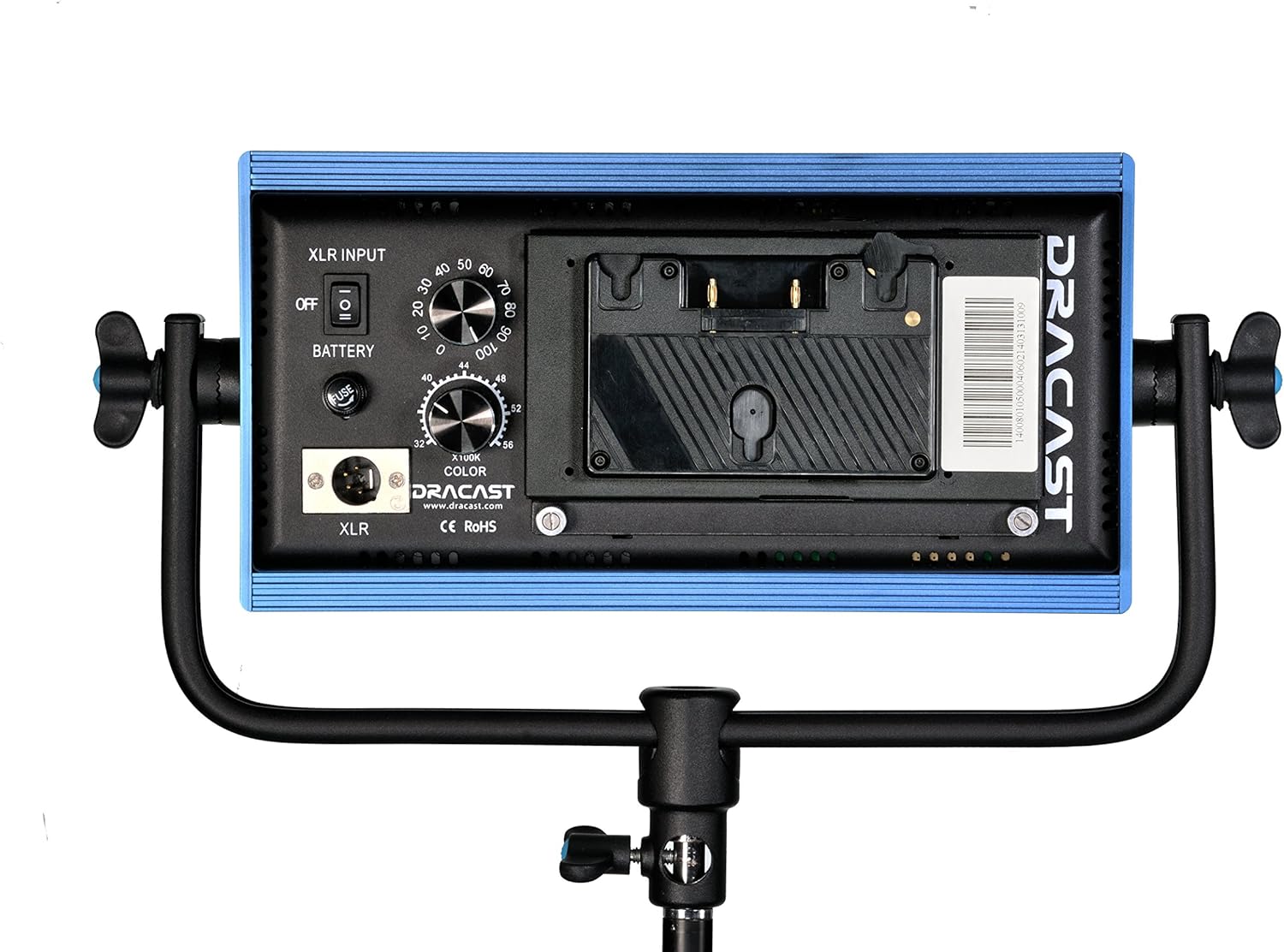
- Napájení střídavým proudem: Connect the included AC power adapter to the XLR input port on the back of the light fixture. Plug the other end into a standard wall outlet.
- Napájení baterie: For on-location use, attach a compatible Gold Mount style battery (sold separately) to the pre-installed Gold Mount battery plate on the back of the light. Ensure the battery is fully charged before use.
Návod k obsluze
Zapnutí/vypnutí
Locate the power switch on the back panel of the light. Flip the switch to the 'ON' position to power on the light. Flip it to the 'OFF' position to power off.
Adjusting Brightness (Dimming)
Use the 'DIMMER' knob on the back panel to adjust the light's intensity from 0% to 100%. Turn the knob clockwise to increase brightness and counter-clockwise to decrease it.
Úprava teploty barev
Use the 'COLOR' knob on the back panel to adjust the color temperature between 3200K (warm tungsten) and 5600K (cool daylight). Turn the knob to achieve the desired color balance for your shooting environment.
Údržba
Čištění
To maintain optimal performance and appearance, regularly clean the light fixture. Use a soft, dry cloth to wipe down the aluminum housing. For the LED panel, use a microfiber cloth to gently remove dust or smudges. Avoid using harsh chemicals or abrasive materials that could damage the finish or the LEDs.
Skladování
When not in use, store the Dracast LED500 in its included padded soft carry case. Store in a cool, dry place away from direct sunlight and extreme temperatures to prevent damage to electronic components.
Odstraňování problémů
| Problém | Možná příčina | Řešení |
|---|---|---|
| Světlo se nerozsvítí. | No power supply; loose connection; faulty power adapter/battery. | Check AC power connection or battery charge. Ensure power switch is ON. Test with a different power source if available. |
| Světlo nečekaně bliká nebo ztlumuje. | Unstable power supply; low battery; overheating. | Ensure stable power source. Recharge or replace battery. Allow light to cool down if operating in high temperatures. |
| Teplotu barev ani jas nelze upravit. | Control knob malfunction; internal error. | Gently rotate knobs to ensure they are not stuck. Power cycle the unit. If issue persists, contact customer support. |
Technické specifikace
| Specifikace | Detail |
|---|---|
| Číslo modelu | DRLED500BG |
| Rozměry produktu | 12 x 2 x 6 palce |
| Hmotnost položky | 4 libry |
| Teplota barev | 3200K - 5600K (Bi-Color Adjustable) |
| CRI a TLCI | 96+ |
| Stmívání | 0 % - 100 % |
| Možnosti napájení | AC Adapter (Included), Gold Mount Battery (Sold Separately) |
| Montáž | 5/8" Baby Pin Adapter |
| Materiál bydlení | Eloxovaný hliník |
| Úroveň odolnosti proti vodě | Není odolný vůči vodě |
| Výrobce | Draco Broadcast, INC |
| UPC | 720189882937 |
Záruka a podpora
Dracast products are manufactured to high quality standards. For information regarding warranty coverage, technical support, or service, please refer to the official Dracast webnebo se obraťte přímo na jejich zákaznický servis. Uschovejte si doklad o koupi pro případ reklamace.
Pro další pomoc navštivte stránku Dracast Store on Amazon.