
1. Úvod
The August MR250 is a compact Bluetooth 5.2 wireless audio transmitter designed to add Bluetooth functionality to any audio source with a 3.5mm audio output. It enables wireless audio streaming to Bluetooth headphones, speakers, or receivers, allowing you to enjoy audio privately or without the need for direct cable connections. This device is ideal for connecting to TVs, MP3 players, CD players, and other non-Bluetooth audio equipment.
Mezi klíčové vlastnosti patří:
- Bluetooth 5.2 pro stabilní a efektivní bezdrátové připojení.
- Simple plug-and-play operation with no software installation required.
- Standard 3.5mm audio input for broad compatibility.
- Built-in rechargeable battery providing approximately 8-13 hours of portable playback.
- Lehký a přenosný design.
2. Konec produktuview
2.1 Obsah balení
Zaškrtněte prosím políčko u následujících položek:
- August MR250 Bluetooth Audio Transmitter
- Nabíjecí kabel USB-C
- 3.5 mm pomocný audio kabel
- Zvukový kabel 3.5 mm až 2x RCA
- Šňůrka
- Uživatelská příručka
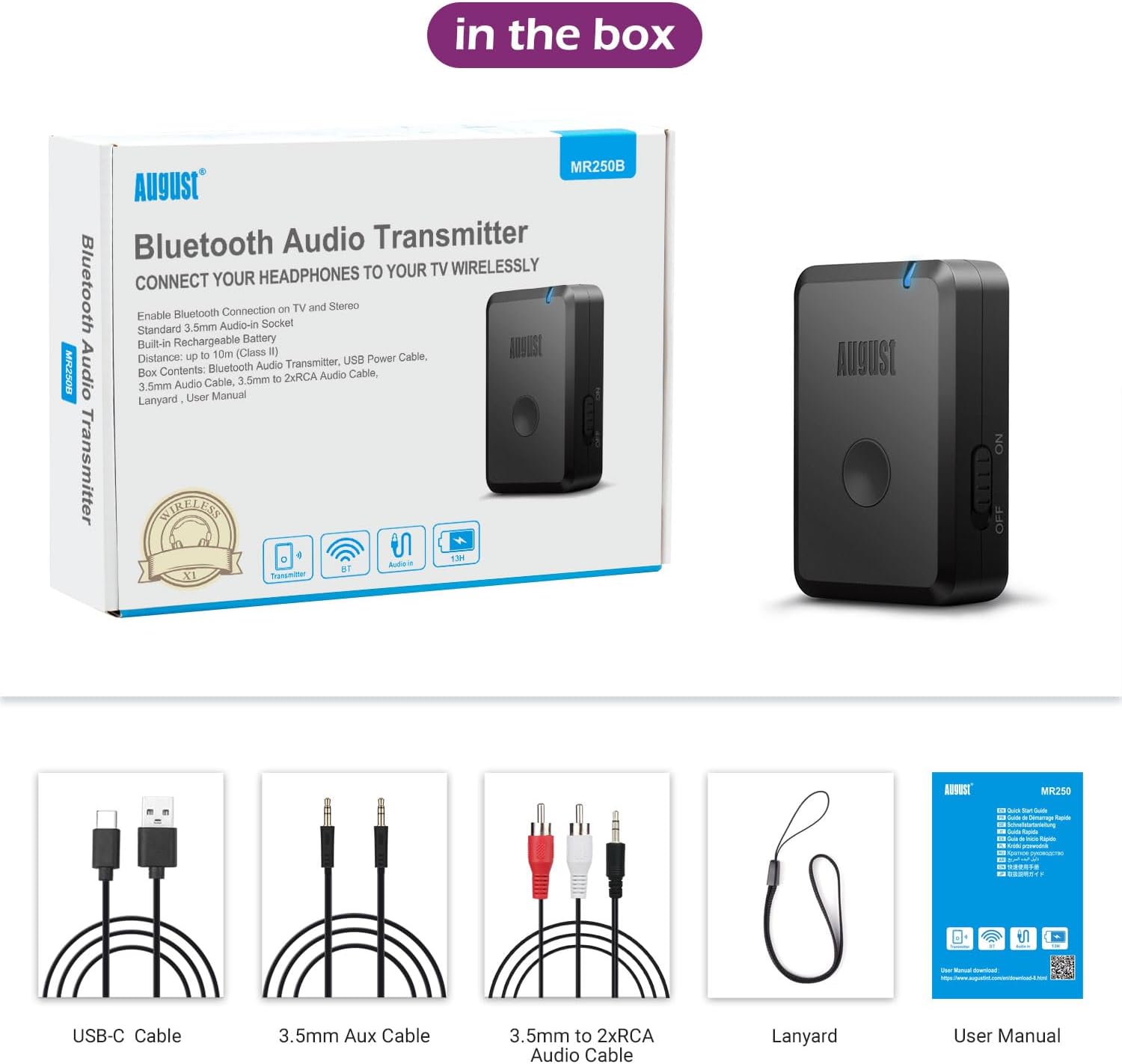
Image: The August MR250 package contents, showing the transmitter, various cables, a lanyard, and the user manual.
2.2 Rozložení zařízení

Obrázek: Podrobný view of the MR250 transmitter, highlighting the AUX In port, Type-C charging port, the Reconnect/Silent Mode button, and the Power On/Off switch.
- AUX vstup: 3.5mm audio vstupní port.
- Port typu C: Pro nabíjení interní baterie.
- Reconnect/Silent Mode Button: Used for re-pairing and activating silent mode.
- Power Off/On Switch: Pro zapnutí nebo vypnutí zařízení.
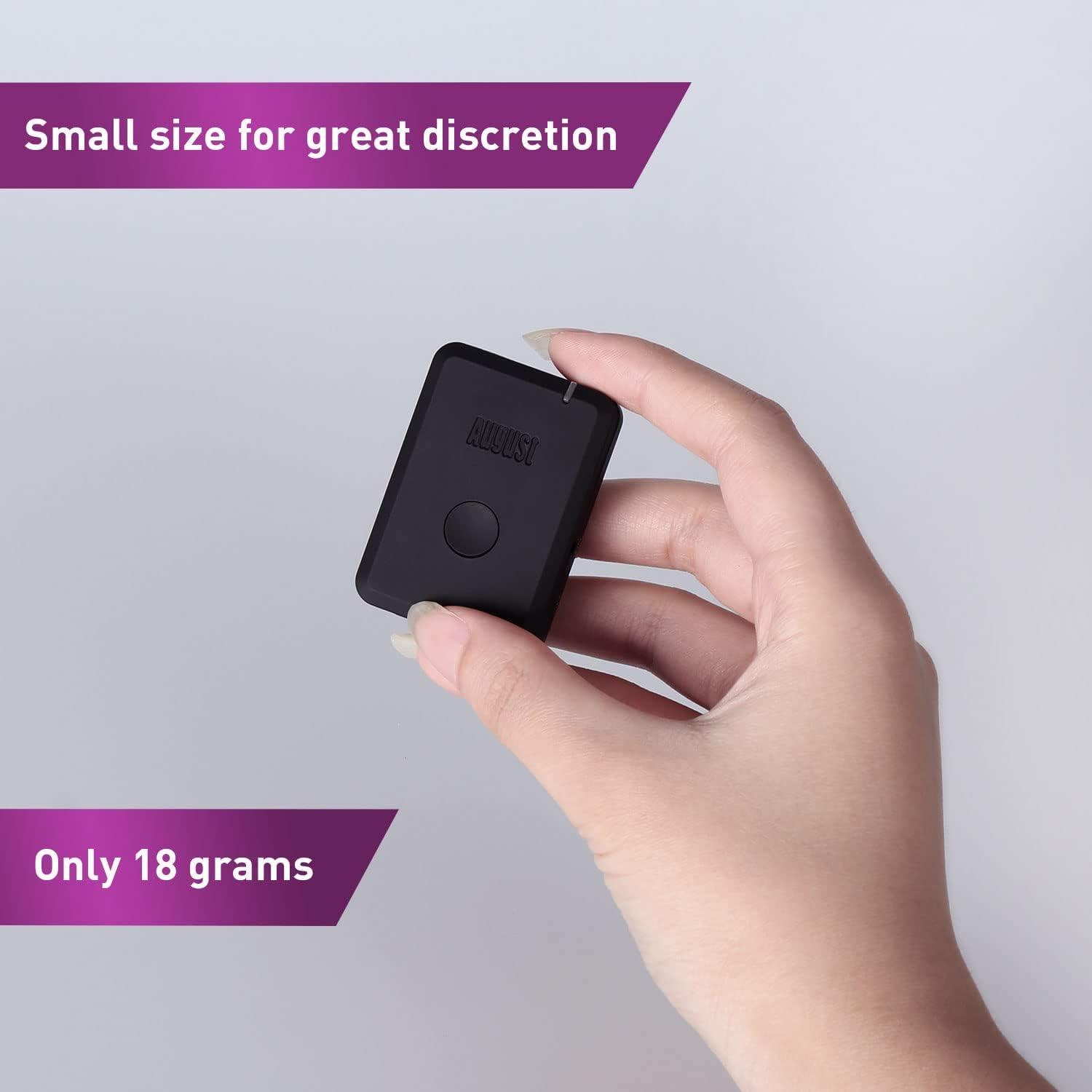
Image: The MR250 held in a hand, illustrating its small and discreet form factor, weighing only 18 grams.
3. Nastavení
3.1 Charging the MR250
- Connect the supplied USB-C charging cable to the Type-C port on the MR250.
- Plug the other end of the USB-C cable into a USB power source (e.g., computer USB port, USB wall adapter).
- LED indikátor bude zobrazovat stav nabíjení. Úplné nabití obvykle trvá přibližně 1.5 hodiny.
- Once fully charged, the device provides approximately 8-13 hours of operation.
3.2 Připojení ke zdroji zvuku
The MR250 connects to your audio source via a 3.5mm audio output. Use the appropriate cable provided:
- For devices with a 3.5mm headphone jack (e.g., TV headphone out, MP3 player, computer), use the 3.5 mm pomocný audio kabel.
- For devices with RCA audio outputs (e.g., older TVs, stereo systems), use the Zvukový kabel 3.5 mm až 2x RCA. Connect the 3.5mm end to the MR250 and the red/white RCA plugs to the corresponding audio output ports on your device.

Image: The MR250 connected to a TV, wirelessly sending audio to Bluetooth headphones, demonstrating its use for private listening.

Image: The MR250 connected to a projector, illustrating its versatility in transmitting audio to Bluetooth speakers.
4. Návod k obsluze
4.1 Zapnutí/vypnutí
Posuňte Power Off/On Switch to the 'On' position to power on the MR250. Slide it to 'Off' to power off.
4.2 Párování se zařízeními Bluetooth
- Ensure the MR250 is powered on and connected to your audio source.
- Place your Bluetooth headphones or speaker into pairing mode. Refer to your device's manual for specific instructions.
- The MR250 will automatically enter pairing mode when powered on. The LED indicator will flash rapidly, indicating it is searching for a device.
- Once paired, the LED indicator on the MR250 will typically turn solid blue or flash slowly, depending on the connection status.
- Begin playing audio from your source device. The sound should now transmit wirelessly to your paired Bluetooth device.

Image: A user enjoying a game with Bluetooth headphones connected via the MR250, demonstrating private listening.
4.3 Opětovné připojení
If the MR250 does not automatically reconnect to a previously paired device, or if you wish to connect to a new device:
- Stiskněte tlačítko Reconnect/Silent Mode Button once to initiate a new pairing search. The LED will flash rapidly.
- Ensure your desired Bluetooth device is in pairing mode or discoverable.
4.4 Tichý režim
The function of the Reconnect/Silent Mode button may vary slightly depending on the firmware version. In some versions, a long press might activate a silent mode or clear pairing history. Refer to the specific user manual included in your product box for precise details on this feature.
5. Údržba
- Čištění: K čištění zařízení používejte měkký, suchý hadřík. Nepoužívejte tekuté čisticí prostředky ani aerosoly.
- Skladování: Přístroj skladujte na chladném a suchém místě mimo dosah přímého slunečního záření a extrémních teplot.
- Péče o baterie: Chcete-li prodloužit životnost baterie, vyvarujte se častého úplného vybíjení. Zařízení pravidelně nabíjejte, i když jej delší dobu nepoužíváte.
6. Řešení problémů
If you encounter issues with your August MR250, please refer to the following common solutions:
- No Sound / Cannot Pair:
- Ensure the MR250 is fully charged and powered on.
- Verify that your audio source (TV, MP3 player) is playing audio and its volume is turned up.
- Confirm the 3.5mm audio cable is securely connected to both the MR250 and the audio source's output jack.
- Make sure your Bluetooth headphones/speaker are in pairing mode and within range (typically within 10 meters).
- Try restarting both the MR250 and your Bluetooth receiving device.
- If previously paired, press the Reconnect button on the MR250 to initiate a new search.
- Sound Delay (Latency):
- While the MR250 supports Bluetooth 5.2, some older Bluetooth headphones or speakers may introduce noticeable audio delay. This is often due to the codecs supported by the receiving device.
- For optimal performance, use Bluetooth headphones/speakers that support low-latency codecs (e.g., aptX Low Latency), though the MR250 itself does not explicitly state aptX LL support in its specifications.

Image: A comparison chart illustrating the latency differences between various Bluetooth audio codecs, with aptX Low Latency offering the lowest delay.
- Interference / Signal Drops:
- Ensure there are no major obstructions (walls, large metal objects) between the MR250 and your Bluetooth receiving device.
- Keep the MR250 away from other wireless devices (Wi-Fi routers, cordless phones) that might cause interference.
- The effective range is approximately 10 meters (33 feet); moving closer may improve connection stability.
- Auto-Connect Issues:
- Some users report that the MR250 may not always auto-connect to the last paired device. If this occurs, manually re-pair by pressing the Reconnect button on the MR250 and ensuring your Bluetooth device is in pairing mode.
7. Specifikace
| Značka | srpen |
| Název modelu | MR250 (FBA_MR250) |
| Technologie připojení | Bluetooth, USB |
| Standardní Bluetooth | Bluetooth 5.2 |
| Podporováno Profiles | A2DP, AVRCP |
| Zdroj napájení | Napájení z baterie |
| Hmotnost položky | 17 gramů |
| Zvukový vstup | 3.5 mm AUX |
| Typ zvukového výstupu | Bluetooth, 3.5mm (for internal signal processing, not external output) |
| Životnost baterie | Approx. 8-13 hours (depending on usage) |
| Doba nabíjení | Přibl. 1.5 hodin |
| svtage | 5 voltů |
| Kompatibilní zařízení | Headphones, Speakers, Bluetooth Receivers, TVs, MP3 players, CD players, devices with 3.5mm audio out connection |
| Rozměry (cca) | 5 cm (délka) x 3.5 cm (šířka) x 1.3 cm (tloušťka) |
| Speciální funkce | Radio (Note: This feature is listed in specifications but not detailed in product description. Functionality may be limited or refer to internal component.) |
8. Bezpečnostní informace
Dodržujte prosím následující bezpečnostní pokyny:
- Do not use the MR250 near other wireless devices to avoid potential interference.
- Keep the battery away from extreme temperatures and humidity.
- Dispose of the battery and the device in accordance with local regulations. Do not dispose of with household waste.
9. Záruka a podpora
For warranty information and technical support, please refer to the official August International webwebové stránky nebo se obraťte přímo na jejich zákaznický servis. Podrobnosti obvykle naleznete v přiložené uživatelské příručce nebo na obalu produktu.
August is committed to providing reliable products and customer satisfaction. If you experience any issues not covered in this manual, please reach out to their support team for assistance.