
1. Úvod
This manual provides comprehensive instructions for the setup, operation, and maintenance of your Logilink ID0120 Wireless Numeric Keypad. Designed for use with laptops and compatible with Windows operating systems, this 2.4 GHz RF wireless keypad enhances data entry efficiency.

Image 1.1: Logilink ID0120 Wireless Numeric Keypad with its USB receiver.
2. Obsah balení
Ověřte prosím, zda jsou ve vašem balení obsaženy všechny níže uvedené položky:
- 1 x Logilink ID0120 Wireless Numeric Keypad
- 1 x USB Receiver (2.4 GHz)
- 1 x AAA alkalická baterie
- 1 x Uživatelská příručka
3. Pokyny k nastavení
Follow these steps to set up your wireless numeric keypad:
- Vložte baterii: Locate the battery compartment on the back of the keypad. Open the cover and insert the provided AAA alkaline battery, ensuring correct polarity (+/-). Close the battery cover securely.
- Připojení USB přijímače: Plug the small USB receiver into an available USB port on your laptop or computer. The operating system will automatically detect and install the necessary drivers. This process may take a few moments.
- Zapnutí: If your keypad has a power switch (usually on the side or back), slide it to the 'ON' position. The keypad is now ready for use.
Obrázek 3.1: Zadní strana view of the keypad, indicating the battery compartment location.

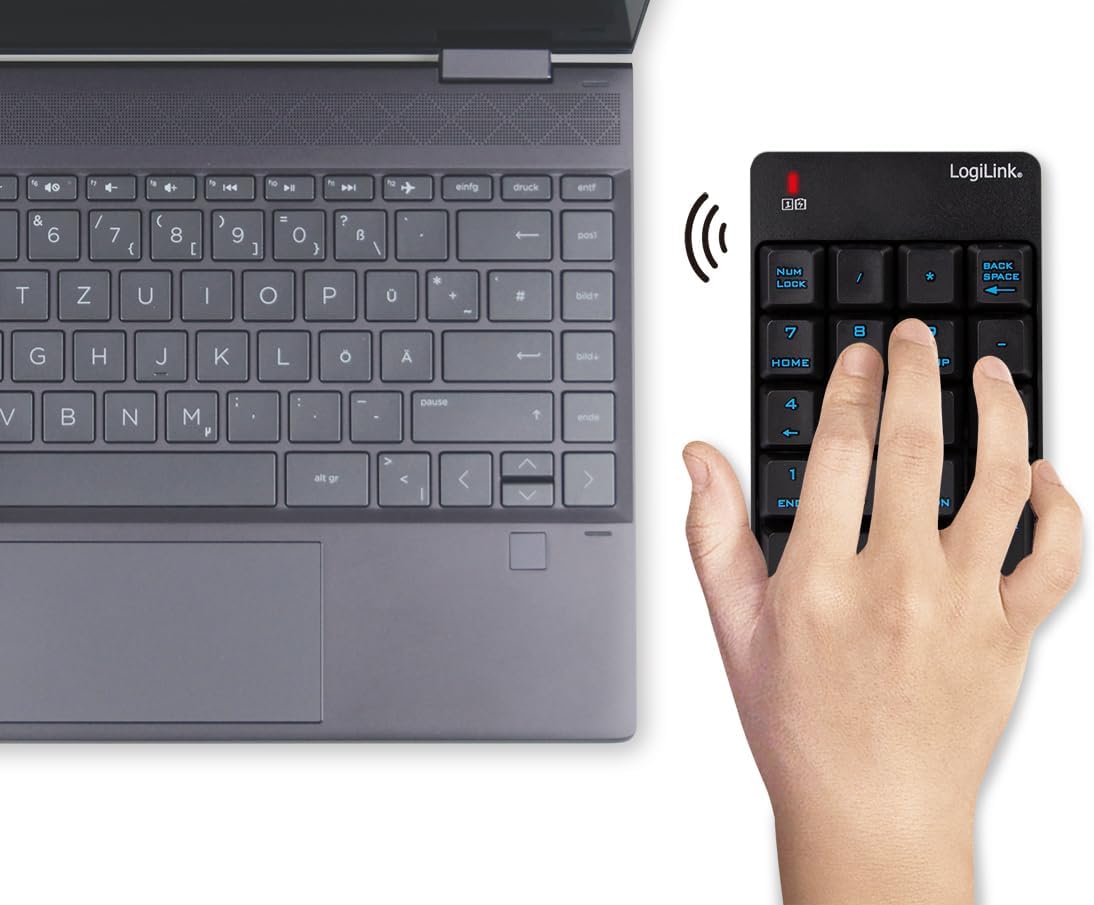
Image 3.2: The wireless keypad and its USB receiver, illustrating the components involved in the connection process.
4. Návod k obsluze
The Logilink ID0120 functions as a standard numeric keypad, providing efficient data entry for various applications.
4.1 Basic Keypad Functionality
- Číselný vstup: Press the number keys (0-9) to enter digits.
- Aritmetické operace: Use the '+', '-', '*', and '/' keys for calculations.
- Zadejte klíč: Functions as the 'Enter' key on a standard keyboard.
- Zadní prostor: Deletes the character to the left of the cursor.
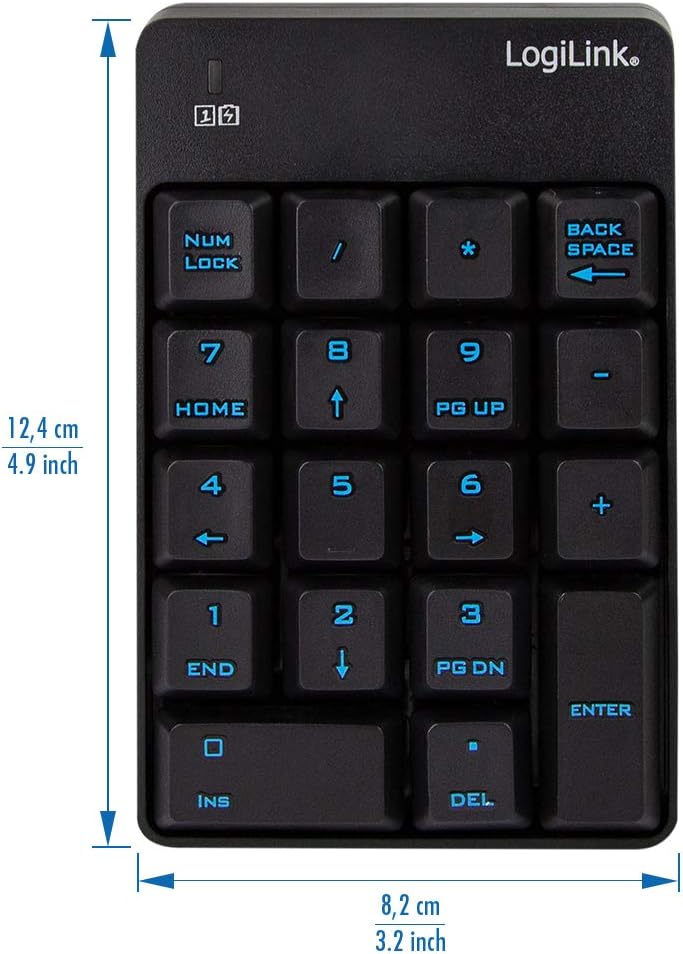
Obrázek 4.1: Přední strana view of the keypad, detailing the layout of numeric and function keys.
4.2 Speciální klávesy
- NUM LOCK: Toggles the numeric keypad between number entry and navigation functions. An indicator light typically shows when Num Lock is active.
- HOME / END: When Num Lock is off, these keys function as 'Home' and 'End' for navigation.
- PG UP / PG DN: When Num Lock is off, these keys function as 'Page Up' and 'Page Down'.
- INS / DEL: When Num Lock is off, these keys function as 'Insert' and 'Delete'.
4.3 Bezdrátový dosah
The keypad operates using 2.4 GHz RF wireless technology, providing a reliable connection up to 10 meters (approximately 33 feet) from the USB receiver. For optimal performance, ensure a clear line of sight between the keypad and the receiver, and avoid placing the receiver near sources of interference.

Image 4.2: Illustration of the 10-meter wireless connection range between the keypad and a laptop.
5. Údržba
Proper care ensures the longevity and performance of your keypad.
- Čištění: Use a soft, dry cloth to clean the keypad. For stubborn dirt, slightly dampOmyjte hadřík vodou nebo jemným, neabrazivním čisticím prostředkem. Zabraňte nadměrné vlhkosti.
- Výměna baterie: When the keypad's performance degrades or it stops responding, replace the AAA battery. Always use a fresh alkaline battery.
- Skladování: When not in use for extended periods, remove the battery to prevent leakage. Store the keypad in a cool, dry place away from direct sunlight and extreme temperatures.
6. Řešení problémů
If you encounter issues with your Logilink ID0120 keypad, refer to the following common solutions:
- Klávesnice nereaguje:
- Ujistěte se, že je baterie správně vložena a dostatečně nabitá. V případě potřeby ji vyměňte.
- Ověřte, zda je USB přijímač bezpečně zapojený do funkčního USB portu v počítači. Zkuste jiný USB port.
- Make sure the keypad's power switch (if present) is in the 'ON' position.
- Move the keypad closer to the USB receiver to rule out range issues.
- Keys typing incorrect characters:
- Check the 'NUM LOCK' indicator. If it's off, the keys may be functioning as navigation keys (Home, End, PgUp, PgDn, Ins, Del). Press 'NUM LOCK' to activate numeric input.
- Přerušované připojení:
- Reduce the distance between the keypad and the USB receiver.
- Avoid placing the receiver near other wireless devices or large metal objects that could cause interference.
7. Specifikace
| Funkce | Popis |
|---|---|
| Model | ID0120 |
| Značka | Logilink |
| Rozhraní | Bezdrátové rádiové připojení (2.4 GHz) |
| Konektivita | USB přijímač |
| Kompatibilní zařízení | Přenosný počítač |
| Podpora operačního systému | Windows 2000, Windows 7 (Enterprise, x64, H), and newer versions |
| Zdroj napájení | 1 x AAA baterie |
| Barva | Černý |
| Speciální funkce | Backlit (Single Color) |
| Rozměry (D x Š x V) | 12.4 cm x 8.2 cm x 2.2 cm (přibližně 4.9 x 3.2 x 0.9 palce) |
8. Záruka a podpora
Logilink products are designed for reliability and performance. For detailed warranty information, technical support, or further assistance, please visit the official Logilink webnebo kontaktujte jejich zákaznický servis.
You can find product-specific information and support resources at: http://logilink.de/showproduct/ID0120.html


