
1. Úvod
The Aduro Bluetooth Audio Receiver allows you to wirelessly stream audio from your Bluetooth-enabled devices to any audio system with a 3.5mm auxiliary input. This device converts traditional audio systems into Bluetooth-compatible systems, enabling seamless music playback from smartphones, tablets, and other Bluetooth audio sources.
Mezi klíčové vlastnosti patří:
- Makes any media device with a 3.5mm jack Bluetooth-capable.
- Receives music from Bluetooth sources such as smartphones and tablets.
- Compatible with playback devices like headphones, speakers, and car stereos.
- Bluetooth 2.1 with Advanced Audio Distribution Profile (A2DP) for enhanced audio quality.
- Up to 30 feet (9 meters) wireless range.
- One-touch pairing control for easy connection.
- Plugs directly into any standard 3.5mm audio jack.
- Provides up to 12 hours of audio playback on a full charge.
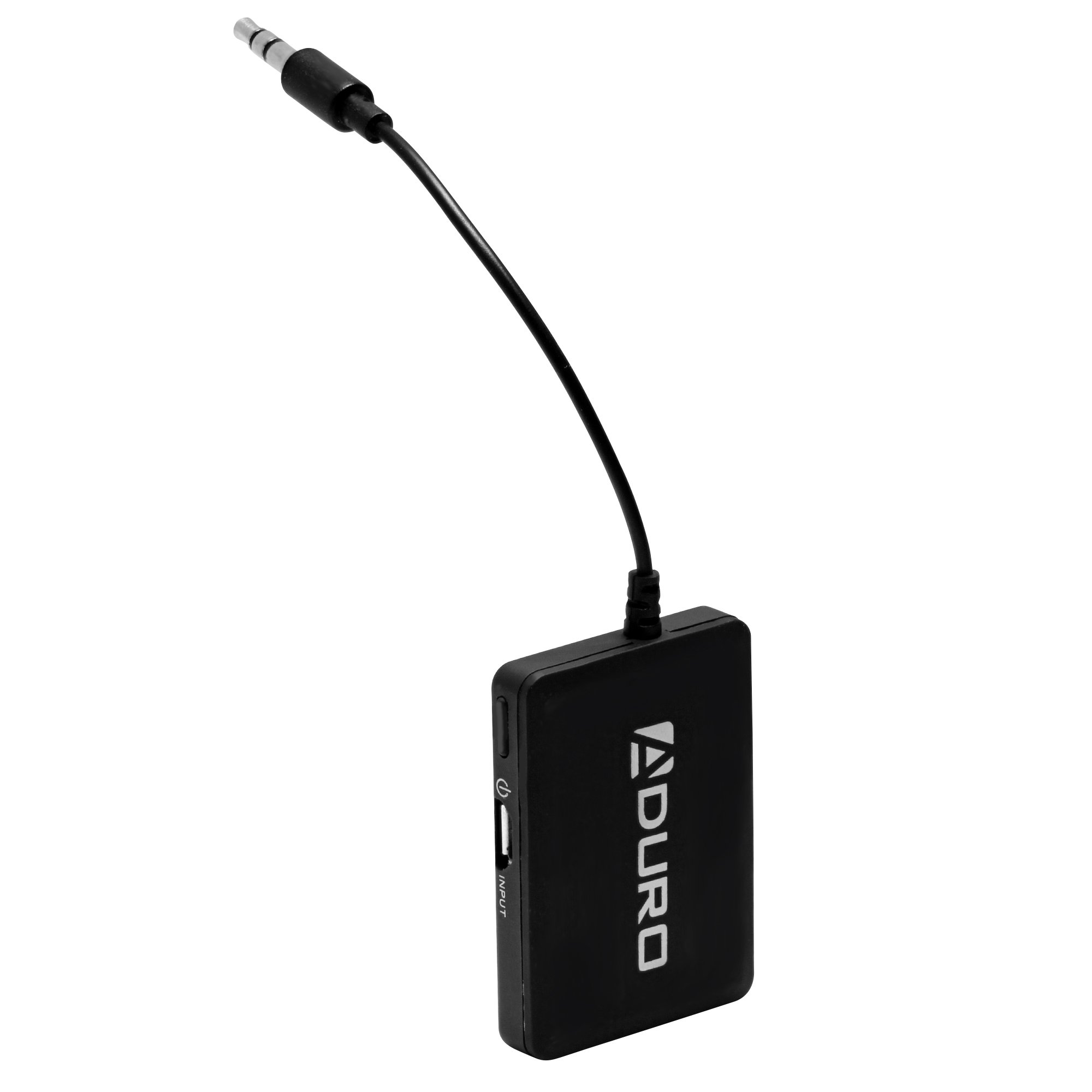
Image 1.1: Aduro Bluetooth Audio Receiver connected via 3.5mm jack.
2. Obsah balení
Zkontrolujte prosím balení, zda neobsahuje následující položky:
- Aduro Bluetooth Audio Receiver
- USB nabíjecí kabel

Image 2.1: Contents of the Aduro Bluetooth Audio Receiver package.
3. Nastavení
3.1 Nabíjení přijímače
Before initial use, fully charge the Aduro Bluetooth Audio Receiver. A full charge provides up to 12 hours of audio playback.
- Connect the small end of the provided USB charging cable to the micro-USB port on the receiver.
- Připojte standardní USB konec kabelu k USB zdroji napájení (např. USB port počítače, USB adaptér do zásuvky).
- The indicator light on the receiver will illuminate during charging and turn off when fully charged.
3.2 Připojení k audiosystému
The receiver connects to your audio system via a standard 3.5mm auxiliary input.
- Locate the 3.5mm auxiliary input jack on your desired audio system (e.g., car stereo, home speaker, headphones).
- Plug the integrated 3.5mm audio jack of the Aduro Bluetooth Audio Receiver directly into the auxiliary input.
- Ensure the audio system is set to the auxiliary input source.
4. Návod k obsluze
4.1 Zapnutí/vypnutí
- Zapnutí: Press and hold the power button (often marked with a power symbol) on the receiver until the indicator light flashes.
- Vypnutí: Znovu stiskněte a podržte tlačítko napájení, dokud kontrolka nezhasne.
4.2 Párování se zařízením Bluetooth
The Aduro Bluetooth Audio Receiver uses one-touch pairing for easy connection to your smartphone, tablet, or other Bluetooth audio source.
- Ensure the receiver is powered on and within 30 feet (9 meters) of your Bluetooth audio source.
- The indicator light will typically flash rapidly, indicating it is in pairing mode.
- On your Bluetooth audio source (e.g., smartphone), go to the Bluetooth settings menu.
- Scan for available devices. The receiver should appear as "Aduro Bluetooth Receiver" or similar.
- Select the receiver from the list to initiate pairing.
- Once successfully paired, the indicator light on the receiver will typically change to a slow flash or solid blue, depending on the model.
- Pokud se zobrazí výzva k zadání hesla, zadejte „0000“ (čtyři nuly).
Note: The receiver will attempt to reconnect to the last paired device automatically when powered on.

Obrázek 4.1: Příkladample of the Aduro Bluetooth Audio Receiver in use with a car stereo and smartphone.
4.3 Přehrávání zvuku
After successful pairing, you can begin streaming audio:
- Ensure your audio system is set to the correct auxiliary input.
- Start playing audio from your paired Bluetooth device.
- Adjust the volume on both your Bluetooth device and the connected audio system for optimal sound.
5. Údržba
- Čištění: K čištění povrchu přijímače použijte měkký, suchý hadřík. Nepoužívejte tekuté čisticí prostředky ani aerosoly.
- Skladování: Pokud zařízení nepoužíváte, skladujte jej na chladném a suchém místě.
- Péče o baterie: To prolong battery life, avoid fully discharging the battery frequently. Recharge the device when the low battery indicator appears.
6. Řešení problémů
| Problém | Možná příčina | Řešení |
|---|---|---|
| Zařízení se nezapne. | Baterie je vybitá. | Charge the receiver using the provided USB cable. |
| Nelze spárovat se zařízením Bluetooth. | Receiver is not in pairing mode. Bluetooth on source device is off. Receiver is too far from source device. Rušení od jiných bezdrátových zařízení. | Ensure receiver is powered on and indicator light is flashing rapidly. Povolte Bluetooth na zdrojovém zařízení. Move receiver closer to the source device (within 30 feet). Přesuňte se dále od ostatních bezdrátových zařízení. |
| No audio or poor audio quality (stuttering). | Incorrect audio input selected on stereo. Hlasitost je příliš nízká. Slabý signál Bluetooth. Rušení. Source device issues (e.g., WiFi interference on older devices). | Verify your audio system is set to the correct auxiliary input. Increase volume on both the receiver and the source device. Ensure receiver is within range and unobstructed. Minimize interference from other electronics. Try disabling WiFi on the source device if experiencing stuttering. |
| Only sound from one speaker. | Volný 3.5mm konektor. Issue with the audio system's input. | Ensure the 3.5mm jack is fully inserted into the audio system. Test with a different audio system or cable if possible. |
7. Specifikace
| Značka | Aduro |
| Název modelu | Bluetooth audio přijímač |
| Technologie připojení | Bluetooth |
| Verze Bluetooth | 2.1 |
| Podporováno Profiles | A2DP (Advanced Audio Distribution Profile) |
| Bezdrátové Dosah | Až 30 stop (9 metrů) |
| Zdroj napájení | Napájení z baterie (dobíjecí) |
| Životnost baterie | Až 12 hodin (přehrávání zvuku) |
| Zvukový vstup | 3.5 mm AUX |
| Režim zvukového výstupu | Stereo |
| Kompatibilní zařízení | Smartphones, MP3 players, headphones, speakers, television, car stereo system |
| Barva | Černý |
| Kontrolní metoda | Touch (One-touch pairing) |
| UPC | 849813002500 |
| ASIN | B00KME1I32 |
8. Bezpečnostní informace
Please read and follow these safety guidelines to ensure proper operation and prevent damage:
- Do not expose the device to excessive heat or moisture.
- Keep the device away from other wireless devices to avoid interference.
- Charge the device only with the provided charger or a compatible USB power source.
- Do not attempt to replace the battery yourself. Contact qualified service personnel if battery replacement is needed.
- Zabraňte pádu zařízení nebo jeho vystavení silným nárazům.