
1. Úvod
This manual provides essential information for the installation, operation, and maintenance of your Noctua NF-F12 industrialPPC-2000 IP67 PWM fan. Designed for demanding environments, this 120mm fan features a robust construction, IP67 dust and water protection, and Noctua's advanced SSO2 bearing technology for extended reliability.
The NF-F12 industrialPPC-2000 IP67 PWM fan is engineered to deliver superior airflow and static pressure, making it suitable for various applications requiring high performance and durability.
2. Konec produktuview
The Noctua NF-F12 industrialPPC-2000 IP67 PWM fan is a high-performance cooling solution. Key features include:
- 120mm Fan Size: Standard dimension for versatile compatibility.
- Ochrana IP67: Certified for dust and water resistance, ensuring reliable operation in challenging conditions.
- SSO2 Bearing: Noctua's second-generation self-stabilising oil-pressure bearing for exceptional long-term stability and quiet operation.
- PWM ovládání: Allows for automatic speed control via your motherboard's 4-pin fan header, optimizing performance and noise levels.
- High Airflow and Static Pressure: Optimized for demanding applications such as radiators and heatsinks.

Obrázek 2.1: Úhlové view of the Noctua NF-F12 industrialPPC-2000 IP67 PWM fan, showcasing its robust design and brown anti-vibration pads.

Obrázek 2.2: Přední strana view of the fan, highlighting the industrialPPC branding and specifications on the central hub.
3. Nastavení a instalace
Follow these steps to properly install your Noctua NF-F12 industrialPPC-2000 IP67 PWM fan:
- Připravte si systém: Ensure your computer or device is powered off and disconnected from the main power supply before beginning installation.
- Určete místo montáže: Determine the appropriate location for the fan within your system (e.g., case fan mount, CPU cooler radiator, liquid cooling radiator).
- Namontujte ventilátor: Secure the fan to the desired location using the provided mounting screws or anti-vibration mounts. Ensure the fan is oriented correctly for optimal airflow (typically, the side with the fan guard or label indicates exhaust).
- Připojte napájecí kabel: Connect the fan's 4-pin PWM connector to an available 4-pin fan header on your motherboard or fan controller. This connection allows for automatic speed control.
- Ověření připojení: Znovu zkontrolujte všechna připojení a ujistěte se, že jsou bezpečná.
- Zapněte a otestujte: Reconnect power to your system and power it on. Verify that the fan is spinning and operating correctly. You may need to adjust fan settings in your system's BIOS/UEFI or fan control software.

Image 3.1: The 4-pin PWM connector for connecting the fan to a motherboard or fan controller.
4. Návod k obsluze
The Noctua NF-F12 industrialPPC-2000 IP67 PWM fan is designed for continuous operation. Its speed is controlled via a 4-pin Pulse Width Modulation (PWM) signal from your motherboard or a dedicated fan controller.
- Automatic Speed Control: When connected to a 4-pin PWM header, the fan speed will automatically adjust based on system temperature, providing optimal cooling performance while minimizing noise.
- Ruční ovládání rychlosti: If your motherboard BIOS/UEFI or fan control software supports it, you can manually set custom fan curves or fixed speeds.
- svtage: The fan operates at 12 Volts. Ensure your power source provides stable 12V power.
For optimal balance between cooling and acoustics, it is recommended to utilize the PWM functionality and allow your system to manage fan speeds dynamically.
5. Údržba
The Noctua NF-F12 industrialPPC-2000 IP67 PWM fan requires minimal maintenance due to its durable design and IP67 protection. However, periodic cleaning can help maintain optimal performance and longevity.
- Odstranění prachu: Over time, dust may accumulate on the fan blades and frame. Use a soft brush, compressed air, or a damp cloth to gently clean the fan. Ensure the fan is powered off before cleaning.
- Ochrana IP67: The fan's IP67 rating means it is protected against dust ingress and temporary immersion in water (up to 1 meter for 30 minutes). This makes it suitable for environments where exposure to dust or splashes is possible. However, avoid intentional submersion or high-pressure water jets.
- Údržba ložiska: The SSO2 bearing is self-lubricating and requires no user maintenance or re-lubrication throughout its lifespan.
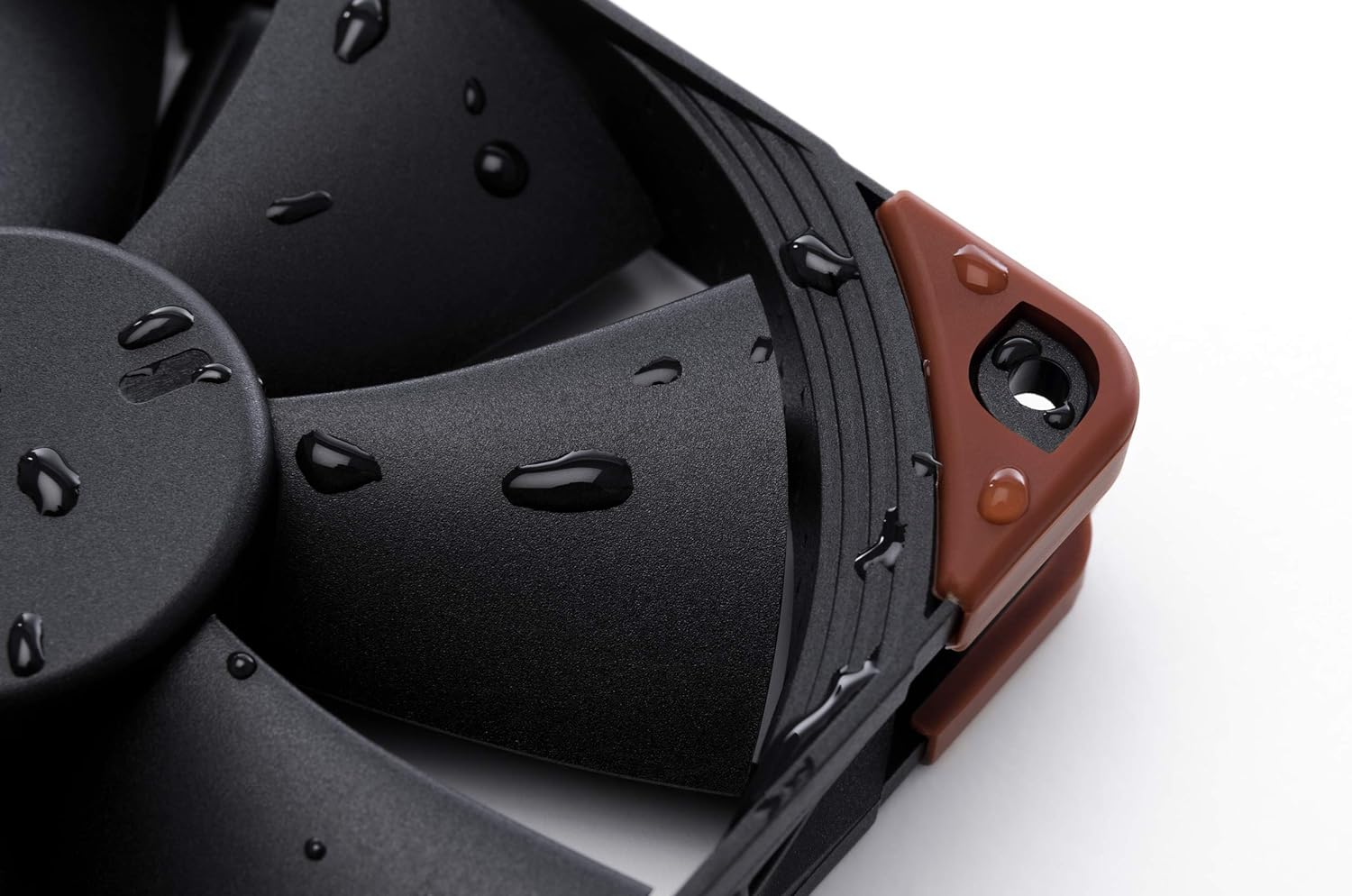
Image 5.1: Demonstrates the fan's IP67 water resistance with water droplets on its surface.
6. Řešení problémů
If you encounter issues with your Noctua NF-F12 industrialPPC-2000 IP67 PWM fan, consider the following troubleshooting steps:
- Ventilátor se netočí:
- Ujistěte se, že je 4pinový PWM konektor bezpečně zapojený do základní desky nebo řadiče ventilátoru.
- Zkontrolujte nastavení BIOS/UEFI základní desky a ujistěte se, že je konektor ventilátoru povolen a správně nakonfigurován.
- Test the fan on a different fan header or with a known working power source if possible.
- Nadměrný hluk:
- Verify that the fan is securely mounted and not vibrating against the case or other components.
- Zkontrolujte, zda nejsou v oblasti lopatek ventilátoru nějaké kabely nebo překážky.
- Adjust fan speed settings in your BIOS/UEFI or fan control software. Higher RPMs naturally produce more airflow and thus more noise.
- While the SSO2 bearing is quiet, some users report a slight electrical noise at very low PWM speeds. This is generally within expected operational characteristics for industrial-grade fans.
- Slabý chladicí výkon:
- Ensure the fan is oriented correctly to push or pull air in the desired direction.
- Clean any dust accumulation on the fan blades or connected heatsink/radiator fins.
- Check fan speed settings; ensure the fan is operating at an adequate RPM for your cooling needs.
7. Specifikace
Below are the technical specifications for the Noctua NF-F12 industrialPPC-2000 IP67 PWM fan:
| Funkce | Specifikace |
|---|---|
| Model | NF-F12 industrialPPC-2000 IP67 PWM |
| Rozměry (D x Š x V) | 120 mm x 120 mm x 25 mm (4.72" D x 0.98" Š x 4.72" V) |
| Rychlost otáčení (max.) | 2000 ot./min |
| Proud vzduchu | 121.8 m³/h |
| Hladina hluku (max.) | 31.5 decibelů |
| Napájecí konektor | 4-Pin PWM |
| svtage | 12 voltů |
| Wattage | 2.16 wattů |
| Typ ložiska | SSO2 Bearing |
| Materiál | Fibre-glass reinforced polyamide |
| Hodnocení IP | IP67 (Dust and Water Protected) |
| MTBF | Více než 150,000 XNUMX hodin |
| Hmotnost položky | 8.16 unce |
8. Záruka a podpora
Noctua provides a 6letá záruka výrobce for the NF-F12 industrialPPC-2000 IP67 PWM fan, ensuring long-term reliability and peace of mind.
For technical support, warranty claims, or further assistance, please visit the official Noctua webnebo se obraťte na jejich zákaznický servis. Uschovejte si doklad o koupi pro účely záruky.
Oficiální Noctua Webmísto: www.noctua.at