
1. Úvod
The Cooler Master CM Storm QuickFire Rapid-i is a mechanical gaming keyboard designed for performance and durability. It features full LED backlighting with ActivLite Technology, allowing for dynamic lighting effects and per-key customization. This keyboard is equipped with a 32-bit ARM processor for advanced lighting control without the need for software. Its tenkeyless form factor provides a compact design, ideal for gaming setups and travel.
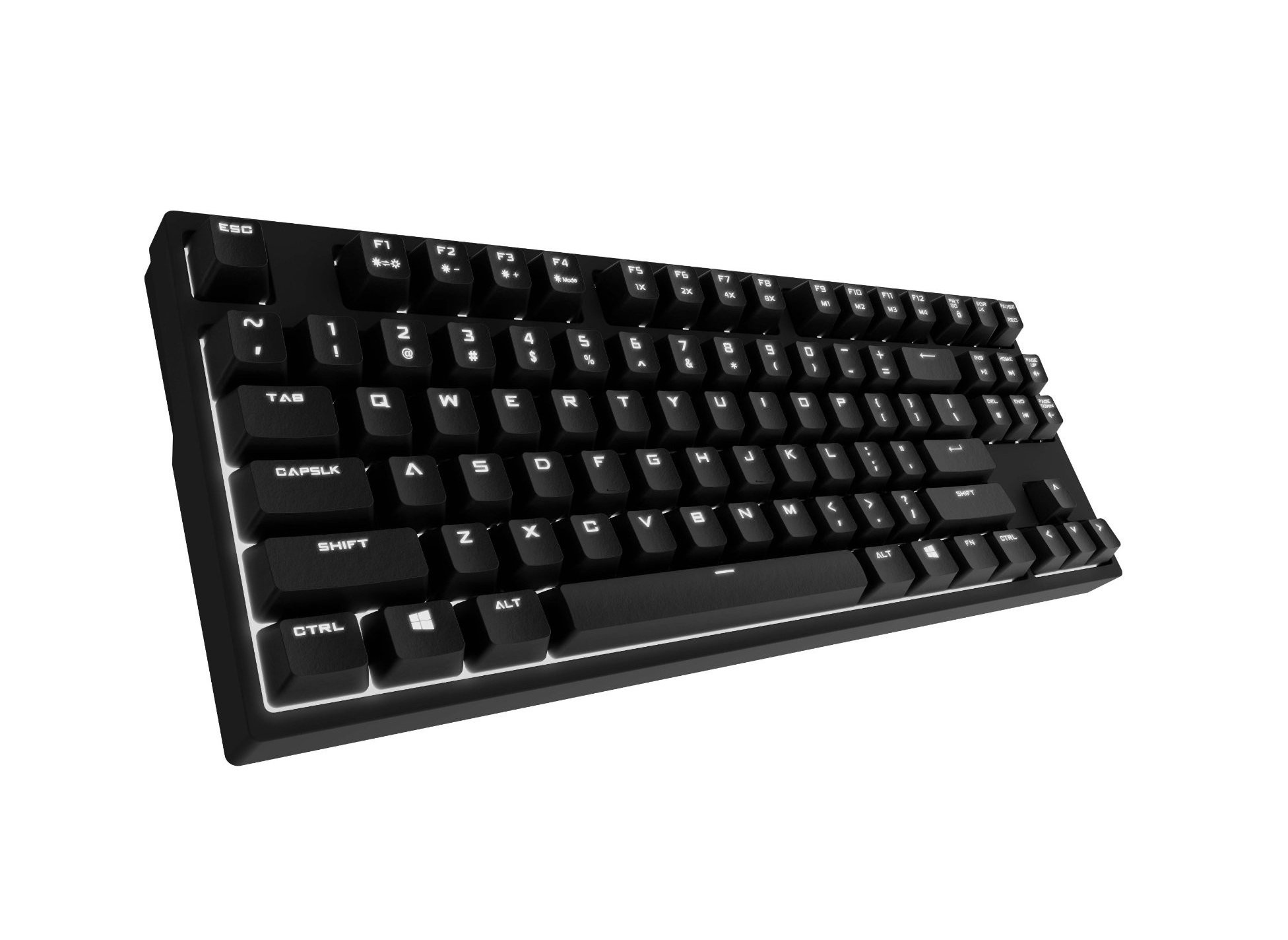
Image 1.1: Cooler Master CM Storm QuickFire Rapid-i Mechanical Gaming Keyboard.
2. Obsah balení
Ověřte, zda jsou v balení přítomny všechny položky:
- Cooler Master CM Storm QuickFire Rapid-i Keyboard
- 1.8m Detachable Braided USB Cable
- Uživatelská příručka (tento dokument)
3. Vlastnosti produktu
- Fully Mechanical CHERRY MX Brown Keyswitches: Provides tactile feedback with low noise, optimized for gaming.
- Bezklíčový tvarový faktor: Compact and ergonomic design for portability and improved mouse positioning.
- Fully White LED Backlit: Ensures visibility in low-light environments.
- ActivLite Technology: Features instant response and trailing light effects, powered by a 32-bit ARM processor.
- Individual Key Lighting: Allows saving up to 4 different lighting profilepro různé aplikace nebo hry.
- 1.8m Detachable Braided Cable: Durable and convenient for transport.
- N-Key Rollover: Registers an unlimited number of simultaneous keypresses, preventing ghosting.
4. Nastavení
4.1 Připojení klávesnice
- Locate the detachable 1.8m braided USB cable.
- Connect the micro-USB end of the cable to the port on the back of the QuickFire Rapid-i keyboard.
- Připojte standardní konec kabelu USB-A k volnému portu USB v počítači.
- The keyboard is plug-and-play compatible with Windows operating systems and should be recognized automatically.

Image 4.1: Connecting the detachable USB cable to the keyboard.
5. Návod k obsluze
5.1 Základní funkce klávesnice
The QuickFire Rapid-i functions as a standard QWERTY keyboard. All keys perform their labeled actions. Special functions are typically accessed via the Function (Fn) key combined with other keys.
5.2 ActivLite Technology and LED Backlighting
The keyboard features fully white LED backlighting with ActivLite Technology, offering various lighting modes and effects. These effects are controlled directly from the keyboard using key combinations, without requiring software.
- Okamžitá odpověď: Keys light up immediately upon press.
- Trailing Effect: Keys remain lit for a short duration after being pressed, creating a trailing light effect.
- Nastavení jasu: Použití Fn + F1 (snížení jasu) a Fn + F2 (increase brightness) to adjust the LED intensity.
- Režimy osvětlení: Cycle through various pre-programmed lighting modes using Fn + F3 na Fn + F8. Refer to the keyboard's keycap legends for specific mode indicators.

Obrázek 5.1: Příkladample of LED backlighting on the QuickFire Rapid-i.
5.3 Per-Key Lighting and Profiles
The QuickFire Rapid-i allows users to customize individual key lighting and save up to 4 different profiles directly on the keyboard's onboard memory.
- Entering Customization Mode: Stiskněte Fn + F9 to enter the per-key lighting customization mode. The keyboard LEDs may flash to indicate this mode.
- Selecting Keys: Press any key you wish to toggle its LED on or off.
- Saving a Profile: Once your desired lighting pattern is set, press Fn + F10, Fn + F11, Fn + F12nebo Fn + Print Screen to save the current lighting pattern to one of the four available profiles. The keyboard will confirm the save.
- Načítání Profile: To load a saved profile, jednoduše stiskněte Fn + F10, Fn + F11, Fn + F12nebo Fn + Print Screen corresponding to the desired profile.
- Exiting Customization Mode: Stiskněte Fn + F9 again to exit customization mode.

Image 5.2: Customizing individual key lighting for a personalized profile.
5.4 Přepnutí stisknutí více kláves (NKRO)
The QuickFire Rapid-i supports N-Key Rollover, meaning every single keypress is registered accurately, regardless of how many keys are pressed simultaneously. This feature is crucial for fast-paced gaming where multiple commands might be executed at once.
6. Údržba
6.1 Čištění klávesnice
- Před čištěním odpojte klávesnici od počítače.
- Použijte měkký hadřík, který nepouští vlákna dampKlávesy a šasi otřete vodou nebo jemným čisticím roztokem.
- Nestříkejte tekutiny přímo na klávesnici.
- Pro odstranění prachu a nečistot mezi klávesami použijte stlačený vzduch.
- Do not use harsh chemicals, abrasives, or solvents as they may damage the keyboard's finish or keycap legends.
6.2 Péče o kabely
- Avoid sharp bends or kinks in the detachable braided cable.
- When disconnecting, pull from the connector head, not the cable itself.
7. Řešení problémů
7.1 Klávesnice nereaguje
- Ujistěte se, že je kabel USB bezpečně připojen k klávesnici i k počítači.
- Zkuste připojit klávesnici k jinému USB portu na počítači.
- Otestujte klávesnici na jiném počítači, abyste vyloučili problém specifický pro systém.
- Restartujte počítač.
7.2 LED Backlighting Not Working or Flickering
- Check if the brightness is set to minimum using Fn + F1. Increase brightness with Fn + F2.
- Přepínejte mezi režimy osvětlení pomocí Fn + F3 na Fn + F8 to see if other modes function.
- Ensure you are not in a custom profile with all LEDs turned off. Try loading a different profile or resetting the lighting.
- Odpojte a znovu připojte klávesnici.
7.3 Keys Not Registering Correctly (Ghosting)
- The QuickFire Rapid-i features N-Key Rollover, which should prevent ghosting. If you experience this, ensure the keyboard is connected directly to a USB port on your computer, not through a hub.
- Vyčistěte postižené klávesy podle pokynů v části Údržba.
- If the issue persists, contact Cooler Master support.
8. Specifikace
| Značka | Cooler Master |
| Název modelu | SGK-4040-GKCB1 (CHERRY MX Brown switch) |
| Číslo modelu | SGK-4040-GKCM1-US |
| Typ přepínače | CHERRY MX Brown (Tactile) |
| Technologie připojení | Kabelové (odnímatelný kabel USB) |
| Rozložení klávesnice | QWERTY, Tenkeyless Form Factor |
| Podsvícení | Fully White LED, ActivLite Technology, Per-Key Lighting |
| Procesor | 32-bit ARM Processor |
| N-Key Rollover | Podporováno |
| Délka kabelu | 1.8 meters (Braided, Detachable) |
| Kompatibilní operační systém | Windows |
| Rozměry produktu (D x Š x V) | 14.13" x 5.43" x 1.54" (35.89 cm x 13.79 cm x 3.91 cm) |
| Hmotnost položky | 2.05 liber (0.93 kg) |
| Materiál pouzdra | Plast |
9. Záruka a podpora
9.1 Informace o záruce
The Cooler Master CM Storm QuickFire Rapid-i Mechanical Gaming Keyboard comes with a Záruka 12 měsíců od data nákupu. Tato záruka se vztahuje na výrobní vady a problémy vzniklé běžným používáním. Nevztahuje se na škody způsobené nesprávným použitím, nehodami, neoprávněnými úpravami nebo nesprávnou údržbou.
Uschovejte si prosím doklad o koupi pro uplatnění záruky.
9.2 Technická podpora
For technical assistance, troubleshooting beyond this manual, or warranty inquiries, please visit the official Cooler Master support website or contact their customer service department. Contact information can typically be found on the Cooler Master official webmísto.
Note: Product specifications and warranty terms are subject to change without prior notice.