
Zavedení
This manual provides instructions for the installation, operation, and maintenance of your Sitecom WLA-3001 AC450 Wi-Fi 5GHz USB Adapter. This device is designed to upgrade your notebook or desktop PC to the latest 802.11ac Wi-Fi technology, enabling fast and reliable 5GHz wireless connectivity.
- 802.11ac Technology: Utilizes the latest generation Wi-Fi standard for enhanced performance.
- Rychlost bezdrátového připojení: Offers a wireless throughput of up to 450 Mbps.
- 5GHz Adapter: Adds 5GHz band support to your device, reducing interference and improving speed.
- High-Performance Antenna: Features one internal high-performance antenna for optimal signal reception.
- Nano Design: Compact size allows it to remain permanently connected to your device without obstruction.
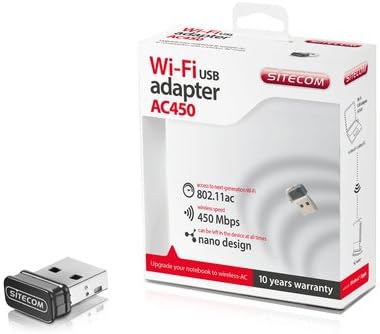
Image: The Sitecom WLA-3001 AC450 Wi-Fi 5GHz USB Adapter shown alongside its retail box, highlighting its compact size and packaging details.
Pokyny pro nastavení
Follow these steps to install and set up your Sitecom WLA-3001 USB Adapter.
1. Instalace hardwaru
- Vložte adaptér: Carefully insert the Sitecom WLA-3001 USB Adapter into an available USB port on your laptop or desktop computer. Ensure it is fully seated.
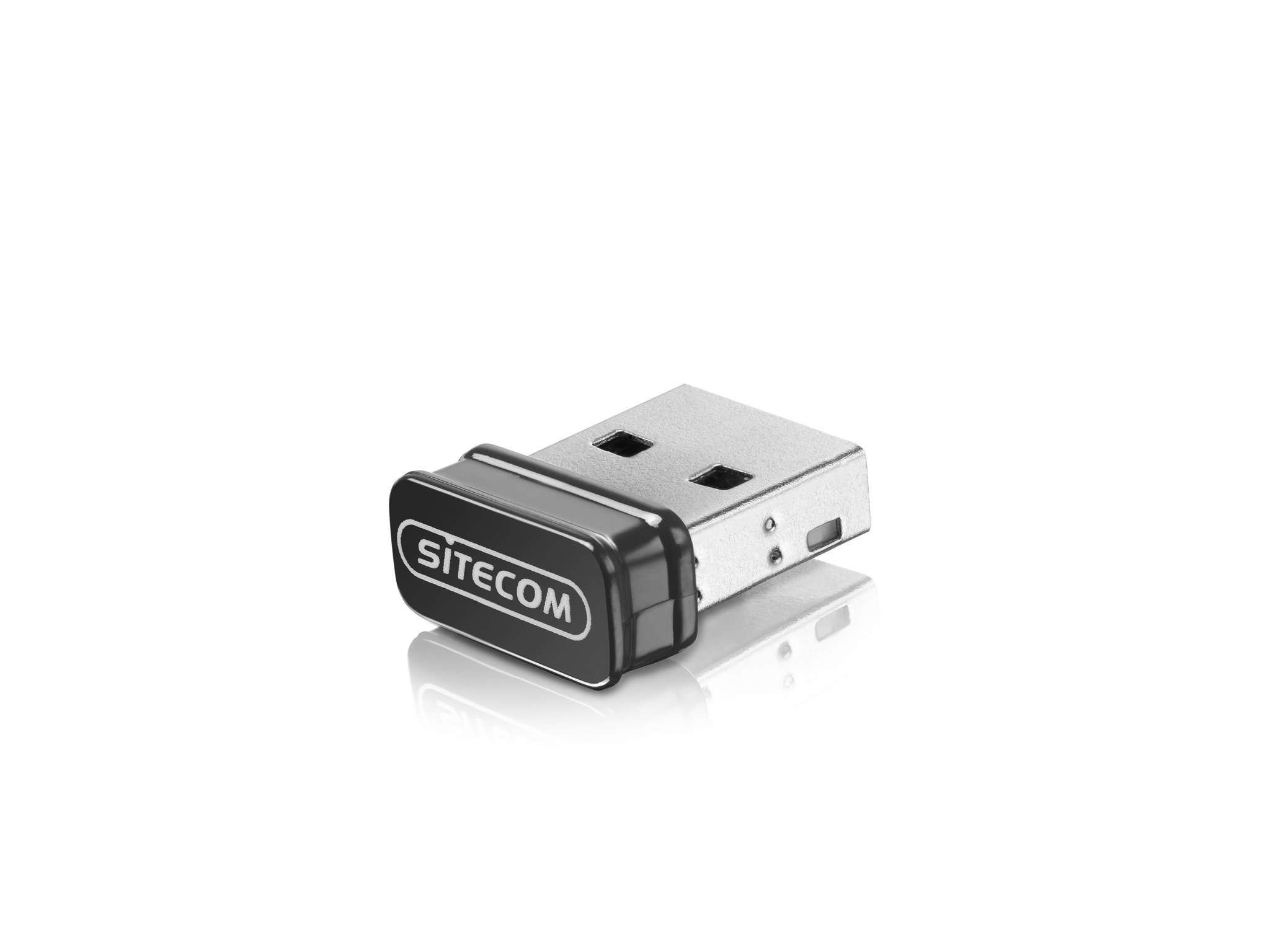
Image: The Sitecom WLA-3001 USB Adapter plugged into the side USB port of a laptop, showing its low-profile design.
2. Instalace ovladače
Upon inserting the adapter, your operating system may automatically detect and install the necessary drivers. If not, follow these steps:
- Check for Auto-Installation: Wait a few moments to see if your operating system (Windows, macOS, Linux) automatically installs the drivers. A notification usually appears upon successful installation.
- Ruční instalace ovladače: If drivers are not installed automatically, you may need to download them from the official Sitecom support webmísto. Hledat 'WLA-3001 drivers' on www.sitecom.com. Follow the on-screen instructions provided by the installer.
- Ověřte instalaci: After installation, check your computer's Device Manager (Windows) or System Information (macOS) to ensure the adapter is recognized and functioning correctly.
3. Připojení k síti Wi-Fi
Jakmile je adaptér nainstalován, můžete se připojit k bezdrátové síti:
- Nastavení sítě pro přístup: Klikněte na ikonu Wi-Fi v systémové liště (Windows) nebo v panelu nabídek (macOS).
- Vyberte síť: A list of available wireless networks will appear. Select your desired 5GHz network (often indicated by '5G' or '5GHz' in the network name).
- Zadejte heslo: If prompted, enter the network security key (Wi-Fi password) and click 'Connect'.
- Potvrdit připojení: The adapter's LED indicator may light up or blink to confirm an active connection. Your device should now be connected to the internet via the 5GHz band.
Návod k obsluze
The Sitecom WLA-3001 adapter operates automatically once connected and configured. Here are some operational considerations:
- Automatické opětovné připojení: The adapter is designed to automatically reconnect to previously configured networks when within range.
- 5GHz Band Advantage: Utilizing the 5GHz band provides higher speeds and less interference compared to the 2.4GHz band, ideal for streaming, gaming, and large file transfers. Ensure your wireless router also supports 5GHz.
- Síla signálu: For optimal performance, ensure your device is within a reasonable range of your 5GHz Wi-Fi router. While 5GHz offers higher speeds, its range can be shorter and more susceptible to obstacles than 2.4GHz.
Údržba
To ensure the longevity and optimal performance of your Sitecom WLA-3001 USB Adapter, consider the following maintenance tips:
- Udržujte v čistotě: Adaptér pravidelně čistěte měkkým, suchým hadříkem. Nepoužívejte tekuté čisticí prostředky ani rozpouštědla.
- Chraňte před poškozením: Due to its nano design, it can remain in the USB port. However, be mindful of physical impacts that could damage the adapter or the USB port.
- Aktualizace ovladačů: Regularly check the Sitecom website for updated drivers. Keeping your drivers current can improve performance, stability, and security.
- Skladování: If removing the adapter for storage, keep it in a safe, dry place away from extreme temperatures.
Odstraňování problémů
If you encounter issues with your Sitecom WLA-3001 USB Adapter, try the following solutions:
- Adaptér nebyl detekován:
- Ujistěte se, že je adaptér zcela zasunut do portu USB.
- Zkuste jiný port USB na počítači.
- Restartujte počítač.
- Check Device Manager (Windows) or System Information (macOS) to see if the adapter is listed. If there's an error, reinstall the drivers.
- Nelze se připojit k Wi-Fi:
- Verify that your Wi-Fi router is powered on and broadcasting a signal.
- Ensure you are selecting the correct network and entering the correct password.
- Restartujte Wi-Fi router a modem.
- Zkontrolujte, zda se ostatní zařízení mohou připojit ke stejné síti Wi-Fi.
- Confirm your router supports 5GHz Wi-Fi and that the 5GHz band is enabled.
- Pomalá rychlost připojení:
- Ensure you are connected to a 5GHz network, not a 2.4GHz network.
- Pro zlepšení signálu se přiblížte k routeru Wi-Fi.
- Minimize physical obstructions (walls, large furniture) between the adapter and the router.
- Aktualizujte ovladače adaptéru na nejnovější verzi.
- Check for other devices on your network that might be consuming bandwidth.
- Časté výpadky:
- Ensure the adapter is securely plugged into the USB port.
- Zkontrolujte aktualizace ovladačů.
- Consider changing the Wi-Fi channel on your router to avoid interference from neighboring networks.
- Ensure your computer's power management settings are not turning off the USB port to save power.
Specifikace
| Funkce | Detail |
|---|---|
| Značka | Sitecom |
| Číslo modelu | WLA-3001 |
| Série | AC450 Wi-Fi 5GHz USB Adapter |
| Barva | Černý |
| Typ bezdrátové technologie | 802.11a, 802.11n, 802.11ac |
| Data Link Protocol | IEEE 802.11a, IEEE 802.11ac, IEEE 802.11n, USB |
| Rychlost přenosu dat | 450 Mbps (Wireless), 480 Mbps (USB) |
| Hardwarové rozhraní | USB |
| Bluetooth | Žádný |
| Rozměry položky (D x Š x V) | 5.2 x 13.1 x 15.5 cm (Note: These dimensions seem unusually large for a nano adapter and might refer to packaging or a different product. The adapter itself is very small.) |
| První dostupný termín | 4. dubna 2014 |
Informace o záruce
The Sitecom WLA-3001 AC450 Wi-Fi 5GHz USB Adapter comes with a manufacturer's warranty of 2 years from the date of purchase. Please retain your proof of purchase for warranty claims. The warranty covers defects in materials and workmanship under normal use. It does not cover damage caused by misuse, accidents, unauthorized modifications, or external factors.
For detailed warranty terms and conditions, please refer to the official Sitecom webnebo kontaktujte jejich zákaznickou podporu.
Podpora
For further assistance, technical support, or to download the latest drivers and firmware for your Sitecom WLA-3001 USB Adapter, please visit the official Sitecom support webmísto:
You may also find frequently asked questions (FAQs) and additional resources on their webmísto.