
Zavedení
This manual provides essential information for the proper setup, operation, and maintenance of your Sharp HT-SB602 2.1 Channel 310W Bluetooth Sound Bar. Designed to enhance the audio experience for televisions, particularly 60-inch class and larger models, this system features a sound bar and a wireless subwoofer, offering 310 watts of total power output. It includes Bluetooth connectivity for wireless audio streaming, dual HDMI inputs, NFC functionality for easy pairing, an IR Blaster, 3D support, Dolby and DTS decoding, and an optical input.
Please read these instructions thoroughly before using the product to ensure safe and optimal performance. Keep this manual for future reference.
Co je v krabici
Ověřte, zda jsou v balení přítomny všechny součásti:
- Zvukový panel
- Bezdrátový subwoofer
- Dálkové ovládání
- Držáky a šrouby pro montáž na zeď
- Napájecí kabely
- Návod k použití (tento dokument)
Nastavení
1. Umístění
The sound bar can be placed horizontally in front of your television or wall-mounted. Ensure the wireless subwoofer is placed within a reasonable range of the sound bar for optimal wireless connection.
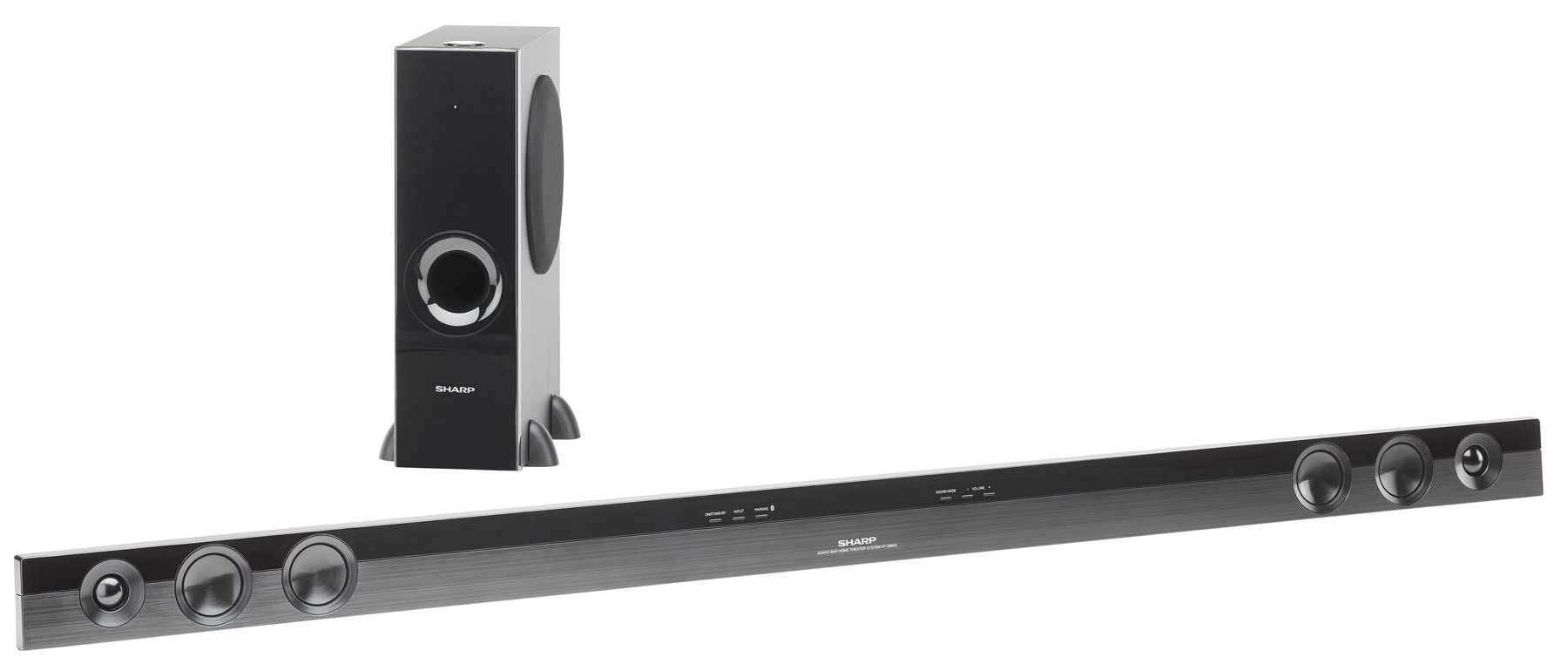
Image: The Sharp HT-SB602 sound bar and its accompanying wireless subwoofer, shown in a typical home theater setup.
2. Připojení
Connect the sound bar to your television and other audio sources using the appropriate cables. Ensure all connections are secure.
- HDMI připojení: Use HDMI cables to connect your source devices (e.g., Blu-ray player, game console) to the HDMI IN 1 or HDMI IN 2 ports on the sound bar. Connect the HDMI OUT (ARC) port on the sound bar to the HDMI ARC port on your TV.
- Optické připojení: For digital audio, connect an optical cable from your TV's optical output to the OPTICAL IN port on the sound bar.
- Analogové připojení: For analog audio, connect an RCA audio cable from your TV's audio output to the AUDIO IN ports on the sound bar.
- Připojení napájení: Connect the power cords to the sound bar and wireless subwoofer, then plug them into a wall outlet.

Obrázek: Detail view of the rear panel of the Sharp HT-SB602 sound bar, highlighting the HDMI IN 1, HDMI IN 2, AUDIO IN, and OPTICAL IN ports for various audio connections.
3. Bezdrátové párování subwooferu
The wireless subwoofer should automatically pair with the sound bar upon powering on. If pairing does not occur automatically, refer to the troubleshooting section for manual pairing instructions.
Provozní
1. Zapnutí/vypnutí
Stiskněte tlačítko MOC tlačítko na dálkovém ovladači nebo na soundbaru pro zapnutí nebo vypnutí jednotky.
2. Výběr vstupu
Stiskněte tlačítko VSTUP button on the remote control repeatedly to cycle through the available input sources (HDMI 1, HDMI 2, Optical, Analog, Bluetooth).
3. Párování Bluetooth
Chcete-li připojit zařízení Bluetooth:
- Select the Bluetooth input on the sound bar.
- Povolte na svém mobilním zařízení Bluetooth a vyhledejte dostupná zařízení.
- Select "Sharp HT-SB602" from the list to pair.
- For NFC-enabled devices, simply tap your device to the NFC area on the sound bar for quick pairing.
4. Ovládání hlasitosti
Použijte OBJEM + a OBJEM - buttons on the remote control to adjust the master volume. The subwoofer volume can be adjusted separately using the SW VOL + a SW VOL - tlačítka.
5. Zvukové režimy
The sound bar may offer various sound modes (e.g., Movie, Music, News). Refer to the remote control buttons for specific mode selection, if available.
Údržba
To maintain the performance and appearance of your sound bar system:
- Otřete povrchy měkkým, suchým hadříkem.
- Do not use liquid cleaners, abrasive cleaners, or solvents, as these can damage the finish.
- Ujistěte se, že ventilační otvory nejsou blokovány.
Odstraňování problémů
If you encounter issues with your Sharp HT-SB602, consult the following common solutions:
| Problém | Řešení |
|---|---|
| Žádná síla | Check that the power cords are securely connected to both the sound bar/subwoofer and the wall outlet. Ensure the outlet is functional. |
| Žádný zvuk | Verify the correct input source is selected. Check all audio cable connections. Increase the volume on both the sound bar and your TV/source device. Ensure the subwoofer is paired. |
| Párování Bluetooth se nezdařilo | Ensure the sound bar is in Bluetooth mode. Place your Bluetooth device within 1 meter of the sound bar. Turn off and on Bluetooth on your device. Clear previous pairings if necessary. |
| Dálkové ovládání nefunguje | Check and replace the batteries in the remote control. Ensure there are no obstructions between the remote and the sound bar's IR sensor. |
| Subwoofer se nepřipojuje | Ensure both the sound bar and subwoofer are powered on. If automatic pairing fails, manually pair by pressing the PAIR button on the back of the subwoofer and then the PAIR button on the sound bar (refer to specific manual for exact button locations if not clearly marked). |
Specifikace
| Funkce | Detail |
|---|---|
| Značka | Ostrý |
| Číslo modelu | HT-SB602 |
| Maximální výstupní výkon reproduktoru | 620 wattů |
| Technologie připojení | Bluetooth, HDMI, NFC, Optical |
| Režim zvukového výstupu | Surround Sound, 3D Audio |
| Typ montáže | Držák na tyč, držák na zeď |
| Typ reproduktoru | Soundbar |
| Další funkce | Bezdrátový subwoofer |
| Rozměry položky (D x Š x V) | 8.34"H x 57.13"Š x 18.38"V |
| Hmotnost položky | 7.9 libry |
| Kompatibilní zařízení | Stolní počítač, notebook, chytrý telefon, tablet, televize |
| Vstupy | 2 HDMI, 1 optický, 1 analogový |
| Zdroj napájení | Elektrický kabel |
| Baterie dálkového ovládání | 2 AA baterie (součástí balení) |
Záruka
This Sharp HT-SB602 Sound Bar system comes with a 1letá omezená záruka. Please retain your proof of purchase for warranty claims. For detailed terms and conditions, refer to the warranty card included with your product or contact Sharp customer support.
Podpora
For further assistance, technical support, or service inquiries, please visit the official Sharp website or contact their customer service department. You can find more information and products from Sharp at their official store: Sharp Brand Store.