
1. Úvod
This manual provides essential instructions for the safe and efficient operation of your ICOM BC-152 charger. Please read this manual thoroughly before using the charger to ensure proper setup, operation, and maintenance. Keep this manual for future reference.
2. Bezpečnostní informace
Always observe the following safety precautions to prevent injury, damage to the charger, or damage to the device being charged.
- Use only with compatible ICOM battery packs. Using incompatible batteries may cause fire, explosion, or injury.
- Nevystavujte nabíječku dešti, vlhkosti ani extrémním teplotám.
- Nabíječku nerozebírejte ani neupravujte. Veškerý servis svěřte kvalifikovanému personálu.
- Ujistěte se, že je zásuvkatage matches the charger's specifications.
- Udržujte nabíječku mimo zdroje tepla a přímého slunečního záření.
- Odpojte nabíječku ze zásuvky, pokud ji nepoužíváte, nebo před čištěním.
3. Nastavení
3.1 Vybalení
Carefully remove the ICOM BC-152 charger from its packaging. Verify that all components are present:
- ICOM BC-152 Charger Unit
- AC Adapter (if included)
- Návod k použití (tento dokument)
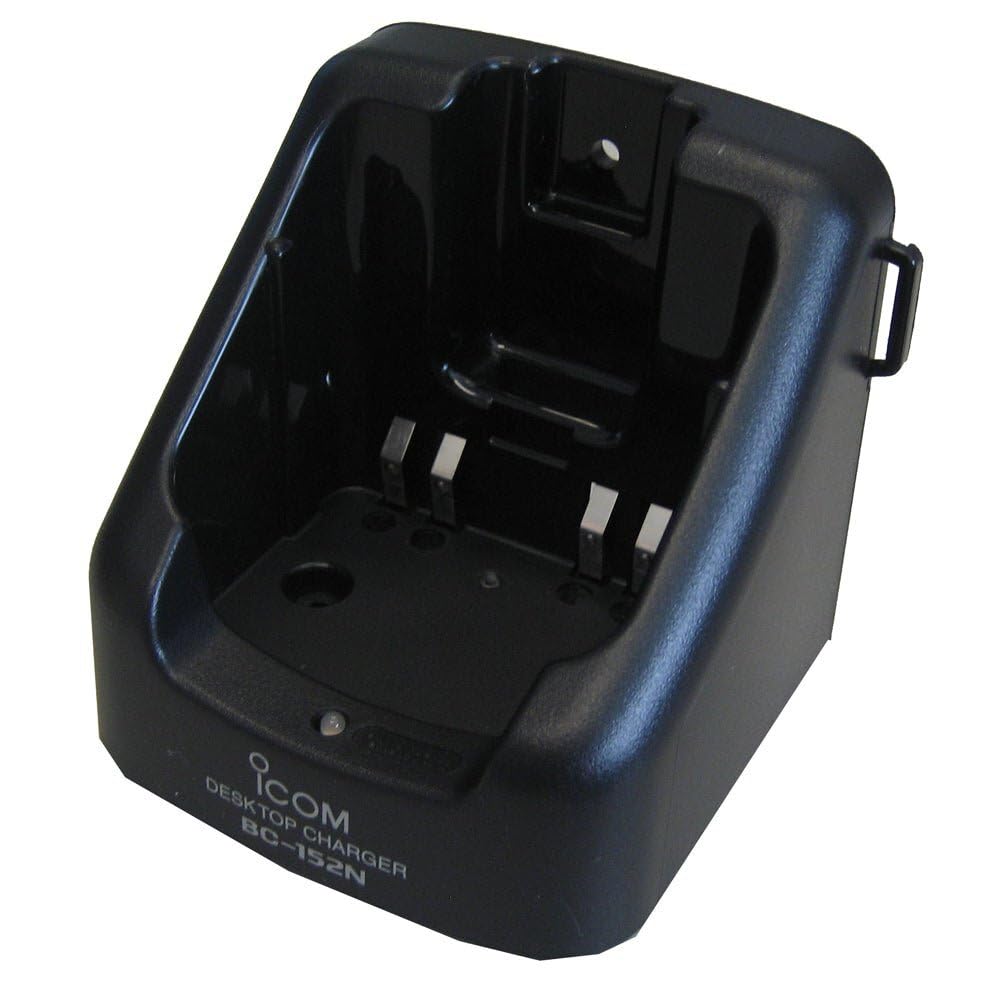
Figure 1: The ICOM BC-152 charger unit. This image shows the compact black charger with a single slot for a battery pack.
3.2 Připojení napájení
- Connect the AC adapter cable to the DC input jack on the rear of the BC-152 charger unit.
- Zapojte AC adaptér do standardní zásuvky.
- Nabíječka je nyní připravena k použití.
4. Návod k obsluze
4.1 Nabíjení bateriového bloku
Follow these steps to charge a compatible ICOM battery pack:
- Ujistěte se, že je nabíječka připojena ke zdroji napájení, jak je popsáno v části 3.2.
- Carefully insert the battery pack into the charging slot of the BC-152 charger. Ensure it is seated firmly.
- Observe the charging indicator light.
4.2 Kontrolky
The BC-152 charger features an LED indicator to show the charging status:
- Červená (plné): Baterie se aktuálně nabíjí.
- Zelená (plné): Charging is complete. The battery pack is fully charged.
- Blikající červená: Charging error or battery fault. Remove the battery and re-insert. If the error persists, consult the troubleshooting section.
- Žádné světlo: Charger is not connected to power, or no battery is inserted.
Charging time may vary depending on the battery's capacity and its current charge level. Typically, a fully depleted battery will take approximately 2-4 hours to charge.
5. Údržba
5.1 Čištění
Pro udržení optimálního výkonu a vzhledu:
- Před čištěním vždy odpojte nabíječku ze zásuvky.
- K otření vnější strany nabíječky použijte měkký, suchý hadřík.
- Nepoužívejte abrazivní čisticí prostředky, rozpouštědla ani agresivní chemikálie.
- Ensure no moisture enters the charging slot or power input.
5.2 Skladování
When not in use for extended periods, store the charger in a cool, dry place, away from direct sunlight and extreme temperatures. Disconnect it from the power supply.
6. Řešení problémů
If you encounter issues with your BC-152 charger, refer to the table below for common problems and solutions.
| Problém | Možná příčina | Řešení |
|---|---|---|
| Kontrolka nabíječky nesvítí. | No power supply or battery not inserted. | Check AC adapter connection. Ensure battery is correctly inserted. |
| Indicator light flashes red. | Battery fault or charging error. | Remove and re-insert the battery. Try a different compatible battery if available. |
| Baterie se nenabíjí. | Faulty battery, charger, or power supply. | Verify power connection. Test with a known good battery. If problem persists, contact support. |
7. Specifikace
| Značka | ICOM |
| Model | BC-152 |
| Vstupní objemtage | 12-16V DC (via AC adapter) |
| Výstupní objemtage | 8.4V DC |
| Nabíjecí proud | Cca. 450mA |
| Rozměry (Š×V×H) | Approx. 80 × 50 × 90 mm (3.1 × 2.0 × 3.5 inches) |
| Hmotnost | 0.18 libry (cca 82 g) |
| Barva | Černý |
Poznámka: Specifikace se mohou změnit bez předchozího upozornění za účelem vylepšení.
8. Informace o záruce
ICOM products are manufactured with high-quality components and are subject to rigorous quality control. This product is covered by a limited warranty against defects in materials and workmanship. The specific terms and duration of the warranty may vary by region. Please refer to the warranty card included with your purchase or visit the official ICOM webpodrobné záruční informace.
This warranty does not cover damage caused by misuse, accident, unauthorized modification, or improper installation.
9. Zákaznická podpora
If you have any questions, require technical assistance, or need to report a problem that cannot be resolved using the troubleshooting guide, please contact ICOM customer support.
ICOM America Inc.
Visit ICOM America's Contact Page
Please have your product model (BC-152) and serial number ready when contacting support.