
Zavedení
This manual provides instructions for the proper use, setup, and maintenance of your Beats by Dr. Dre In-Ear Headphones, Model OMEL-MR-PN-6694832. Please read this manual thoroughly before using the product to ensure optimal performance and longevity.
Konec produktuview
The Beats by Dr. Dre In-Ear Headphones are designed for high-quality audio delivery and convenience. Key features include:
- Solid Metal Housing: Constructed with durable metal for enhanced resilience.
- Grid-Iron Tough Build: Engineered for robustness and durability.
- Vestavěný mikrofon: Facilitates hands-free calls. Note that inline remote or microphone functionality may be limited with Apple devices.
- Tangle-Free Cables: Designed to prevent tangling for ease of use and storage.
- Lehký a skládací design: Offers portability and comfort during extended wear.
- Ovládání hlasitosti: Integrated controls for easy audio adjustments.
- Android Phone Control Support: Optimized for use with Android devices.
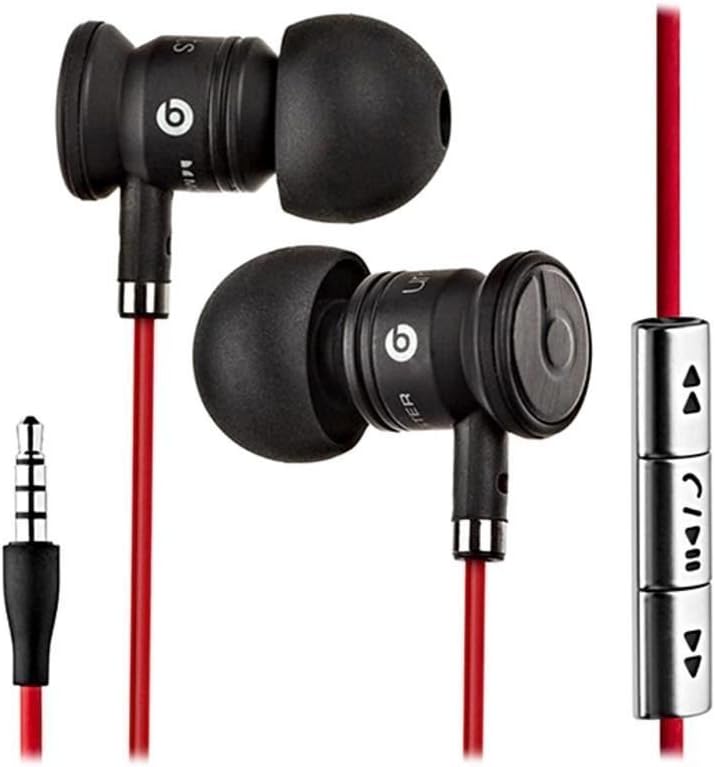
Image: The Beats by Dr. Dre In-Ear Headphones, featuring black earbuds, a red tangle-free cable, and an inline remote with control buttons.
Nastavení
- Vyberte ušní nástavce: Choose the ear tips that provide the most comfortable and secure fit for your ears. The headphones come with various sizes to ensure optimal sound isolation and comfort.

Image: The Beats by Dr. Dre In-Ear Headphones displayed with a selection of different sized ear tips and a branded carrying pouch.
- Připojit k zařízení: Insert the 3.5mm audio jack into the headphone port of your audio device (smartphone, tablet, MP3 player, etc.).
- Poloha sluchátek: Gently insert the earbuds into your ears, ensuring a snug fit. The cable should hang comfortably.
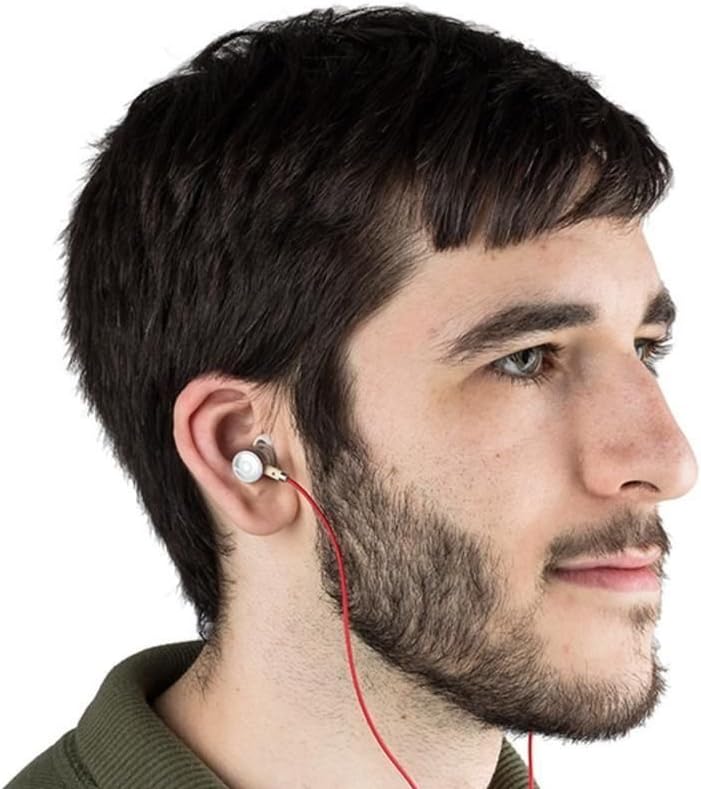
Image: A person wearing the Beats by Dr. Dre In-Ear Headphones, demonstrating proper earbud placement.
Návod k obsluze
Přehrávání zvuku
- Přehrát/pozastavit: Press the center button on the inline remote once.
- Další skladba: Dvakrát rychle stiskněte prostřední tlačítko.
- Předchozí skladba: Rychle třikrát stiskněte prostřední tlačítko.
- Zvýšit hlasitost: Press the '+' button on the inline remote.
- Snížit hlasitost: Press the '-' button on the inline remote.
Správa hovorů
- Přijmout/ukončit hovor: Press the center button once during an incoming call or an active call.
- Odmítnout hovor: Press and hold the center button for approximately two seconds during an incoming call.
Poznámka: Functionality of the inline remote and microphone may be limited or vary when used with Apple devices compared to Android devices.
Údržba
- Čištění: Regularly wipe the earbuds and cable with a soft, dry, lint-free cloth. Do not use harsh chemicals or abrasive materials.
- Péče o ušní koncovky: Pravidelně vyjměte ušní koncovky a čistěte je jemným mýdlem a vodou. Před opětovným nasazením se ujistěte, že jsou zcela suché.
- Skladování: When not in use, store your headphones in the provided carrying pouch to protect them from dust, dirt, and tangling.

Image: The black carrying pouch with the Beats by Dr. Dre logo, designed for headphone storage.
- Vyhněte se vlhkosti: Chraňte sluchátka před vodou a nadměrnou vlhkostí.
Odstraňování problémů
- Žádný zvuk:
- - Ensure the 3.5mm jack is fully inserted into your device.
- - Check the volume level on both your device and using the inline remote.
- - Test the headphones with another audio device to rule out device issues.
- Mikrofon nefunguje:
- - Verify that your device's microphone settings are correctly configured.
- - Remember that microphone functionality may be limited with Apple devices.
- - Ujistěte se, že mikrofon není nijak zakrytý.
- Problémy s dálkovým ovládáním:
- - Confirm compatibility with your device. Full functionality is primarily supported on Android devices.
- - Ensure the connection is secure.
Specifikace
| Funkce | Detail |
|---|---|
| Značka | Beats |
| Číslo modelu | OMEL-MR-PN-6694832 |
| Umístění uší | V uchu |
| Form Factor | V uchu |
| Technologie připojení | Kabelové |
| Hmotnost položky | 0.3 uncí |
| Materiál pouzdra | Kov |
| Vlastnosti kabelu | Tangle Free |
| Další funkce | Foldable, Lightweight, Volume Control, Android Phone Control |
| Typ ovládání | Vzdálený |
Oficiální video produktu
Video: Úředník u konceview of the Beats by Dr. Dre In-Ear Headphones, demonstrating key features and design elements. Note: The video narration incorrectly refers to the product as wireless; these headphones are wired as shown in the video and product images.
Záruka a podpora
For warranty information and customer support, please refer to the official Beats by Dr. Dre webnebo se obraťte na prodejce. Uschovejte si doklad o koupi pro případ reklamace.
Pro další pomoc můžete navštívit Beats Store na Amazonu.