
Zavedení
The iON Camera 5003 Board Kit provides a versatile system for securely attaching your iON camera to various board surfaces, including surfboards, snowboards, skateboards, and kayaks. This kit allows for easy removal and re-mounting of the camera using either the Slot or the Fix Screw mount directly into the bottom of the camera.
The iON Board Mount is designed for maximum versatility, allowing users to easily change the camera angle, height, and direction with 360-degree rotation. This manual provides instructions for proper setup, operation, and maintenance of your Board Kit.
Obsah sady
Before beginning installation, please ensure all components listed below are present in your iON Camera 5003 Board Kit:
- Board Mount Slot
- Upevňovací šroub
- Secure Piece (for board attachment)
- Double-faced Adhesive (2x for Secure Piece, 2x for Board Mount Slot)
- Silicon Pouch

Image: All components of the iON Camera 5003 Board Kit, including the board mount, fix screw, secure pieces, adhesive pads, and silicon pouch.
Pokyny pro nastavení
- Připravte povrch: Ensure the board surface where you intend to mount the kit is clean, dry, and free of any dust, grease, or debris. Use a mild cleaner if necessary, and allow it to dry completely.
- Attach Adhesive to Secure Piece: Peel one side of a double-faced adhesive pad and firmly apply it to the flat side of the Secure Piece. Repeat for the second Secure Piece.
- Attach Secure Piece to Board: Peel the other side of the adhesive pad from the Secure Piece. Carefully position the Secure Piece on your desired board location and press firmly for at least 30 seconds to ensure a strong bond. Allow the adhesive to cure for several hours (preferably 24 hours) before use.
- Attach Adhesive to Board Mount Slot: Peel one side of a double-faced adhesive pad and firmly apply it to the bottom of the Board Mount Slot.
- Attach Board Mount Slot to Board: Peel the other side of the adhesive pad from the Board Mount Slot. Position the Board Mount Slot onto the Secure Piece, ensuring proper alignment, and press firmly.
- Montáž kamery: Align the base of your iON camera with the Board Mount Slot. Insert the Fix Screw through the mount and into the camera's tripod thread. Hand-tighten the Fix Screw until the camera is secure but do not overtighten.
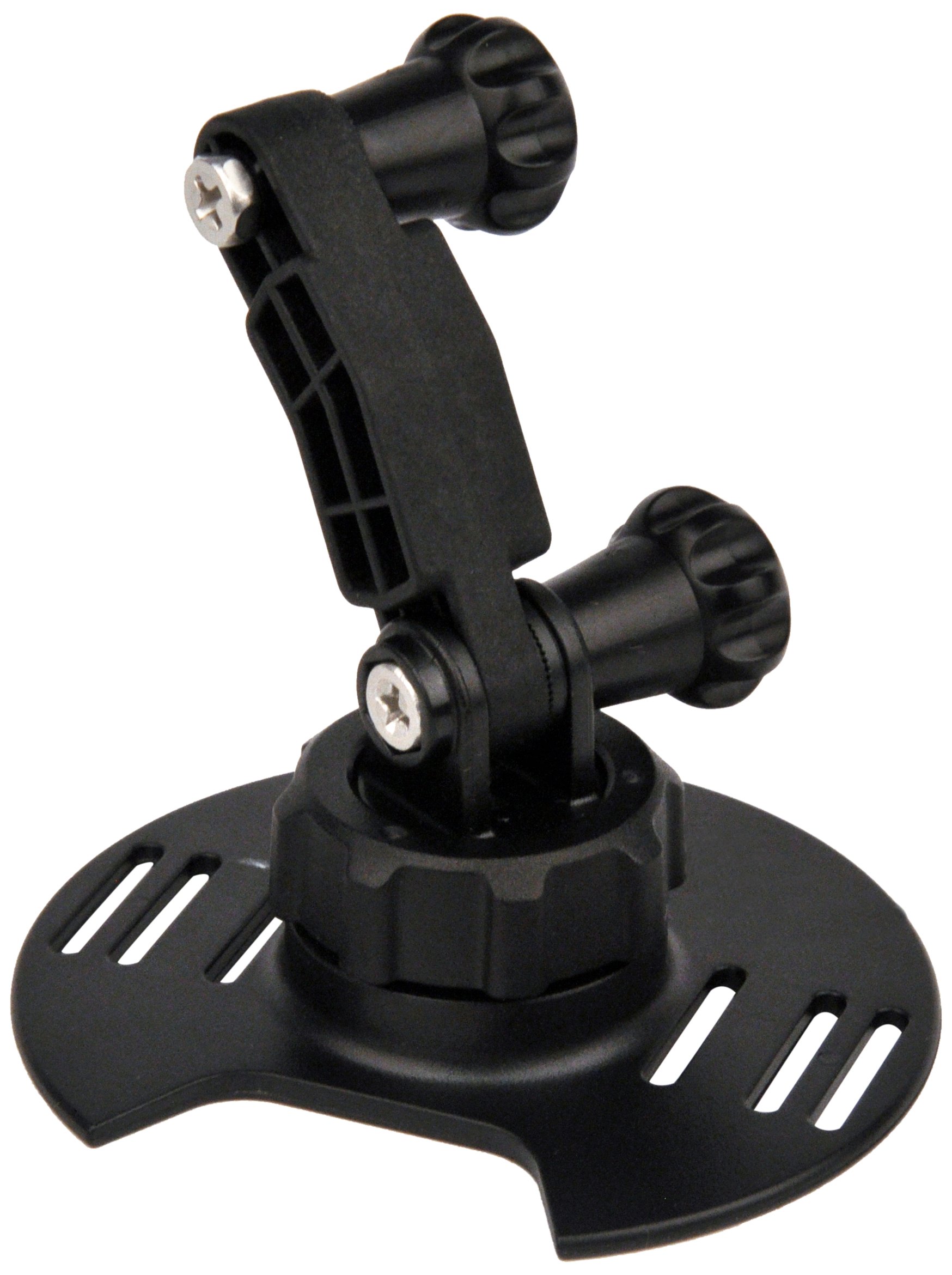
Image: An iON camera securely mounted on a board surface, demonstrating the installed Board Kit.
Návod k obsluze
The iON Board Mount offers flexibility in camera positioning. Follow these steps to adjust your camera's angle and direction:
- Adjusting Angle and Direction: The Board Mount allows for 360-degree rotation. To adjust the camera's angle or direction, gently loosen the Board Mount Nut located at the base of the mount.
- Umístění: Carefully pivot or rotate the camera to your desired angle and height.
- Zajištění pozice: Once the camera is in the desired position, re-tighten the Board Mount Nut firmly by hand. Ensure the camera is stable and does not move freely before use.
Always double-check the tightness of all connections before engaging in any activity to prevent loss or damage to your camera.
Údržba
Proper maintenance will extend the life of your iON Camera 5003 Board Kit:
- Čištění: After use, especially in saltwater environments, rinse the mount and camera with fresh water to remove salt, sand, and debris. Allow to air dry completely.
- Kontrola lepidla: Periodically inspect the double-faced adhesive pads for signs of wear, peeling, or reduced adhesion. If the adhesive shows signs of weakening, replace it with new, strong adhesive pads to ensure secure mounting.
- Screw Inspection: Check the Fix Screw and Board Mount Nut for any signs of corrosion or damage. Replace if necessary.
- Skladování: Store the kit components in a cool, dry place when not in use. The included silicon pouch can help protect smaller components.
Odstraňování problémů
If you encounter issues with your iON Camera 5003 Board Kit, consider the following:
- Fotoaparát se na bajonetu zdá být volný:
- Ensure the Fix Screw is tightened securely into the camera's tripod thread.
- Check if the Board Mount Nut is fully tightened after adjusting the camera angle.
- Mount is detaching from the board:
- The adhesive may have lost its strength. Clean the board surface thoroughly and apply new double-faced adhesive pads.
- Ensure the initial application of the adhesive was done on a clean, dry surface and allowed sufficient curing time.
- Difficulty adjusting camera angle:
- Loosen the Board Mount Nut sufficiently to allow free movement, then re-tighten once the desired angle is achieved.
Specifikace
| Značka | iON kamera |
| Číslo modelu | 5003 |
| Hmotnost položky | 0.29 libry (přibližně 131 gramů) |
| Rozměry položky (D x Š x V) | 8.27 x 2 x 5.52 palců (přibližně 21 x 5.1 x 14 cm) |
| Typ montáže | Povrch |
| Speciální funkce | Rotatable (360 degrees) |
| Kompatibilní zařízení | Cameras (specifically iON action cameras) |
| UPC | 811233020211 |
Záruka a podpora
For detailed information regarding the product warranty, please refer to the official iON Camera website or the warranty card included with your original purchase. Specific warranty terms and conditions may vary.
For further technical support, product registration, or to access additional resources, please visit the official iON Camera support page or contact their customer service directly. Contact information can typically be found on the manufacturer's webmísto.