
1. Úvod
This manual provides essential instructions for the safe and efficient installation, operation, and maintenance of your Intel DPS-750PB AXX750WPS 750W Power Supply. This power supply unit (PSU) is designed to provide stable and reliable power to your personal computer components. Please read this manual thoroughly before proceeding with installation or operation.
2. Bezpečnostní informace
Vždy dodržujte následující bezpečnostní opatření, abyste předešli zranění nebo poškození zařízení:
- Odpojit napájení: Before installing, removing, or servicing the power supply, always ensure the computer is turned off and unplugged from the wall outlet.
- Správné uzemnění: Ensure your computer system is properly grounded to prevent electrical shock.
- Neotvírat: The power supply unit contains high voltagkomponenty. Neotevírejte krytasing; there are no user-serviceable parts inside. Opening the unit will void the warranty and poses a risk of electric shock.
- Větrání: Zajistěte dostatečné proudění vzduchu kolem napájecího zdroje. Neblokujte větrací otvory.
- vlhkost: Chraňte napájecí zdroj před vodou, vlhkostí a jinými kapalinami.
- Teplota: Operate the power supply within its specified temperature range. Avoid extreme heat or cold.
3. Obsah balení
Ověřte, zda váš balíček obsahuje následující položky:
- Intel DPS-750PB AXX750WPS 750W Power Supply Unit
- (Power cable and mounting screws may be included depending on the retailer)
4. Nastavení a instalace
Follow these steps to install your Intel DPS-750PB AXX750WPS power supply:
- Příprava: Turn off your computer completely and unplug the power cord from the wall outlet. Open your computer case.
- Demontáž starého zdroje (pokud je k dispozici): If replacing an existing power supply, disconnect all cables from the motherboard and components. Unscrew and remove the old PSU from the case.
- Instalace nového zdroje: Carefully slide the Intel DPS-750PB AXX750WPS into the power supply bay of your computer case. Ensure the fan is oriented correctly for optimal airflow (usually facing downwards or towards the rear vent).
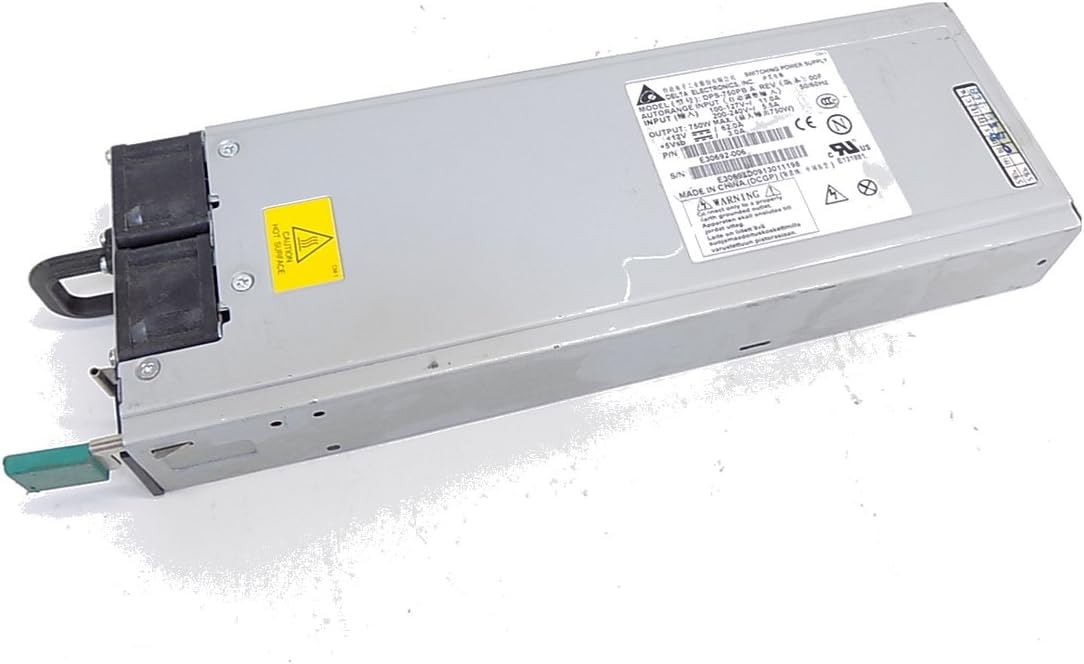
Obrázek 4.1: Přední strana view of the Intel DPS-750PB AXX750WPS Power Supply, showing the cooling fan and AC power input.
- Secure the PSU: Align the screw holes on the power supply with those on the computer case. Secure the PSU using the appropriate screws (typically 4 screws).
- Připojit kabely: Connect the power supply cables to your motherboard and other components. Refer to your motherboard manual for specific connector locations.
- 24pinový konektor základní desky ATX: Connect this main power cable to your motherboard.
- 4/8-pin CPU Power Connector: Connect this to the CPU power socket on your motherboard.
- PCIe Connectors: Connect these to your graphics cards (if applicable).
- Napájecí konektory SATA: Connect these to your SATA hard drives, SSDs, and optical drives.
- Periferní konektory (Molex): Connect these to other peripherals that require Molex power.

Obrázek 4.2: Zadní view of the Intel DPS-750PB AXX750WPS Power Supply, illustrating the various output connectors for system components.
- Správa kabelů: Kabely veďte úhledně pro zlepšení proudění vzduchu a estetiky uvnitř skříně.
- Zavřít případ: Jakmile jsou všechna připojení bezpečná, zavřete skříň počítače.
5. Návod k obsluze
Po úspěšné instalaci postupujte podle těchto kroků pro spuštění systému:
- Připojte napájení: Plug the AC power cord into the power supply's inlet and then into a grounded wall outlet.
- Zapnutí: Přepněte vypínač na zadní straně napájecího zdroje do polohy „ON“ (I).
- Start Computer: Press the power button on your computer case. The system should power on and begin the boot sequence.
- Normální provoz: The power supply will operate quietly, providing stable power to your components. The fan will adjust its speed based on the internal temperature to maintain optimal cooling.
6. Údržba
Pravidelná údržba pomáhá zajistit dlouhou životnost a optimální výkon vašeho zdroje napájení:
- Udržujte průduchy volné: Ensure that the intake and exhaust vents of the power supply are not obstructed by dust, cables, or other objects.
- Čištění prachu: Periodically (e.g., every 6-12 months), use compressed air to gently clean dust from the power supply's fan and vents. Ensure the computer is powered off and unplugged before cleaning.
- Kontrola kabelů: Occasionally inspect all power cables connected to the PSU for any signs of wear, fraying, or loose connections.
7. Řešení problémů
If you encounter issues with your power supply, refer to the following troubleshooting tips:
- Bez napájení:
- Ujistěte se, že je napájecí kabel bezpečně zapojený do zdroje napájení i do zásuvky ve zdi.
- Zkontrolujte, zda je vypínač na zadní straně zdroje v poloze „ON“ (I).
- Ověřte funkčnost zásuvky vyzkoušením s jiným zařízením.
- Confirm all internal power cables (24-pin ATX, CPU, PCIe, SATA) are firmly connected.
- Nestabilita systému/náhodné vypnutí:
- Ujistěte se, že je napájecí zdrojtage (750W) is sufficient for all your system components.
- Check for overheating. Ensure proper ventilation and clean any dust from the PSU fan and case.
- Ověřte, zda jsou všechna napájecí připojení bezpečná.
- Nadměrný hluk ventilátoru:
- Určitá úroveň hluku ventilátoru je normální, zejména při zátěži.
- If the noise is unusually loud or grinding, it may indicate dust buildup or a failing fan. Clean the fan as described in the Maintenance section.
Pokud problémy přetrvávají i po vyzkoušení těchto kroků, kontaktujte zákaznickou podporu nebo kvalifikovaného technika.
8. Specifikace
The following table details the technical specifications of the Intel DPS-750PB AXX750WPS Power Supply:
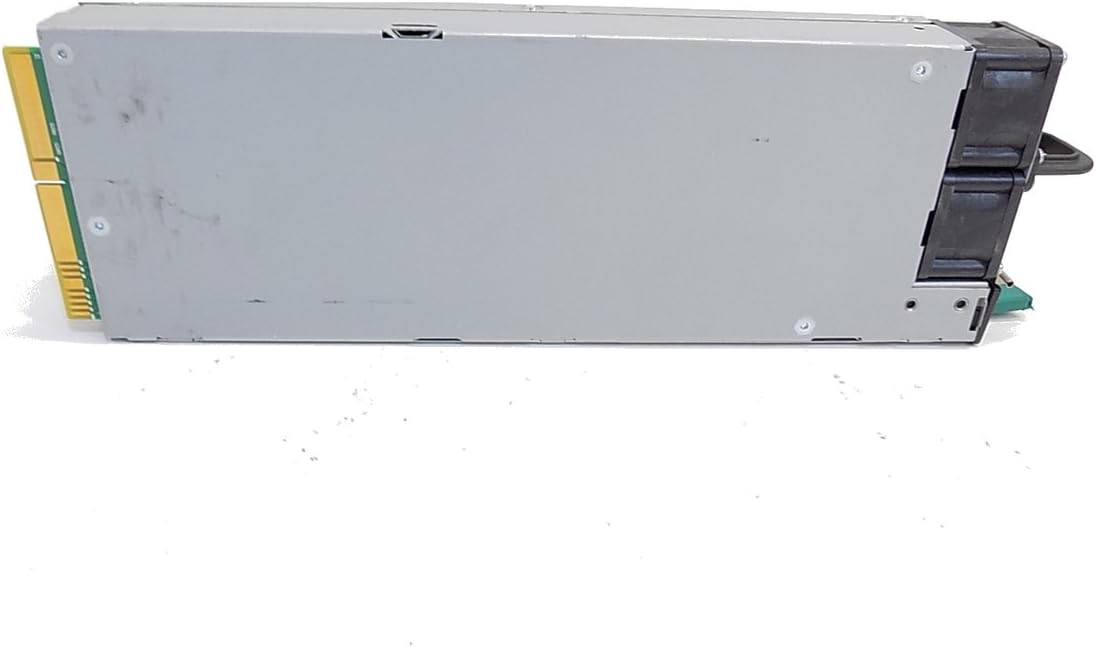
Obrázek 8.1: Strana view of the Intel DPS-750PB AXX750WPS Power Supply, showing the product label with detailed specifications.
| Funkce | Specifikace |
|---|---|
| Název modelu | AXX750WPS |
| Značka | Intel |
| Kompatibilní zařízení | Osobní počítač |
| Typ konektoru | ATX |
| Výstupní Wattage | 750 wattů |
| Form Factor | ATX |
| Způsob chlazení | Vzduch |
| Hmotnost položky | 5 libry |
| Počet fanoušků | 1 |
| Maximální vstupní objemtage | 240 voltů (AC) |
| Minimální vstupní objtage | 110 voltů (AC) |
| UPC | 796762576876 |
| Číslo dílu výrobce | AXX750WPS |
9. Informace o záruce
This Intel power supply is covered by a manufacturer's warranty. The specific terms and duration of the warranty may vary based on your region and point of purchase. Please retain your proof of purchase for warranty claims. For detailed warranty information, refer to the official Intel webnebo kontaktujte svého prodejce.
10. Zákaznická podpora
For technical assistance, troubleshooting beyond this manual, or warranty inquiries, please contact Intel customer support through their official website. You may also reach out to your product retailer for support.
When contacting support, please have your product model (AXX750WPS) and serial number (if available) ready.