
Zavedení
Welcome and thank you for choosing the AUNA CM280 USB Condenser Microphone. This manual provides essential information for setting up, operating, and maintaining your microphone. Please read it thoroughly to ensure proper use and to maximize your recording experience.
The AUNA CM280 is a high-quality USB studio microphone designed for recording, podcasting, and other audio applications. It features a 32mm electric membrane, a cardioid polar pattern, and a direct monitoring headphone output. Its plug-and-play compatibility with Windows and macOS ensures easy setup without the need for manual driver installation.
Bezpečnostní informace
Abyste předešli poškození a zajistili bezpečný provoz, dodržujte prosím následující bezpečnostní opatření:
- Do not expose the microphone to water, moisture, or extreme temperatures.
- Zabraňte pádu mikrofonu na zem nebo jeho vystavení silným nárazům.
- Nepokoušejte se mikrofon otevírat ani upravovat. Veškerý servis svěřte kvalifikovanému personálu.
- Use only the provided USB cable for connection and power.
- Udržujte mikrofon mimo dosah silných magnetických polí.
- Clean the microphone with a soft, dry cloth. Do not use liquid cleaners.
Obsah balení
Carefully unpack your AUNA CM280 microphone and ensure all items are present:
- AUNA CM280 Microphone Unit
- Stolní stativ
- USB kabel
- Transport Pouch
- User Manual (German and English)

Image: The AUNA CM280 microphone shown with its table tripod, USB connection cable, and a soft blue transport pouch.
Konec produktuview
Familiarize yourself with the main components and features of your AUNA CM280 microphone:
- 32mm Electric Membrane: High-quality condenser capsule for clear audio capture.
- Kardioidní polární vzor: Primarily picks up sound from the front, reducing unwanted noise from the sides and rear.
- USB port: For connecting to your computer and receiving power.
- 3.5mm sluchátkový výstup: For direct, latency-free monitoring of your audio.
- Ovládání hlasitosti sluchátek: Adjust the monitoring level directly on the microphone.
- Mute Circuit: Quickly mute the microphone output.
- Stavová LED: Indicates microphone status (ready, mute, overdrive).
- Integrated Wind Protection: Helps reduce plosives and breath noise.
- 5/8" Tripod Thread: For mounting on the included table tripod or other compatible stands.
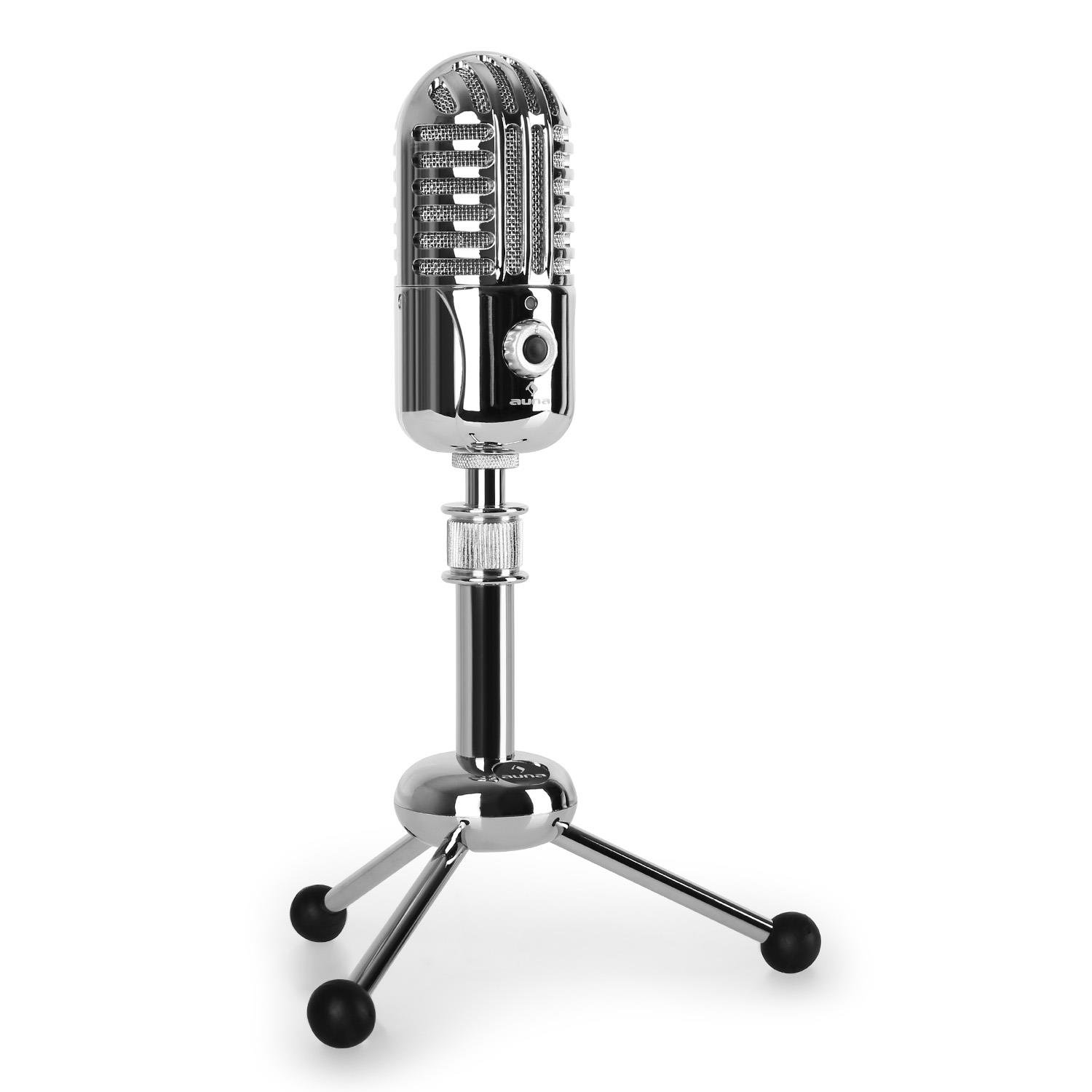
Obrázek: Přední strana view of the AUNA CM280 microphone on its stand.

Obrázek: Zadní view of the AUNA CM280 microphone, highlighting the USB connection port and the 3.5mm headphone output for direct monitoring.
Nastavení a instalace
1. Připojení k počítači
- Place the AUNA CM280 microphone on a stable surface using the included table tripod.
- Connect one end of the supplied USB cable to the USB port on the back of the microphone.
- Connect the other end of the USB cable to an available USB port on your computer (Windows PC or Mac).
2. Instalace ovladače
The AUNA CM280 is a Plug & Play device. Your operating system (Windows or macOS) will automatically detect and install the necessary drivers upon connection. No manual driver installation is required.
3. Initial Configuration (Windows/macOS)
After connecting, you may need to select the AUNA CM280 as your default audio input and output device in your system settings and recording software.
- Windows: Go to Control Panel > Sound > Recording tab. Select "AUNA CM280" as the default device. In the Playback tab, you can also select it for headphone monitoring.
- MacOS: Go to System Preferences > Sound > Input tab. Select "AUNA CM280". Do the same in the Output tab for headphone monitoring.
Ensure your recording software (e.g., Audacity, GarageBand, OBS) is also configured to use the AUNA CM280 as its audio input device.
Návod k obsluze
Umístění mikrofonu
For optimal sound quality, position the microphone directly in front of the sound source (e.g., your mouth) within a few inches. The cardioid polar pattern means it is most sensitive to sounds coming from the front.
Monitorování sluchátek
Connect your headphones to the 3.5mm jack on the back of the microphone. Use the headphone volume control knob on the microphone to adjust your monitoring level. This provides direct, latency-free monitoring of your audio.
Funkce ztlumení
The microphone features a mute circuit. Press the dedicated button (if available, or refer to the specific control on your model) to mute or unmute the microphone. This is useful for temporary pauses during recording or calls.
Stavové LED indikátory
The microphone's status LED provides visual feedback:
- Modrý: Microphone is ready for use.
- Žlutá: Mikrofon je ztlumený.
- Červený: Indicates an overdrive or clipping signal. Adjust your input gain or move further from the microphone to prevent distortion.
Tipy pro nahrávání
- Akustika místnosti: Nahrávejte v tichém prostředí, abyste minimalizovali hluk v pozadí.
- Pop filtr: Consider using an external pop filter to further reduce plosive sounds (P, B) and protect the microphone capsule.
- Ziskytaging: Set your input gain in your software to a level where the signal is strong but does not peak into the red (overdrive).
Údržba a péče
Proper care will extend the life of your AUNA CM280 microphone:
- Čištění: Wipe the microphone body with a soft, dry, lint-free cloth. Do not use abrasive cleaners, solvents, or chemical sprays.
- Skladování: When not in use, store the microphone in its transport pouch to protect it from dust and scratches. Keep it in a cool, dry place.
- Zacházení: Always handle the microphone with care. Avoid touching the microphone grille directly.
Odstraňování problémů
If you encounter issues with your AUNA CM280 microphone, try the following solutions:
- Žádný zvuk/není detekován mikrofon:
- Ujistěte se, že je kabel USB bezpečně připojen k mikrofonu i k počítači.
- Zkuste jiný port USB na počítači.
- Restartujte počítač.
- Verify that the AUNA CM280 is selected as the default input device in your operating system's sound settings and your recording software.
- Špatná kvalita zvuku/zkreslení:
- Check the status LED. If it's red, the signal is overdriving. Reduce the input gain in your software or move further from the microphone.
- Ensure the microphone is positioned correctly and not too close to the sound source.
- Check for environmental noise or vibrations that might be picked up.
- Problémy s monitorováním sluchátek:
- Ujistěte se, že jsou sluchátka zcela zasunuta do 3.5mm jacku.
- Upravte hlasitost sluchátek knoflíkem na mikrofonu.
- Verify that the AUNA CM280 is selected as the output device for monitoring in your system's sound settings or recording software.
Technické specifikace
| Funkce | Specifikace |
|---|---|
| Spojení | USB port, 3.5 mm headphone jack |
| Instalace ovladače | Automatic (Plug & Play) |
| Frekvenční odezva | 20 Hz – 20 kHz |
| Maximální akustický tlak | 120 dB |
| Odstup signálu od šumu | 96 dB |
| D/A-A/D Converter | 44.1/48 kHz, 16 bit |
| Hlasitost sluchátek | Nastavitelný |
| Ztlumit obvod | Ano |
| Závit stativu | 5/8 palce |
| Stavový indikátor LED | Three colors (Blue: Ready, Yellow: Mute, Red: Overdrive) |
| Napájení | Přes USB |
| Materiál | Kov, Polykarbonát |
| Hmotnost | 300 gramů |
| Rozměry (D x Š x V) | 50 x 50 x 110 milimetrů |
| Polární vzor | Jednosměrný (kardioidní) |
| Kompatibilní zařízení | Osobní počítač, notebook |
Záruka a podpora
AUNA products are designed for reliability and performance. For information regarding warranty coverage, technical support, or service, please refer to the warranty card included with your product or visit the official AUNA webUschovejte si doklad o koupi pro případ reklamace.