
1. Úvod
This manual provides comprehensive instructions for the safe and efficient operation, setup, and maintenance of your HSM Classic 90.2 Cross Cut Paper Shredder. Please read this manual thoroughly before using the device and retain it for future reference.
2. Důležité bezpečnostní pokyny
To reduce the risk of injury or damage, always follow basic safety precautions when using this product.
- Udržujte ruce, vlasy, volné oblečení, kravaty a šperky v dostatečné vzdálenosti od vstupního otvoru pro papír.
- Nedovolte dětem ani domácím zvířatům vstup do blízkosti drtiče.
- Odpojte drtič ze zásuvky, pokud jej nepoužíváte, nebo před čištěním, přemisťováním či vyprazdňováním odpadkového koše.
- Do not shred metal objects, large paper clips, or adhesive labels. Small staples and paper clips may be shredded, but it is recommended to remove them to prolong blade life.
- Do drtiče nestříkejte aerosoly ani maziva.
- Operate the shredder on a flat, stable surface.
- Nepoužívejte přístroj, pokud je napájecí kabel poškozený.
3. Obsah balení
Ověřte, zda jsou v balení přítomny všechny položky:
- HSM Classic 90.2 Shredder Unit
- Odpadkový koš
- Napájecí kabel
- Uživatelská příručka (tento dokument)
4. Nastavení
- Vybalte skartovačku: Opatrně vyjměte všechny součásti z obalu. Obal uschovejte pro budoucí přepravu nebo skladování.
- Position the Waste Bin: Place the shredder head securely onto the provided waste bin. Ensure it is seated correctly to activate the safety switch (if applicable).
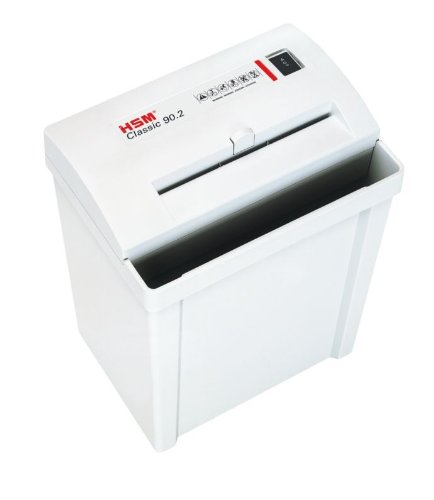
Image 1: HSM Classic 90.2 shredder with head properly seated on the waste bin. This shows the complete unit ready for operation.
- Připojte napájení: Plug the power cord into the shredder's power inlet, then into a standard electrical outlet.
5. Návod k obsluze
- Zapnutí: Locate the power switch on the shredder head. Set it to the "ON" or "AUTO" position. The shredder is now ready for use.
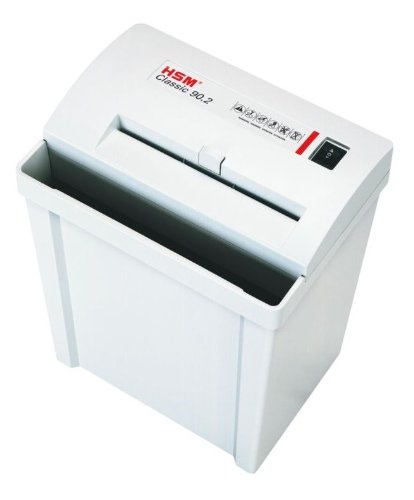
Obrázek 2: Nahoře view of the shredder, highlighting the paper entry and control switch. The switch is typically located near the paper entry.
- Shredding Documents: Insert paper into the paper entry slot. The shredder will automatically start when paper is detected and stop once shredding is complete. Do not exceed the maximum sheet capacity (refer to specifications).
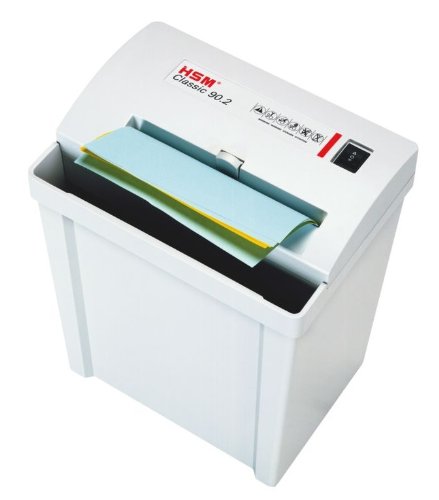
Image 3: Paper being fed into the shredder. This illustrates the correct method for inserting documents for shredding.
- Vyprázdnění odpadkového koše: When the waste bin is full, the shredder may stop operating. Unplug the shredder, carefully lift the shredder head off the bin, empty the shredded material, and then replace the head securely.
- Vypnout: When finished shredding, set the power switch to the "OFF" position and unplug the unit from the power outlet.
6. Údržba
- Mazání drtiče: For optimal performance and longevity of cross-cut shredders, regular oiling is recommended. Apply shredder oil (specifically designed for paper shredders) across the paper entry slot. Run a few sheets of paper through the shredder immediately after oiling to distribute the lubricant. Refer to the shredder oil product instructions for frequency.
- Čištění: Unplug the shredder before cleaning. Use a soft, dry cloth to wipe the exterior surfaces. Do not use abrasive cleaners or solvents.
- Clearing Paper Jams: If a paper jam occurs, switch the shredder to the "REV" (reverse) position to attempt to clear the paper. If unsuccessful, unplug the shredder and carefully remove the jammed paper manually. Exercise extreme caution to avoid injury.
7. Řešení problémů
| Problém | Možná příčina | Řešení |
|---|---|---|
| Skartovačka se nezapne. |
|
|
| Zaseknutý papír. |
|
|
| Shredder runs continuously. |
|
|
8. Specifikace
- Značka: HSM
- Model: Klasika 90.2
- Číslo modelu: SHDESM90CC
- Typ řezu: Příčný řez
- Úroveň zabezpečení: P-4 & F-1 (according to DIN 66399)
- Provozní režim: Automatický
- Rozměry produktu (DxŠxV): 30.5 x 23.5 x 41.9 cm (přibližně 12 x 9.25 x 16.5 palce)
- UPC: 633726615823
9. Záruka a podpora
For warranty information, technical support, or service inquiries, please refer to the official HSM webnebo se obraťte na místního autorizovaného prodejce. Uschovejte si účtenku jako doklad o koupi.