
Zavedení
This manual provides essential information for the safe and efficient use of your Sony MXD-D2 MD Recorder/CD Player integrated deck. Please read these instructions thoroughly before operating the unit and retain them for future reference.
Bezpečnostní informace
Dodržujte následující bezpečnostní opatření, abyste předešli úrazu elektrickým proudem, požáru nebo poškození jednotky:
- Zdroj napájení: Connect the unit only to an AC 100V, 50/60Hz power supply.
- Větrání: Ensure adequate ventilation by not blocking the ventilation openings. Do not place the unit on soft surfaces that may block these openings.
- vlhkost: Nevystavujte jednotku dešti ani vlhkosti. Nepokládejte na jednotku předměty naplněné tekutinami, například vázy.
- Cizí předměty: Do jednotky nevkládejte žádné kovové předměty ani kapaliny.
- Servis: Nepokoušejte se o opravu jednotky sami. Veškerý servis svěřte kvalifikovanému personálu.
Nastavení
Vybalení a umístění
Carefully remove the unit from its packaging. Place the unit on a stable, level surface, ensuring sufficient space around it for proper ventilation.
Připojení zadního panelu
The rear panel of the MXD-D2 provides various input and output terminals for connecting to other audio components. Refer to the image below for a visual guide to the connections.
Obraz: Rear panel of the Sony MXD-D2 unit. This view displays the analog RCA input/output, digital coaxial input, optical input/output, and Control 1 port, along with the power cord connection and product information label.
- Připojení analogového zvuku: Use RCA cables to connect the ANALOGOVÝ VSTUP (入力) to the audio output of an external device (e.g., a tape deck or tuner). Connect the ANALOGOVÝ VÝSTUP (出力) to the audio input of your amplifier or receiver. Ensure left (左) and right (右) channels are matched.
- Připojení digitálního zvuku:
- Coaxial Digital Input (コアキシャル 入力): Connect a coaxial digital cable from the digital output of an external device.
- Optical Digital Input (オプチカル 入力): Connect an optical digital cable from the digital output of an external device.
- Optical Digital Output (オプチカル 出力): Connect an optical digital cable to the digital input of an external recording device or ampživější.
- Control 1 (コントロール 1): This port is for connecting to other compatible Sony components for synchronized operation. Refer to the manuals of connected components for specific instructions.
- Připojení napájení: After all audio connections are made, plug the power cord into an AC 100V wall outlet.
Návod k obsluze
Zapnutí/vypnutí
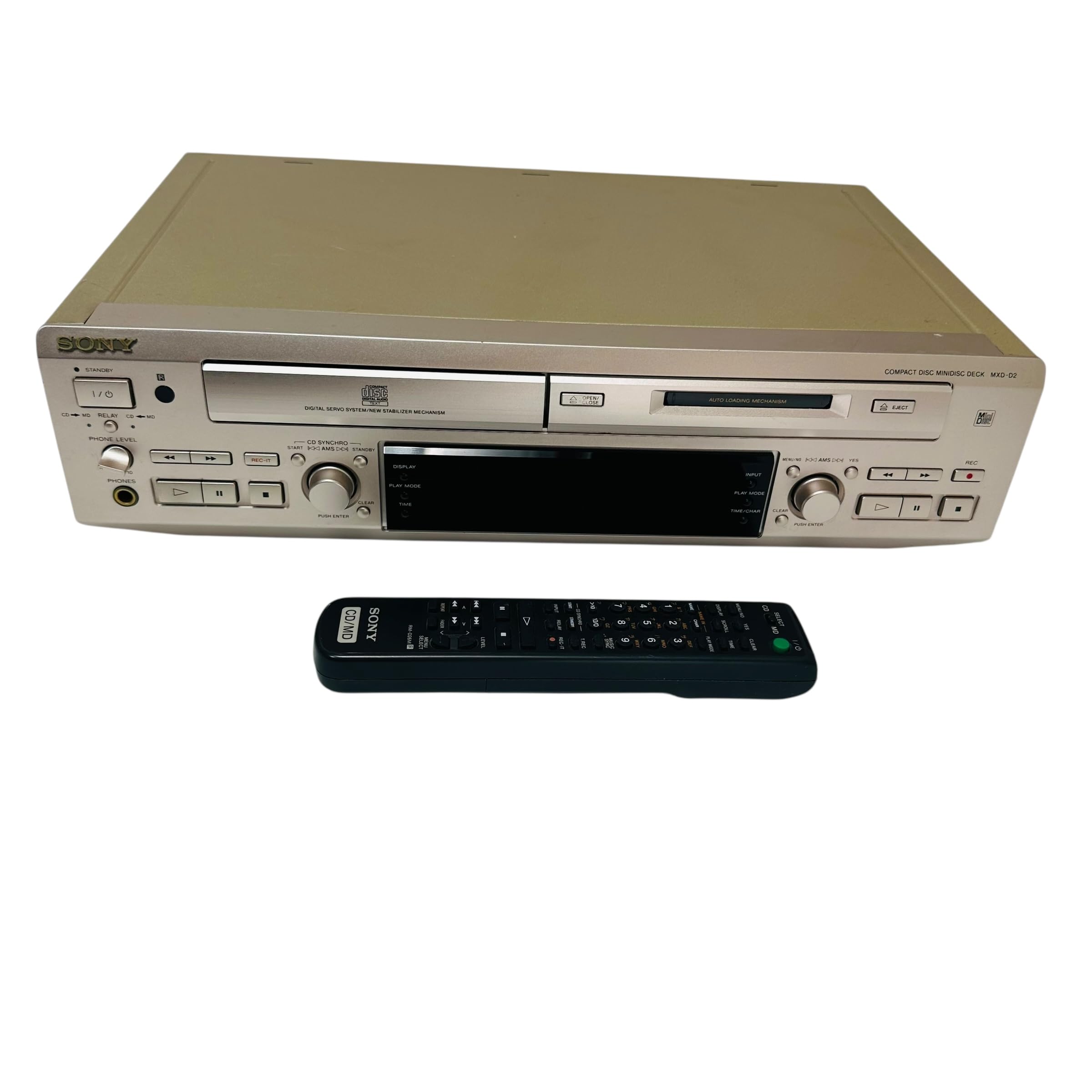
Stiskněte tlačítko MOC tlačítko na předním panelu pro zapnutí nebo vypnutí jednotky.
Přehrávání CD
- Stiskněte tlačítko OTEVŘENÍ/ZAVŘENÍ CD tlačítko pro otevření přihrádky na CD.
- Place a CD with the label side up in the tray.
- Stiskněte tlačítko OTEVŘENÍ/ZAVŘENÍ CD znovu zavřete zásobník.
- Stiskněte tlačítko PŘEHRÁVÁNÍ CD tlačítko pro spuštění přehrávání.
- Použijte PAUZA, ZASTÁVKA, PŘESKOČIT (►►| / |◄◄), and VYHLEDÁVÁNÍ tlačítka pro ovládání přehrávání.
MD Playback
- Insert a MiniDisc into the MD slot with the arrow pointing inwards.
- Stiskněte tlačítko MD PLAY tlačítko pro spuštění přehrávání.
- Použijte PAUZA, ZASTÁVKA, PŘESKOČIT (►►| / |◄◄), and VYHLEDÁVÁNÍ tlačítka pro ovládání přehrávání.
MD Recording
The MXD-D2 allows recording from CD, analog, or digital sources to a MiniDisc.
- Insert a blank or erasable MiniDisc into the MD slot.
- Select the desired input source (CD, ANALOG, DIGITAL COAXIAL, or DIGITAL OPTICAL) using the VÝBĚR VSTUPU tlačítko.
- For CD-to-MD recording, load the CD and select CD as the input source.
- Stiskněte tlačítko MD REC button to enter recording standby mode.
- Start playback on the source device (if external) or press PŘEHRÁVÁNÍ CD (for CD-to-MD recording).
- Stiskněte MD REC znovu pro zahájení nahrávání.
- Stiskněte MD STOP pro ukončení nahrávání.
- Track Marking: The unit can automatically mark tracks during digital recording. For manual marking, press the OZNAČIT button during recording.
Údržba
Čištění jednotky
Otřete vnější povrch jednotky měkkým, suchým hadříkem. Na odolné skvrny použijte hadřík lehce navlhčenýampOmyjte jemným roztokem čisticího prostředku a poté otřete dosucha. Nepoužívejte abrazivní houbičky, drátěnky ani rozpouštědla, jako je alkohol nebo benzen.
Péče o disky
- Handle discs by their edges to avoid fingerprints on the recording surface.
- Keep discs in their cases when not in use to protect them from dust and scratches.
- Nevystavujte disky přímému slunečnímu záření nebo zdrojům tepla.
Odstraňování problémů
If you experience problems with your unit, consult the following table before seeking professional service.
| Problém | Možná příčina | Řešení |
|---|---|---|
| Žádná síla | Napájecí kabel není bezpečně připojen. | Check that the power cord is firmly plugged into the unit and the wall outlet. |
| Žádný zvuk | Incorrect input selected; audio cables not connected properly; amppříliš nízký objem plnicího zařízení. | Select the correct input source. Check all audio cable connections. Increase the volume on your ampživější. |
| CD/MD does not play or record | Disc inserted incorrectly; disc is dirty or scratched; disc is unrecordable (for MD). | Ensure the disc is inserted correctly. Clean the disc with a soft cloth. Use a recordable MD. |
| Recording level is too low/high | Source device output level is incorrect. | Adjust the output level on the source device or the recording level on the MXD-D2 if available. |
Specifikace
| Funkce | Detail |
|---|---|
| Číslo modelu | MXD-D2 |
| Značka | Sony |
| Požadavky na napájení | AC 100V, 16W, 50/60Hz |
| Formáty médií | Compact Disc (CD), MiniDisc (MD) |
| Analogové vstupy | RCA (Left/Right) |
| Analogové výstupy | RCA (Left/Right) |
| Digitální vstupy | Coaxial (1), Optical (1) |
| Digitální výstupy | Optické (1) |
| Ovládací port | Ovládání 1 |
| Kompatibilní zařízení | Speakers, Headphones |
| sériové číslo | 213013 (Example) |
| Země původu | Vyrobeno v Japonsku |
Záruka a podpora
For warranty information and technical support, please refer to the warranty card included with your product or visit the official Sony webstránky pro váš region. Uschovejte si účtenku jako doklad o koupi.