
1. Úvod
Thank you for choosing the Chieftec Libra Series LG-01B Mid-Tower ATX PC Case. This manual provides essential information for the proper installation, operation, and maintenance of your new computer chassis. Please read this manual thoroughly before beginning installation to ensure optimal performance and safety.
2. Bezpečnostní informace
Vždy dodržujte následující bezpečnostní opatření:
- Ensure the power supply is disconnected from the mains before opening the case or installing components.
- S komponenty zacházejte opatrně, abyste předešli poškození elektrostatickým výbojem (ESD). Zvažte použití antistatického náramku.
- Udržujte malé části a nástroje mimo dosah dětí.
- Do not operate the case in environments with excessive dust, moisture, or extreme temperatures.
- Refer to the manuals of your individual components (motherboard, power supply, etc.) for specific installation instructions.
3. Obsah balení
Ověřte, zda jsou v balení přítomny všechny položky:
- Chieftec Libra Series LG-01B PC Case
- Accessory kit (screws, motherboard standoffs, thumb screws)
Note: Power supply unit (PSU) is not included and must be purchased separately.
4. Klíčové vlastnosti
- Moderní a ergonomický design
- Support for mATX and ATX motherboards
- Front panel connectivity: 1x USB 3.0, 2x USB 2.0, Mic-in, Audio-out (HD Audio)
- Tool-less installation for 5.25" optical drives and 3.5" hard drives
- Drive Bays: 2x 5.25" external, 1x 3.5" external, 2x 3.5" internal, 1x 2.5" internal
- Fan preparations: 1x 80/90/120mm (front), 2x 80mm (rear), 2x 120mm (left side panel)
- Maximální výška chladiče CPU: 140 mm
- Maximum VGA card length: 380mm
5. Nastavení a instalace
5.1. Otevření případu
To access the interior, remove the side panel. Typically, this involves unscrewing two thumb screws at the rear of the case and sliding the panel backward.
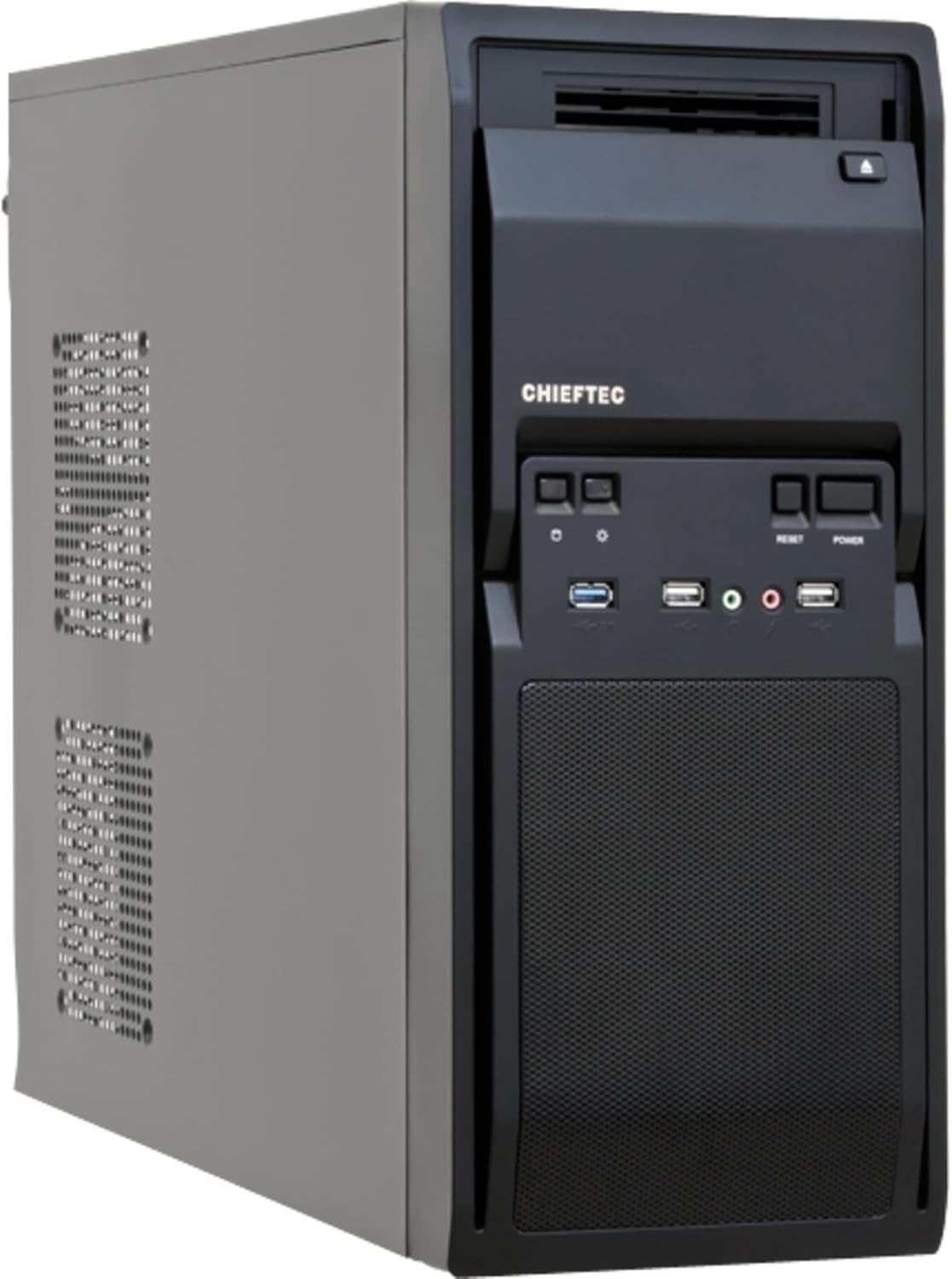
Obrázek 1: Přední levý view of the Chieftec LG-01B PC case, showing the main chassis and front panel design. The side panel is secured by screws at the rear.
5.2. Instalace základní desky
- Install the necessary motherboard standoffs into the motherboard tray according to your motherboard's form factor (ATX or mATX).
- Place the I/O shield into the opening at the rear of the case.
- Opatrně zarovnejte základní desku s distančními sloupky a krytem I/O a poté ji zajistěte šrouby.

Obrázek 2: Interiér view of the Chieftec LG-01B PC case, showing the motherboard tray, drive bays with tool-less clips, and cable management cutouts. The rear I/O shield opening is visible.
5.3. Instalace napájecího zdroje (PSU)
Install your ATX power supply into the designated bay at the top rear of the case and secure it with screws from the exterior.

Obrázek 3: Zadní view of the Chieftec LG-01B PC case, highlighting the power supply mounting area at the top, expansion slots, and fan mounting points.
5.4. Drive Installation (ODD/HDD/SSD)
- 5.25" Optical Drives: Remove the front panel bay cover, slide the optical drive into the bay, and secure it using the tool-less clips.
- 3.5" Hard Drives: Slide the 3.5" HDD into an internal bay and secure it with the tool-less clips.
- 2.5" SSD disky: Install 2.5" SSDs into the dedicated internal 2.5" bay, typically requiring screws.

Obrázek 4: Přední strana view of the Chieftec LG-01B PC case with the front panel cover for the I/O ports opened, revealing the 5.25" and 3.5" external drive bays. The USB and audio ports are also visible.
5.5. Připojení na předním panelu
Connect the front panel cables (USB 3.0, USB 2.0, HD Audio, Power, Reset, HDD LED, Power LED) to the corresponding headers on your motherboard. Refer to your motherboard manual for header locations.
5.6. Expansion Cards (GPU, etc.)
Remove the necessary expansion slot covers at the rear of the case. Insert your expansion card into the PCIe slot on the motherboard and secure it with a screw.
5.7. Správa kabelů
Utilize the cable routing cutouts and tie-down points behind the motherboard tray to manage cables for improved airflow and aesthetics.
6. Návod k obsluze
Once all components are installed and connected, close the side panel. Connect your monitor, keyboard, mouse, and power cable to the system. Press the power button on the front panel to start your computer.
6.1. Front Panel Ports
- Port USB 3.0: Pro vysokorychlostní přenos dat s kompatibilními zařízeními.
- USB porty: 2.0 Pro připojení standardních USB zařízení.
- Mic-in Jack: Pro připojení mikrofonu.
- Audio-out Jack: Pro připojení sluchátek nebo reproduktorů.
- Vypínač: Zapnutí/vypnutí systému.
- Resetovací tlačítko: Chcete-li restartovat systém.
7. Údržba
Regular maintenance helps ensure the longevity and optimal performance of your PC components.
- Čištění prachu: Periodically clean dust from inside the case, especially from fan filters and heatsinks, using compressed air or a soft brush. Ensure the system is powered off and unplugged before cleaning.
- Správa kabelů: Ensure cables are neatly routed to prevent obstruction of airflow.
- Větrání: Ensure the case has adequate clearance around its ventilation openings for proper airflow.
8. Řešení problémů
Pokud narazíte na problémy, zvažte následující běžné kroky pro řešení potíží:
- Systém se nezapíná:
- Check if the power cable is securely connected to the PSU and the wall outlet.
- Ujistěte se, že je vypínač zdroje napájení v poloze „ON“.
- Ověřte, zda je kabel tlačítka napájení na předním panelu správně připojen ke konektoru základní desky.
- Žádný výstup na displej:
- Ensure the monitor cable is securely connected to the graphics card or motherboard (if using integrated graphics).
- Znovu vložte grafickou kartu a moduly RAM.
- Nefunkční USB porty:
- Check if the front panel USB cables are correctly connected to the motherboard headers.
- Ensure necessary drivers are installed for your motherboard.
V případě složitějších problémů se podívejte do manuálů k vašim součástkám nebo vyhledejte odbornou pomoc.
9. Specifikace
| Model | LG-01B |
| Form Factor | Střední věž |
| Kompatibilita základní desky | ATX, mATX |
| Rozměry (DxŠxV) | 484mm x 180mm x 404mm (with feet +3mm) / 19.06 x 7.09 x 15.91 inches |
| Hmotnost | 4.5 kg / 9.9 lbs (without PSU) |
| Externí pozice pro mechaniky | 2x 5.25", 1x 3.5" |
| Vnitřní pozice pro disky | 2x 3.5", 1x 2.5" |
| Porty na předním panelu | 1x USB 3.0, 2x USB 2.0, Mic-in, Audio-out (HD Audio) |
| Fan Preparations | Front: 1x 80/90/120mm; Rear: 2x 80mm; Left Side: 2x 120mm |
| Maximální výška chladiče CPU | 140 mm |
| Maximální délka karty VGA | 380 mm |
| Tloušťka materiálu | 0.6 mm |
10. Záruka a podpora
The Chieftec Libra Series LG-01B PC case comes with a 24-month warranty from the date of purchase. This warranty covers manufacturing defects. It does not cover damage caused by improper installation, misuse, accidents, modifications, or unauthorized repairs.
For technical support or warranty claims, please contact your retailer or visit the official Chieftec webstránky pro kontaktní informace.