
1. Úvod a konecview
The Schellenberg 20016 Smart Home 5-Channel Wireless Remote Control is designed for convenient operation of various Schellenberg wireless smart home products. This remote control operates at 868.4 MHz and can manage wireless shutter drives, awning drives, radio sockets, radio light modules, radio light switches, and selected gate drives. Its 5-channel design allows for individual or group control of up to 25 devices.
2. Vlastnosti produktu
- Remote control for wireless shutter drives and awning drives, radio sockets, radio light modules, radio light switches, and selected gate drives from Schellenberg.
- Features 5 distinct channels for versatile control.
- LED indicators display the currently selected channel.
- Devices can be selected individually or all channels simultaneously via the channel selection button.
- Functions as a central control element for your wireless smart home system: up to 5 products can be assigned per channel, allowing control of up to 25 products in total.
- Offers an operating range of up to 20 meters in open areas.
- Includes a wall mount for convenient storage and use as a wall switch.
- Comes with two AAA batteries (included).
3. Nastavení
3.1 Instalace baterie
The remote control requires two AAA batteries, which are included. To install or replace batteries:
- Otevřete kryt prostoru pro baterie na zadní straně dálkového ovládání.
- Vložte dvě baterie typu AAA a dbejte na správnou polaritu (+/-).
- Bezpečně zavřete kryt bateriového prostoru.
3.2 Montáž na stěnu
The included wall mount allows you to use the remote control as a fixed wall switch. The mount can be attached using adhesive or screws.
- Lepicí montáž: Clean the desired surface thoroughly. Remove the protective film from the adhesive strips on the back of the wall mount and press it firmly onto the wall.
- Šroubová montáž: Mark the drilling points on the wall using the wall mount as a template. Drill holes, insert appropriate wall plugs (if necessary), and secure the wall mount with screws.
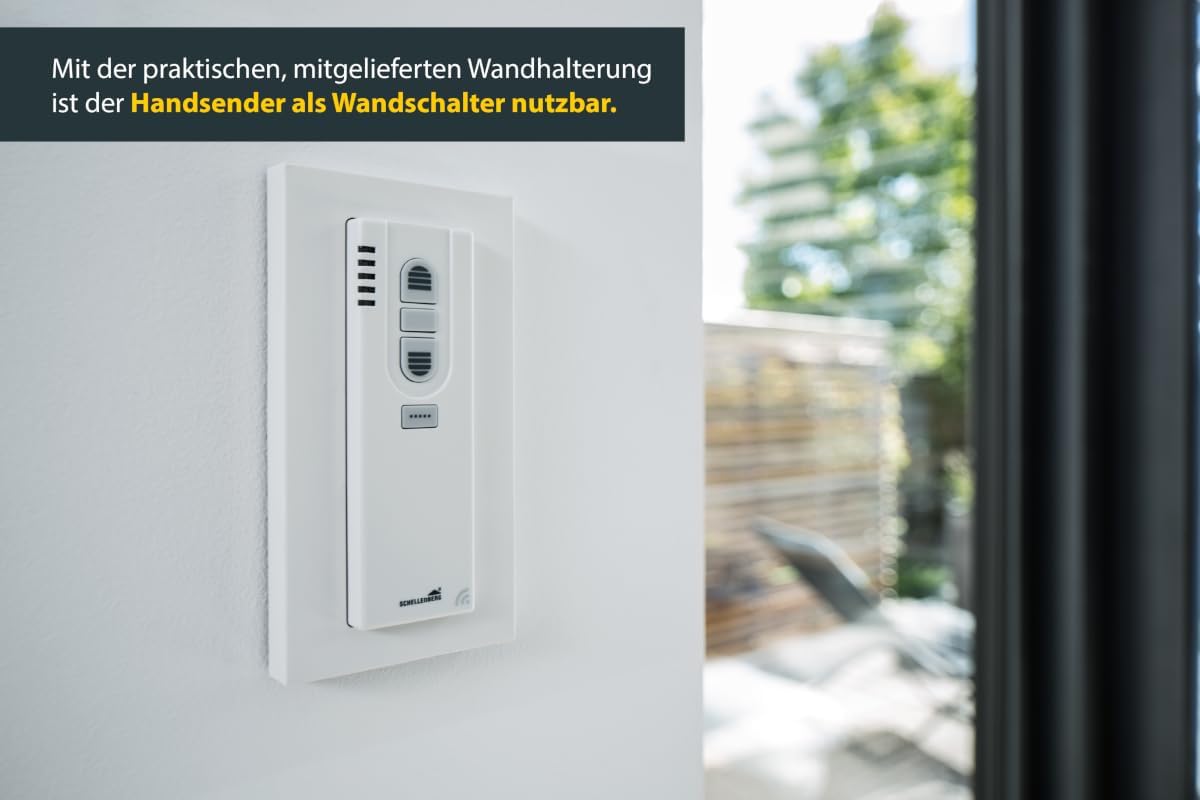
The Schellenberg 20016 remote control can be conveniently placed in its wall mount, transforming it into a fixed wall switch.
3.3 Pairing with Smart Home Devices
To control your Schellenberg smart home devices, the remote control must be paired (learned) with each device or group of devices. Refer to the specific instruction manual of your Schellenberg smart home device (e.g., shutter drive, radio socket) for detailed pairing instructions. Generally, the process involves:
- Put your Schellenberg smart home device into learning mode (usually by pressing a button on the device).
- Select the desired channel on the 5-channel remote control using the channel selection button.
- Press the 'UP' or 'ON' button on the remote control to transmit the pairing signal.
- Confirm successful pairing as indicated by your smart home device (e.g., a brief movement, LED flash).
Up to 5 products can be learned per channel, allowing for group control. This means you can control up to 25 products in total across all 5 channels.
4. Návod k obsluze
The Schellenberg 20016 remote control features intuitive buttons and LED indicators for easy operation.

Intuitive operation is provided by large buttons and an LED function display.
4.1 Výběr kanálu
The remote control has 5 channels, indicated by LED lights. To select a channel:
- Stiskněte tlačítko Tlačítko pro výběr kanálu (usually located at the top or side with multiple dots/lines).
- The corresponding LED will illuminate to show the active channel (1 to 5).
- You can select channels individually or choose to control all channels simultaneously, depending on your paired devices.

Control up to 5 suitable Schellenberg radio products per channel. Simple selection of the desired channel or all channels via the channel selection button.
4.2 Ovládací zařízení
Once a channel is selected and devices are paired, use the main control buttons:
- UP / ON Button: Activates the paired device (e.g., opens a shutter, turns on a light/socket).
- Tlačítko STOP: Halts the movement of a shutter/awning or turns off a light/socket if applicable.
- DOWN / OFF Button: Deactivates the paired device (e.g., closes a shutter, turns off a light/socket).
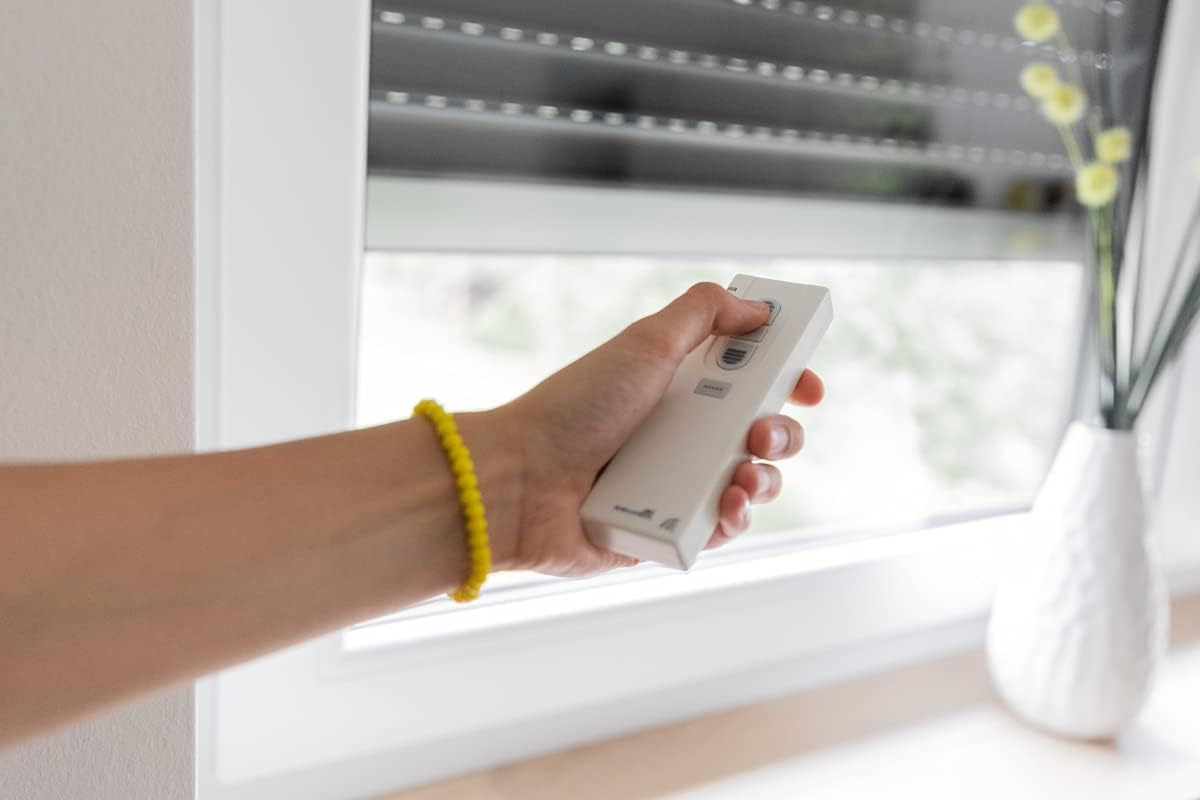
A user operating the remote control to adjust a window shutter.
5. Údržba
5.1 Výměna baterie
If the remote control's range decreases or the LED indicators become dim, it may be time to replace the batteries. Follow the instructions in Section 3.1 for battery installation.
5.2 Čištění
Clean the remote control with a soft, dry cloth. Do not use abrasive cleaners or solvents, as these can damage the surface and electronics.
6. Řešení problémů
- Dálkové ovládání nereaguje:
- Zkontrolujte, zda jsou baterie správně vloženy a zda jsou dostatečně nabité. V případě potřeby je vyměňte.
- Ensure the remote control is within the operating range (up to 20 meters in open areas). Obstacles like thick walls can reduce range.
- Verify that the correct channel is selected on the remote control.
- Re-pair the remote control with the smart home device if the connection seems lost (refer to Section 3.3 and your device's manual).
- Device not responding to specific channel:
- Confirm that the device is correctly paired to the selected channel.
- Check the device's power supply and operational status.
- Rušení:
- Other wireless devices operating on similar frequencies might cause interference. Try to minimize such interference or reposition devices.
7. Specifikace
| Specifikace | Detail |
|---|---|
| Výrobce | Alfred Schellenberg GmbH |
| Číslo dílu | 20016 |
| Číslo modelu položky | 20016 |
| Hmotnost položky | 0.988 unce (cca 28 gramů) |
| Rozměry produktu | 1.57 x 0.67 x 4.92 palců (přibližně 4 x 1.7 x 12.5 cm) |
| Baterie | Vyžaduje 2 AAA baterie (součástí balení) |
| Frekvence | 868.4 MHz |
| Kanály | 5 |
| ASIN | B00DCT42VY |
| Datum první dostupnosti | 23. července 2014 |
8. Záruka a podpora
Specific warranty information for the Schellenberg 20016 Smart Home 5-Channel Wireless Remote Control is typically provided with the product packaging or can be found on the official Schellenberg webstránky. Uschovejte si prosím doklad o koupi pro případ reklamace.
For technical support, troubleshooting assistance, or further inquiries, please contact Schellenberg customer service through their official channels. Contact details are usually available on the manufacturer's webwebu nebo v dokumentaci k produktu.