
Zavedení
Thank you for choosing the Divoom Onbeat 200 Bluetooth Portable Speaker. This manual provides essential information for setting up, operating, and maintaining your speaker. Please read it thoroughly before use to ensure optimal performance and longevity of your device.
The Divoom Onbeat 200 is a compact and powerful portable speaker designed to deliver rich audio with the convenience of Bluetooth wireless connectivity. It features a built-in microphone for hands-free calling, making it versatile for both music playback and communication.
Obsah balení
Zkontrolujte prosím balení, zda neobsahuje následující položky:
- Divoom Onbeat 200 Bluetooth Portable Speaker
- USB nabíjecí kabel
- 3.5mm audio kabel
- Uživatelská příručka
Pokud některé položky chybí nebo jsou poškozené, obraťte se na svého prodejce.
Konec produktuview
The Divoom Onbeat 200 features a sleek design with intuitive controls. Familiarize yourself with the speaker's components before use.
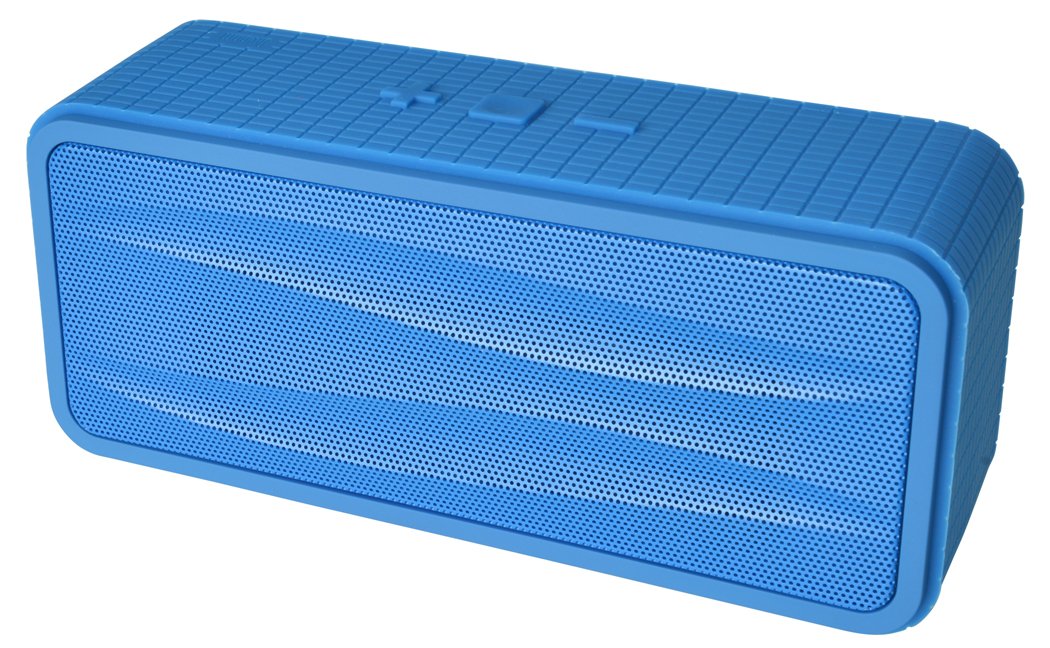
Obrázek 1: Divoom Onbeat 200 Bluetooth Portable Speaker shown with various compatible smartphones, highlighting its wireless connectivity. The speaker is blue and rectangular with a mesh grille.
The speaker is equipped with dual drivers for stereo sound and a passive radiator for enhanced bass. The control panel typically includes power, volume, and Bluetooth pairing buttons. A built-in microphone is integrated for hands-free communication.

Obrázek 2: Detailed dimensions of the Divoom Onbeat 200 speaker. The speaker measures approximately 16.5 cm in length, 7 cm in height, and 5.2 cm in depth.
Nastavení
1. Nabíjení reproduktoru
- Připojte menší konec nabíjecího kabelu USB k nabíjecímu portu na reproduktoru.
- Připojte větší konec nabíjecího kabelu USB k napájecímu adaptéru USB (není součástí balení) nebo k portu USB počítače.
- Během nabíjení se kontrolka nabíjení rozsvítí, obvykle červeně.
- Once fully charged, the indicator light will change color or turn off (refer to specific LED behavior in the full manual if available). A full charge usually takes 2-3 hours.
Poznámka: Před prvním použitím se ujistěte, že je reproduktor plně nabitý.
2. Párování Bluetooth
- Ensure the speaker is charged and turned off.
- Press and hold the Power button (or dedicated Bluetooth button) for a few seconds until you hear an audible prompt or see the Bluetooth indicator light flashing rapidly, indicating it's in pairing mode.
- Na smartphonu, tabletu nebo jiném zařízení s podporou Bluetooth přejděte do nastavení Bluetooth.
- Povolte Bluetooth a vyhledejte dostupná zařízení.
- Select "Onbeat 200" from the list of devices.
- Once paired, you will hear a confirmation tone, and the Bluetooth indicator light will typically glow solid blue.
Tip: Reproduktor se po zapnutí automaticky pokusí znovu připojit k poslednímu spárovanému zařízení, pokud je Bluetooth daného zařízení aktivní a je v dosahu.
Návod k obsluze
Zapnutí/vypnutí
- Zapnutí: Stiskněte a podržte tlačítko napájení, dokud se nerozsvítí kontrolka.
- Vypnutí: Stiskněte a podržte tlačítko napájení, dokud kontrolka nezhasne.
Ovládání hlasitosti
- To increase volume: Press the Volume Up (+) button.
- To decrease volume: Press the Volume Down (-) button.
Hlasitost můžete také nastavit přímo z připojeného zařízení.
Přehrávání hudby
- Play/Pause: Press the Play/Pause button (often integrated with the Power or Bluetooth button).
- Next Track: Double-press the Volume Up (+) button (or a dedicated skip button).
- Previous Track: Double-press the Volume Down (-) button (or a dedicated skip button).
Poznámka: Specific button functions may vary slightly. Refer to the physical markings on your speaker.
Pomocný vstup (AUX)
For devices without Bluetooth, you can use the 3.5mm audio cable:
- Připojte jeden konec 3.5mm audio kabelu k portu AUX-in na reproduktoru.
- Druhý konec připojte ke konektoru pro sluchátka na zvukovém zařízení.
- The speaker will automatically switch to AUX mode, or you may need to press a mode button.
Uskutečňování a přijímání hovorů
The Divoom Onbeat 200 features a built-in microphone for hands-free calling when connected via Bluetooth to a smartphone.
- Přijetí hovoru: When a call comes in, the music will pause. Press the Play/Pause button (or phone icon button) once to answer the call.
- Ukončení hovoru: During a call, press the Play/Pause button (or phone icon button) once to end the call.
- Odmítnutí hovoru: Press and hold the Play/Pause button (or phone icon button) for approximately 2 seconds to reject an incoming call.
- Opakované vytočení posledního čísla: Double-press the Play/Pause button (or phone icon button) to redial the last number called.
Audio will be routed through the speaker, and your voice will be picked up by the built-in microphone.
Údržba
- Chraňte reproduktor před vodou, vlhkostí a extrémními teplotami.
- Reproduktor čistěte měkkým, suchým hadříkem. Nepoužívejte abrazivní čisticí prostředky ani rozpouštědla.
- Zabraňte pádu reproduktoru nebo jeho vystavování silným nárazům.
- Pokud reproduktor delší dobu nepoužíváte, skladujte jej na chladném a suchém místě a pravidelně jej nabíjejte, aby se zachovala jeho životnost.
Odstraňování problémů
| Problém | Možné řešení |
|---|---|
| Reproduktor se nezapne. | Ujistěte se, že je reproduktor plně nabitý. Připojte jej ke zdroji napájení a zkuste to znovu. |
| Nelze spárovat přes Bluetooth. |
|
| Žádný zvuk nebo nízká hlasitost. |
|
| Zkreslení zvuku. |
|
Specifikace
- Název modelu: Onbeat 200
- Číslo modelu položky: Onbeat 200-Blue
- Značka: Divoom
- Typ reproduktoru: Regál
- Speciální vlastnosti: Built-in Microphone, Stereo
- Doporučená použití: Hudba
- Kompatibilní zařízení: Smartphone
- Konfigurace kanálu prostorového zvuku: 2.0
- Barva: Modrý
- Hmotnost položky: 544 g (1.2 libry)
- Je voděodolný: Žádný
- Způsob ovládání: App (Note: While listed, primary control is via physical buttons and connected device)
- Technologie bezdrátové komunikace: Bluetooth
- Zdroj napájení: Napájení baterií (1 lithium-iontová baterie je součástí balení)
- Rozměry produktu: 16.51 x 5.08 x 7.11 cm
- Maximální výstupní výkon reproduktoru: 4 wattů
- Technologie připojení: Bluetooth
- Typ montáže: Stolní deska
- První k dispozici: 17. května 2013
Záruka a podpora
The Divoom Onbeat 200 comes with a standard manufacturer's warranty. Please refer to the warranty card included in your package or visit the official Divoom webpodrobné záruční podmínky naleznete na webu.
For technical support, troubleshooting assistance, or service inquiries, please contact Divoom customer support through their official channels. Keep your purchase receipt and product model information handy when contacting support.