
Keystone KSTAD70B
Keystone KSTAD70B 70-Pint Dehumidifier User Manual
1. Úvod
This manual provides essential information for the safe and efficient operation of your Keystone KSTAD70B 70-Pint Dehumidifier. This unit is designed to remove up to 70 pints of moisture from the air daily, suitable for rooms up to 4500 square feet. Key features include electronic controls with an LED display, a 24-hour timer, a transparent water level indicator, and a full bucket alert with automatic shutoff. It also offers a continuous draining option and a removable, easy-to-clean dust filter with a clean-filter alert. The auto-restart function preserves your settings after a power outage, and rolling casters facilitate easy movement.
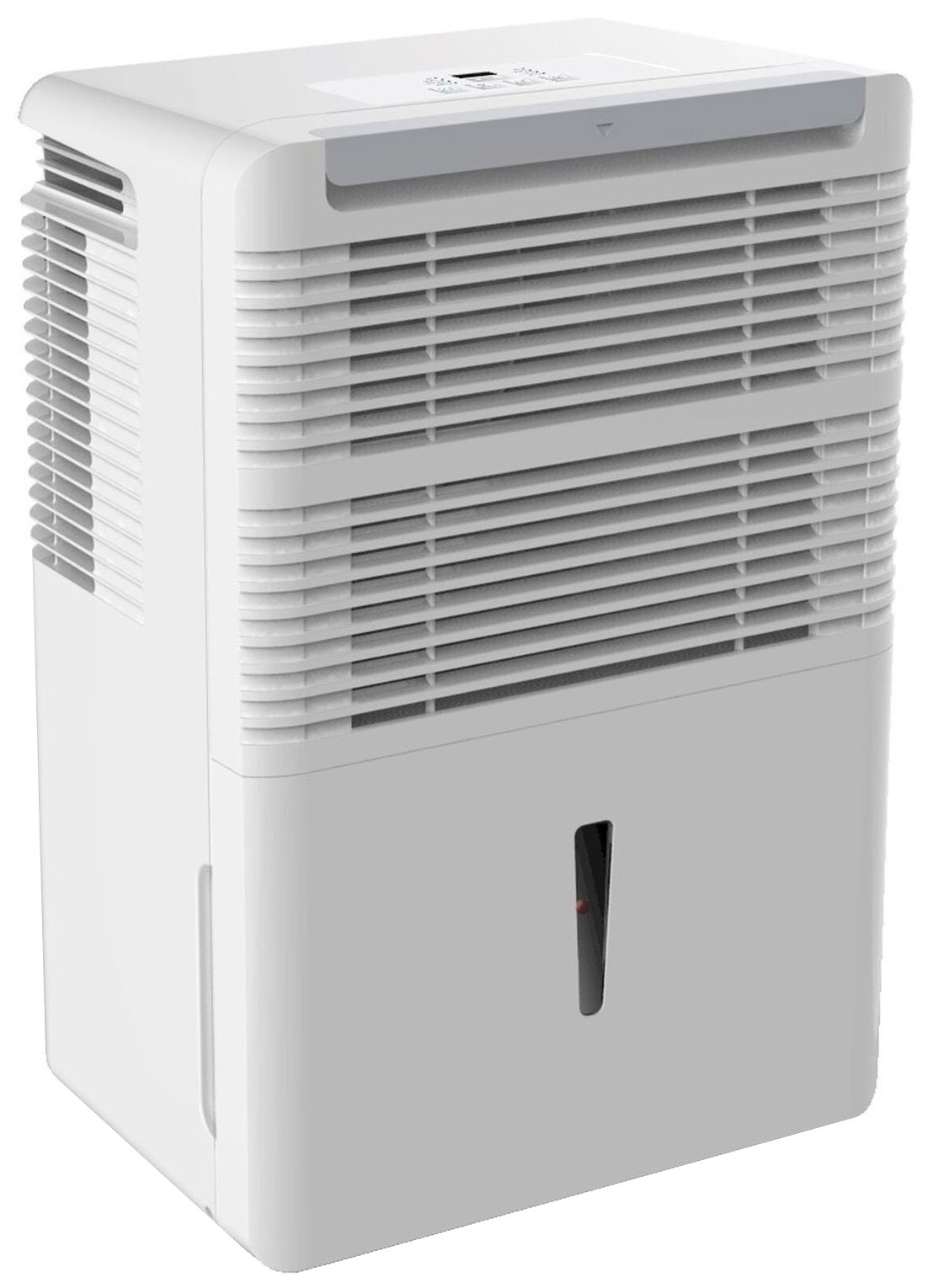
Obrázek 1: Přední strana view of the Keystone KSTAD70B Dehumidifier.
2. Bezpečnostní informace
Please read all safety instructions before operating the dehumidifier to prevent injury or damage. Keep this manual for future reference.
- Always connect the unit to a properly grounded electrical outlet of the correct voltage.
- Neprovozujte jednotku s poškozeným napájecím kabelem nebo zástrčkou.
- Ensure adequate clearance (at least 12-18 inches) around the air intake and outlet to prevent overheating and ensure efficient operation.
- Neblokujte větrací otvory.
- Nepoužívejte odvlhčovač v blízkosti vody nebo v nadměrně vlhkém prostředí.
- Před čištěním nebo prováděním jakékoli údržby odpojte jednotku ze zásuvky.
- Tento spotřebič není určen pro použití osobami (včetně dětí) se sníženými fyzickými, smyslovými nebo duševními schopnostmi nebo nedostatečnými zkušenostmi a znalostmi, pokud na ně nedohlíží osoba odpovědná za jejich bezpečnost nebo jim nebyla poskytnuta instrukce ohledně používání spotřebiče.
- Do not use chemical solvents or abrasive cleaners on the unit.
3. Nastavení a umístění
3.1 Vybalení
Carefully remove the dehumidifier from its packaging. Retain the packaging materials for future storage or transport. Inspect the unit for any shipping damage.
3.2 Umístění
For optimal performance, place the dehumidifier in a location where air can circulate freely around it. The unit circulates air from the sides, not the top. Therefore, avoid placing it directly in a corner or against walls. Maintain a minimum clearance of 12-18 inches (30-45 cm) on all sides to ensure proper airflow.
3.3 Počáteční zapnutí
Zapojte napájecí kabel do uzemněné elektrické zásuvky. Jednotka je nyní připravena k provozu.
4. Návod k obsluze
4.1 Ovládací panel Overview

Figure 2: Control panel of the Keystone KSTAD70B Dehumidifier.
The control panel features an LED display and various buttons for setting the dehumidifier's functions:
- Vypínač: Zapíná nebo vypíná jednotku.
- Tlačítko ventilátoru: Adjusts fan speed (typically Low, Medium, High).
- Tlačítko časovače: Nastaví 24hodinový časovač zapnutí/vypnutí.
- Šipky nahoru/dolů: Adjust humidity level settings or timer duration.
- Indikátor filtru: Rozsvítí se, když je třeba vyčistit vzduchový filtr.
- Úplný indikátor: Rozsvítí se, když je nádoba na vodu plná a je třeba ji vyprázdnit.
- Cont. (Continuous) Indicator: Illuminates when the unit is set for continuous operation.
- Turbo režim: Activates maximum dehumidification.
- Normální režim: Standardní odvlhčovací provoz.
- Automatické odmrazování: Automatically defrosts the coils if ice builds up.
4.2 Nastavení požadované úrovně vlhkosti
Press the Up or Down arrow buttons to set your desired humidity level. The unit will operate until the set humidity is reached, then cycle on and off to maintain it. The recommended humidity range for comfort is typically between 45% and 55%.
4.3 Nepřetržitý provoz
To run the dehumidifier continuously, select the 'Cont.' setting. In this mode, the unit will operate regardless of the ambient humidity level. Note that when continuous operation is selected, the humidity setpoint buttons will not respond.
4.4 Funkce časovače
Use the Timer button to program the unit to turn on or off automatically after a set number of hours (up to 24 hours).
4.5 Auto-Restart
The unit features an auto-restart function that saves your settings. In the event of a power outage, the dehumidifier will automatically resume operation with the last settings once power is restored.
5. Údržba
Pravidelná údržba zajišťuje optimální výkon a dlouhou životnost vašeho odvlhčovače.
5.1 Vyprázdnění vodního kbelíku
When the water bucket is full, the 'Full' indicator light will illuminate, and the unit will automatically shut off. Carefully remove the bucket and empty the collected water. Reinsert the bucket firmly until it clicks into place to resume operation.

Obrázek 3: Demontáž sběrné nádoby na vodu.

Figure 4: Transparent water level indicator.
5.2 Možnost nepřetržitého vypouštění
For continuous operation without emptying the bucket, you can connect a standard garden hose (not included) to the unit's low-level drain. The unit includes an adapter with a clear hose that pushes onto a smooth plastic fitting inside the unit. This adapter has male hose threads for attaching a garden hose. Ensure the hose is routed downwards to a suitable drain to allow gravity to remove the water.
5.3 Čištění vzduchového filtru
The 'Filter' indicator light will remind you when it's time to clean the air filter. A clean filter ensures efficient operation and better air quality. To clean, lift the filter straight up from the top at the front corner of the unit and slide it out. Wash the filter with warm, soapy water, rinse thoroughly, and allow it to air dry completely before reinserting.

Obrázek 5: Demontáž vzduchového filtru za účelem čištění.
6. Řešení problémů
Before contacting support, try these common troubleshooting steps:
| Problém | Možná příčina | Řešení |
|---|---|---|
| Odvlhčovač se nezapne. | No power; power cord loose; 'Full' indicator on. | Check power supply; ensure cord is plugged in; empty water bucket. |
| Jednotka běží, ale neodvlhčuje. | Air filter clogged; room temperature too low; unit size too small for area. | Clean air filter; ensure room temperature is above 41°F (5°C); consider unit placement. |
| Jednotka je hlučná. | Jednotka není v rovině; ventilátor je zablokovaný. | Place on a flat, stable surface; check for obstructions in fan area. |
| Z jednotky uniká voda. | Water bucket not properly seated; continuous drain hose loose or clogged. | Ensure bucket is fully inserted; check continuous drain hose connection and clear any blockages. |
7. Specifikace
| Funkce | Detail |
|---|---|
| Značka | Keystone |
| Název modelu | KSTAD70B |
| Odvlhčovací kapacita | 70 pint denně |
| Doporučená velikost pokoje | Až 4500 XNUMX čtverečních stop |
| Barva | Bílý |
| Speciální funkce | Automatic Restart, Automatic Shutoff |
| Počet rychlostí | 3 |
| Provozní režim | Normal, Turbo, Auto-Defrost |
| Wattage | 720 wattů |
| Hmotnost položky | 40 libry |
| Rozměry produktu (D x Š x V) | 11.25 x 15.5 x 23.25 palce |
| Doporučená použití | Obytný |
8. Informace o záruce
The Keystone KSTAD70B Dehumidifier comes with a 1-letá záruka on parts and labor, and a omezená 5letá záruka on the sealed system. Please refer to the physical warranty card included with your product for full terms and conditions.
9. Zákaznická podpora
For product registration, warranty claims, or technical assistance, please refer to the contact information provided in the physical instruction manual that came with your dehumidifier. Online registration or direct manufacturer contact information may not be readily available; therefore, retaining your original manual is important for support inquiries.
Ask a question about this manual
Ask about setup, troubleshooting, compatibility, parts, safety, or missing instructions. Manuals+ will review the question and use this page’s manual context to help answer it.