
Zavedení
This manual provides essential information for setting up, operating, and maintaining your Nokia 114 Dual SIM mobile phone. Please read these instructions carefully to ensure proper use and to maximize the device's performance and longevity.
Nastavení
1. Instalace SIM karty
The Nokia 114 supports two Mini SIM cards. Follow these steps to install your SIM cards:
- Turn off the phone and remove the back cover.
- Locate the SIM card slots. The phone features an Easy Swap function for convenient SIM management.
- Insert your Mini SIM cards into the designated slots, ensuring the gold contacts face downwards and the cut corner aligns correctly.
- Nasaďte zadní kryt.

Image: Nokia 114 with two Mini SIM cards being inserted.
2. Instalace baterie
Vložení baterie:
- With the back cover removed, align the Nokia BL-5C 1020 mAh Lithium-Ion battery with the battery compartment.
- Jemně zatlačte baterii na místo, dokud nebude bezpečně usazena.
- Nasaďte zadní kryt.
3. Nabíjení baterie
Before first use, fully charge the battery using the provided Nokia Charger AC-11.
- Připojte nabíječku k nabíjecímu portu telefonu.
- Zapojte nabíječku do elektrické zásuvky.
- Indikátor baterie na obrazovce bude ukazovat průběh nabíjení.
- Po úplném nabití odpojte nabíječku.
Návod k obsluze
1. Zapnutí/vypnutí
- To power on, press and hold the Power key until the phone vibrates and the screen lights up.
- To power off, press and hold the Power key, then select 'Power off' from the options.
2. Volání a odesílání zpráv
- Use the keypad to dial a number and press the Call key to initiate a call.
- To send a message, navigate to the 'Messages' menu, select 'Create message', type your text using the keypad, and send it to the desired recipient.
3. Zobrazení a navigace
The Nokia 114 features a 1.8-inch portrait QVGA LCD transmissive display with 128 x 160 pixels resolution. Navigation is primarily done using the physical keypad.
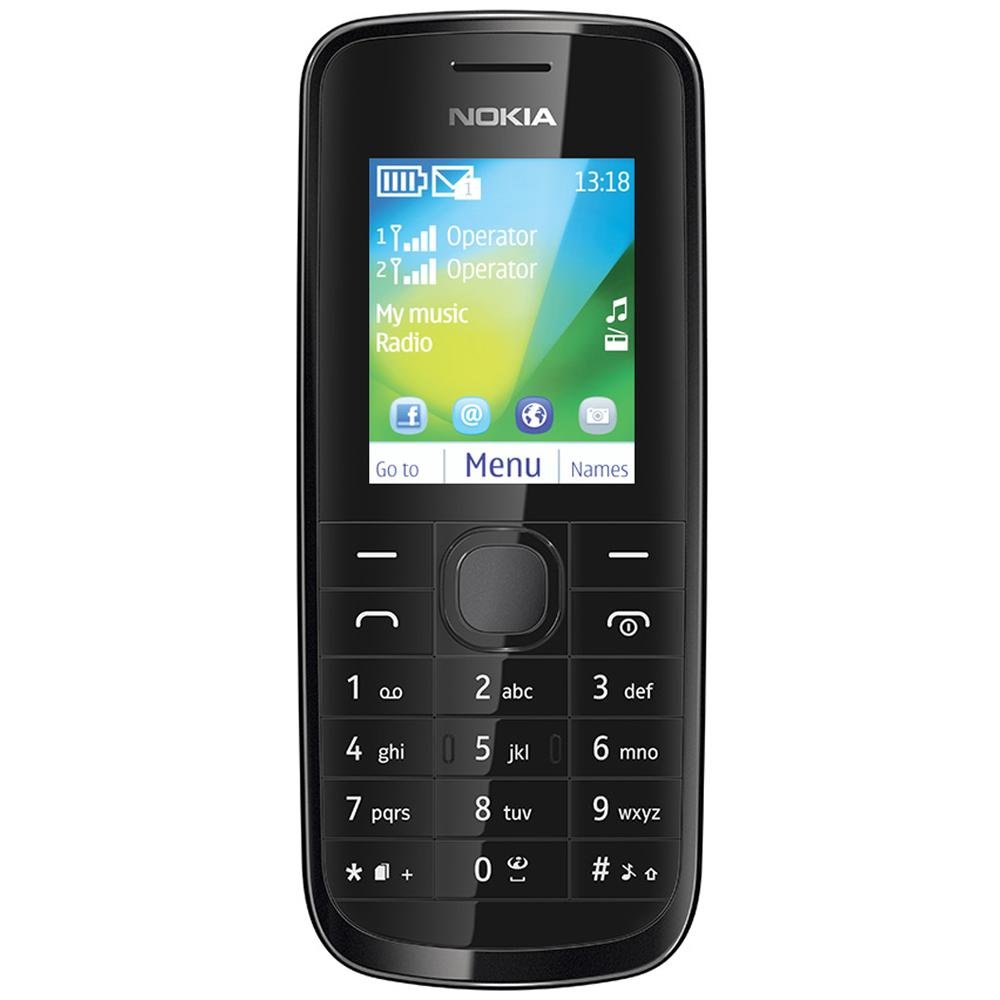
Obrázek: Přední strana view of the Nokia 114 mobile phone.
4. Použití fotoaparátu
The phone is equipped with a 0.3 MP rear camera. It supports basic photography features:
- Image Editor: Basic editing functions for captured photos.
- 4x digitální zoom: Magnify subjects before capturing.
- Kompenzace expozice: Upravte úrovně jasu.
- Orientace na šířku: Capture photos in a wider format.
- The screen acts as a full-screen viewnálezce.
5. Paměť a úložiště
The Nokia 114 has 16 MB of internal memory and supports expandable memory up to 32 GB via a microSD card (not included). This allows for storage of photos, music, and other files.
6. Konektivita
The device supports 2G networks for calls and basic internet access. It does not support 3G or Wi-Fi connectivity.
7. Speciální funkce
- E-mail: Access your email accounts on the go.
- FM rádio: Poslouchejte své oblíbené rozhlasové stanice.
- Video Player & Music Player: Enjoy multimedia content.
- Internet & Facebook: Základní web browsing and social media access.
- Hry: Předinstalované hry pro zábavu.
Údržba
1. Obecná péče
- Udržujte telefon v suchu. Srážky, vlhkost a všechny druhy kapalin mohou obsahovat minerály, které způsobují korozi elektronických obvodů.
- Do not use or store the phone in dusty or dirty areas.
- Neskladujte telefon při vysokých teplotách. Vysoké teploty mohou zkrátit životnost elektronických zařízení, poškodit baterie a deformovat nebo roztavit některé plasty.
- Neskladujte telefon v nízkých teplotách. Jakmile se telefon vrátí na svou normální teplotu, může se uvnitř telefonu vytvořit vlhkost a poškodit elektronické desky plošných spojů.
- Do not attempt to open the phone other than as instructed in this manual.
- Nenechávejte telefon upadnout, neklepejte s ním ani s ním netřeste. Hrubé zacházení může poškodit vnitřní desky plošných spojů a jemnou mechaniku.
- K čištění telefonu nepoužívejte agresivní chemikálie, čisticí rozpouštědla ani silné čisticí prostředky.
2. Péče o baterie
- Only use original Nokia batteries and chargers.
- Nezkratujte baterii.
- Nevystavujte baterii extrémním teplotám.
Odstraňování problémů
If you encounter issues with your Nokia 114, try the following basic troubleshooting steps:
- Telefon se nezapíná: Ensure the battery is correctly installed and charged. Try charging the phone for at least 30 minutes before attempting to power it on again.
- Špatná kvalita hovoru: Check your network signal strength. Move to an area with better reception. Ensure the earpiece/speaker is not obstructed.
- Keypad auto-locks: This is a standard feature. To unlock, follow the on-screen instructions, usually by pressing a specific key combination.
- Dual SIM not functioning: Verify both SIM cards are correctly inserted and activated by your service provider. Check SIM settings in the phone menu.
- Phone freezing or unresponsive: Remove the battery, wait a few seconds, and then reinsert it and power on the phone.
For more complex issues, refer to the visual user guide included in the box or contact Nokia customer support.
Specifikace
| Funkce | Detail |
|---|---|
| Značka | Nokia |
| Model | 114 |
| Zobrazit | 1.8-inch QVGA LCD (128 x 160 pixels) |
| Fotoaparát | 0.3 MP zadní fotoaparát |
| Paměť (interní) | 16 MB |
| Rozšiřitelná paměť | Až 32 GB (microSD) |
| Počet slotů pro SIM karty | Dual SIM (Mini) |
| Buněčná technologie | 2G (GSM) |
| Operační systém | Nokia Series 40 Asha |
| Kapacita baterie | 1020 mAh lithium-iontová |
| Doba hovoru | Až 10.5 hodiny (630 minut) |
| Rozměry (D x Š x V) | 11 x 4.6 x 1.5 cm |
| Hmotnost | 80 gramů |
| Lidské rozhraní | Klávesnice |
| Materiál | Plast |
Co je v krabici
Your Nokia 114 package includes the following items:
- Mobilní telefon Nokia 114
- Nokia Charger AC-11
- Nokia Battery BL-5C 1020 mAh
- Nokia Stereo Headset WH-102
- Visual User Guide
Konec produktuview Video
Pro rychlou představu se podívejte na toto videoview of the Nokia 114's features and contents.
Video: Stručný přehledview of the Nokia 114 mobile phone, highlighting its display, camera, memory, connectivity, operating system, special features, and included accessories.
Záruka a podpora
The Nokia 114 comes with a 1-year manufacturer warranty for the device and a 6-month manufacturer warranty for in-box accessories, including batteries, from the date of purchase. For warranty claims or technical support, please refer to the contact information provided in your visual user guide or visit the official Nokia support webmísto.