
1. Úvod
This manual provides detailed instructions for the proper use and maintenance of your LogiLink BT0027 Bluetooth Headset. Please read this manual thoroughly before using the device to ensure optimal performance and longevity.
2. Obsah balení
Ověřte, zda jsou v balení přítomny všechny položky:
- LogiLink BT0027 Bluetooth Headset
- USB nabíjecí kabel
- Uživatelská příručka
3. Konec produktuview
The LogiLink BT0027 is a mono Bluetooth headset designed for clear communication. It features an integrated, adjustable microphone and a comfortable, stretchable headband.

Figure 3.1: LogiLink BT0027 Bluetooth Headset, showing the earcup, headband, and extended microphone arm.
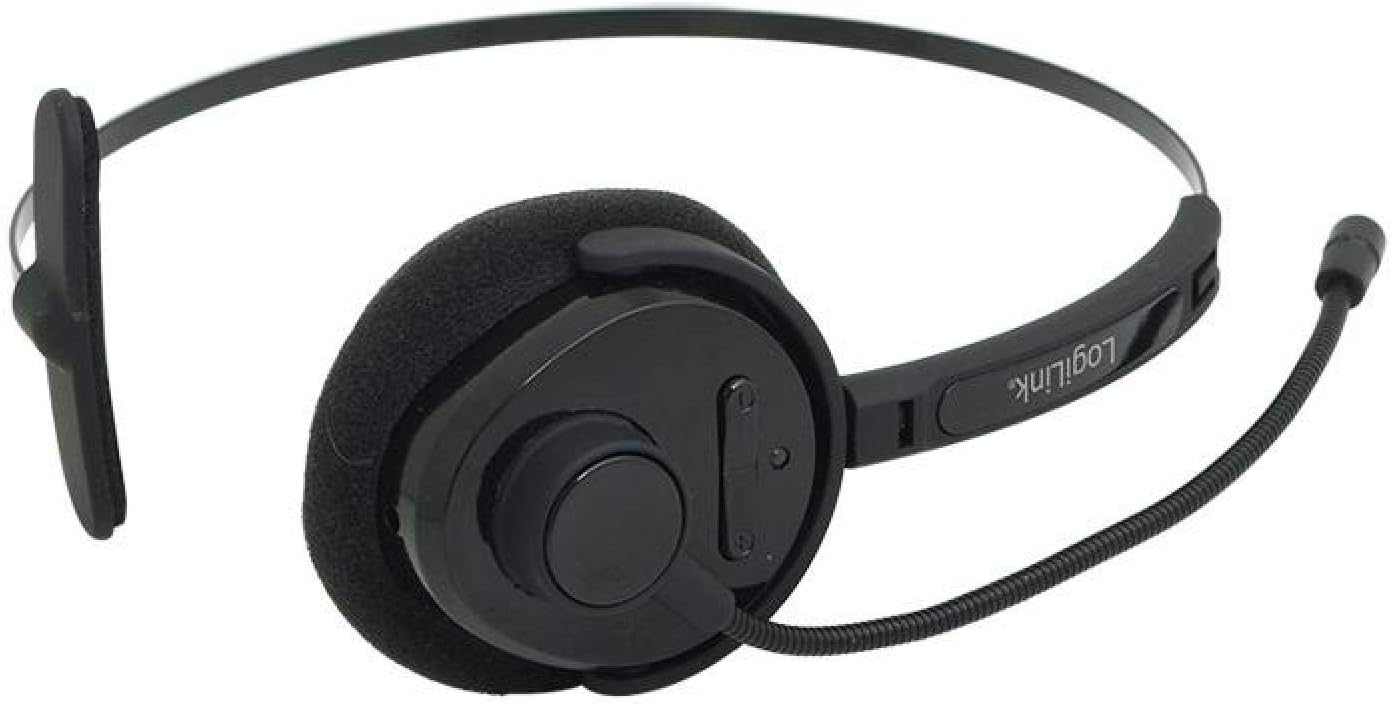
Obrázek 3.2: Shora dolů view of the headset, highlighting the earcup and control buttons.
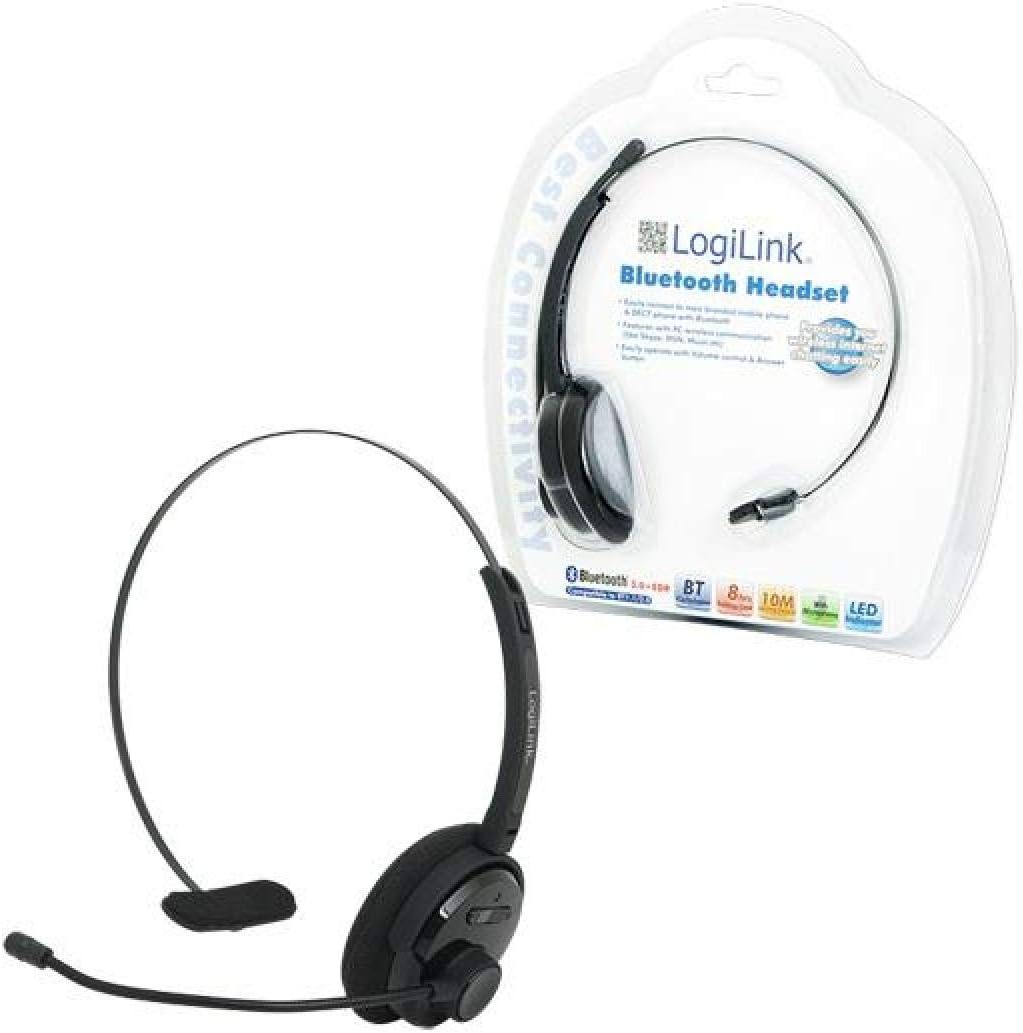
Figure 3.3: The LogiLink BT0027 Bluetooth Headset as packaged for retail.
4. Nastavení
4.1 Počáteční nabíjení
- Připojte dodaný nabíjecí kabel USB k nabíjecímu portu na sluchátkách.
- Zapojte druhý konec kabelu USB do napájeného portu USB (např. počítače, adaptéru do zásuvky).
- The LED indicator will show red during charging.
- Once fully charged, the LED indicator will turn blue or off (refer to LED behavior in section 6.1). A full charge typically takes approximately 2-3 hours.
It is recommended to fully charge the headset before its first use.
5. Návod k obsluze
5.1 Zapnutí/vypnutí
- Zapnutí: Press and hold the Multi-Function Button (MFB) for approximately 3 seconds until the LED indicator flashes blue.
- Vypnutí: Stiskněte a podržte multifunkční tlačítko (MFB) přibližně 5 sekund, dokud LED indikátor nezačne blikat červeně a poté nezhasne.
5.2 Párování Bluetooth
Připojení náhlavní soupravy k zařízení s podporou Bluetooth:
- Zkontrolujte, zda je náhlavní souprava vypnutá.
- Press and hold the MFB for approximately 7 seconds until the LED indicator flashes red and blue alternately. This indicates pairing mode.
- On your device (smartphone, laptop, tablet), enable Bluetooth and search for new devices.
- Select "BT0027" from the list of available devices.
- Po spárování bude LED indikátor pravidelně modře blikat.
- Pokud budete vyzváni k zadání hesla, zadejte „0000“.
5.3 Správa hovorů
- Přijmout hovor: Stiskněte jednou MFB.
- Ukončit hovor: Během hovoru stiskněte jednou multifunkční tlačítko.
- Odmítnout hovor: Stiskněte a podržte multifunkční tlačítko (MFB) přibližně 2 sekundy.
- Znovu vytočit poslední číslo: Dvakrát stiskněte MFB.
5.4 Ovládání hlasitosti
- Zvýšit hlasitost: Stiskněte tlačítko „Hlasitost+“.
- Snížit hlasitost: Stiskněte tlačítko „VOL-“.
6. Průvodce indikátorem LED
The LED indicator provides visual feedback on the headset's status:
- Červený: Nabíjení
- Blue (solid or slow flash): Fully charged / Connected / Powered On
- Red and Blue (alternating flash): Režim párování
- Red (quick flash): Slabá baterie
7. Údržba
- Clean the headset with a soft, dry cloth. Do not use abrasive cleaners or solvents.
- Nevystavujte sluchátka extrémním teplotám, vlhkosti nebo přímému slunečnímu záření.
- Pokud sluchátka nepoužíváte, skladujte je na chladném a suchém místě.
- Do not attempt to disassemble or modify the headset, as this will void the warranty and may cause damage.
8. Řešení problémů
| Problém | Možná příčina | Řešení |
|---|---|---|
| Sluchátka se nezapínají. | Baterie je vybitá. | Plně nabijte sluchátka. |
| Nelze spárovat se zařízením. | Headset not in pairing mode. Device Bluetooth off or out of range. | Ensure headset is in pairing mode (red/blue flashing LED). Check device Bluetooth settings and proximity. |
| Žádný zvuk nebo špatná kvalita zvuku. | Volume too low. Headset not properly connected. Interference. | Adjust volume on headset and device. Re-pair the headset. Move away from other wireless devices. |
| Mikrofon nefunguje. | Microphone muted on device. Microphone arm not positioned correctly. | Check device settings. Adjust microphone arm closer to your mouth. |
9. Specifikace
| Číslo modelu | BT0027 |
| Značka | LogiLink |
| Technologie připojení | Wireless (Bluetooth V3.0 with EDR) |
| Bluetooth Profiles | HSP, HFP |
| Frekvenční rozsah | 2.402 - 2.480 GHz |
| Bezdrátové Dosah | Až 10 metrů (33 stop) |
| Doba hovoru | Až 8 hodin |
| Pohotovostní doba | Až 270 hodin |
| Typ baterie | 240 mAh Li-Polymer (Integrated) |
| Nabíjecí port | USB |
| Ovládací prvky | Multi-Function Button (MFB), Volume Up (VOL+), Volume Down (VOL-) |
| LED indikátor | Červená/Modrá |
| Umístění uší | Supra-aural (On-ear) |
| Mikrofon | Integrated, Adjustable Arm |
| Kompatibilní zařízení | Bluetooth-enabled smartphones, laptops, tablets |
| Barva | Černý |
| Hmotnost položky | 1 Grams (Note: This value may be an approximation or error in source data) |
10. Bezpečnostní informace
- Do not use the headset at high volume levels for extended periods to prevent hearing damage.
- Do not use the headset while driving or in situations where awareness of surroundings is critical.
- Chraňte sluchátka před vodou a jinými kapalinami.
- Dispose of the battery and headset according to local regulations. Do not dispose of in fire.
- Uchovávejte mimo dosah dětí.
11. Záruka a podpora
Specific warranty information for the LogiLink BT0027 Bluetooth Headset is not provided in this manual. For warranty details, technical support, or service inquiries, please refer to the documentation included with your purchase or contact LogiLink customer support directly.