
Zavedení
This manual provides essential instructions for the safe and effective use of your Pentax MX-1 Digital Camera. Please read this manual thoroughly before using the camera and keep it in a safe place for future reference.
Konec produktuview
The Pentax MX-1 is a high-end compact digital camera featuring a 12-megapixel back-illuminated CMOS sensor and a 4x optical zoom lens (28-112mm equivalent) with an f/1.8-2.5 aperture. It includes a 3-inch tilting LCD display and a dual shake reduction system for clear images and video.

Obrázek 1: Přední strana view of the Pentax MX-1 Digital Camera.
Nastavení
1. Instalace a nabíjení baterie
- Otevřete kryt přihrádky na baterie, který se nachází na spodní straně fotoaparátu.
- Insert the provided Lithium-Ion battery, ensuring the correct orientation as indicated inside the compartment.
- Bezpečně zavřete kryt bateriového prostoru.
- Connect the camera to the AC adapter using the supplied USB cable. The charging indicator will illuminate.
- Charge the battery fully before first use. A full charge typically takes approximately 3 hours.
2. Instalace paměťové karty
- Locate the memory card slot, typically adjacent to the battery compartment or on the side of the camera.
- Vložte paměťovou kartu SD, SDHC nebo SDXC do slotu štítkem směřujícím správným směrem, dokud nezacvakne na místo.
- To remove the card, push it in gently until it springs out.

Obrázek 2: Strana view of the camera showing the open port cover for USB/HDMI connections.
3. Počáteční nastavení
- Zapněte fotoaparát stisknutím tlačítka ON/OFF tlačítko.
- Postupujte podle pokynů na obrazovce a nastavte jazyk, datum a čas.
- Format the memory card before first use to ensure optimal performance. Navigate to the MENU, vyberte NASTAVENÍa pak FORMÁTOVÁ KARTA.
Obsluha fotoaparátu
1. Základy fotografování
- Zapnutí: Stiskněte tlačítko ON/OFF button. The lens will extend.
- Vyberte režim: Rotate the mode dial on the top of the camera to select your desired shooting mode (e.g., Auto Pict, Program, Aperture Priority, Shutter Priority, Manual).
- Soustředit: Point the camera at your subject. Press the shutter button halfway down to focus. The focus frame will turn green when focus is achieved.
- Střílet: Stiskněte tlačítko spouště až na doraz pro pořízení snímku.

Obrázek 3: Nahoře view of the camera showing the mode dial, shutter button, and exposure compensation dial.
2. Using the Tilting LCD Monitor
The 3-inch LCD monitor can be tilted up or down to facilitate shooting from various angles, such as low-angle shots or overhead shots. Gently pull the top or bottom edge of the LCD screen to adjust its position.
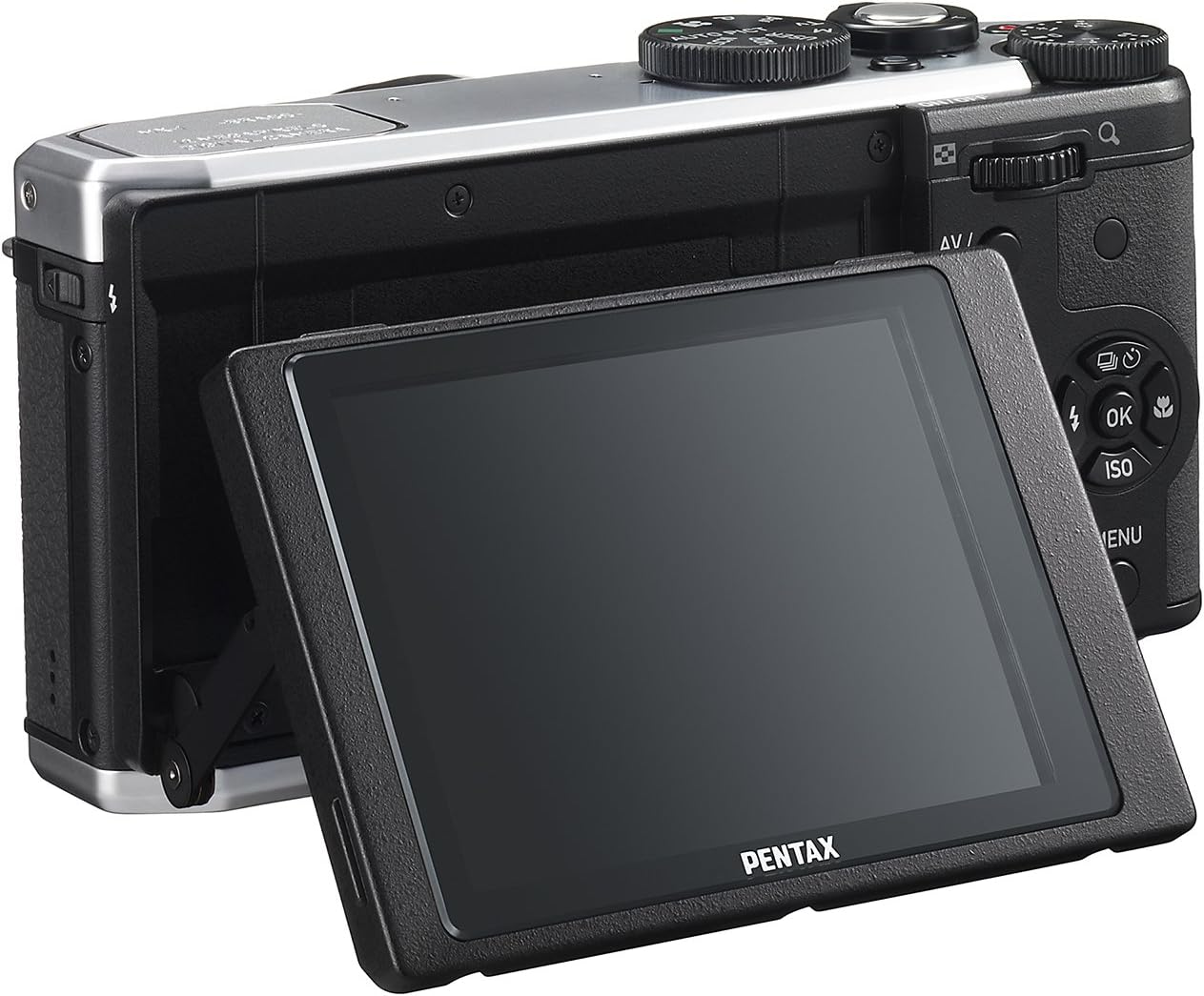
Obrázek 4: Zadní view of the camera demonstrating the tilting LCD screen.
3. Provoz blesku
To use the built-in flash, slide the flash release lever to pop up the flash unit. The flash modes (Auto, On, Off, Slow Sync, Rear Curtain Sync) can be selected via the camera's menu or a dedicated button, depending on the shooting mode.

Obrázek 5: Přední strana view of the camera with the pop-up flash in the extended position.
4. Režim přehrávání
- Stiskněte tlačítko HRÁT tlačítko pro vstup do režimu přehrávání.
- Use the directional pad to scroll through your photos and videos.
- Stiskněte tlačítko OK tlačítko na view information about the selected image or to play a video.
- Stiskněte tlačítko MENU button to access playback options such as deleting, rotating, or resizing images.
Údržba
1. Čištění fotoaparátu
- Tělo fotoaparátu: K otření těla fotoaparátu použijte měkký, suchý hadřík. V případě odolných nečistot lehceampen the cloth with water or a mild cleaning solution. Avoid using organic solvents.
- Čočka: Use a lens brush or a blower to remove dust. For smudges, use a lens cleaning cloth and lens cleaning fluid. Do not touch the lens surface with your fingers.
- Lcd monitor: Jemně otřete obrazovku měkkým hadříkem, který nepouští vlákna. Netlačte na obrazovku silně.
2. Skladování
- Pokud fotoaparát delší dobu nepoužíváte, vyjměte z něj baterii.
- Fotoaparát skladujte na chladném, suchém a dobře větraném místě, mimo dosah přímého slunečního záření, vysokých teplot a vlhkosti.
- Use a desiccant to prevent mold growth if storing in humid environments.
Odstraňování problémů
If you encounter issues with your Pentax MX-1, refer to the table below for common problems and their solutions.
| Problém | Možná příčina | Řešení |
|---|---|---|
| Fotoaparát se nezapne. | Baterie je vybitá nebo nesprávně vložená. | Nabijte baterii nebo ji znovu správně vložte. |
| Nelze fotografovat. | Paměťová karta je plná, uzamčená nebo není vložena. | Insert a memory card, unlock it, or delete unnecessary files. |
| Obrázky jsou rozmazané. | Chvění fotoaparátu, nesprávné zaostření nebo znečištěný objektiv. | Držte fotoaparát stabilně, zajistěte správné zaostření nebo očistěte objektiv. |
| Blesk se nespouští. | Flash is set to "Off" or not popped up. | Pop up the flash and set the flash mode to "Auto" or "On". |
| LCD screen is difficult to see in bright light. | Vysoké okolní světlo. | Adjust the tilting LCD for a better viewing angle or find shade. |
Specifikace
| Funkce | Detail |
|---|---|
| Název modelu | Pentax MX-1 |
| Rozlišení foto snímače | 12 MP |
| Velikost foto senzoru | 1/1.7 palce |
| Optický zoom | 4x |
| Ohnisková vzdálenost objektivu | 28–112 mm (ekvivalent 35mm kinofilmu) |
| Rozsah clony | f/1.8-2.5 |
| Stabilizace obrazu | Posun senzoru |
| Velikost obrazovky | 3 palce |
| Typ zobrazení | Naklápěcí LCD displej |
| Podporováno File Formát | JPEG 2.3, RAW |
| Rozlišení videa | FHD 1080p (H.264) |
| ISO Range (Expanded) | 100-12800 |
| Rozsah rychlosti závěrky | 30 sekundy až 1/8000 sekundy |
| Typ paměťové karty | SD/SDHC/SDXC |
| Konektivita | HDMI (Mini HDMI type-D), USB |
| Typ baterie | Lithium Ion |
| Hmotnost položky | 13.76 unce |
Záruka a podpora
Informace o záruce
The Pentax MX-1 Digital Camera comes with a 1-letá záruka covering parts and labor from the date of purchase. This warranty covers manufacturing defects and malfunctions under normal use. It does not cover damage caused by misuse, accidents, unauthorized repairs, or normal wear and tear. Please retain your proof of purchase for warranty claims.
Zákaznická podpora
Pro technickou pomoc, servis nebo další dotazy navštivte oficiální podporu Pentaxu. website or contact their customer service department. Refer to the product packaging or the official Pentax webstránky s nejaktuálnějšími kontaktními informacemi.
Visit the Pentax Store on Amazon pro další informace o produktech a příslušenství.