
Sharp RRMCGA535WJSA
Sharp Aquos LCD TV Remote Control Instruction Manual
Model: RRMCGA535WJSA
Značka: Sharp
Zavedení
This manual provides comprehensive instructions for the operation and maintenance of your new Sharp Aquos LCD TV Remote Control, model RRMCGA535WJSA. This genuine Sharp remote transmitter is designed to provide seamless control over your compatible Sharp Aquos LCD TV models. Please read this manual thoroughly before use to ensure proper functionality and to maximize your viewzkušenosti.
Bezpečnostní informace
Dodržujte prosím následující bezpečnostní opatření:
- Nevystavujte dálkový ovladač přímému slunečnímu záření, vysoké vlhkosti nebo extrémním teplotám.
- Zabraňte pádu dálkového ovladače nebo jeho vystavování silným nárazům.
- Do not attempt to disassemble or modify the remote control. This may void the warranty and cause damage.
- Udržujte baterie mimo dosah dětí. Při požití okamžitě vyhledejte lékařskou pomoc.
- Použité baterie zlikvidujte v souladu s místními předpisy. Nespalujte.
Obsah balení
Ověřte, zda jsou v balení přítomny všechny položky:
- Sharp Aquos LCD TV Remote Control (Model: RRMCGA535WJSA)
- Návod k použití (tento dokument)
Poznámka: Baterie obvykle nejsou součástí balení a je nutné je zakoupit samostatně.
Konec produktuview
Familiarize yourself with the buttons and features of your remote control.

Obrázek 1: Přední strana View dálkového ovládání
This image displays the front of the Sharp Aquos remote control, showing all primary buttons including power, input selection, channel, volume, numeric keypad, and navigation controls. The Sharp and Aquos logos are visible at the bottom.
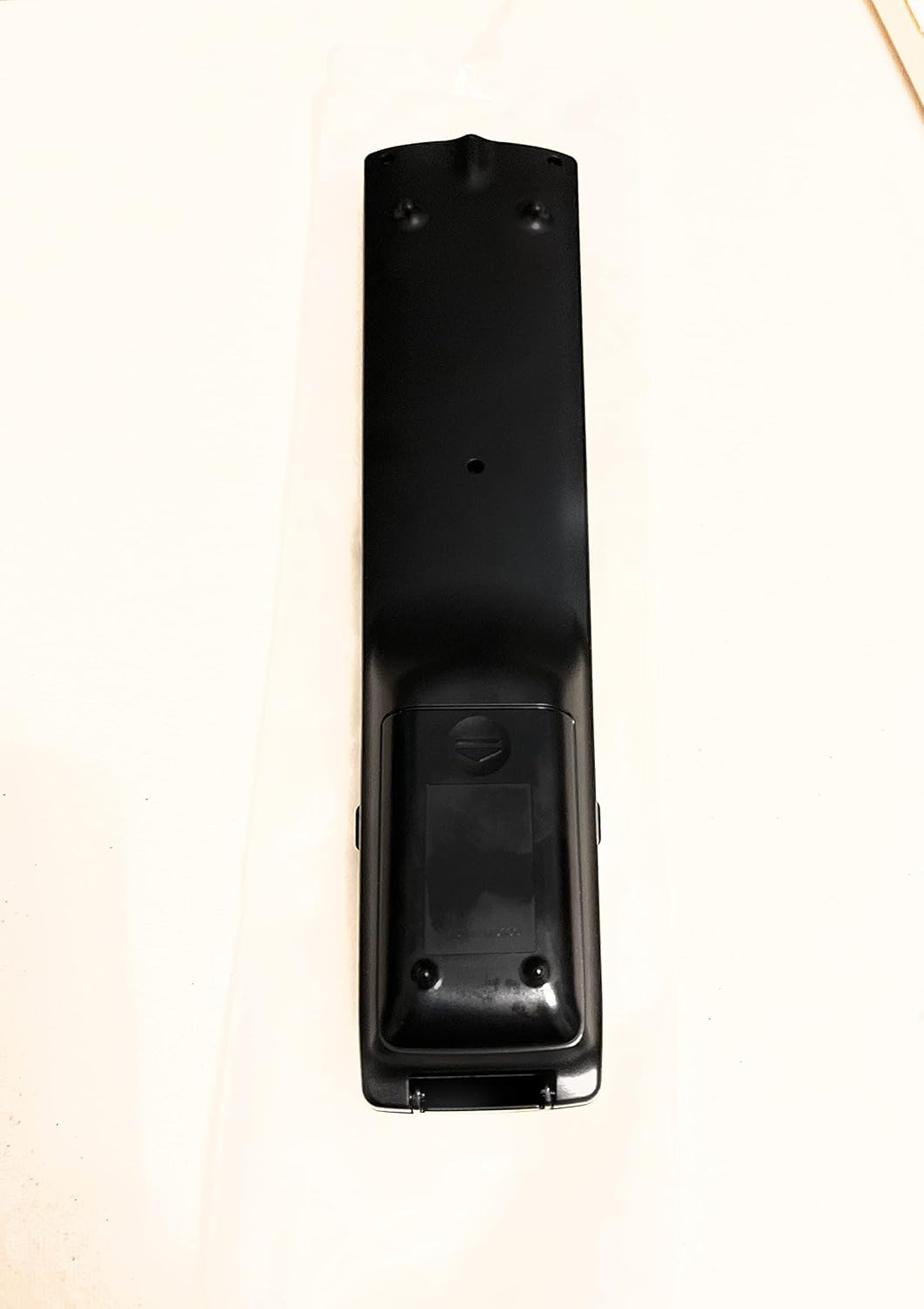
Obrázek 2: Zpět View dálkového ovládání
This image shows the rear side of the Sharp Aquos remote control, highlighting the smooth, ergonomic design and the battery compartment cover.

Figure 3: Remote Control with Battery Compartment Open
This image illustrates the Sharp Aquos remote control with its battery compartment cover slid open, revealing the space for battery insertion.

Figure 4: Close-up of Hidden Panel
This close-up image shows the lower section of the Sharp Aquos remote control with its hinged panel opened, revealing additional function buttons such as SLEEP, AUDIO, AV MODE, and CC (Closed Caption).
Funkce tlačítek:
| Tlačítko | Funkce |
|---|---|
| MOC | Zapíná nebo vypíná televizor. |
| INPUT / SOURCE | Vybere vstupní zdroj (např. HDMI, AV, komponentní). |
| CH +/- | Přepíná televizní kanál nahoru nebo dolů. |
| VOL +/- | Nastavuje úroveň hlasitosti. |
| ZTLUMIT | Ztlumí nebo zapne zvuk televizoru. |
| MENU | Opens the TV's on-screen menu. |
| ENTER | Potvrzuje výběry v nabídce. |
| Navigační šipky (nahoru/dolů/doleva/doprava) | Prochází možnostmi nabídky. |
| EXIT / RETURN | Opustí aktuální menu nebo se vrátí na předchozí obrazovku. |
| Numerická klávesnice (0-9) | Přímé zadávání čísel kanálů. |
| SPÁT (under hidden panel) | Sets the TV to turn off automatically after a set period. |
| AUDIO (under hidden panel) | Vybírá zvukové režimy nebo stopy. |
| AV REŽIM (under hidden panel) | Adjusts picture and sound settings for different content types. |
| CC (Skryté titulky) (under hidden panel) | Turns closed captions on or off. |
Nastavení
Instalace baterie:
- Vyhledejte přihrádku na baterie na zadní straně dálkového ovladače (viz obrázek 2).
- Slide the battery compartment cover downwards to open it (refer to Figure 3).
- Insert two (2) AAA batteries (not included), ensuring the positive (+) and negative (-) terminals align correctly with the indicators inside the compartment.
- Zasuňte kryt přihrádky na baterie zpět na místo, dokud bezpečně nezacvakne.
Note: Always use new batteries of the same type. Do not mix old and new batteries, or different types of batteries.
Návod k obsluze
Základní provoz:
- Zapnutí/vypnutí: Stiskněte tlačítko MOC button to turn your Sharp Aquos TV on or off.
- Ovládání hlasitosti: Stiskněte tlačítko VOL+ tlačítko pro zvýšení hlasitosti a OBJEM - snížit hlasitost.
- Výběr kanálu: Použijte CH + or CH - buttons to change channels sequentially. Alternatively, use the numeric keypad to directly enter a channel number.
- Výběr zdroje vstupu: Stiskněte tlačítko VSTUP or ZDROJ button to cycle through available input sources (e.g., HDMI 1, HDMI 2, AV, Component).
- Ztlumit: Stiskněte tlačítko ZTLUMIT button to temporarily silence the TV audio. Press again to restore sound.
Navigace v nabídce:
- Stiskněte tlačítko MENU button to display the TV's on-screen menu.
- Použijte Navigační šipky (Up, Down, Left, Right) to move through menu options.
- Stiskněte tlačítko ENTER button to select a highlighted option or confirm a setting.
- Stiskněte tlačítko EXIT or NÁVRAT button to close the menu or go back to the previous menu level.
Advanced Functions (Hidden Panel):
Some advanced functions are located under a hinged panel at the bottom of the remote control (refer to Figure 4). Gently open this panel to access buttons such as:
- SPÁT: Nastaví časovač pro automatické vypnutí televizoru.
- AUDIO: Upravuje nastavení zvuku nebo vybírá zvukové stopy.
- AV REŽIM: Cycles through preset picture and sound modes (e.g., Standard, Movie, Game).
- Skryté titulky (CC): Zapíná nebo vypíná skryté titulky.
Údržba
Čištění:
To clean the remote control, wipe it gently with a soft, dry cloth. Do not use liquid cleaners, abrasive cleaners, or chemical solvents, as these may damage the surface or internal components.
Výměna baterie:
Replace batteries when the remote control's response becomes sluggish or stops working. Follow the battery installation steps outlined in the "Setup" section. Always replace both batteries at the same time.
Odstraňování problémů
| Problém | Možná příčina | Řešení |
|---|---|---|
| Dálkové ovládání nefunguje. | Vybité nebo nesprávně vložené baterie. | Vyměňte baterie za nové a dbejte na správnou polaritu (+/-). |
| Dosah dálkového ovládání je špatný. | Weak batteries; obstruction between remote and TV; infrared sensor on TV is blocked. | Replace batteries. Ensure no objects are blocking the line of sight between the remote and the TV's IR sensor. |
| Konkrétní tlačítka nereagují. | Nečistoty nebo úlomky pod tlačítkem; vnitřní závada. | Clean the remote control. If the issue persists, the remote may require replacement. |
| Televizor nereaguje na žádné příkazy dálkového ovladače. | TV is unplugged or turned off; TV's IR sensor is faulty. | Ensure the TV is powered on and plugged in. Test with another remote if available. Consult TV's manual for IR sensor location. |
Specifikace
| Funkce | Detail |
|---|---|
| Číslo modelu | RRMCGA535WJSA |
| Značka | Ostrý |
| Kompatibilní zařízení | Sharp Aquos LCD Televisions (various models, see product title for list) |
| Technologie připojení | Infračervený (IR) |
| Zdroj napájení | 2 x AAA baterie (nejsou součástí balení) |
| Rozměry (přibližně) | 8.8 x 2.4 x 0.9 palce (rozměry balení) |
| Hmotnost (přibližně) | 4 unce |
| Speciální funkce | Ergonomic design, Hidden function panel |
Záruka a podpora
Právní prohlášení:
This item is provided in new condition. Please note that this item is offered "as is" as it is past its original manufacturer's warranty period. Any implied warranties are disclaimed to the fullest extent permitted by law.
Zákaznická podpora:
For further assistance or inquiries regarding your Sharp Aquos LCD TV, please refer to your television's original instruction manual or visit the official Sharp support website. For issues specifically with this replacement remote control, please contact the seller from whom it was purchased.
Ask a question about this manual
Ask about setup, troubleshooting, compatibility, parts, safety, or missing instructions. Manuals+ will review the question and use this page’s manual context to help answer it.