
Zavedení
This manual provides essential instructions for the proper installation, operation, and maintenance of your KYOCERA TASKALFA 300Ci toner cartridge. Please read this manual thoroughly before using the product to ensure optimal performance and longevity.
Nastavení a instalace
Follow these steps to correctly install the KYOCERA TASKALFA 300Ci toner cartridge into your compatible printer.
- Vybalte kazetu: Carefully remove the new toner cartridge from its packaging. Avoid touching the drum surface or electrical contacts.
- Zatřeste kazetou: Gently rock the cartridge horizontally several times to distribute the toner evenly inside.
- Otevřete kryt tiskárny: Refer to your printer's manual to locate and open the toner compartment cover.
- Vyjměte starou kazetu: Press the release lever (if present) and pull the used toner cartridge straight out of the printer. Place it in a protective bag for recycling.
- Vložte novou kazetu: Align the new toner cartridge with the guides in the printer and push it firmly until it clicks into place. Ensure it is securely seated.
- Zavřete kryt tiskárny: Close the toner compartment cover. The printer should automatically detect the new cartridge.
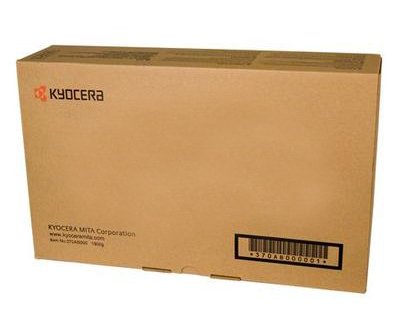
Image: KYOCERA TASKALFA 300Ci Toner Cartridge. This image shows the toner cartridge in its packaging, ready for installation.
Návod k obsluze
Once installed, the KYOCERA TASKALFA 300Ci toner cartridge operates automatically with your printer. Here are some operational considerations:
- Monitorování hladiny toneru: Your printer's control panel or software utility will typically display the current toner level. Monitor this to anticipate when a replacement cartridge will be needed.
- Kvalita tisku: If print quality degrades (e.g., faded prints, streaks), it may indicate low toner or a need for maintenance. Refer to the troubleshooting section.
- Replacement Notification: The printer will usually display a message or indicator when the toner cartridge is nearing empty or requires replacement.
Údržba
Správná manipulace a skladování mohou prodloužit životnost a výkon vaší tonerové kazety.
- Skladování: Store new toner cartridges in their original, unopened packaging in a cool, dry place away from direct sunlight and extreme temperatures.
- Zacházení: Always handle the cartridge by its designated grips. Avoid touching the drum or electrical contacts.
- Recyklace: Dispose of used toner cartridges responsibly. Many manufacturers and retailers offer recycling programs.
Odstraňování problémů
If you encounter issues, consult the following common troubleshooting tips:
| Problém | Možná příčina | Řešení |
|---|---|---|
| Vybledlé nebo světlé výtisky | Nízká hladina toneru; nerovnoměrné rozložení toneru. | Gently rock the cartridge to redistribute toner. If problem persists, replace the cartridge. |
| Pruhy nebo čáry na výtiscích | Toner residue; damaged drum. | Perform a printer cleaning cycle. If the issue continues, the cartridge may be faulty or the drum damaged, requiring replacement. |
| Tiskárna nerozpoznává kazetu | Cartridge not seated correctly; dirty electrical contacts. | Remove and reinsert the cartridge firmly. Clean electrical contacts on both the cartridge and printer with a lint-free cloth. |
Specifikace
- Značka: KYOCERA
- Model: TASKALFA 300Ci
- Hmotnost položky: 2.48 libry
- ASIN: B008N4AX3Y
- Výrobce: KYOCERA
- Datum první dostupnosti: 15. listopadu 2012
Záruka a podpora
For specific warranty information regarding your KYOCERA TASKALFA 300Ci toner cartridge, please refer to the documentation provided with your original printer or contact KYOCERA customer support directly. KYOCERA provides support for its products to ensure customer satisfaction.
KYOCERA Customer Support: Please visit the official KYOCERA website or refer to your printer's user manual for contact details and support resources.