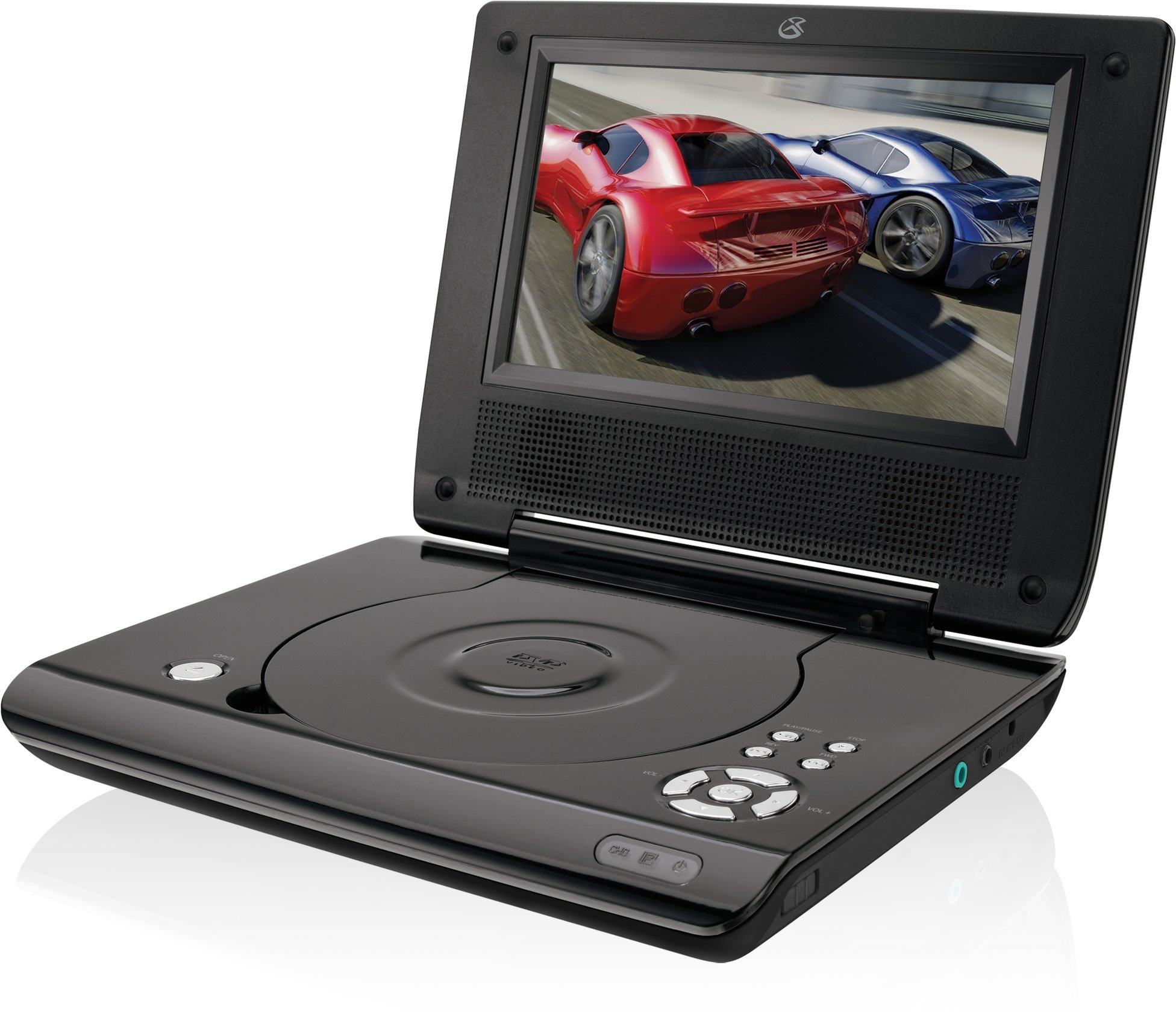
This manual provides essential instructions for the safe and efficient operation of your GPX PD730B 7-inch Portable DVD Player. Please read this manual thoroughly before using the device and retain it for future reference. The GPX PD730B is designed for portable entertainment, allowing you to enjoy DVDs, CDs, and JPEG files on its 7-inch TFT LCD screen.
Obsah balení
Ověřte, zda jsou v balení obsaženy všechny níže uvedené položky:
GPX PD730B Portable DVD Player
AC/DC napájecí adaptér
DC Car Adapter (12V)
Stereo sluchátka
Dálkové ovládání (se 2 bateriemi AAA)
Uživatelská příručka (tento dokument)
Konec produktuview
Figure 1: GPX PD730B Portable DVD Player (Closed)
This image shows the GPX PD730B portable DVD player in its closed position, highlighting its compact and sleek design. The top surface is smooth and black, with control buttons visible on the right edge.
Ovládací prvky a připojení
Familiarize yourself with the various controls and connection ports on your portable DVD player.
Vypínač: Zapíná nebo vypíná jednotku.
Tlačítko Přehrát/Pozastavit: Spustí nebo pozastaví přehrávání.
Tlačítko Stop: Zastaví přehrávání.
Tlačítka Přeskočit/Hledat: Navigates tracks or chapters, or fast-forwards/rewinds.
Ovládání hlasitosti: Upravuje úroveň zvukového výstupu.
Sluchátkový jack: For private listening with stereo earbuds or headphones.
Vstupní port stejnosměrného proudu: Connects to the AC/DC or car power adapter for charging and power.
Nastavení
1. Nabíjení baterie
Before initial use, fully charge the built-in rechargeable battery. A full charge provides approximately 2 hours of playback time.
Connect the AC/DC power adapter to the DC In port on the DVD player.
Zapojte AC/DC napájecí adaptér do standardní zásuvky.
The charging indicator light (if present) will illuminate. Charging is complete when the light changes color or turns off (refer to device for specific indicator behavior).
Alternatively, use the 12V DC car adapter to charge the player in a vehicle.
2. Zapnutí/vypnutí
Stiskněte a podržte Moc button on the unit to turn the player on or off. The screen will illuminate when powered on.
Návod k obsluze
1. Inserting and Removing Discs
Gently open the disc compartment lid.
Place a DVD or CD onto the spindle with the label side facing up. Press down gently on the center of the disc until it clicks into place.
Close the disc compartment lid firmly.
To remove a disc, open the lid, gently press the spindle button (if present) or lift the disc from the edges, avoiding touching the data surface.
2. Základní přehrávání
After inserting a disc, the player will typically begin playback automatically.
Použijte Přehrát/Pozastavit tlačítko pro pozastavení nebo obnovení přehrávání.
Stiskněte tlačítko Zastávka přehrávání zastavíte.
Použijte Přeskočit buttons (usually labeled with arrows) to navigate between chapters or tracks.
Použijte Hledat buttons (often combined with Skip) to fast-forward or rewind.
3. Pomocí dálkového ovládání
The included remote control provides convenient access to all player functions from a distance. Ensure the 2 AAA batteries are correctly installed. Point the remote control directly at the player's remote sensor.
4. Připojení sluchátek
For private listening, plug the stereo earbuds (or your own headphones) into the Jack pro sluchátka on the side of the player. The built-in speakers will automatically mute when headphones are connected.
Figure 2: Portable DVD Player in use (Bedroom)
This image illustrates the portable DVD player being used by a girl in a bedroom setting, demonstrating its suitability for personal entertainment at home.
Figure 3: Portable DVD Player in use (Vehicle)
This image shows a boy watching the portable DVD player in the back seat of a car, highlighting its utility for entertainment during travel.
Figure 4: Portable DVD Player in use (Airplane)
This image depicts a woman using the portable DVD player with headphones on an airplane, showcasing its versatility for quiet, personal entertainment during flights.
Údržba
Cleaning the Player
Disconnect the player from all power sources before cleaning.
K otření vnějších povrchů používejte měkký, suchý hadřík. Nepoužívejte abrazivní čisticí prostředky, vosky ani rozpouštědla.
For the screen, use a soft, lint-free cloth specifically designed for LCD screens. Avoid excessive pressure.
Udržujte přihrádku na disk bez prachu a nečistot.
Péče o baterie
Chcete-li prodloužit životnost baterie, vyvarujte se častého úplného vybíjení.
If the player will not be used for an extended period, charge the battery to about 50% before storing.
Store the player in a cool, dry place.
Odstraňování problémů
If you encounter issues with your GPX PD730B, refer to the following common problems and solutions:
Problém
Možná příčina
Řešení
Přehrávač se nezapne.
Baterie je vybitá; Napájecí adaptér není správně připojen.
Charge the battery; Ensure power adapter is securely connected to both the player and power source.
Žádné přehrávání disku.
Disc inserted incorrectly; Disc is dirty or scratched; Incorrect disc format.
Reinsert disc correctly (label side up); Clean disc with a soft cloth; Ensure disc is DVD, CD, or JPEG CD format.
Z reproduktorů/sluchátek není slyšet žádný zvuk.
Volume too low; Headphones not fully plugged in; Mute function active.
Increase volume; Ensure headphones are fully inserted; Check if mute is active on remote or player.
Dálkové ovládání nefunguje.
Baterie jsou vybité nebo nesprávně vložené; Překážka mezi dálkovým ovladačem a přehrávačem.
Replace remote batteries; Ensure correct polarity; Remove any obstructions and point remote directly at sensor.
Specifikace
Číslo modelu
PD730B
Velikost obrazovky
7 palce
Typ zobrazení
TFT LCD
Nativní rozlišení
480x234
Poměr stran
16:9
Kompatibilní média
DVD, DVD+R/RW, CD, CD-R/RW, JPEG CD
Výdrž baterie (průměrná)
2 hodiny
Vstup napájení
AC/DC Adapter, 12V DC Car Adapter
Konektivita
Pomocný (konektor pro sluchátka)
Hmotnost položky
1.72 libry
UPC
047323007309
Záruka a podpora
For warranty information, technical support, or service inquiries, please refer to the warranty card included with your product or visit the official GPX webUschovejte si účtenku jako doklad o koupi pro případ reklamace.
Ask about setup, troubleshooting, compatibility, parts, safety, or missing instructions. Manuals+ will review the question and use this page’s manual context to help answer it.