
Zavedení
This manual provides detailed instructions for the installation, operation, and maintenance of your CORSAIR VENGEANCE C70 Mid-Tower Case. Designed for durability and extensive cooling, the C70 offers a robust platform for your PC build.
Nastavení a instalace
Follow these steps to set up your CORSAIR VENGEANCE C70 Mid-Tower Case.
1. Příprava případu
The CORSAIR VENGEANCE C70 features quick-release side panels for easy access. To open, locate the latches on the top rear of each side panel and flip them open. Gently pull the panels away from the chassis.
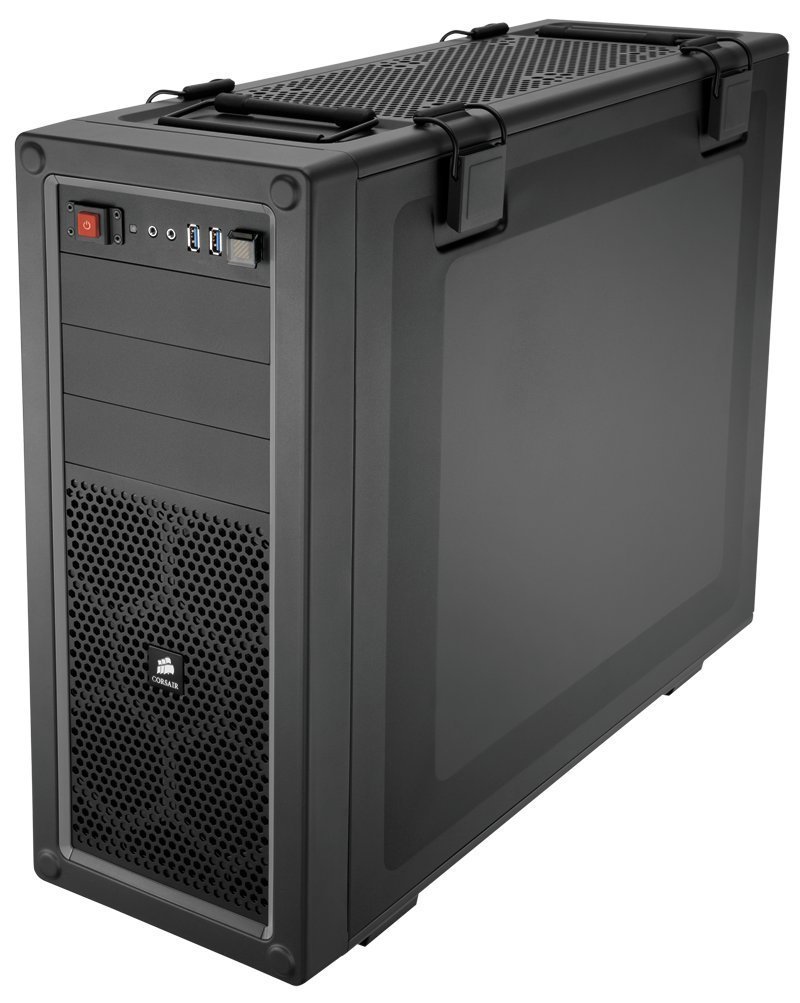
Obrázek: Interní view of the Corsair Vengeance C70 Mid-Tower Case, showcasing the spacious interior with a motherboard, CPU cooler, graphics cards, power supply, and drive bays installed. Note the cable management and fan placements.
2. Instalace základní desky
- The C70 supports ATX and mATX motherboards.
- Nainstalujte kryt I/O do zadního otvoru skříně.
- Align your motherboard with the pre-installed standoffs. Secure the motherboard using the provided screws. Ensure all mounting points are utilized for stability.
3. Instalace napájecího zdroje
- The case supports ATX power supplies, mounted at the bottom.
- Slide the power supply into its designated bay at the bottom rear of the case.
- Secure it with screws from the rear of the chassis.
4. Instalace měniče
- 5.25" Optical Drives: The case features three 5.25" external drive bays. Remove the front bezel cover, slide the drive in, and secure it using the tool-less locking mechanism.
- 3.5"/2.5" Hard Drives/SSDs: The case includes six 3.5"/2.5" drive caddies. These caddies support both 3.5" HDDs and 2.5" SSDs. Slide your drive into a caddy and then slide the caddy into one of the internal drive bays until it clicks into place. The drive cages are removable for increased space or custom cooling solutions.
5. Rozšiřující karty
- The C70 provides eight expansion slots.
- Remove the necessary slot covers, insert your expansion card (e.g., graphics card), and secure it with the provided screws or tool-less clips.
6. Chladicí systém
- The case comes with two 120mm intake fans and one 120mm exhaust fan pre-installed.
- Additional fan mounting locations are available for enhanced airflow, supporting up to 10 fans. These include locations on the top, bottom, and side panel.
- The case also supports 240mm radiators for liquid cooling solutions in the top, front (with drive cage removal), or bottom (with drive cage removal).
7. Správa kabelů
Utilize the routing holes and tie-down points behind the motherboard tray to organize cables. This improves airflow and maintains a clean internal appearance.
Operace
Přední I/O panel
Přední I/O panel poskytuje pohodlný přístup k základním portům a ovládacím prvkům:
- Vypínač: Located on the top front, used to power on/off the system.
- Resetovací tlačítko: Located near the USB ports, often protected by a clear cover to prevent accidental presses. Press to restart the system.
- Porty USB 3.0 (x2): Pro vysokorychlostní přenos dat s kompatibilními zařízeními.
- Konektor pro sluchátka (x1): Pro audio výstup.
- Microphone Jack (x1): Pro audio vstup.
Údržba
Pravidelná údržba pomáhá zajistit optimální výkon a dlouhou životnost komponent vašeho počítače.
- Čištění prachového filtru: The C70 includes dust filters to prevent dust buildup. Regularly check and clean these filters. The bottom filter is easily accessible. The front filter may require removing the front panel for thorough cleaning.
- Čištění interiéru: Periodically open the side panels and use compressed air to remove dust from internal components, especially fans, heatsinks, and radiators.
- Čištění exteriéru: Otřete vnější část pouzdra měkkým hadříkemamp tkanina. Vyhněte se agresivním chemikáliím, které mohou poškodit povrch.
Odstraňování problémů
Tato část se zabývá běžnými problémy, se kterými se můžete setkat.
- Systém se nezapíná:
- Ensure the power supply is properly connected to the wall outlet and the power switch on the PSU is in the 'ON' position.
- Ověřte, zda jsou všechny napájecí kabely (24pinový ATX, 8pinový CPU, PCIe pro GPU) bezpečně připojeny k základní desce a jejím komponentám.
- Check the front panel power switch connector on the motherboard.
- Nadměrný hluk:
- Inspect all fans (CPU, GPU, case fans) for obstructions or loose mounting.
- Ujistěte se, že kabely nepřekážejí lopatkám ventilátoru.
- Check for vibrations from loose components or side panels. The C70 side panel latches should be firmly closed.
- Poor Airflow/High Temperatures:
- Clean all dust filters and internal components as described in the Maintenance section.
- Verify that fans are oriented correctly (intake vs. exhaust).
- Ensure proper cable management to avoid obstructing airflow.
Specifikace
| Značka | Korzár |
| Název modelu | C70 |
| Číslo modelu | CC-9011016-WW |
| Typ pouzdra | Střední věž |
| Materiál | Legovaná ocel |
| Barva | Antracitově černá |
| Kompatibilita základní desky | ATX, mATX |
| Drive Bays | (x3) 5.25", (x6) 3.5"/2.5" Drive Caddies |
| Rozšiřující sloty | 8 |
| Cooling (Included) | (x2) 120mm Intake fans, (x1) 120mm Exhaust Fan |
| Umístění ventilátoru | Až do 10 |
| Přední I/O | (x2) USB 3.0, (x1) Headphone, (x1) Mic |
| Typ zdroje napájení | ATX (není součástí dodávky) |
| Hmotnost položky | 18.3 libry |
Informace o záruce
The CORSAIR VENGEANCE C70 Mid-Tower Case comes with a 2 rok záruka od data nákupu. Uschovejte si doklad o koupi pro případné reklamace. Tato záruka se vztahuje na vady materiálu a zpracování při běžném používání.
Podpora
For technical assistance or customer service, please contact Corsair support:
- Telefon: 1-888-222-4346 opt. 1
- Webmísto: Navštivte oficiální web Corsair website for additional resources, FAQs, and support tickets.