
Konec produktuview
The iSound Twist Portable Bluetooth Wireless Speaker offers a unique design combined with superior sound quality. Its compact form factor allows for portability, while its advanced features enable wireless music streaming and hands-free calling. The speaker features full stereo sound with 6 watts total output from two 40mm drivers and a passive radiator for enhanced bass.
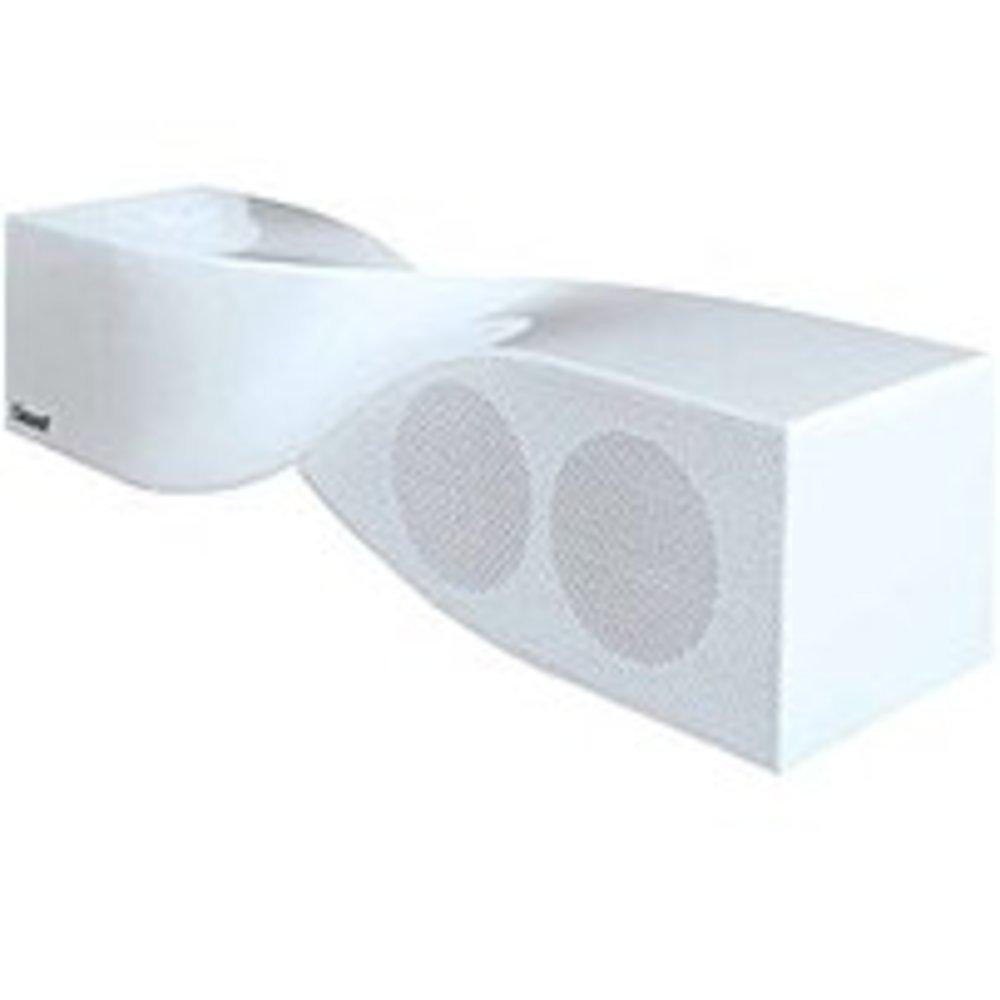
Image: The iSound Twist Portable Bluetooth Wireless Speaker in white, showcasing its unique twisted design.
Obsah balení
- iSound Twist Portable Bluetooth Wireless Speaker
- USB nabíjecí kabel
- 3.5mm AUX Input Cable
- Uživatelská příručka (tento dokument)
Nastavení
1. Nabíjení reproduktoru
Before initial use, fully charge the iSound Twist speaker. Connect the provided USB charging cable to the speaker's USB charging port and the other end to a powered USB source (e.g., computer, USB wall adapter). The charging indicator light will illuminate during charging and turn off when fully charged. A full charge provides up to 5 hours of continuous play.

Image: Rear panel of the speaker, highlighting the USB charging port, ON/OFF switch, and AUX IN port.
2. Zapnutí/vypnutí
Locate the ON/OFF switch on the rear panel of the speaker. Slide the switch to the "ON" position to power on the device. Slide it to the "OFF" position to power off.
3. Párování Bluetooth
- Ensure the speaker is powered on and within close proximity to your Bluetooth-enabled device (e.g., smartphone, tablet, laptop).
- The speaker will automatically enter Bluetooth pairing mode. A blue indicator light will flash, indicating it is discoverable.
- On your device, navigate to the Bluetooth settings and enable Bluetooth.
- Hledat available devices. The iSound Twist speaker should appear in the list, typically named "iSound Twist" or similar.
- Select the speaker from the list to initiate pairing. If prompted for a password, enter "0000".
- Once successfully paired, the blue indicator light on the speaker will stop flashing and remain solid. You will hear an audible confirmation.
- Your device is now connected, and you can stream audio wirelessly.
4. Připojení AUX vstupu
For devices without Bluetooth capability, or if you prefer a wired connection, use the provided 3.5mm AUX cable.
- Connect one end of the 3.5mm AUX cable to the AUX IN port on the rear of the speaker.
- Connect the other end of the cable to the headphone jack or audio output port of your audio device.
- Reproduktor se automaticky přepne do režimu AUX vstupu.
Návod k obsluze
Funkce ovládacího panelu
The speaker features onboard controls located on its top surface for convenient operation.
- Tlačítko napájení / režimu: Press and hold to power on/off. Short press to switch between Bluetooth and AUX modes.
- Tlačítko Přehrát/Pozastavit/Volat: Short press to play or pause music. During an incoming call, short press to answer or end the call. Press and hold to reject an incoming call.
- Tlačítko pro zvýšení hlasitosti/následující skladbu: Short press to increase volume. Press and hold to skip to the next track.
- Tlačítko pro snížení hlasitosti/předchozí skladba: Krátkým stisknutím snížíte hlasitost. Stisknutím a podržením přejdete na předchozí skladbu.
Hands-free volání
When connected via Bluetooth, the iSound Twist speaker's built-in microphone allows for hands-free phone calls.
- Přijetí hovoru: When a call comes in, the music will pause. Press the Play/Pause/Call button once to answer.
- Ukončení hovoru: Během hovoru stiskněte jednou tlačítko Přehrát/Pozastavit/Volat pro ukončení hovoru.
- Odmítnutí hovoru: Stiskněte a podržte tlačítko Přehrát/Pozastavit/Volat pro odmítnutí příchozího hovoru.
Údržba
- Chraňte reproduktor před vodou, vlhkostí a extrémními teplotami.
- Reproduktor čistěte měkkým, suchým hadříkem. Nepoužívejte abrazivní čisticí prostředky ani rozpouštědla.
- Vyvarujte se pádu reproduktoru nebo jej nevystavujte silným nárazům.
- Pokud reproduktor delší dobu nepoužíváte, skladujte jej na chladném a suchém místě a pravidelně jej nabíjejte, aby se zachovala jeho životnost.
Odstraňování problémů
| Problém | Řešení |
|---|---|
| Reproduktor se nezapne. | Ujistěte se, že je baterie nabitá. Připojte reproduktor ke zdroji napájení pomocí kabelu USB a zkuste to znovu. |
| Nelze spárovat přes Bluetooth. |
|
| Žádný zvuk nebo nízká hlasitost. |
|
| Kvalita hovoru je špatná. |
|
Specifikace
| Funkce | Detail |
|---|---|
| Název modelu | ISOUND-1691 |
| Značka | iSound |
| Typ reproduktoru | Věž |
| Speciální funkce | Zabudovaný mikrofon |
| Doporučená použití | For Smartphones or Tablets, Music Players |
| Kompatibilní zařízení | Stolní počítač, notebook, MP3 přehrávač, projektor, chytrý telefon, tablet, televize |
| Konfigurace kanálů prostorového zvuku | 2.0 |
| Barva | Bílý |
| Hmotnost položky | 13.6 unce |
| Je voděodolný | FALEŠNÝ |
| Technologie bezdrátové komunikace | Bluetooth |
| Velikost reproduktoru | 0.75 palce |
| Zdroj napájení | Napájení z baterie |
| Počet baterií | Jsou vyžadovány 1 lithium-iontové baterie. (v ceně) |
| Typ zvukového ovladače | Dynamický ovladač |
| Velikost zvukového ovladače | 40 milimetrů |
| Rozměry produktu | 5 x 4 x 11.75 palce |
| Maximální výstupní výkon reproduktoru | 6 wattů |
| Technologie připojení | Bezdrátový |
| Režim zvukového výstupu | Stereo |
| Typ montáže | Stolní držák |
Oficiální video produktu
Video: Official product video for the iSound Twist Bluetooth Speaker, demonstrating its features and design. This video showcases the speaker's ability to stream audio from various devices and handle calls.
Záruka a podpora
The iSound Twist Portable Bluetooth Wireless Speaker comes with a Omezená záruka. For specific warranty terms, conditions, and support inquiries, please refer to the warranty card included in your product packaging or visit the official iSound webmísto.
For further assistance, please contact iSound customer support.