
Zavedení
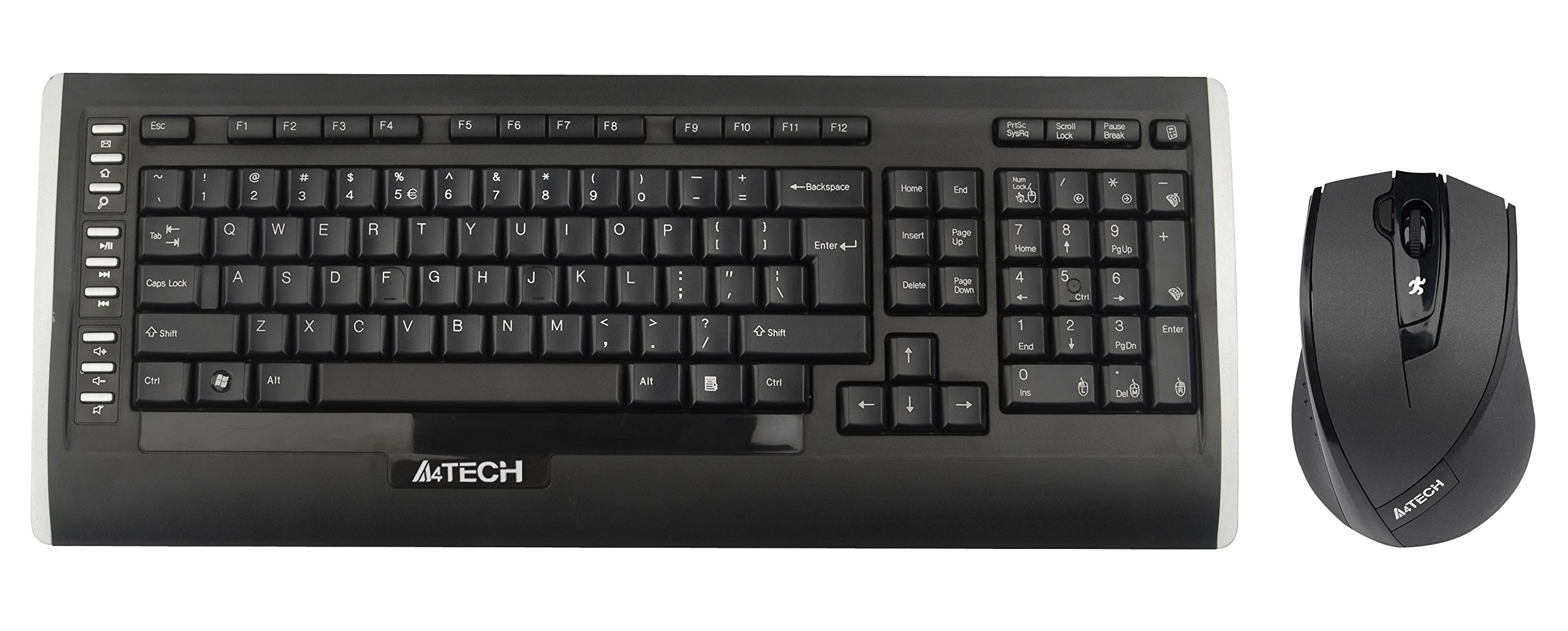
This user manual provides comprehensive instructions for the A4Tech 9300F Wireless RF Keyboard and Mouse Combo. Please read this manual thoroughly before using the product to ensure proper setup and operation. This combo features a wireless keyboard and a mouse with V-Track technology, designed for reliable performance and ease of use with your personal computer.
Nastavení
Follow these steps to set up your A4Tech 9300F Wireless RF Keyboard and Mouse Combo.
1. Instalace baterie
- Vyhledejte přihrádky na baterie na spodní straně klávesnice i myši.
- Otevřete kryty přihrádky na baterie.
- Insert two AA alkaline batteries into the keyboard and two AA alkaline batteries into the mouse, ensuring correct polarity (+/-).
- Bezpečně zavřete kryty bateriového prostoru.
2. Připojení přijímače
- Locate the USB receiver, typically stored within the mouse's battery compartment or packaged separately.
- Zapojte USB přijímač do volného USB portu na vašem osobním počítači.
- Váš operační systém by měl automaticky detekovat a nainstalovat potřebné ovladače. Tento proces může chvíli trvat.
- Once drivers are installed, the keyboard and mouse should be ready for use. If not, ensure the power switches on both devices are in the "ON" position.
Návod k obsluze
This section details the basic and advanced functions of your A4Tech 9300F combo.
Funkce klávesnice
- Standardní psaní: The keyboard features a standard QWERTY layout with comfortable, round-edged keycaps for general typing tasks.
- Numerická klávesnice: The dedicated numeric keypad allows for efficient data entry.
- Funkční klávesy (F1–F12): These keys perform various system or application-specific functions. Refer to your operating system or application documentation for specific uses.
- Dual-Function Keys: Some keys may have secondary functions accessible via a modifier key (e.g., Fn key, if present). These can include media controls or quick access to applications.
Mouse Functions and V-Track Technology
- Standard Mouse Operation: The mouse provides precise cursor control with left, right, and scroll wheel buttons.
- V-Track Technology: This innovative optical technology uses vertical light to ensure smooth and accurate tracking on virtually any surface, including soft fabrics, without the need for a mouse pad. This technology is characterized by:
- Vertical light for enhanced precision.
- Short light path for lower power consumption.
- Incomparable adaptability on diverse surfaces.
- Smooth operation even on soft textiles.
- Tiny lens hole for optimal precision.
- Screen Capture Tool: The mouse may support a screen capture tool with value-added functions such as screen capture, TutorPen, 16-in-One, 4-way wheel, multi-link management, and DPI adjustment. Refer to the manufacturer's website for software download and updates related to this feature.
Údržba
Proper maintenance ensures the longevity and optimal performance of your wireless combo.
Čištění
- Před čištěním odpojte USB přijímač od počítače.
- K otření povrchů klávesnice a myši použijte měkký, suchý hadřík, který nepouští vlákna.
- Pro odolnou špínu lehceampOmyjte hadřík vodou nebo jemným, neabrazivním čisticím prostředkem. Zabraňte nadměrné vlhkosti.
- Do not spray cleaning solutions directly onto the devices.
- K odstranění prachu a nečistot z prostoru mezi klávesami klávesnice použijte stlačený vzduch.
Výměna baterie
- When the devices exhibit reduced performance or stop responding, it is likely time to replace the batteries.
- Postupujte podle kroků pro instalaci baterie uvedených v části „Nastavení“.
- Always replace all batteries in a device at the same time with new, fresh alkaline batteries of the specified type (AA).
- Použité baterie zlikvidujte zodpovědně v souladu s místními předpisy.
Odstraňování problémů
If you encounter issues with your A4Tech 9300F combo, refer to the following common solutions.
- Žádná odezva klávesnice/myši:
- Ensure the batteries are correctly installed and not depleted. Replace if necessary.
- Check that the power switches on both devices are turned "ON".
- Ověřte, zda je USB přijímač bezpečně zapojený do funkčního USB portu v počítači. Zkuste jiný USB port.
- Ensure the devices are within the 15-meter operating range of the receiver and there are no significant obstructions.
- Restartujte počítač.
- Zpoždění nebo přerušované připojení:
- Přesuňte zařízení blíže k USB přijímači.
- Avoid placing the receiver near other wireless devices or large metal objects that could cause interference.
- Vyměňte baterie, pokud jsou slabé.
- Kurzor myši poskakuje nebo je nepřesný:
- Ensure the mouse lens is clean and free of dust or debris.
- While V-Track technology works on most surfaces, extreme textures or highly reflective surfaces might still affect performance. Try using the mouse on a different surface.
- Nefunkční konkrétní klávesy:
- Check for physical obstructions under the keycap.
- If multiple keys are affected, try the general troubleshooting steps for no response.
Specifikace
| Číslo modelu | 9300F |
| Značka | A4Tech |
| Technologie připojení | Rádiová frekvence (RF) |
| Bezdrátové Dosah | Až 15 metrů |
| Tvar klávesnice | Standard QWERTY |
| Mouse Tracking Technology | Optical (V-Track) |
| Zdroj napájení | Napájení z baterie |
| Typ baterie | AA Alkaline (2 for keyboard, 2 for mouse) |
| Kompatibilní zařízení | Osobní počítač |
| Barva | Černý |
| Hmotnost položky | Přibližně 1.85 liber (0.84 kg) |
Záruka a podpora
For warranty information and technical support, please refer to the documentation included with your product or visit the official A4Tech webUschovejte si účtenku jako doklad o koupi pro případ reklamace.
Výrobce: A4Tech
Webmísto: www.a4tech.com