
Zavedení
Thank you for choosing the Tele System TS6512HD Digital Terrestrial Receiver. This device allows you to receive digital terrestrial television broadcasts and offers additional features such as multimedia playback via USB and recording capabilities. This manual provides essential information for the safe and efficient use of your receiver, including setup, operation, maintenance, and troubleshooting.
Důležité bezpečnostní informace
- Napájení: Používejte pouze určený napájecí adaptér. Ujistěte se, že hlasitosttage odpovídá místnímu napájení.
- Větrání: Do not block ventilation openings. Place the receiver on a stable, flat surface with adequate space around it for proper airflow.
- Voda a vlhkost: Do not expose the receiver to rain, moisture, or liquids. Do not place objects filled with liquids, such as vases, on the receiver.
- Zdroje tepla: Keep the receiver away from heat sources such as radiators, heat registers, stoves, or other heat-producing appliances.
- Čištění: Unplug the receiver from the power outlet before cleaning. Use a soft, dry cloth. Do not use liquid or aerosol cleaners.
- Servis: Nepokoušejte se tento výrobek opravit sami. Veškerý servis svěřte kvalifikovanému servisnímu personálu.
- Blesk: Unplug the receiver during lightning storms or when unused for long periods.
Obsah balení
Zaškrtněte prosím políčko u následujících položek:
- Tele System TS6512HD Digital Terrestrial Receiver
- Dálkové ovládání
- Napájecí adaptér
- Uživatelská příručka (tento dokument)
Průvodce nastavením
1. Připojení přijímače
- Připojení k televizi:
- For optimal picture quality, connect an HDMI cable (not included) from the receiver's HDMI OUT port to an available HDMI IN port on your television.
- Alternatively, if your TV does not have an HDMI port, connect a SCART cable (not included) from the receiver's SCART port to the SCART IN port on your television.
- Připojení antény: Connect your terrestrial antenna cable to the ANT IN port on the back of the receiver.
- Připojte napájení: Plug the power adapter into the DC IN port on the receiver, then plug the adapter into a wall outlet.
- Vložte baterie: Open the battery compartment on the remote control and insert two AAA batteries (not included), observing the correct polarity.
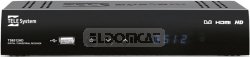
Obrázek 1: Přední strana view of the Tele System TS6512HD receiver, showing its compact design and essential indicators.
2. First-Time Installation
- Turn on your TV and select the correct input source (HDMI or SCART) corresponding to where you connected the receiver.
- Power on the Tele System TS6512HD receiver.
- Na televizní obrazovce by se měl zobrazit průvodce první instalací. Postupujte podle pokynů na obrazovce a vyberte jazyk, zemi a spusťte automatické vyhledávání kanálů.
- Once the scan is complete, the receiver will save the found channels, and you can begin watching TV.
Návod k obsluze
Základní funkce dálkového ovládání
- MOC: Turns the receiver on or off (standby mode).
- CH +/-: Přepíná kanály nahoru nebo dolů.
- VOL +/-: Nastavuje úroveň hlasitosti.
- ZTLUMIT: Ztlumí nebo zapne zvuk.
- JÍDELNÍ LÍSTEK: Přístup k hlavní nabídce s nastaveními a funkcemi.
- VÝSTUP: Ukončí aktuální nabídku nebo zobrazení na obrazovce.
- OK: Potvrzuje výběry v nabídkách.
- Šipky (nahoru/dolů/doleva/doprava): Prochází nabídkami a možnostmi.
- INFO: Zobrazuje informace o aktuálním kanálu.
- EPG: Přístup k elektronickému programovému průvodci.
Navigace kanálů
Použijte CH +/- buttons to browse channels sequentially. To directly enter a channel number, use the numeric keypad on the remote control.
Pomocí hlavní nabídky
Stiskněte tlačítko MENU button to access the receiver's main menu. Here you can configure various settings, including:
- Vyhledávání kanálů: Rescan for channels or perform a manual search.
- Nastavení systému: Adjust language, time, parental control, and other system preferences.
- Nastavení obrazu: Configure aspect ratio, resolution, and other display options.
- Nastavení zvuku: Adjust audio output preferences.
- USB: Access multimedia files from a connected USB device or manage recordings.
Recording TV Programs (PVR Function)
The TS6512HD receiver supports recording of TV programs to an external USB storage device (e.g., USB flash drive or external hard drive, not included). Ensure your USB device is formatted correctly (FAT32 or NTFS) and has sufficient free space.
- Connect a compatible USB storage device to the USB port on the receiver.
- To record instantly, press the REC button on the remote control while watching a program. Press ZASTÁVKA pro ukončení nahrávání.
- To schedule a recording, use the EPG (Electronic Program Guide) to select a program and follow the on-screen prompts to set a timer recording. Alternatively, access the Timer settings via the main menu.
- Recorded programs can be accessed and played back through the "USB" section in the main menu.
Multimedia Playback via USB
Přijímač dokáže přehrávat různá multimediální zařízení file(video, audio, fotografie) z připojeného paměťového zařízení USB.
- Connect a USB storage device containing your multimedia files do USB portu.
- Stiskněte tlačítko MENU button, navigate to the "USB" section, and select "Multimedia" or "Player".
- Procházejte si files a stiskněte OK hrát.
- Note: The receiver supports specific file formats (e.g., H.264, MPEG2, MPEG4 for video; AAC+, LC-AAC for audio). Compatibility with all file types is not guaranteed.
Údržba
Čištění
To clean the receiver, first unplug it from the power outlet. Use a soft, dry, lint-free cloth to wipe the exterior surfaces. Do not use liquid cleaners, abrasive pads, or chemical solvents, as these can damage the finish or internal components.
Aktualizace softwaru
Periodically, Tele System may release software updates to improve performance or add new features. Check the manufacturer's website for available updates and instructions on how to install them via USB.
Odstraňování problémů
| Problém | Možná příčina | Řešení |
|---|---|---|
| No power / Receiver does not turn on. | Power cable not connected properly; Power outlet not working; Faulty power adapter. | Check power cable connection. Try a different power outlet. Ensure the power adapter is working. |
| Žádný obraz ani zvuk. | Incorrect TV input selected; HDMI/SCART cable loose or faulty; Antenna not connected or signal too weak. | Select the correct TV input source. Check HDMI/SCART cable connections. Ensure antenna is connected and try rescanning channels. |
| Dálkové ovládání nefunguje. | Baterie jsou vybité nebo nesprávně vložené; Překážka mezi dálkovým ovladačem a přijímačem; Zablokovaný senzor dálkového ovladače. | Replace batteries, ensuring correct polarity. Remove any obstructions. Ensure the remote sensor on the receiver is clear. |
| Poor picture quality / Pixelation. | Weak antenna signal; Antenna alignment issue; Interference. | Check antenna connection and alignment. Consider using a signal amplifier if signal is consistently weak. |
| Cannot record to USB device. | USB device not connected; USB device not formatted correctly; Insufficient storage space; USB device incompatible. | Ensure USB device is connected. Format the USB device to FAT32 or NTFS. Check available space. Try a different USB device. |
Technické specifikace
| Název modelu | TS6512HD |
| Číslo modelu | 21005197 |
| Značka | Tele System |
| Typ tuneru | Terrestrial, DVB |
| Rozlišení videa | 1920 x 810 pixelů |
| Video kodeky | H.264, MPEG2, MPEG4 |
| Audio kodeky | AAC+, LC-AAC |
| Celkový počet portů USB | 1 |
| Celkový počet portů HDMI | 1 |
| Kompatibilní zařízení | Televize |
| Barva | Černý |
| Rozměry (balení) | 24 x 23.4 x 5.2 cm |
| Hmotnost (balení) | 421.84 g |
| GTIN (EAN/UPC) | 08024427014350 |
Záruka a podpora
The Tele System TS6512HD receiver comes with a standard manufacturer's warranty. For specific warranty terms and conditions, please refer to the warranty card included with your product or visit the official Tele System website. For technical support, troubleshooting assistance beyond this manual, or service inquiries, please contact Tele System customer support through their official channels.