
C2G 22014
C2G 22014 Cat6 Cable - Snagless Unshielded Ethernet Network Patch Cable User Manual
Brand: C2G | Model: 22014
1. Úvod
This manual provides essential information for the proper use and care of your C2G 22014 Cat6 Snagless Unshielded Ethernet Network Patch Cable. This cable is designed for high-performance networking applications, facilitating voice, data, and video distribution. It is engineered to handle bandwidth-intensive tasks and minimize signal degradation.
2. Konec produktuview
The C2G 22014 Cat6 cable is a reliable solution for connecting network devices. Its design focuses on durability and optimal signal integrity.
Klíčové vlastnosti:
- Snagless Design: Prevents unwanted cable snags during installation and provides extra strain relief, protecting the RJ45 connector clip.
- Vysoký výkon: Meets all Cat6 TIA/EIA-568-B-2.1, draft 9 standards, ensuring high-speed data transmission.
- Reduced Impedance & SRL: Drastically reduces both impedance and structural return loss (SRL) compared to standard 100 MHz wire.
- Minimized NEXT: Constructed with bonded pairs and a shortened body plug to minimize Near-End Crosstalk (NEXT) levels.
- Odolná konstrukce: Features a copper braid and PVC jacket for enhanced durability.
- Všestranné použití: Ideal for connecting network adapters, hubs, switches, routers, DSL/cable modems, and patch panels.
Obrázky produktů:

Obrázek 2.1: Přesview of the C2G 22014 Cat6 Snagless Unshielded Ethernet Network Patch Cable, illustrating its black cable and clear RJ45 connectors on both ends.

Obrázek 2.2: Detailní view of a single RJ45 connector on the C2G 22014 cable, highlighting the integrated snagless boot designed to protect the clip during connection and disconnection.

Obrázek 2.3: Boční profíkfile of the RJ45 connector and the cable, demonstrating the robust strain relief mechanism that enhances durability and prevents cable damage at the connection point.
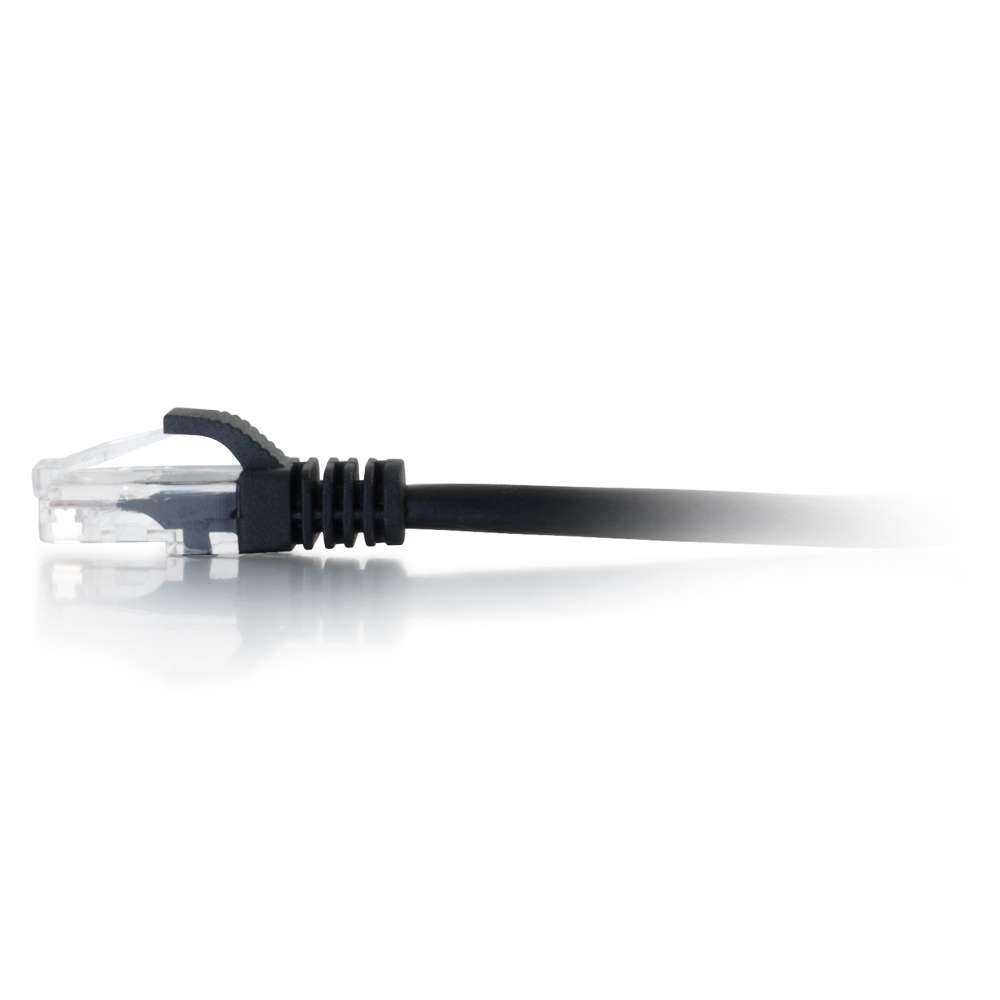
Figure 2.4: An alternative close-up of the RJ45 connector, providing a view of the internal wiring through its transparent housing, which is characteristic of unshielded twisted pair (UTP) cables.
Produktová videa:
There are no official product videos available for this item from the seller.
3. Nastavení
The C2G Cat6 cable is designed for simple plug-and-play installation. Follow these steps to set up your network connection:
- Identifikace portů: Locate the RJ45 Ethernet ports on your network devices (e.g., computer, router, modem, switch, patch panel).
- Připojení prvního konce: Gently insert one end of the C2G Cat6 cable into an available RJ45 port on your first device. Ensure the connector clicks into place, indicating a secure connection. The snagless boot will help prevent the clip from breaking during insertion.
- Připojení druhého konce: Insert the other end of the cable into an RJ45 port on your second network device. Again, ensure a secure click.
- Ověřit připojení: Most network devices have indicator lights (LEDs) next to the Ethernet ports. A solid or blinking light typically indicates an active and functional connection. Refer to your device's manual for specific LED behavior.
This cable is compatible with any device featuring a standard RJ45 Ethernet port, supporting 10 Gigabit data transmission for 10GBase-T applications.
4. Provoz
As a passive network component, the C2G Cat6 cable does not require active operation or configuration. Once properly connected between two compatible network devices, it facilitates data transmission automatically.
- Tok dat: The cable transmits data signals between connected devices.
- Rychlost: It supports speeds up to 10 Gigabit Ethernet (10GBase-T) over its specified length, provided the connected devices also support these speeds.
- Výkon: The cable's design minimizes signal interference (NEXT) and loss (SRL), ensuring stable and efficient network performance.
5. Údržba
Proper maintenance ensures the longevity and optimal performance of your C2G Cat6 cable:
- Skladování: Kabel skladujte na chladném a suchém místě mimo dosah přímého slunečního záření a extrémních teplot. Nesvíjejte kabel příliš silně ani neohýbejte, mohlo by dojít k poškození vnitřních vodičů.
- Čištění: V případě potřeby kabel a konektory jemně otřete měkkým, suchým hadříkem, který nepouští vlákna. Nepoužívejte tekuté čisticí prostředky ani rozpouštědla.
- Zacházení: Always grasp the connector housing when plugging or unplugging the cable, not the cable itself. This prevents strain on the connector and internal wiring.
- Ochrana: Utilize the snagless boot feature by ensuring it is properly aligned when inserting the connector to protect the locking clip.
6. Řešení problémů
If you experience issues with your network connection, consider the following troubleshooting steps:
- Žádné síťové připojení:
- Ensure both ends of the cable are securely plugged into their respective ports. Listen for a click.
- Check the network indicator lights on your devices. If they are off, try re-seating the cable or using a different port.
- Test the cable with another known working device or try a different Ethernet cable to isolate the problem.
- Pomalá rychlost sítě:
- Verify that both connected devices support the desired network speed (e.g., Gigabit Ethernet).
- Ensure the cable is not excessively bent, kinked, or run near sources of strong electromagnetic interference (EMI).
- Confirm that the cable length is appropriate for your application and does not exceed recommended maximums for Cat6 (e.g., 100 meters for 1000Base-T, shorter for 10GBase-T).
- Přerušované připojení:
- Zkontrolujte, zda kabel nebo konektory nejsou fyzicky poškozené.
- Ensure the cable is not being stepped on or pinched by furniture.
- Try connecting the cable to different ports on your devices.
If issues persist after these steps, the cable may be faulty, or the problem might lie with the connected network hardware.
7. Specifikace
| Atribut | Detail |
|---|---|
| Značka | C2G |
| Číslo modelu | 22014 |
| Typ kabelu | Snagless, Booted, Ethernet Patch Cable, Unshielded (UTP) |
| Typ konektoru | RJ45 Male to RJ45 Male |
| Délka | 15 Feet / 4.57 Meters (as per product variant) |
| Barva | Černá (dle varianty produktu) |
| Kompatibilní zařízení | Modem, Router, Network Adapters, Hubs, Switches, Patch Panels |
| Speciální funkce | Přenos dat |
| Rozměry produktu | 12 x 10 x 0.03 palce; 5.93 unce |
| Datum první dostupnosti | 5. srpna 2011 |
8. Informace o záruce
Specific warranty details for the C2G 22014 Cat6 cable are not provided in the product data. Please refer to the manufacturer's official website or contact C2G customer support for comprehensive warranty information.
9. Podpora
For technical assistance, product inquiries, or further support regarding your C2G 22014 Cat6 cable, please visit the official C2G webnebo kontaktujte jejich oddělení zákaznických služeb. Kontaktní informace jsou obvykle k dispozici na obalu výrobce nebo webmísto.
Můžete také navštívit C2G Store on Amazon pro více informací a produktů.
Ask a question about this manual
Ask about setup, troubleshooting, compatibility, parts, safety, or missing instructions. Manuals+ will review the question and use this page’s manual context to help answer it.