
Zavedení
This manual provides comprehensive instructions for the setup, operation, maintenance, and troubleshooting of your Polk Audio SurroundBar 4000 Instant Home Theater system. Please read this manual thoroughly before using the product to ensure proper functionality and to maximize your audio experience.
Důležité bezpečnostní informace
Always follow basic safety precautions when using this product to reduce the risk of fire, electric shock, and injury. Keep these instructions for future reference.
- Nevystavujte toto zařízení dešti nebo vlhkosti.
- Neblokujte žádné ventilační otvory.
- Neinstalujte v blízkosti zdrojů tepla.
- Používejte pouze nástavce/příslušenství určené výrobcem.
- Veškeré opravy svěřte kvalifikovanému servisnímu personálu.
Obsah balení
Ověřte, zda jsou v balení přítomny všechny položky:
- Polk Audio SurroundBar 4000 Soundbar
- Bezdrátový subwoofer
- Dálkové ovládání
- Napájecí kabely
- Optický kabel
- Šablona pro montáž na zeď (pokud je k dispozici)
- Rychlý průvodce
Nastavení
1. Umístění
The SurroundBar 4000 can be placed on a shelf below your television or mounted on a wall. Ensure the soundbar is centered with your TV for optimal audio imaging.
The wireless subwoofer can be placed anywhere in the room, ideally within 20-30 feet of the soundbar, for best performance. Avoid placing it directly against a wall or in a corner, which can cause excessive bass.
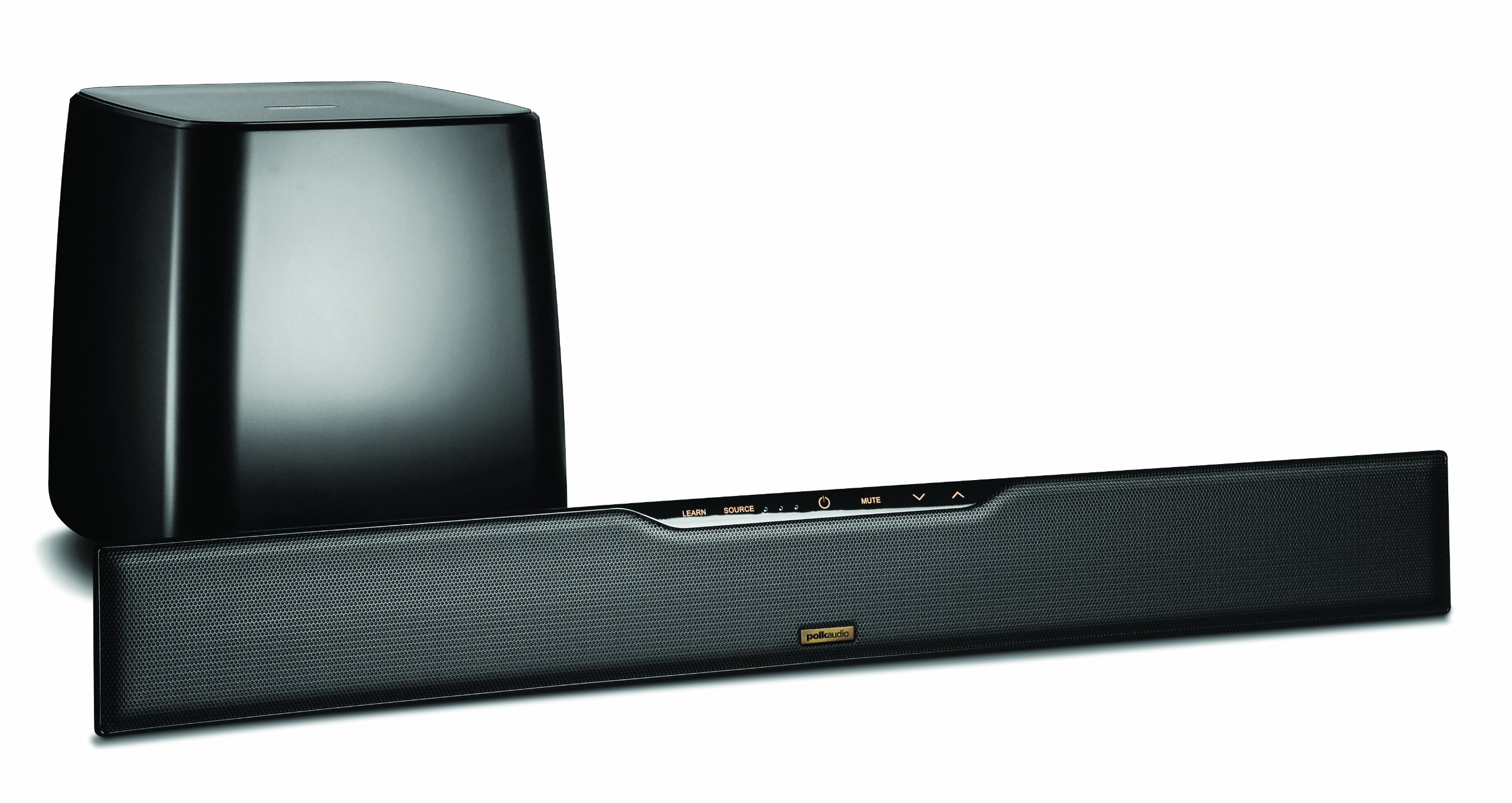
Image: Polk Audio SurroundBar 4000 IHT soundbar and wireless subwoofer. This image illustrates a typical setup with the soundbar positioned below a television and the wireless subwoofer placed nearby.
2. Připojení
Připojte soundbar k televizoru nebo jiným zdrojům zvuku jedním z následujících způsobů:
- Optický digitální audio (doporučeno): Connect one end of the optical cable to the "Optical Out" port on your TV and the other end to the "Optical In" port on the SurroundBar.
- Analog Audio (3.5mm or RCA): If your TV does not have an optical output, use an analog audio cable to connect the TV's audio output to the SurroundBar's analog input.
Připojte napájecí kabely k soundbaru a bezdrátovému subwooferu a poté je zapojte do zásuvky ve zdi.
3. Bezdrátové párování subwooferu
The subwoofer should automatically pair with the soundbar when both are powered on. If pairing does not occur, or if the connection is lost:
- Ujistěte se, že jsou zapnuté jak soundbar, tak subwoofer.
- Press and hold the "Connect" button on the back of the subwoofer for a few seconds until the status light blinks.
- Press and hold the "Connect" button on the back of the soundbar (or on the remote, if available) until its status light also blinks.
- The lights should become solid once a connection is established.
Návod k obsluze
1. Zapnutí/vypnutí
Press the Power button on the remote control or on the soundbar to turn the system on or off.
2. Výběr vstupu
Use the "Source" button on the remote control or soundbar to cycle through available audio inputs (Optical, Analog, Bluetooth).
3. Ovládání hlasitosti
Adjust the master volume using the "Volume Up" and "Volume Down" buttons on the remote or soundbar. The subwoofer volume can be adjusted independently using the "Subwoofer Volume" buttons on the remote.
4. Párování Bluetooth
Chcete-li připojit zařízení Bluetooth:
- Select the Bluetooth input on the soundbar.
- On your device, enable Bluetooth and search for "Polk SurroundBar 4000".
- Select the soundbar from the list to pair.
5. Remote Control Learning Feature
The SurroundBar 4000 can learn commands from your TV remote control for power, volume up, volume down, and mute. Refer to the quick start guide for detailed instructions on programming this feature.
Údržba
To ensure the longevity and optimal performance of your Polk Audio SurroundBar 4000 IHT:
- Čištění: K čištění povrchů soundbaru a subwooferu používejte měkký, suchý hadřík. Nepoužívejte tekuté čisticí prostředky ani abrazivní materiály.
- Větrání: Ensure that the ventilation openings on the soundbar and subwoofer are not blocked to prevent overheating.
- Napájecí kabely: Regularly inspect power cords for any damage. If damaged, discontinue use and contact customer support.
Odstraňování problémů
| Problém | Možná příčina | Řešení |
|---|---|---|
| Žádný zvuk ze soundbaru |
|
|
| Žádný zvuk ze subwooferu |
|
|
| Zkreslený nebo špatná kvalita zvuku |
|
|
| Dálkové ovládání nefunguje |
|
|
Specifikace
| Funkce | Detail |
|---|---|
| Značka | Polk Audio |
| Název modelu | SurroundBar 4000 IHT |
| Číslo modelu | IHT 4000 |
| Typ reproduktoru | Soundbar s bezdrátovým subwooferem |
| Maximální výstupní výkon reproduktoru | 180 wattů |
| Technologie připojení | Bluetooth |
| Režim zvukového výstupu | Surround |
| Kontrolní metoda | Vzdálený |
| Zdroj napájení | Elektrický kabel |
| Kompatibilní zařízení | Gaming Console, Television |
| UPC | 747192121662 |
Záruka a podpora
For warranty information and technical support, please refer to the warranty card included with your product or visit the official Polk Audio webUschovejte si doklad o koupi pro případ reklamace.
Polk Audio Webmísto: www.polkaudio.com
Služby zákazníkům: Refer to the Polk Audio webweb s kontaktními informacemi specifickými pro váš region.